
Overview
SIEMENS 6DP1360-8BA Migration-Ready Function Module: Legacy DCS Retrofit & Control System Upgrade
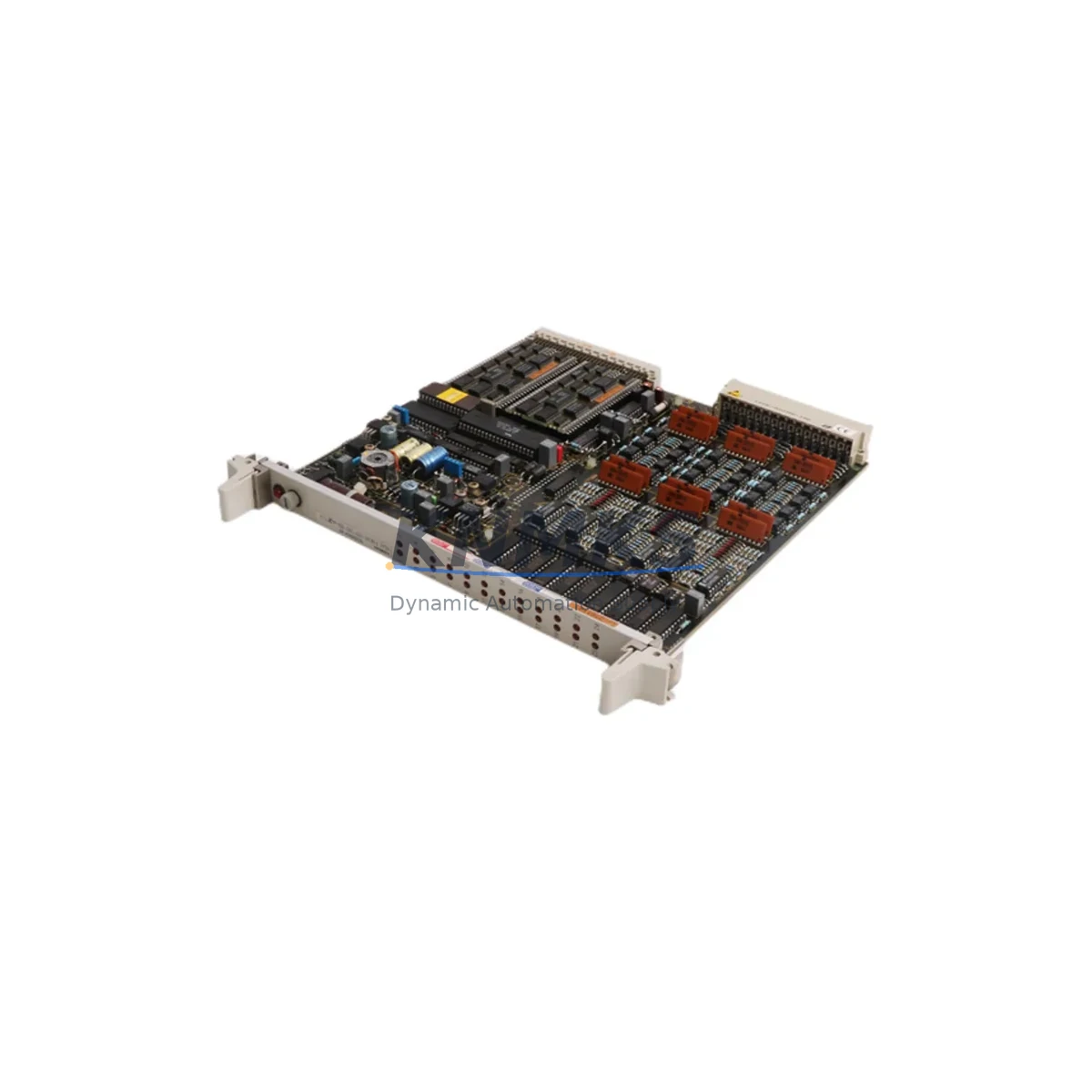
The SIEMENS 6DP1360-8BA, also referenced as the FUM360 Function Module, is a critical replacement component for facilities operating legacy SIEMENS TELEPERM M distributed control systems. As TELEPERM M hardware reaches end-of-life and original spare parts become increasingly scarce, the 6DP1360-8BA provides a verified, migration-ready solution for engineers managing aging process control infrastructure in chemical plants, power generation facilities, oil & gas installations, and heavy manufacturing environments.
This module is designed to slot directly into existing TELEPERM M racks and backplanes without requiring structural modifications to the control cabinet. Before installation, engineers should confirm available backplane slot assignments, verify the bus interface pinout against the existing rack wiring diagram, and check that the cabinet power supply — typically a SIEMENS 6DP1612 or equivalent TELEPERM M power supply module — can sustain the additional load introduced during the retrofit sequence. Power budget verification is a mandatory pre-commissioning step that is frequently overlooked during emergency replacements.
Migration Compatibility Table
| Parameter | Specification / Retrofit Note |
|---|---|
| SKU / Part Number | 6DP1360-8BA (FUM360) |
| Compatible Platform | SIEMENS TELEPERM M DCS |
| Module Type | Function Module (FUM) |
| Backplane Interface | TELEPERM M standard bus connector — verify slot address before insertion |
| Installation Format | Direct rack-mount; no cabinet structural modification required |
| Communication Compatibility | TELEPERM M internal bus; confirm firmware revision matches host controller |
| Power Supply Requirement | Confirm TELEPERM M PSU capacity before hot-swap or cold-swap installation |
| Terminal Wiring | Review existing field wiring termination against module I/O map prior to swap |
| Firmware Compatibility | Verify host AS (Automation Station) firmware version supports FUM360 revision |
| Program Logic Retention | Original control logic preserved in AS; no reprogramming required for drop-in swap |
| HMI Screen Impact | Tag mapping unchanged for direct replacement; verify OM (Operator Module) display |
| Replacement Recommendation | Direct drop-in for 6DP1360-8BA; confirm hardware revision suffix if applicable |
| Country of Origin | Germany |
| Weight | 520 g |
| Support terms | support terms confirmed by quotation — functional test included before shipment |
Retrofit Planning for Existing Automation Systems
Successful integration of the 6DP1360-8BA into a running TELEPERM M system requires a structured retrofit plan that addresses hardware, software, and field wiring simultaneously. Engineers should begin by auditing the existing rack configuration — identifying occupied and available slots, confirming the rack type (typically a SIEMENS 6DP1612-series subrack), and mapping the current module address assignments used by the Automation Station.
Field wiring connected to the outgoing module must be documented before removal. Terminal block layouts on TELEPERM M I/O modules follow a defined pinout, and any deviation introduced during re-termination can cause signal errors or process alarms on startup. Where signal isolation is required between legacy field devices and the new module, a signal isolator or barrier should be inserted at the marshalling cabinet level rather than modifying the module itself.
Communication link integrity is another key planning item. The TELEPERM M internal bus connects the Automation Station to function modules and I/O modules across the rack. If the retrofit involves replacing multiple modules simultaneously — for example, combining the 6DP1360-8BA replacement with an upgrade of adjacent SIEMENS 6DS1612 analog input modules or 6DS1614 digital output modules — the bus load and slot sequencing must be re-validated after all modules are seated.
For sites also upgrading their operator interface, the transition from legacy TELEPERM M Operator Modules to a modern SIMATIC WinCC or PCS 7 HMI environment requires tag export and screen re-mapping. In these cases, the 6DP1360-8BA serves as a bridging component, maintaining process control continuity while the HMI layer is modernized in parallel. Programming cables and configuration tools compatible with the TELEPERM M AS should be confirmed available on-site before the maintenance window begins.
Where the retrofit scope extends to communication protocol migration — for example, moving from TELEPERM M proprietary bus to PROFIBUS DP or Industrial Ethernet — a SIEMENS communication gateway module or protocol converter must be introduced at the rack level. The 6DP1360-8BA itself operates on the native TELEPERM M bus and does not require protocol conversion for standard drop-in replacement scenarios.
Downtime Control During System Migration
Minimizing unplanned downtime is the primary operational constraint in any legacy DCS retrofit. For the SIEMENS 6DP1360-8BA, the recommended approach is a cold-swap replacement during a scheduled maintenance window, with the Automation Station placed in manual override or safe-state hold before the module is extracted.
Before the maintenance window opens, the engineering team should complete a full backup of the AS program, including all function block configurations, setpoints, and interlock logic. This backup should be stored both on the programming workstation and on removable media kept at the site. If the AS firmware version is being updated as part of the same maintenance event, the firmware upgrade should be completed and verified before the 6DP1360-8BA is inserted, as module initialization behavior can differ across firmware revisions.
After module insertion and rack power restoration, the commissioning sequence should follow the TELEPERM M startup checklist: confirm module recognition by the AS, verify I/O channel status in the diagnostic display, check field signal values against known reference readings, and release the affected control loops from manual hold in a staged sequence rather than simultaneously. This staged release approach protects against process upsets caused by accumulated setpoint deviation during the downtime period.
For sites where continuous operation is required and a cold-swap is not feasible, a parallel installation strategy — where the replacement module is pre-configured and tested in a bench rack before being transferred to the live system — can reduce in-situ commissioning time to under 30 minutes. All units supplied are functionally tested before shipment, reducing the risk of DOA failures during critical maintenance windows.
Retrofit Support FAQ
Q1: Is the SIEMENS 6DP1360-8BA a direct drop-in replacement for the original FUM360 installed in my TELEPERM M system?
A: Yes. The 6DP1360-8BA is the standard SIEMENS part number for the FUM360 Function Module and is designed for direct rack-mount replacement in TELEPERM M systems. Confirm the hardware revision suffix on the existing module label if your system uses a specific revision-dependent firmware pairing.
Q2: Do I need to reprogram the Automation Station after replacing the 6DP1360-8BA?
A: In a standard drop-in replacement, no reprogramming is required. The control logic resides in the Automation Station, not in the function module. After module swap, the AS will re-initialize the module and resume normal operation. Verify module address assignment matches the original slot configuration before powering up.
Q3: What pre-shipment testing is performed on the 6DP1360-8BA?
A: Each unit undergoes functional testing before shipment to verify module initialization, bus communication response, and I/O channel integrity. A support terms confirmed by quotation is provided from the date of shipment, covering manufacturing defects and functional failures under normal operating conditions.
Q4: What is the typical lead time and stock availability for the 6DP1360-8BA?
A: Stock availability is maintained for immediate dispatch. Lead time for in-stock units is typically 3–7 business days for international shipments. For urgent requirements or bulk orders, contact the sales team directly to confirm current inventory levels and expedited shipping options.
© 2026 KNMKS. All rights reserved.
Original Source: https://knmks.com
Contact: admin@knmks.com | +86 18359268345
Product Identification
- Brand / Ecosystem
-
SIEMENS
Siemens - Model / Series
- 6DP1360-8BA
- Product Family
- PLCs & Controllers
- Availability Status
- Available on request after model and quantity confirmation
- Inquiry Type
- B2B RFQ, replacement inquiry and project spare-part request
- Pre-Quote Check
- Exact SKU, brand, series, quantity, nameplate photos and destination country are checked before quotation
System Path
Where this product fits in the KNMKS automation structure.
Specification & Inquiry Focus
- Control platform
- PLC, PAC and modular controllers
- Common needs
- CPU, rack, power and I/O expansion
- Project support
- Replacement, cabinet build and maintenance
Buyer Confirmation
Information KNMKS checks before replying.
- Exact model
- 6DP1360-8BA
- Brand / ecosystem
- SIEMENS
- Product family
- PLCs & Controllers
- Application note
- Replacement, maintenance, project build or spare-part list
- Useful photos
- Nameplate, installed unit, cabinet layout or connector side
- Delivery details
- Quantity, destination country and target schedule
Document Support
Files and notes can be confirmed during quotation.
- Product photos or nameplate confirmation when available
- Packing and delivery notes before quotation confirmation
- Support scope and delivery terms confirmed per inquiry
- Export document coordination for qualified B2B requests
Inquiry Support
- Model cross-checking before quotation
- CPU, power, rack and expansion module matching
- Support for replacement and project inquiry
What to Send Us
- Brand and exact model number: SIEMENS 6DP1360-8BA
- Quantity and required delivery time
- Application, replacement requirement or nameplate photo
- Destination country and shipping preference
RFQ Preparation
This is a product inquiry page built for RFQ communication.
Fast Model Check
Send this model to KNMKS for confirmation.
Include quantity, destination country and photos if this is a maintenance replacement. The inquiry will be saved with a reference number after submission.
Brand & Compatibility Note
KNMKS displays automation product information for well-known industrial brand ecosystems and compatible replacement references. Brand names are used for product identification and compatibility reference only; final availability and commercial terms are confirmed per quotation.
 Manufacturing
 Machine Tools
 Packaging
 Energy & Power



 HMI & Displays
 Servo Systems
 Variable Frequency Drives
 Sensors