
Overview
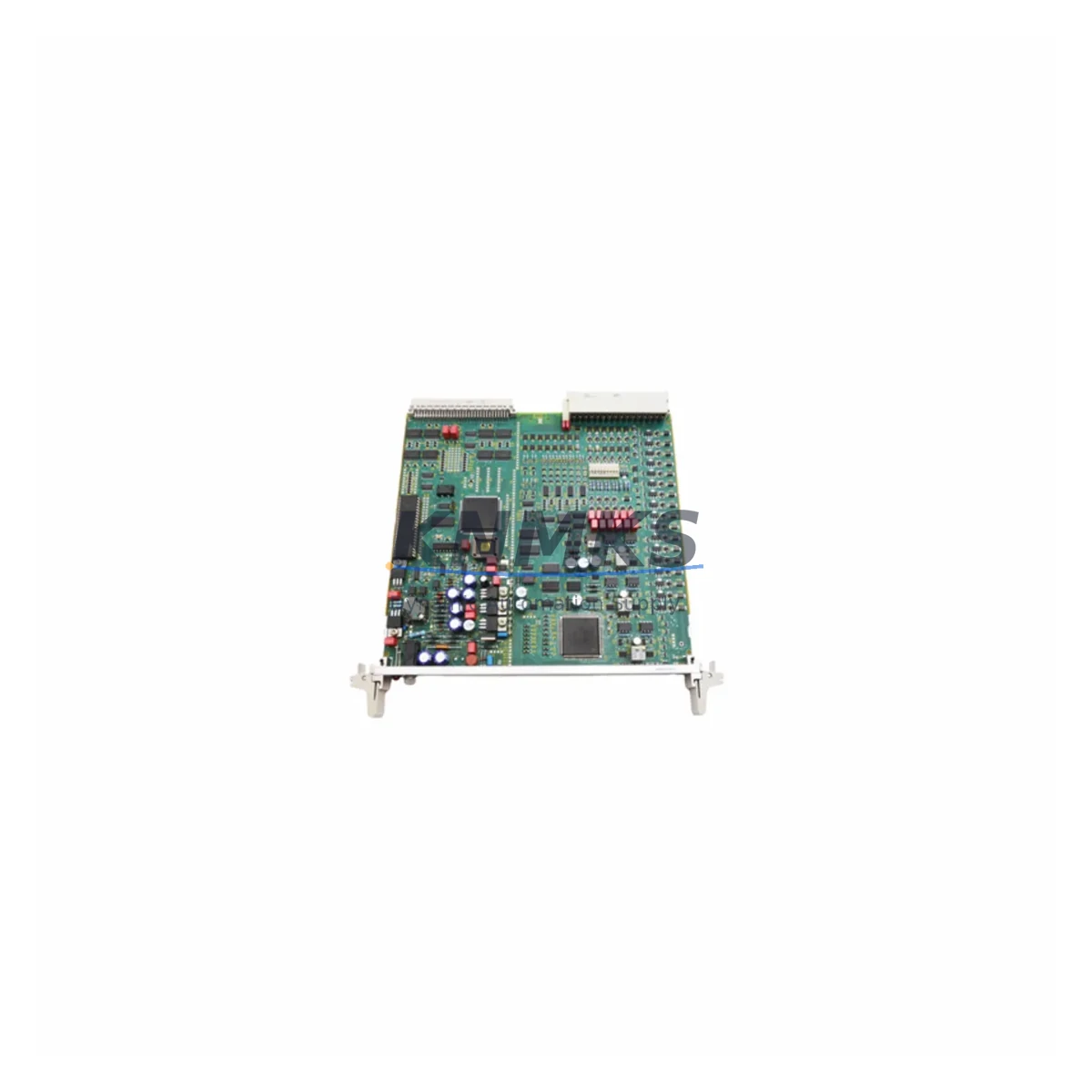
Siemens 6DP1280-8AB FUM280 Migration-Ready Function Module for Legacy Control Systems
The Siemens 6DP1280-8AB (FUM280) is a function module engineered for the TELEPERM M distributed control system — one of Siemens’ most widely deployed process automation platforms across petrochemical, power generation, and heavy industrial facilities. As TELEPERM M has reached end-of-life and spare parts availability continues to tighten, the 6DP1280-8AB has become a critical component in both emergency replacement scenarios and structured DCS migration programs. Our stock is sourced from decommissioned systems, fully inspected, and pre-shipment tested to confirm operational integrity before dispatch.
Whether your facility is executing a phased migration to Siemens SIMATIC PCS 7 or SPPA-T3000, or simply extending the operational life of an existing TELEPERM M cabinet, the FUM280 module addresses the most common failure point in aging function-level control loops. Each unit ships with a support terms confirmed by quotation and full documentation support to reduce commissioning risk on-site.
Migration Compatibility Table
| Parameter | Details |
|---|---|
| Part Number | 6DP1280-8AB |
| Module Designation | FUM280 — Function Module |
| Compatible Platform | Siemens TELEPERM M DCS |
| Backplane Interface | TELEPERM M standard bus (CS275 / SINEC H1 compatible rack) |
| Installation Format | Standard TELEPERM M subrack slot — no mechanical modification required |
| Communication Protocol | TELEPERM M internal bus; CS275 fieldbus interface |
| Replacement Compatibility | Direct drop-in for FUM280 slot positions; verify firmware revision before hot-swap |
| Migration Path | TELEPERM M → SIMATIC PCS 7 / SPPA-T3000 (requires I/O remapping and function block re-engineering) |
| Commissioning Notes | Confirm module address DIP settings; validate loop assignments in engineering station before restart |
| Pre-Shipment Testing | Yes — functional verification performed on each unit |
| Support terms | 12 Months |
| Origin | Germany |
| Dispatch | Global — typically within 2–5 business days of order confirmation |
Retrofit Planning for Existing Automation Systems
A successful TELEPERM M retrofit begins well before the replacement module arrives on-site. Engineers must audit the existing subrack configuration — typically a 19-inch TELEPERM M rack housing multiple function modules alongside the AS230 or AS235 automation station — to confirm available slot positions, backplane bus integrity, and power rail loading. The FUM280 draws its supply from the rack’s internal 24 V DC bus, so verifying that the power supply module (such as the PS280 series) can sustain the additional load after any partial rack expansion is a mandatory pre-check.
Terminal wiring is another critical step. The FUM280 connects to field signals through the TELEPERM M standard terminal assembly. Before disconnecting the legacy module, technicians should photograph or document all terminal assignments and cross-reference them against the loop diagrams in the plant’s engineering documentation. Signal types — whether 4–20 mA analog inputs, discrete I/O, or thermocouple channels — must be confirmed against the FUM280’s configured channel map to avoid mis-wiring during reinstallation.
For facilities also upgrading their communication infrastructure, the CS275 bus coupler module and associated SINEC H1 network components will need to be validated for compatibility with any new supervisory layer. If the migration path leads toward SIMATIC PCS 7, the existing TELEPERM M function block library will require re-engineering into CFC (Continuous Function Chart) equivalents — a process that typically runs in parallel with hardware replacement to minimize total project duration. HMI screens built on the legacy WinCC or OS230 operator station will also need to be re-mapped to reflect the new tag structure once the migration is complete.
I/O expansion during the retrofit window is a common requirement. Adding IM280 interface modules or supplementary AI280 analog input modules to the existing rack can extend signal capacity without requiring a full cabinet replacement, preserving the investment in existing field wiring and junction boxes. This approach is particularly effective in phased migration programs where only selected control loops are being modernized in a given outage window.
Downtime Control During System Migration
Minimizing unplanned downtime during a TELEPERM M module replacement requires a structured swap procedure. The recommended approach is to prepare the replacement 6DP1280-8AB unit off-line — confirming DIP switch address settings match the outgoing module — so that the physical swap can be completed within a single planned maintenance window. Where the process permits, a cold-standby spare held in the control room allows the swap to be executed in under 30 minutes once the loop is taken to manual.
Protecting the original program logic is equally important. Before any hardware change, the current function module configuration should be uploaded and archived from the TELEPERM M engineering station. This backup preserves loop tuning parameters, alarm limits, and interlock logic that may not be fully documented elsewhere. If the engineering station software (ES280 or equivalent) is no longer available, a specialist readout of the module’s EEPROM configuration may be required before the swap.
Field control continuity during the transition can be maintained by placing affected loops in manual at the operator station, confirming that downstream actuators are in a safe state, and coordinating with the process team on acceptable hold conditions. Once the FUM280 replacement is seated and powered, a systematic loop check — verifying input signal reading, output response, and alarm annunciation — should be completed before returning the loop to automatic. This structured approach reduces the risk of post-swap incidents and supports a clean handover to operations.
Retrofit Support FAQ
Q: Is the 6DP1280-8AB a direct replacement for all FUM280 positions in a TELEPERM M rack?
A: Yes, the 6DP1280-8AB is the standard Siemens part number for the FUM280 function module and is mechanically and electrically compatible with all standard FUM280 slot positions in TELEPERM M subracks. Confirm the firmware revision label on the outgoing module and contact us if you require a specific hardware revision match.
Q: What pre-shipment testing is performed on each unit?
A: Every 6DP1280-8AB unit undergoes functional power-on verification and basic I/O channel testing before dispatch. Units that do not pass testing are not shipped. A support terms confirmed by quotation cover any functional failure under normal operating conditions from the date of delivery.
Q: Can this module be used during a phased migration to SIMATIC PCS 7?
A: Yes. The FUM280 is commonly used to stabilize TELEPERM M operation during the interim period of a phased migration, allowing individual control loops to be migrated to PCS 7 on a planned schedule while the remaining loops continue to run on the legacy platform. This approach reduces migration risk and allows production continuity throughout the project.
Q: What is the typical lead time and do you hold stock?
A: We maintain ready stock of the 6DP1280-8AB and can typically dispatch within 2–5 business days of order confirmation. For urgent requirements, contact us directly to confirm current availability and expedited shipping options.
© 2026 KNMKS. All rights reserved.
Original Source: https://knmks.com
Contact: admin@knmks.com | +86 18359268345
Product Identification
- Brand / Ecosystem
-
Siemens
Siemens - Model / Series
- FUM280-6DP1280-8AB
- Product Family
- PLCs & Controllers
- Availability Status
- Available on request after model and quantity confirmation
- Inquiry Type
- B2B RFQ, replacement inquiry and project spare-part request
- Pre-Quote Check
- Exact SKU, brand, series, quantity, nameplate photos and destination country are checked before quotation
System Path
Where this product fits in the KNMKS automation structure.
Specification & Inquiry Focus
- Control platform
- PLC, PAC and modular controllers
- Common needs
- CPU, rack, power and I/O expansion
- Project support
- Replacement, cabinet build and maintenance
Buyer Confirmation
Information KNMKS checks before replying.
- Exact model
- FUM280-6DP1280-8AB
- Brand / ecosystem
- Siemens
- Product family
- PLCs & Controllers
- Application note
- Replacement, maintenance, project build or spare-part list
- Useful photos
- Nameplate, installed unit, cabinet layout or connector side
- Delivery details
- Quantity, destination country and target schedule
Document Support
Files and notes can be confirmed during quotation.
- Product photos or nameplate confirmation when available
- Packing and delivery notes before quotation confirmation
- Support scope and delivery terms confirmed per inquiry
- Export document coordination for qualified B2B requests
Inquiry Support
- Model cross-checking before quotation
- CPU, power, rack and expansion module matching
- Support for replacement and project inquiry
What to Send Us
- Brand and exact model number: Siemens FUM280-6DP1280-8AB
- Quantity and required delivery time
- Application, replacement requirement or nameplate photo
- Destination country and shipping preference
RFQ Preparation
This is a product inquiry page built for RFQ communication.
Fast Model Check
Send this model to KNMKS for confirmation.
Include quantity, destination country and photos if this is a maintenance replacement. The inquiry will be saved with a reference number after submission.
Brand & Compatibility Note
KNMKS displays automation product information for well-known industrial brand ecosystems and compatible replacement references. Brand names are used for product identification and compatibility reference only; final availability and commercial terms are confirmed per quotation.
 Manufacturing
 Machine Tools
 Packaging
 Energy & Power



 HMI & Displays
 Servo Systems
 Variable Frequency Drives
 Sensors