
Overview
Siemens 6DP1210-8CR Maintenance-Proven Spare Part for Factory Uptime
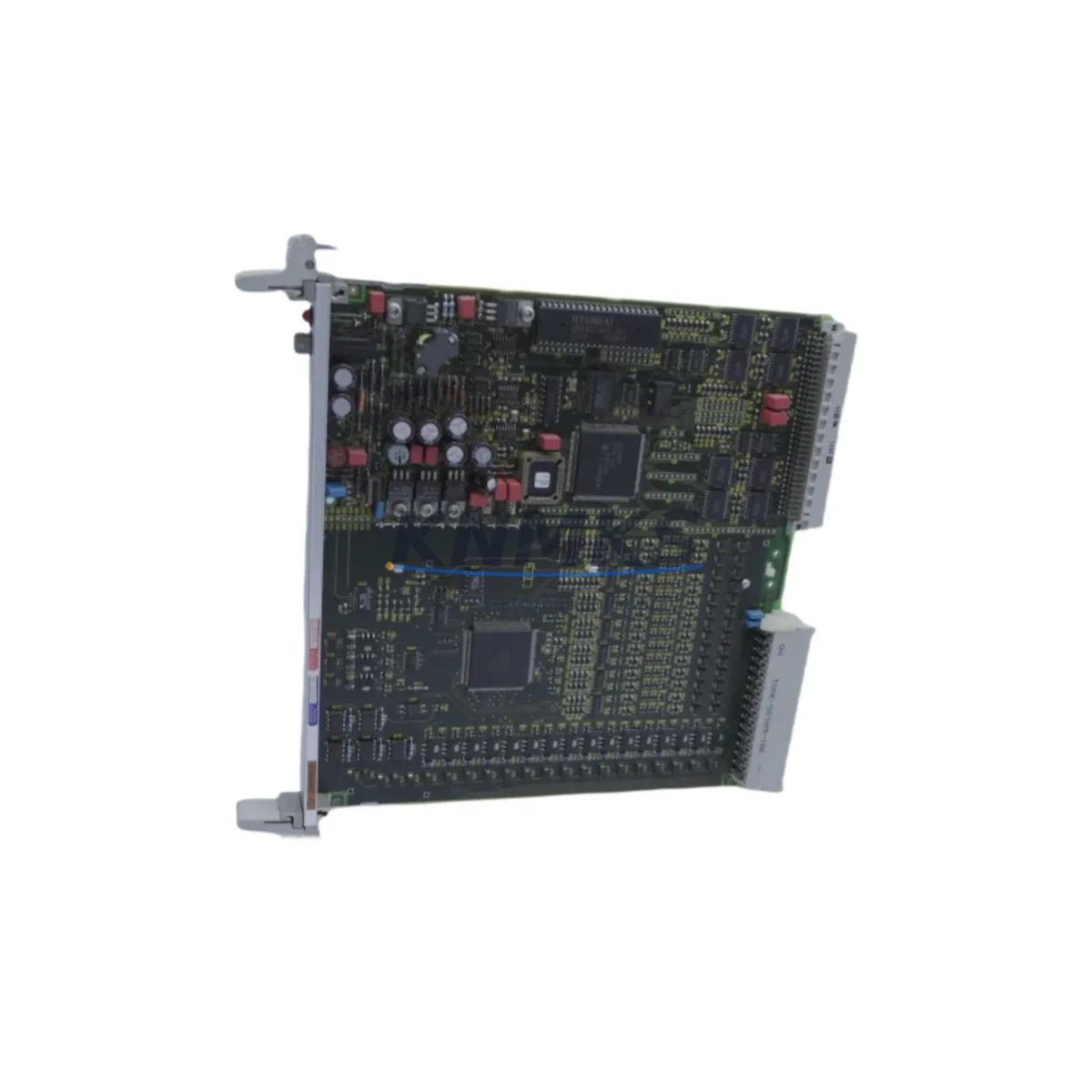
The Siemens 6DP1210-8CR (FUM210) is a Binary I/O Module designed for the SIMATIC TDC (Technology and Drive Control) automation platform — a high-performance system widely deployed in steel mills, rolling lines, paper machines, and heavy process industries. As a maintenance-proven spare part, the 6DP1210-8CR plays a critical role in sustaining digital signal acquisition and output control across demanding industrial environments. Sourced as an original Siemens component, this module is tested before shipment and backed by a support terms confirmed by quotation, making it a reliable choice for both emergency replacement and planned spare parts inventory.
Maintenance engineers and procurement teams managing SIMATIC TDC-based control cabinets recognize the 6DP1210-8CR as a high-priority spare. Its binary I/O channels interface directly with field devices — limit switches, solenoid valves, motor contactors, and safety interlocks — making it a linchpin in process continuity. When this module fails or degrades, the impact on production uptime is immediate. Having a verified replacement unit on the shelf is the most effective strategy to minimize mean time to repair (MTTR) and protect production schedules.
Spare Maintenance Table
| Parameter | Specification |
|---|---|
| Part Number / SKU | 6DP1210-8CR (FUM210) |
| Brand | Siemens |
| Series / Platform | SIMATIC TDC |
| Module Type | Binary I/O Module |
| Function | Digital binary input/output signal processing for TDC automation systems |
| Compatibility | SIMATIC TDC control racks; compatible with TDC CPU modules and backplane bus |
| Signal Type | Binary (digital) I/O channels |
| Installation | Rack-mount, plug-in module; follows standard TDC slot assignment |
| Operating Environment | Industrial control cabinet; standard IEC 61131 environmental conditions |
| Country of Origin | Germany (DE) |
| Condition | Original Siemens spare; tested before shipment |
| Support terms | 12 Months |
| Typical Applications | Steel rolling mills, paper machines, heavy process automation, drive control systems |
| Maintenance Priority | High — direct impact on I/O signal integrity and process continuity |
Maintenance Planning for Continuous Operation
When a 6DP1210-8CR FUM210 Binary I/O Module is flagged for replacement during a scheduled inspection or emergency fault isolation, experienced maintenance engineers know that the module rarely fails in isolation. A thorough site assessment should extend to the surrounding components within the same TDC control rack and electrical circuit.
Start by inspecting the TDC backplane and rack bus connectors — oxidized or loose backplane contacts are a common root cause of intermittent I/O faults that are misdiagnosed as module failures. Next, verify the 24 VDC field power supply feeding the binary I/O channels; voltage sags or ripple from an aging power supply unit (PSU) can cause false signal states and premature module wear. If the control cabinet includes a Siemens SITOP power supply module, check its diagnostic LEDs and output voltage under load before commissioning the replacement 6DP1210-8CR.
For systems where the FUM210 interfaces with safety-critical field devices, also inspect the associated terminal blocks and field wiring for insulation degradation, loose ferrules, or corroded screw terminals — particularly in high-vibration or high-humidity environments. In TDC systems with distributed I/O architectures, the PROFIBUS DP communication module (such as the CP51M1 or equivalent TDC communication card) should be checked for bus termination integrity and address conflicts, as a communication fault can mask or mimic binary I/O errors.
If the TDC system includes analog I/O modules (such as the FUM220 or similar TDC analog cards) in adjacent slots, verify that the rack power budget is within specification after installing the replacement module. Additionally, review the CPU module (e.g., TDC CPU551 or CPU555) firmware version to confirm compatibility with the replacement FUM210 hardware revision. For older TDC installations, it is also advisable to inspect signal isolation barriers or signal conditioners on high-noise field circuits — these components protect I/O modules from transient damage and are often overlooked during reactive maintenance.
Procurement engineers building a resilient spare parts inventory for SIMATIC TDC systems should consider stocking the 6DP1210-8CR alongside complementary modules: the FUM220 Analog I/O Module, the TDC CPU module appropriate to the installed firmware generation, and relevant PROFIBUS communication cards. A minimum of one cold-standby unit per active rack is the industry-standard recommendation for high-availability process lines.
Site Replacement Workflow
Replacing the Siemens 6DP1210-8CR FUM210 on a live SIMATIC TDC system requires a structured approach to minimize downtime and avoid configuration errors. Follow this field-proven sequence:
1. Pre-Replacement Verification: Before removing the faulty module, document the slot position, rack address, and any DIP switch or jumper settings visible on the existing unit. Cross-reference with the TDC system configuration in STEP 7 or the TDC engineering tool to confirm the module’s logical address assignment.
2. Safe Isolation: De-energize the field circuits connected to the binary I/O channels using the appropriate field isolators or MCBs. Do not rely solely on software inhibit — physically isolate field power to prevent arc flash or unintended actuator movement during module swap.
3. Module Extraction and Inspection: Remove the 6DP1210-8CR using the standard TDC module extraction lever. Inspect the backplane connector on the rack for bent pins or contamination before inserting the replacement unit.
4. Replacement Installation: Insert the new 6DP1210-8CR FUM210 into the correct slot, ensuring full backplane engagement. Restore field power and verify that the module’s status LEDs indicate normal operation (typically green RUN LED, no fault LED).
5. Functional Verification: From the TDC engineering station, perform a forced I/O test on each binary channel to confirm correct signal mapping. Verify that all field devices respond as expected before releasing the system to production.
6. Documentation Update: Record the replacement in the maintenance log, including the new module’s serial number, installation date, and any configuration changes. Update the spare parts inventory to trigger replenishment of the consumed unit.
This workflow applies equally to planned annual overhauls and emergency fault recovery scenarios. The 6DP1210-8CR’s plug-in form factor and standard TDC slot compatibility make it one of the faster modules to replace in the TDC family, typically achievable within a single maintenance window without requiring system reconfiguration.
Spare Parts Support FAQ
Q1: Is the 6DP1210-8CR FUM210 compatible with all SIMATIC TDC rack generations?
The 6DP1210-8CR is designed for the SIMATIC TDC platform and is compatible with standard TDC control racks. Compatibility with specific rack generations and CPU firmware versions should be verified against the installed system’s hardware revision. We recommend providing your TDC system’s CPU part number and firmware version when placing an order so our technical team can confirm hardware revision alignment before shipment.
Q2: How is the module tested before shipment?
Each 6DP1210-8CR unit undergoes functional verification prior to dispatch, including power-on testing and I/O channel integrity checks. Units are shipped with protective packaging to prevent ESD damage and physical shock during transit. A test report is available upon request for critical procurement requirements.
Q3: What is the recommended spare parts strategy for SIMATIC TDC systems?
For high-availability process lines, the industry standard is to maintain at least one cold-standby unit of each critical I/O module type per active rack. For the 6DP1210-8CR, this means stocking one replacement unit for every one to two active modules in service. Long-term supply agreements and blanket orders are available for customers managing large TDC fleets, ensuring price stability and guaranteed availability over a 12–36 month horizon.
Q4: What does the support terms confirmed by quotation cover?
The support terms confirmed by quotation cover manufacturing defects and functional failures under normal operating conditions as specified by Siemens for the SIMATIC TDC platform. It does not cover damage resulting from incorrect installation, overvoltage events, or use outside the module’s rated environmental parameters. Support requests are processed promptly with replacement or repair options available to minimize impact on your production schedule.
© 2026 KNMKS. All rights reserved.
Original Source: https://knmks.com
Contact: admin@knmks.com | +86 18359268345
Product Identification
- Brand / Ecosystem
-
Siemens
Siemens - Model / Series
- 6DP1210-8CR FUM210
- Product Family
- PLCs & Controllers
- Availability Status
- Available on request after model and quantity confirmation
- Inquiry Type
- B2B RFQ, replacement inquiry and project spare-part request
- Pre-Quote Check
- Exact SKU, brand, series, quantity, nameplate photos and destination country are checked before quotation
System Path
Where this product fits in the KNMKS automation structure.
Specification & Inquiry Focus
- Control platform
- PLC, PAC and modular controllers
- Common needs
- CPU, rack, power and I/O expansion
- Project support
- Replacement, cabinet build and maintenance
Buyer Confirmation
Information KNMKS checks before replying.
- Exact model
- 6DP1210-8CR FUM210
- Brand / ecosystem
- Siemens
- Product family
- PLCs & Controllers
- Application note
- Replacement, maintenance, project build or spare-part list
- Useful photos
- Nameplate, installed unit, cabinet layout or connector side
- Delivery details
- Quantity, destination country and target schedule
Document Support
Files and notes can be confirmed during quotation.
- Product photos or nameplate confirmation when available
- Packing and delivery notes before quotation confirmation
- Support scope and delivery terms confirmed per inquiry
- Export document coordination for qualified B2B requests
Inquiry Support
- Model cross-checking before quotation
- CPU, power, rack and expansion module matching
- Support for replacement and project inquiry
What to Send Us
- Brand and exact model number: Siemens 6DP1210-8CR FUM210
- Quantity and required delivery time
- Application, replacement requirement or nameplate photo
- Destination country and shipping preference
RFQ Preparation
This is a product inquiry page built for RFQ communication.
Fast Model Check
Send this model to KNMKS for confirmation.
Include quantity, destination country and photos if this is a maintenance replacement. The inquiry will be saved with a reference number after submission.
Brand & Compatibility Note
KNMKS displays automation product information for well-known industrial brand ecosystems and compatible replacement references. Brand names are used for product identification and compatibility reference only; final availability and commercial terms are confirmed per quotation.
 Manufacturing
 Machine Tools
 Packaging
 Energy & Power



 HMI & Displays
 Servo Systems
 Variable Frequency Drives
 Sensors