
Overview
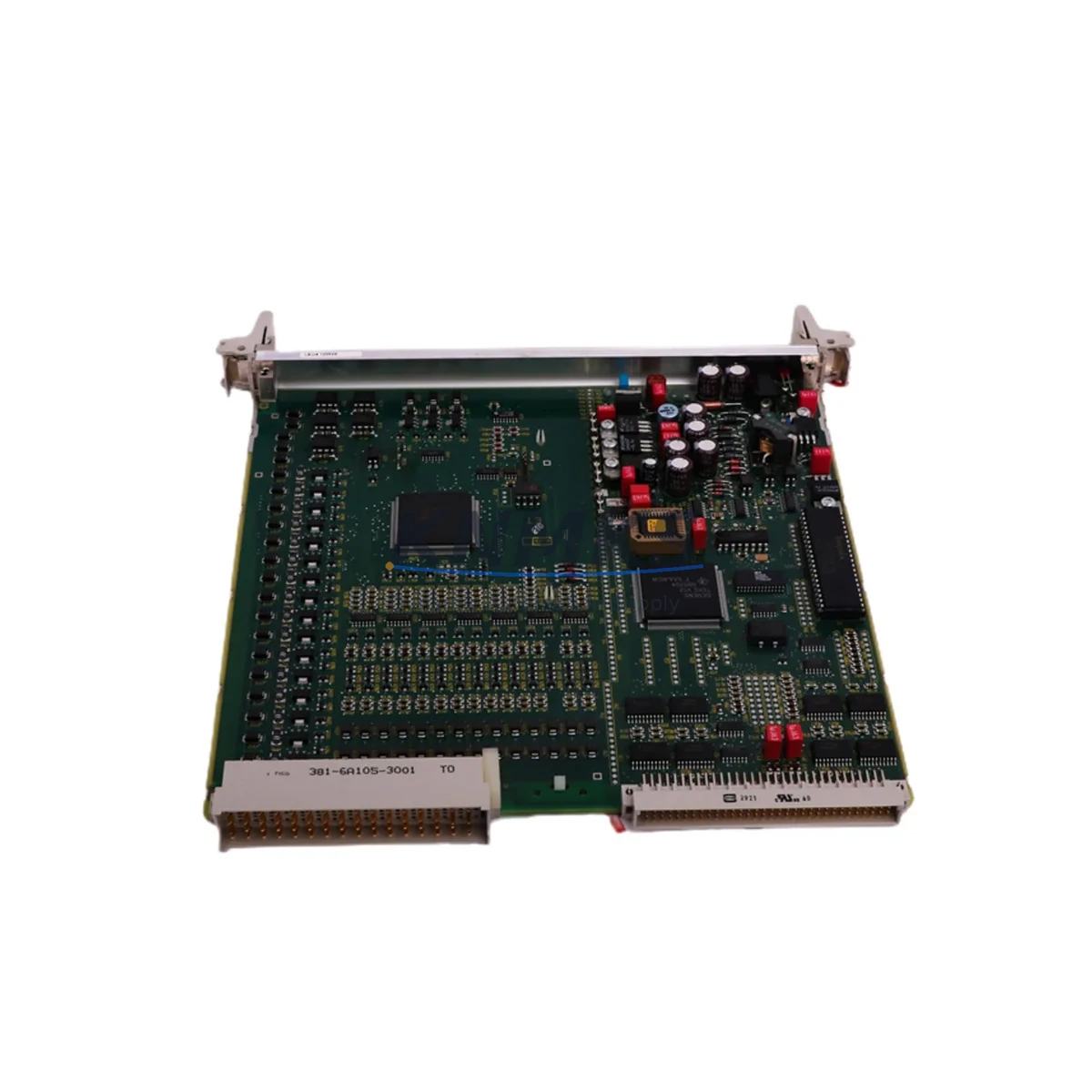
SIEMENS 6DP1210-8BC Maintenance-Proven Spare Part for Factory Uptime
The SIEMENS 6DP1210-8BC (FUM210) is a Binary I/O Module engineered for the TELEPERM M Distributed Control System — one of Siemens’ most enduring DCS platforms deployed across power generation, chemical processing, petrochemical refining, and heavy industrial facilities worldwide. As legacy TELEPERM M systems continue to operate well beyond their original design life, maintaining a reliable inventory of original spare modules such as the 6DP1210-8BC is a critical strategy for maintenance engineers and procurement teams responsible for plant uptime and production continuity.
At KNMKS, every 6DP1210-8BC unit is sourced from verified supply channels, functionally tested prior to shipment, and backed by a support terms confirmed by quotation. We support long-term supply agreements for facilities managing aging DCS infrastructure, ensuring your maintenance team is never caught without a critical replacement module during scheduled overhauls or emergency fault recovery.
Spare Maintenance Table
| Parameter | Specification |
|---|---|
| SKU / Part Number | 6DP1210-8BC |
| Module Designation | FUM210 Binary I/O Module |
| Compatible System | SIEMENS TELEPERM M DCS |
| Series | TELEPERM M (6DP / FUM Series) |
| I/O Type | Binary (Digital) Input / Output |
| Manufacturer | SIEMENS AG |
| Country of Origin | Germany |
| Product Type | Binary I/O Module |
| Application Environment | Industrial DCS, Power Plant, Chemical, Petrochemical, Process Automation |
| Installation | TELEPERM M Rack / Backplane (compatible FUM-series slot) |
| Compatibility | TELEPERM M central controllers, FUM-series I/O racks, AS230 / AS235 automation stations |
| Maintenance Recommendation | Inspect signal wiring, terminal blocks, and backplane connectors during each replacement cycle |
| Pre-shipment Testing | Yes — functional test performed before dispatch |
| Support terms | 12 Months |
| Weight | Approx. 400 g |
Maintenance Planning for Continuous Operation
When a 6DP1210-8BC Binary I/O Module fails or is flagged during a routine control cabinet inspection, the replacement process should be treated as an opportunity to audit the surrounding system components. Maintenance engineers working on TELEPERM M installations should simultaneously verify the condition of the FUM-series backplane connectors and rack bus, as oxidized or mechanically stressed backplane contacts are a common secondary cause of I/O module faults in aging DCS cabinets.
The 24 VDC power supply feeding the I/O rack — typically a SIEMENS SITOP or equivalent industrial rail-mount PSU — should be load-tested and output voltage verified within tolerance before the replacement module is inserted. A marginal power supply that passes light-load checks may still cause intermittent faults under full I/O load. Similarly, the field wiring terminal blocks connected to the binary inputs and outputs should be inspected for loose terminations, insulation degradation, and correct labeling before the new module is commissioned.
For facilities running mixed TELEPERM M configurations, it is advisable to cross-check the binary signal assignments in the engineering documentation against the actual field wiring. Errors introduced during previous maintenance cycles — particularly in plants where the original engineering drawings have not been updated — can cause the replacement module to appear faulty when the root cause is a wiring discrepancy. Analog I/O modules such as the 6DP1232-8BC or 6DP1234-8BC installed in adjacent rack slots should also be visually inspected for signs of overheating or connector wear during the same maintenance window.
Communication modules responsible for linking the I/O racks to the TELEPERM M automation stations — including CS series communication submodules — should be confirmed as operational before and after the binary I/O replacement to ensure that process data is correctly transmitted to the control level. If the plant uses a SIMATIC S5 or early S7 gateway for TELEPERM M integration, the gateway’s diagnostic LEDs and communication status should be verified as part of the post-replacement checkout procedure.
For procurement engineers, maintaining a minimum stock of two 6DP1210-8BC modules per critical process unit is a widely adopted strategy in facilities where TELEPERM M systems are no longer supported by the OEM’s standard spare parts program. Pairing this with a documented inspection cycle — typically aligned with annual or biennial plant turnarounds — reduces the risk of unplanned downtime caused by module degradation that goes undetected between scheduled maintenance intervals.
Site Replacement Workflow
Step 1 — Fault Confirmation: Use the TELEPERM M system diagnostics or local LED indicators on the FUM210 module to confirm the 6DP1210-8BC as the fault source. Document the slot address and binary channel assignments before proceeding.
Step 2 — Safe Isolation: Follow your plant’s lockout/tagout procedure. De-energize the I/O rack segment if hot-swap is not supported by your rack configuration. Confirm field signal isolation at the terminal blocks.
Step 3 — Module Removal: Release the module locking mechanism, extract the 6DP1210-8BC carefully from the backplane slot, and inspect the backplane connector pins for damage or contamination.
Step 4 — Replacement Installation: Insert the new 6DP1210-8BC into the correct slot. Ensure full seating against the backplane. Re-energize the rack and confirm the module’s status LEDs indicate normal operation.
Step 5 — Functional Verification: From the TELEPERM M operator station or engineering workstation, verify that all binary input and output channels assigned to the replaced module are reading correctly. Perform a forced output test if your safety procedures permit.
Step 6 — Documentation: Record the replacement in the plant maintenance log, including the date, slot address, old module serial number, and new module serial number. Update the spare parts inventory accordingly.
This workflow is compatible with direct replacement of earlier FUM210 variants and supports system continuity without requiring re-engineering of the control logic or field wiring, provided the replacement module is a genuine SIEMENS 6DP1210-8BC.
Spare Parts Support FAQ
Q1: Is the 6DP1210-8BC still available as a new original spare, and how long can I expect supply continuity?
KNMKS maintains stock of the SIEMENS 6DP1210-8BC sourced from verified industrial supply channels. While Siemens has transitioned TELEPERM M to end-of-life support status, we actively manage long-term inventory to support facilities committed to extending the operational life of their existing DCS infrastructure. Contact our team to discuss volume agreements and scheduled delivery programs.
Q2: How is the 6DP1210-8BC tested before shipment?
Every unit dispatched by KNMKS undergoes a functional pre-shipment test to verify module integrity and basic I/O operation. Units are inspected for physical damage, connector condition, and component integrity. A support terms confirmed by quotation is provided on all shipped units, covering defects in materials and workmanship under normal operating conditions.
Q3: Can the 6DP1210-8BC be used as a direct replacement for other FUM-series binary I/O modules in the TELEPERM M rack?
The 6DP1210-8BC is specifically designated as the FUM210 Binary I/O Module and is designed for defined slot positions within the TELEPERM M I/O rack architecture. Compatibility with adjacent FUM-series slots depends on the rack configuration and engineering assignment. Always verify the slot address and channel assignment in your plant’s engineering documentation before installing a replacement module.
Q4: What is the recommended spare parts strategy for a facility running multiple TELEPERM M cabinets?
For facilities with two or more TELEPERM M automation stations, we recommend maintaining a minimum of two 6DP1210-8BC modules per critical process area as on-site hot spares. Combine this with a documented annual inspection of all FUM-series modules, backplane connectors, and rack power supplies. Establishing a standing purchase order or blanket supply agreement with KNMKS ensures priority allocation and consistent lead times, reducing procurement risk as original OEM stock becomes increasingly scarce.
© 2026 KNMKS. All rights reserved.
Original Source: https://knmks.com
Contact: admin@knmks.com | +86 18359268345
Product Identification
- Brand / Ecosystem
-
SIEMENS
Siemens - Model / Series
- 6DP1210-8BC
- Product Family
- PLCs & Controllers
- Availability Status
- Available on request after model and quantity confirmation
- Inquiry Type
- B2B RFQ, replacement inquiry and project spare-part request
- Pre-Quote Check
- Exact SKU, brand, series, quantity, nameplate photos and destination country are checked before quotation
System Path
Where this product fits in the KNMKS automation structure.
Specification & Inquiry Focus
- Control platform
- PLC, PAC and modular controllers
- Common needs
- CPU, rack, power and I/O expansion
- Project support
- Replacement, cabinet build and maintenance
Buyer Confirmation
Information KNMKS checks before replying.
- Exact model
- 6DP1210-8BC
- Brand / ecosystem
- SIEMENS
- Product family
- PLCs & Controllers
- Application note
- Replacement, maintenance, project build or spare-part list
- Useful photos
- Nameplate, installed unit, cabinet layout or connector side
- Delivery details
- Quantity, destination country and target schedule
Document Support
Files and notes can be confirmed during quotation.
- Product photos or nameplate confirmation when available
- Packing and delivery notes before quotation confirmation
- Support scope and delivery terms confirmed per inquiry
- Export document coordination for qualified B2B requests
Inquiry Support
- Model cross-checking before quotation
- CPU, power, rack and expansion module matching
- Support for replacement and project inquiry
What to Send Us
- Brand and exact model number: SIEMENS 6DP1210-8BC
- Quantity and required delivery time
- Application, replacement requirement or nameplate photo
- Destination country and shipping preference
RFQ Preparation
This is a product inquiry page built for RFQ communication.
Fast Model Check
Send this model to KNMKS for confirmation.
Include quantity, destination country and photos if this is a maintenance replacement. The inquiry will be saved with a reference number after submission.
Brand & Compatibility Note
KNMKS displays automation product information for well-known industrial brand ecosystems and compatible replacement references. Brand names are used for product identification and compatibility reference only; final availability and commercial terms are confirmed per quotation.
 Manufacturing
 Machine Tools
 Packaging
 Energy & Power



 HMI & Displays
 Servo Systems
 Variable Frequency Drives
 Sensors