
Overview
Siemens 6DP1210-8AC Migration-Ready Signal Processor for Legacy Control Systems
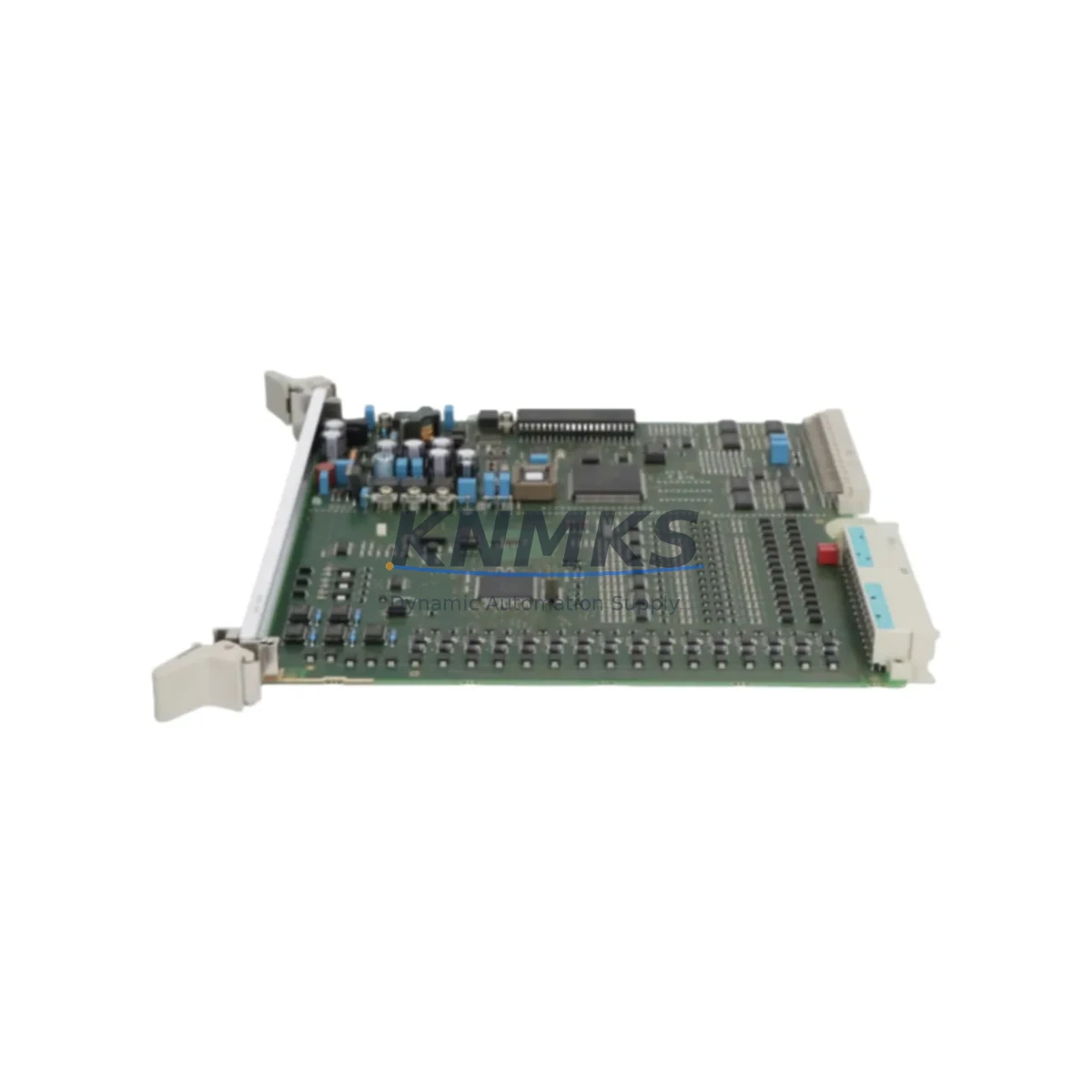
The Siemens 6DP1210-8AC is a signal processor module originally designed for the TELEPERM M Distributed Control System (DCS) platform — one of Siemens’ most widely deployed process automation architectures across petrochemical, power generation, and heavy industrial facilities. As TELEPERM M has reached end-of-life and spare parts availability has tightened significantly, the 6DP1210-8AC has become a critical migration-ready component for engineers managing legacy control infrastructure. This module supports direct drop-in replacement in existing TELEPERM M racks, preserving original backplane wiring, terminal assignments, and signal routing without requiring full panel redesign.
For facilities operating aging DCS platforms, the 6DP1210-8AC provides a verified, tested path to extend system life while a full migration to modern platforms such as Siemens SIMATIC PCS 7 or PCS neo is planned and budgeted. Each unit shipped by KNMKS undergoes pre-shipment functional verification and is backed by a support terms confirmed by quotation covering hardware defects under normal operating conditions.
Migration Compatibility Table
| Parameter | 6DP1210-8AC Specification | Retrofit Notes |
|---|---|---|
| Platform Compatibility | TELEPERM M DCS | Direct rack-compatible; verify backplane revision before installation |
| Module Type | DCS Signal Processor | Replaces discontinued 6DP1210-8AC units in-situ |
| Backplane Interface | TELEPERM M standard bus | Confirm rack slot addressing matches original module address |
| Power Supply Requirement | 24 VDC (rack-supplied) | Verify rack PSU capacity before adding replacement module |
| Terminal Wiring | Screw-terminal, standard pitch | Re-use existing field wiring; document terminal assignments before removal |
| Communication Protocol | TELEPERM M internal bus | No protocol conversion required for same-platform replacement |
| Firmware / Configuration | Hardware-configured | Restore module address and parameter settings from original engineering documentation |
| Installation Space | Standard TELEPERM M rack slot | Single-slot form factor; confirm slot availability in target rack |
| Replacement Recommendation | Direct swap for 6DP1210-8AC | Functional test recommended after installation before returning to service |
| Support terms | 12 Months | Covers hardware defects under normal industrial operating conditions |
Retrofit Planning for Existing Automation Systems
Successful replacement of the 6DP1210-8AC within a live TELEPERM M installation requires careful pre-migration planning across several interdependent system layers. Before removing the original module, engineers should capture a full snapshot of the existing configuration: module address settings, terminal wiring diagrams, signal tag assignments, and any associated HMI faceplate references tied to the processor’s output channels.
Power budget verification is a frequently overlooked step. The TELEPERM M rack power supply — typically a 6DP1900-8AA or equivalent Siemens rack PSU — must have sufficient headroom to support the replacement module alongside all other installed cards. If the rack is near capacity, a power audit across all installed modules including I/O cards, communication modules, and the controller itself is recommended before proceeding.
For facilities also managing I/O expansion as part of a broader upgrade, the 6DP1210-8AC replacement is often coordinated alongside the addition or reconfiguration of analog input modules such as the 6DP1611-8AA or digital output modules in the same rack. Where communication link integrity is a concern — particularly in installations where the TELEPERM M system interfaces with a supervisory SCADA layer via serial or proprietary Siemens bus — the communication module (e.g., 6DP1232-8AA CS275 bus coupler) should be verified for correct addressing and link status after the signal processor swap.
HMI screen updates may also be required if the replacement module is assigned to a different logical address than the original. Operators using Siemens PROGRAF or legacy TELEPERM M operator stations should verify that all process displays, alarm setpoints, and trend configurations correctly reference the new module address before returning the loop to automatic control. In parallel migration scenarios where a new Siemens SIMATIC S7-400 or PCS 7 controller is being introduced alongside the legacy TELEPERM M rack, signal isolation between the two platforms using a signal isolator or marshalling panel is strongly recommended to prevent ground loops and protect both systems during the transition period.
Programming cable access for parameter backup and restoration — using tools compatible with the TELEPERM M engineering workstation — should be confirmed before the maintenance window begins. Having a verified backup of the original module’s configuration reduces commissioning time significantly and provides a rollback reference if unexpected behavior is observed after installation.
Downtime Control During System Migration
Minimizing unplanned downtime during a 6DP1210-8AC replacement is achievable with structured pre-work. The most effective approach is to treat the replacement as a hot-standby swap where possible: pre-configure the replacement module off-line, verify its address settings against the original engineering documentation, and stage it at the rack location before the maintenance window opens.
Where the process loop controlled by the 6DP1210-8AC cannot be taken offline, operators should place the affected control loop in manual mode at the DCS operator station before removing the module. This preserves field actuator position and prevents process upsets caused by loss of the control signal during the swap interval. Once the replacement module is seated and powered, the loop should be verified in manual before transferring back to automatic — confirming that the process variable reading, setpoint, and output signal are all within expected ranges.
Original program logic stored in the TELEPERM M controller (typically a 6DP1611 or equivalent AS230/AS235 automation station) is not affected by a signal processor module swap, provided the replacement module is assigned the same rack address as the original. This is a key advantage of like-for-like replacement: no controller reprogramming, no function block reassignment, and no changes to the control narrative are required. The existing HMI displays, alarm limits, and historian tag configurations remain valid.
For facilities managing multiple simultaneous replacements across a rack or across several racks in a control room, a phased approach — replacing one module per maintenance window and verifying loop stability before proceeding to the next — significantly reduces the risk of compounding faults and simplifies fault isolation if an issue arises. KNMKS maintains regional stock to support rapid dispatch, reducing the lead-time risk that is the most common cause of extended downtime in legacy DCS spare parts scenarios.
Retrofit Support FAQ
Q: Is the 6DP1210-8AC a direct replacement for the original Siemens module?
A: Yes. The 6DP1210-8AC supplied by KNMKS is a like-for-like hardware replacement for the original Siemens TELEPERM M signal processor of the same part number. It installs into the same rack slot, uses the same backplane interface, and requires no modification to existing field wiring or controller programming, provided the module address is set to match the original configuration.
Q: What pre-shipment testing is performed on each unit?
A: Each 6DP1210-8AC undergoes functional verification prior to shipment, including power-on testing and basic signal path checks. Units are inspected for physical condition and packed to IEC transport standards. A support terms confirmed by quotation is provided covering hardware defects under normal industrial operating conditions.
Q: What should I verify before installing the replacement module?
A: Confirm the rack slot address, terminal wiring assignments, power supply headroom, and firmware/parameter settings from the original engineering documentation. If the module interfaces with a communication bus (e.g., CS275 or PROFIBUS segment), verify bus termination and address uniqueness after installation. Perform a loop check in manual mode before returning to automatic control.
Q: Can KNMKS support urgent or emergency orders for the 6DP1210-8AC?
A: Yes. KNMKS maintains inventory across regional warehouses to support expedited dispatch for critical maintenance scenarios. Contact our team directly to confirm current stock availability and lead time for your location. Emergency orders are prioritized and can typically be dispatched within 24–48 hours of order confirmation.
© 2026 KNMKS. All rights reserved.
Original Source: https://knmks.com
Contact: admin@knmks.com | +86 18359268345
Product Identification
- Brand / Ecosystem
-
SIEMENS
Siemens - Model / Series
- 6DP1210-8AC
- Product Family
- PLCs & Controllers
- Availability Status
- Available on request after model and quantity confirmation
- Inquiry Type
- B2B RFQ, replacement inquiry and project spare-part request
- Pre-Quote Check
- Exact SKU, brand, series, quantity, nameplate photos and destination country are checked before quotation
System Path
Where this product fits in the KNMKS automation structure.
Specification & Inquiry Focus
- Control platform
- PLC, PAC and modular controllers
- Common needs
- CPU, rack, power and I/O expansion
- Project support
- Replacement, cabinet build and maintenance
Buyer Confirmation
Information KNMKS checks before replying.
- Exact model
- 6DP1210-8AC
- Brand / ecosystem
- SIEMENS
- Product family
- PLCs & Controllers
- Application note
- Replacement, maintenance, project build or spare-part list
- Useful photos
- Nameplate, installed unit, cabinet layout or connector side
- Delivery details
- Quantity, destination country and target schedule
Document Support
Files and notes can be confirmed during quotation.
- Product photos or nameplate confirmation when available
- Packing and delivery notes before quotation confirmation
- Support scope and delivery terms confirmed per inquiry
- Export document coordination for qualified B2B requests
Inquiry Support
- Model cross-checking before quotation
- CPU, power, rack and expansion module matching
- Support for replacement and project inquiry
What to Send Us
- Brand and exact model number: SIEMENS 6DP1210-8AC
- Quantity and required delivery time
- Application, replacement requirement or nameplate photo
- Destination country and shipping preference
RFQ Preparation
This is a product inquiry page built for RFQ communication.
Fast Model Check
Send this model to KNMKS for confirmation.
Include quantity, destination country and photos if this is a maintenance replacement. The inquiry will be saved with a reference number after submission.
Brand & Compatibility Note
KNMKS displays automation product information for well-known industrial brand ecosystems and compatible replacement references. Brand names are used for product identification and compatibility reference only; final availability and commercial terms are confirmed per quotation.
 Manufacturing
 Machine Tools
 Packaging
 Energy & Power



 HMI & Displays
 Servo Systems
 Variable Frequency Drives
 Sensors