
Overview
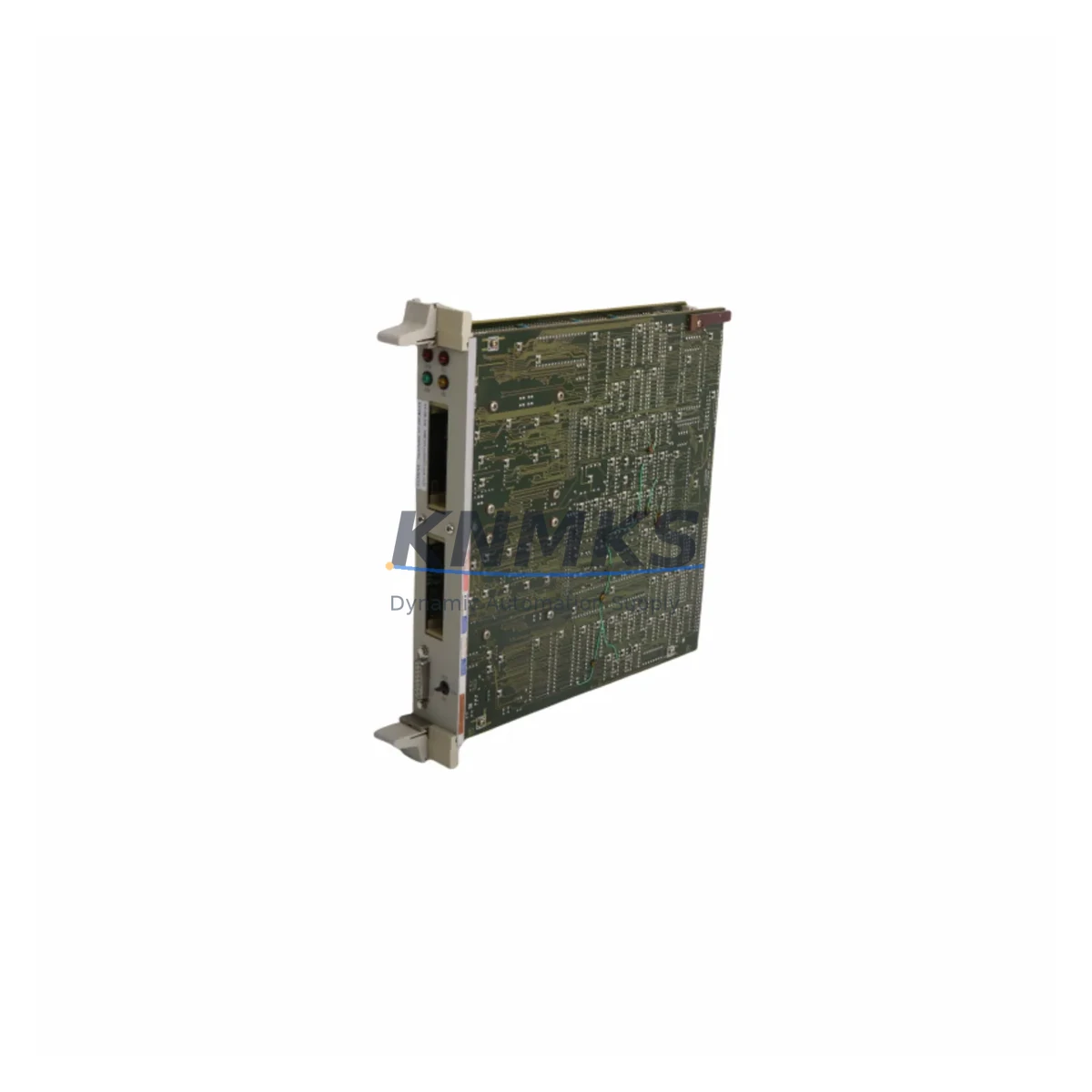
Siemens 6DP1120-8BA Maintenance-Proven Spare Part for Factory Uptime
The Siemens 6DP1120-8BA is a 4-channel analog output module engineered for the TELEPERM M distributed control system — one of Siemens’ most enduring DCS platforms deployed across petrochemical, power generation, and heavy process industries. As legacy TELEPERM M installations continue to operate well beyond their original design life, maintaining a reliable inventory of original spare modules such as the 6DP1120-8BA is a critical pillar of any plant’s uptime strategy.
Each 6DP1120-8BA unit supplied by KNMKS is sourced as an original Siemens component, subjected to pre-shipment functional testing, and backed by a support terms confirmed by quotation. Our multi-region stock enables fast global dispatch, reducing the risk of extended downtime caused by long lead times on obsolete DCS hardware. Whether you are responding to an unplanned fault, executing a scheduled annual overhaul, or building a strategic spare parts buffer, the 6DP1120-8BA is available for immediate shipment.
Spare Maintenance Table
| SKU / Part Number | 6DP1120-8BA |
| Brand | Siemens |
| Series | TELEPERM M |
| Module Type | DCS Analog Output Module |
| Output Channels | 4-channel |
| Output Signal | 4–20 mA (current loop) |
| Rack Compatibility | TELEPERM M standard rack / backplane |
| Country of Origin | Germany |
| Application Environment | Process industries: petrochemical, power, utilities, refining |
| Installation | Rack-mount, plug-in module; hot-swap subject to system configuration |
| Maintenance Recommendation | Inspect signal drift annually; verify loop integrity at each scheduled shutdown |
| Pre-Shipment Testing | Yes — functional output verification before dispatch |
| Support terms | 12 months from date of shipment |
| Dispatch | global delivery details confirmed by RFQ; multi-region stock available |
Maintenance Planning for Continuous Operation
Replacing the 6DP1120-8BA in a live TELEPERM M system requires more than a module swap. Maintenance engineers should treat this intervention as an opportunity to audit the surrounding electrical and control infrastructure to prevent secondary failures and ensure loop integrity is fully restored.
Begin by verifying the TELEPERM M backplane and rack bus connectors — worn or oxidised backplane contacts are a common root cause of intermittent analog output faults that are incorrectly attributed to the module itself. Inspect the 24 VDC rack power supply module (such as the 6DP1611 series) for output voltage stability and ripple, as an under-voltage condition will cause the 6DP1120-8BA to produce erratic 4–20 mA signals even after replacement.
Each of the four output channels drives a current loop to a field device — typically a control valve positioner or I/P converter. Before commissioning the replacement module, verify the loop resistance and field wiring continuity at the terminal strip. Corroded or loose terminals in the marshalling cabinet are a frequent source of loop open-circuit alarms post-replacement. If the plant uses signal isolators or loop-powered barriers between the DCS output and the field device, confirm that these components are within specification, as a degraded isolator can mask the true output of a healthy module.
For plants running mixed analog and digital I/O in the same TELEPERM M cabinet, also inspect adjacent digital output modules and communication interface cards. A failing communication module can cause the DCS controller to lose synchronisation with the output module, producing apparent output faults that are actually supervisory in origin. If the system includes a TELEPERM M operator station or HMI interface, verify that the channel configuration and scaling parameters are correctly mapped after module replacement — configuration loss during a hot-swap is a documented risk in older TELEPERM M firmware revisions.
Finally, review the fuse and surge protection assembly on the output loop circuits. A blown loop fuse is often the first casualty of a field wiring fault that subsequently damages the analog output module; replacing the 6DP1120-8BA without replacing the fuse will result in immediate repeat failure. Stocking a set of compatible fuse elements alongside the 6DP1120-8BA is a low-cost insurance measure that experienced maintenance planners routinely include in their TELEPERM M spare parts kits.
Site Replacement Workflow
Step 1 — Fault Isolation: Confirm the fault is module-level by checking DCS diagnostics for channel-specific output errors. Rule out field wiring, loop fuse, and power supply issues before pulling the module.
Step 2 — Safe Removal: Place the affected output channels in manual hold or safe-state via the DCS operator station before removing the 6DP1120-8BA. Document the current output values for each channel to facilitate post-replacement verification.
Step 3 — Module Exchange: Remove the faulty module from the rack slot. Inspect the backplane connector for damage or contamination. Insert the replacement 6DP1120-8BA and secure the front panel latch.
Step 4 — Configuration Verification: Confirm that the DCS controller recognises the new module and that channel configuration, scaling, and alarm limits are correctly loaded. For TELEPERM M systems with manual configuration, re-enter parameters as required.
Step 5 — Loop Commissioning: Return each channel to automatic control one at a time. Verify the 4–20 mA output at the field terminal against the DCS commanded value. Check field device response (valve position, actuator feedback) to confirm end-to-end loop integrity.
Step 6 — Documentation: Record the replacement in the plant maintenance management system, including the new module serial number, date of installation, and post-replacement loop test results. Update the spare parts inventory to trigger reorder of a replacement 6DP1120-8BA unit.
Spare Parts Support FAQ
Q1: Is the 6DP1120-8BA still available as an original Siemens component, or only as a refurbished unit?
KNMKS supplies the 6DP1120-8BA as an original Siemens component sourced from authorised channels and legacy stock. Each unit undergoes pre-shipment functional testing. Where original new stock is unavailable, fully tested and warranted units are offered with clear condition disclosure. All units carry a support terms confirmed by quotation regardless of condition grade.
Q2: How do I confirm compatibility between the 6DP1120-8BA and my specific TELEPERM M rack configuration?
The 6DP1120-8BA is designed for standard TELEPERM M rack slots and is compatible with the common TELEPERM M backplane variants used in AS230 and AS235 automation stations. Provide your rack type, firmware version, and slot assignment to our technical team at admin@knmks.com and we will confirm compatibility before shipment.
Q3: What is the recommended spare parts holding strategy for TELEPERM M analog output modules?
For critical process loops, we recommend holding a minimum of one 6DP1120-8BA per four installed units as a cold standby. Plants with more than eight analog output modules in service should consider a two-unit buffer to cover simultaneous failures during peak production periods. Given the obsolescence status of TELEPERM M hardware, forward-buying a 12–24 month supply is a prudent procurement strategy to mitigate future availability risk.
Q4: Does KNMKS offer long-term supply agreements for TELEPERM M spare parts?
Yes. KNMKS supports long-term supply agreements for TELEPERM M components including the 6DP1120-8BA and associated rack, power, and I/O modules. Contact admin@knmks.com or +86 18359268345 to discuss volume pricing, reserved stock arrangements, and scheduled delivery programmes tailored to your plant’s maintenance calendar.
© 2026 KNMKS. All rights reserved.
Original Source: https://knmks.com
Contact: admin@knmks.com | +86 18359268345
Product Identification
- Brand / Ecosystem
-
Siemens
Siemens - Model / Series
- 6DP1120-8BA
- Product Family
- PLCs & Controllers
- Availability Status
- Available on request after model and quantity confirmation
- Inquiry Type
- B2B RFQ, replacement inquiry and project spare-part request
- Pre-Quote Check
- Exact SKU, brand, series, quantity, nameplate photos and destination country are checked before quotation
System Path
Where this product fits in the KNMKS automation structure.
Specification & Inquiry Focus
- Control platform
- PLC, PAC and modular controllers
- Common needs
- CPU, rack, power and I/O expansion
- Project support
- Replacement, cabinet build and maintenance
Buyer Confirmation
Information KNMKS checks before replying.
- Exact model
- 6DP1120-8BA
- Brand / ecosystem
- Siemens
- Product family
- PLCs & Controllers
- Application note
- Replacement, maintenance, project build or spare-part list
- Useful photos
- Nameplate, installed unit, cabinet layout or connector side
- Delivery details
- Quantity, destination country and target schedule
Document Support
Files and notes can be confirmed during quotation.
- Product photos or nameplate confirmation when available
- Packing and delivery notes before quotation confirmation
- Support scope and delivery terms confirmed per inquiry
- Export document coordination for qualified B2B requests
Inquiry Support
- Model cross-checking before quotation
- CPU, power, rack and expansion module matching
- Support for replacement and project inquiry
What to Send Us
- Brand and exact model number: Siemens 6DP1120-8BA
- Quantity and required delivery time
- Application, replacement requirement or nameplate photo
- Destination country and shipping preference
RFQ Preparation
This is a product inquiry page built for RFQ communication.
Fast Model Check
Send this model to KNMKS for confirmation.
Include quantity, destination country and photos if this is a maintenance replacement. The inquiry will be saved with a reference number after submission.
Brand & Compatibility Note
KNMKS displays automation product information for well-known industrial brand ecosystems and compatible replacement references. Brand names are used for product identification and compatibility reference only; final availability and commercial terms are confirmed per quotation.
 Manufacturing
 Machine Tools
 Packaging
 Energy & Power



 HMI & Displays
 Servo Systems
 Variable Frequency Drives
 Sensors