
Overview
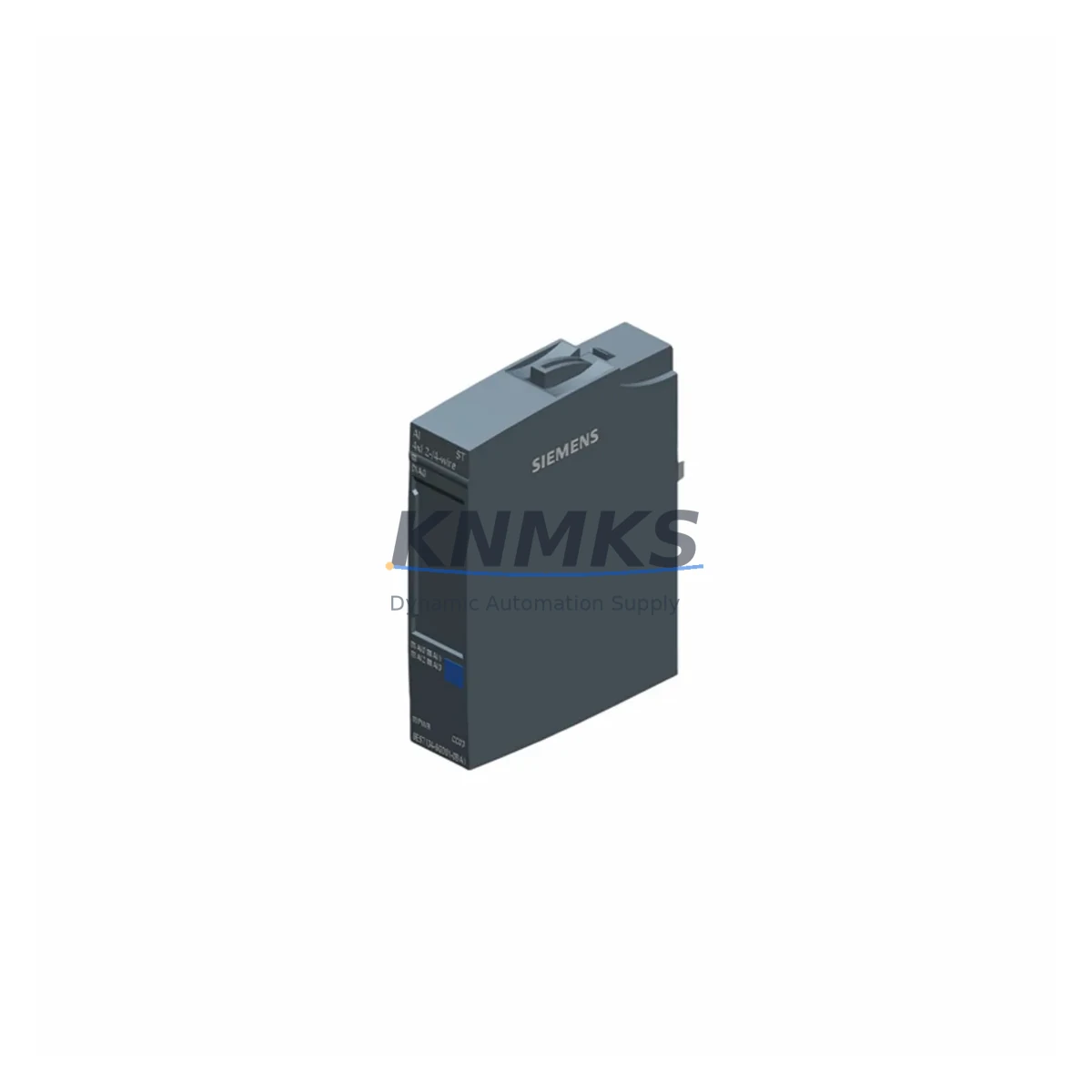
Siemens 6DL4340-0BA00 Migration-Ready Analog Input Module for Legacy Control Systems
The Siemens 6DL4340-0BA00 is a high-availability analog input module designed for the ET 200SP HA distributed I/O system, fully compatible with SIMATIC S7-1500 and TIA Portal-based control architectures. As legacy DCS and PLC platforms approach end-of-support, this module serves as a migration-ready replacement for aging analog input cards across process automation, power generation, and heavy industry environments. Whether you are upgrading from an older ET 200M rack-based configuration or transitioning from a third-party distributed I/O platform, the 6DL4340-0BA00 delivers the signal accuracy, redundancy support, and PROFINET connectivity required for modern control system continuity.
Before deploying this module as a replacement, engineering teams should verify several critical parameters. Power supply capacity at the ET 200SP HA baseunit must be confirmed to support the additional module load — the IM 155-6 PN HA interface module and associated BU-type baseboard must be checked for available current budget. Terminal wiring from field transmitters (4–20 mA or voltage signals) must be mapped against the new channel configuration, and shielding continuity should be maintained to prevent signal noise during cutover. Backplane slot addressing must be re-validated in the TIA Portal hardware configuration, particularly if the replacement changes the physical slot position relative to the original layout.
Program compatibility is a key concern during any analog input module swap. The existing FB/FC blocks referencing the old I/O addresses must be updated or remapped in STEP 7 or TIA Portal to reflect the new module’s channel assignments. If the legacy system used S7-300 or S7-400 analog input modules such as the SM 331 series, the engineering team must account for differences in resolution, filter settings, and diagnostic interrupt behavior. HMI screens referencing analog tag addresses — whether on SIMATIC HMI panels or SCADA systems — must be updated to reflect the new tag mapping before commissioning.
Communication link integrity is equally important. The ET 200SP HA operates over PROFINET with media redundancy (MRP or MRPD), and the network topology must be validated to ensure the replacement module is correctly recognized by the S7-1500 CPU or redundant S7-1500H controller pair. If the existing installation uses a CP 1543-1 communications processor or an S7-1500 CPU with integrated PROFINET interface, the device name and IP address assignment for the ET 200SP HA station must remain consistent to avoid address conflicts during hot-swap procedures.
Installation space within the control cabinet should be confirmed prior to ordering. The 6DL4340-0BA00 mounts on a compatible BU-type baseunit within the ET 200SP HA rail assembly. If the existing cabinet uses a mixed configuration with power modules such as the PM-E F HF or PM-D F HF, the physical spacing and baseunit sequence must be preserved. Firmware version compatibility between the module and the IM 155-6 PN HA interface module should also be verified using the Siemens compatibility tool or the TIA Portal hardware catalog version in use at the site.
Migration Compatibility Table
| Parameter | Details |
|---|---|
| Module SKU | 6DL4340-0BA00 (Alt: 6DL2300-1DX01-0BA1) |
| Series | ET 200SP HA |
| Compatible Controller | SIMATIC S7-1500, S7-1500H (Redundant) |
| Communication Interface | PROFINET (via IM 155-6 PN HA) |
| Signal Type | Analog Input (Current/Voltage) |
| Backplane Interface | ET 200SP HA BU-type Baseunit |
| Redundancy Support | Yes — compatible with S7-1500H redundant systems |
| Legacy Replacement Path | SM 331 (S7-300), AI modules in ET 200M, third-party analog I/O |
| Installation Requirement | Compatible BU baseunit; verify slot sequence and power budget |
| Firmware Compatibility | Verify against IM 155-6 PN HA firmware version at site |
| Programming Environment | TIA Portal V15.1 and above recommended |
| Origin | Germany |
| Support terms | 12 Months — covers manufacturing defects and functional failure |
| Pre-Shipment Testing | Yes — each unit tested for signal accuracy and channel integrity |
| Global Dispatch | Multi-region stock available; emergency shipment supported |
Retrofit Planning for Existing Automation Systems
Successful retrofit of the 6DL4340-0BA00 into an existing automation system requires a structured approach that accounts for the full scope of hardware and software dependencies. In a typical ET 200SP HA station, the analog input module operates alongside a range of complementary components that must be reviewed as part of the migration plan. The IM 155-6 PN HA interface module governs all PROFINET communication for the station and must be confirmed as compatible with the replacement module’s firmware. Power distribution within the station is managed by PM-E type power modules, and the available current margin must be recalculated after adding or replacing any module in the assembly.
For systems migrating from S7-300 with ET 200M distributed I/O, the transition typically involves replacing IM 153-x interface modules and SM 331 analog input cards with the ET 200SP HA platform. This migration path requires a full hardware reconfiguration in TIA Portal, including reassignment of I/O addresses and update of all associated data blocks. Digital I/O modules such as the DI 16x24VDC HF or DQ 8x24VDC/0.5A HF may also be replaced in the same migration cycle, and their wiring and address mapping must be handled in parallel to avoid commissioning delays.
Where the existing system includes SIMATIC HMI panels — such as the TP700 Comfort or TP1200 Comfort — screen objects linked to analog process values must be updated to reflect the new tag structure. If the site uses WinCC or WinCC OA as the SCADA layer, the OPC UA or S7 communication driver configuration must be reviewed to ensure tag paths remain valid after the hardware change. Signal isolators or barriers installed between field transmitters and the analog input module should also be inspected for compatibility with the new module’s input impedance and common-mode rejection specifications.
Programming cable access for on-site firmware updates or diagnostic reads — typically via a PROFINET-connected PG/PC running TIA Portal — should be planned into the commissioning schedule. Ensuring that a SIMATIC Memory Card with the correct CPU firmware and project backup is available on-site before the cutover window begins is a standard risk mitigation step for high-availability process environments.
Downtime Control During System Migration
Minimizing unplanned downtime during analog input module replacement requires careful pre-staging and a clearly defined cutover sequence. For systems running on S7-1500H redundant controllers, the ET 200SP HA platform supports hot-swap of I/O modules under specific conditions — engineering teams should confirm whether the 6DL4340-0BA00 supports hot insertion in the target firmware version before relying on this capability during a live cutover.
The recommended approach for controlled migration is to perform the hardware swap during a planned maintenance window, with the CPU placed in STOP mode and all field devices de-energized at the terminal level. The original program project should be archived with a full hardware configuration export before any physical changes are made. After module installation, a force table or watch table in TIA Portal can be used to verify channel-by-channel signal integrity before returning the system to RUN mode. This approach protects the original program logic and allows the engineering team to roll back to the previous configuration if unexpected compatibility issues arise.
For process environments where continuous control is required, a parallel run strategy — where the replacement module is installed in a shadow slot and signal values are compared against the original module before cutover — provides an additional layer of verification. This is particularly valuable in applications involving temperature measurement, pressure monitoring, or flow control where signal drift during transition could trigger process alarms or safety interlocks. Coordinating the cutover with the DCS or SCADA operator ensures that alarm suppression is applied only to the affected analog loops during the transition period, reducing the risk of nuisance trips.
Retrofit Support FAQ
Q: Is the 6DL4340-0BA00 a direct drop-in replacement for SM 331 analog input modules used in S7-300 systems?
A: Not a direct plug-in replacement — the 6DL4340-0BA00 is designed for the ET 200SP HA platform and requires a compatible BU baseunit and IM 155-6 PN HA interface module. However, it serves as the functional migration target when upgrading from S7-300 with ET 200M distributed I/O to the S7-1500 / ET 200SP HA architecture. A full hardware reconfiguration in TIA Portal is required, including I/O address remapping and program block updates.
Q: What pre-shipment testing is performed on each unit?
A: Each 6DL4340-0BA00 unit undergoes functional testing covering channel signal accuracy, input range verification, and communication interface integrity before dispatch. Units are supplied with a support terms confirmed by quotation covering manufacturing defects and functional failure under normal operating conditions. Test records are available upon request for quality-critical applications.
Q: How do I verify firmware compatibility between the 6DL4340-0BA00 and my existing IM 155-6 PN HA interface module?
A: Firmware compatibility should be verified using the Siemens Industry Online Support compatibility matrix or the TIA Portal hardware catalog for your installed version. The IM 155-6 PN HA firmware version determines which module firmware revisions are supported. If an update is required, the IM firmware can be updated via TIA Portal with the station in maintenance mode. Contact our technical team with your current IM firmware version and we will confirm compatibility before shipment.
Q: What is the lead time and stock availability for the 6DL4340-0BA00?
A: We maintain multi-region stock of the 6DL4340-0BA00 to support both emergency replacement and scheduled outage planning. Standard dispatch is available within 1–3 business days from confirmed stock. For large-quantity orders or long-term supply agreements, contact our sales team to discuss dedicated stock allocation and priority dispatch arrangements.
© 2026 KNMKS. All rights reserved.
Original Source: https://knmks.com
Contact: admin@knmks.com | +86 18359268345
Product Identification
- Brand / Ecosystem
-
Siemens
Siemens - Model / Series
- 6DL4340-0BA00/6DL2300-1DX01-0BA1
- Product Family
- PLCs & Controllers
- Availability Status
- Available on request after model and quantity confirmation
- Inquiry Type
- B2B RFQ, replacement inquiry and project spare-part request
- Pre-Quote Check
- Exact SKU, brand, series, quantity, nameplate photos and destination country are checked before quotation
System Path
Where this product fits in the KNMKS automation structure.
Specification & Inquiry Focus
- Control platform
- PLC, PAC and modular controllers
- Common needs
- CPU, rack, power and I/O expansion
- Project support
- Replacement, cabinet build and maintenance
Buyer Confirmation
Information KNMKS checks before replying.
- Exact model
- 6DL4340-0BA00/6DL2300-1DX01-0BA1
- Brand / ecosystem
- Siemens
- Product family
- PLCs & Controllers
- Application note
- Replacement, maintenance, project build or spare-part list
- Useful photos
- Nameplate, installed unit, cabinet layout or connector side
- Delivery details
- Quantity, destination country and target schedule
Document Support
Files and notes can be confirmed during quotation.
- Product photos or nameplate confirmation when available
- Packing and delivery notes before quotation confirmation
- Support scope and delivery terms confirmed per inquiry
- Export document coordination for qualified B2B requests
Inquiry Support
- Model cross-checking before quotation
- CPU, power, rack and expansion module matching
- Support for replacement and project inquiry
What to Send Us
- Brand and exact model number: Siemens 6DL4340-0BA00/6DL2300-1DX01-0BA1
- Quantity and required delivery time
- Application, replacement requirement or nameplate photo
- Destination country and shipping preference
RFQ Preparation
This is a product inquiry page built for RFQ communication.
Fast Model Check
Send this model to KNMKS for confirmation.
Include quantity, destination country and photos if this is a maintenance replacement. The inquiry will be saved with a reference number after submission.
Brand & Compatibility Note
KNMKS displays automation product information for well-known industrial brand ecosystems and compatible replacement references. Brand names are used for product identification and compatibility reference only; final availability and commercial terms are confirmed per quotation.
 Manufacturing
 Machine Tools
 Packaging
 Energy & Power



 HMI & Displays
 Servo Systems
 Variable Frequency Drives
 Sensors