
Overview
Siemens 6AG1124-0MC01-4AX0 Maintenance-Proven Spare Part for Factory Uptime
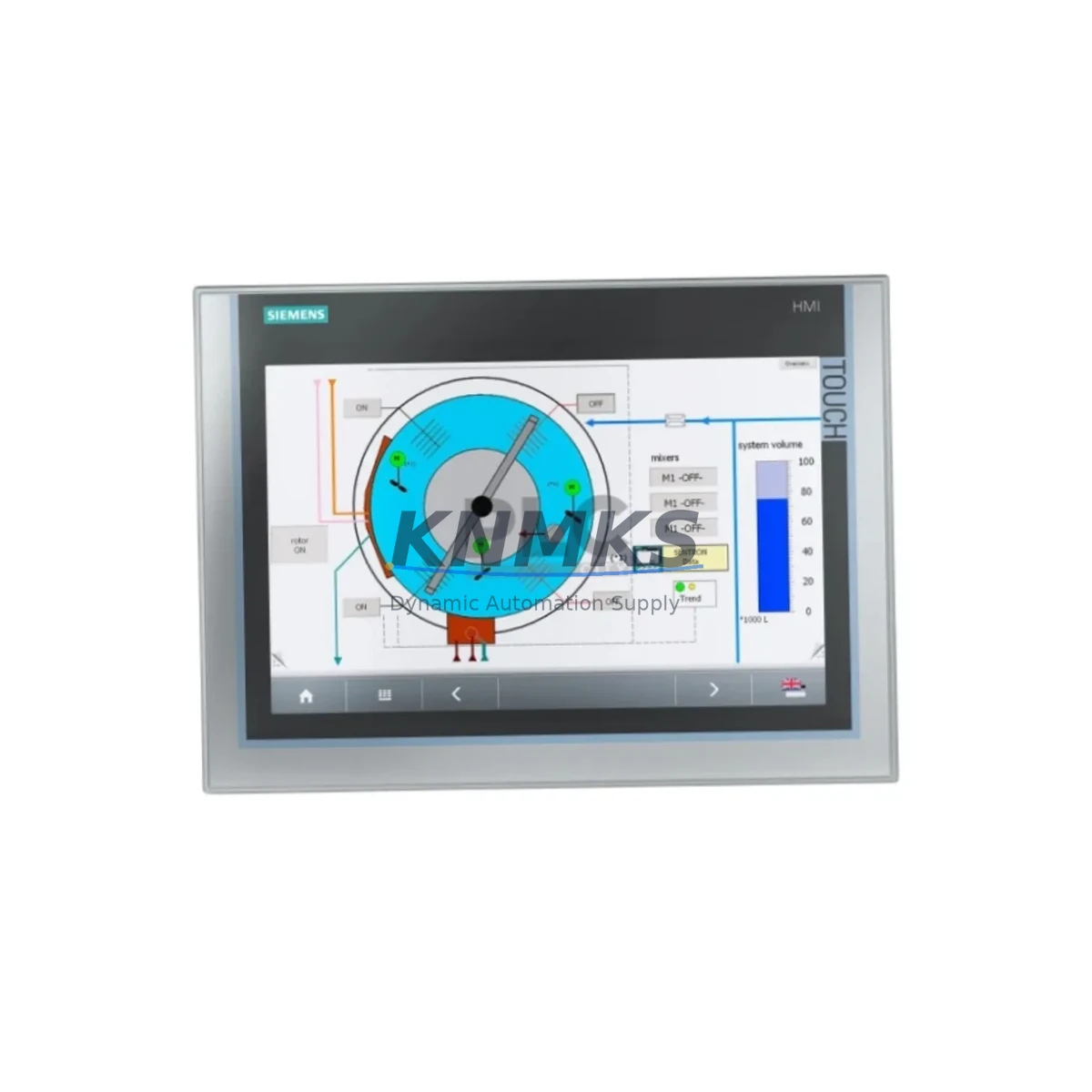
The Siemens 6AG1124-0MC01-4AX0 is a SIPLUS-series ruggedized variant of the SIMATIC HMI TP1200 Comfort Panel, engineered for demanding industrial environments where standard panels cannot meet extended temperature, vibration, or condensation requirements. As a direct maintenance-proven spare part, this unit is sourced to support continuous factory operation, minimize unplanned downtime, and provide maintenance engineers with a verified drop-in replacement for aging or failed HMI panels in SIMATIC-based control architectures.
For maintenance and procurement engineers managing long-lifecycle automation systems, the 6AG1124-0MC01-4AX0 represents a critical node in the operator interface layer. Its 12-inch widescreen TFT display, multi-touch capability, and PROFINET/MPI/PROFIBUS communication interfaces make it a versatile replacement across a wide range of SIMATIC S7-300, S7-400, S7-1200, and S7-1500 PLC platforms. Stocking this spare ensures that any HMI failure in a SIPLUS-equipped control cabinet can be resolved within a single maintenance window rather than triggering extended production halts.
Spare Maintenance Table
| Parameter | Specification |
|---|---|
| Part Number / SKU | 6AG1124-0MC01-4AX0 |
| Series | SIPLUS HMI TP1200 Comfort |
| Brand | Siemens |
| Display Size | 12″ Widescreen TFT, 1280 × 800 px |
| Touch Interface | Multi-touch (resistive/capacitive) |
| Communication Interfaces | PROFINET (2× RJ45), MPI/PROFIBUS DP, USB, SD card |
| PLC Compatibility | SIMATIC S7-300, S7-400, S7-1200, S7-1500, WinCC |
| Operating Temperature | -20 °C to +60 °C (SIPLUS extended range) |
| Protection Rating | IP65 (front panel) |
| Supply Voltage | 24 V DC (18–30 V DC) |
| Power Consumption | Approx. 25 W typical |
| Origin | Germany (DE) |
| Installation | Panel cutout mount, standard SIMATIC TP1200 footprint |
| Maintenance Recommendation | Inspect backlight, touch calibration, and PROFINET link status at each annual shutdown |
| Support terms | 12 Months — tested before shipment |
Maintenance Planning for Continuous Operation
When replacing the 6AG1124-0MC01-4AX0 in a live control cabinet, a disciplined maintenance checklist significantly reduces the risk of secondary failures and repeat downtime. The HMI panel does not operate in isolation — it is the operator’s window into the entire control loop, and its replacement should trigger a broader inspection of the surrounding electrical and communication infrastructure.
Begin with the 24 V DC power supply feeding the panel. Units such as the Siemens SITOP PSU100S or equivalent 24 V regulated power supplies should be load-tested to confirm stable output under full cabinet load. A degraded power supply is a common root cause of HMI resets and display artifacts that are often misdiagnosed as panel failures. Verify that the supply voltage at the panel terminal is within the 18–30 V DC operating range before commissioning the replacement unit.
Next, inspect the PROFINET patch cables and managed switches connecting the TP1200 to the PLC rack. Damaged RJ45 connectors, bent cable shields, or misconfigured switch ports can prevent the new panel from establishing a PROFINET connection, causing the replacement to appear faulty. If the cabinet uses a Siemens SCALANCE X series switch, verify port link status and VLAN assignments before powering the new HMI.
For cabinets integrating PROFIBUS DP or MPI communication, check the bus termination resistors and cable continuity. A missing or double-terminated PROFIBUS segment will cause communication faults on the replacement panel. Siemens PROFIBUS connectors (e.g., 6ES7972-0BB52-0XA0 series) should be inspected for pin corrosion and secure seating.
The I/O modules and signal wiring connected to the PLC rack should also be verified during the HMI replacement window. Siemens SM321/SM322 digital I/O modules and SM331/SM332 analog modules in the same S7-300/400 rack may have accumulated faults that were masked by the failed HMI. Use the PLC diagnostic buffer to clear any latched errors before restarting the system with the new panel.
If the control cabinet includes relay output modules or contactor interfaces, inspect coil voltage and contact wear. A failed HMI is sometimes the result of voltage spikes generated by inductive loads switching on the same 24 V rail. Installing a suppression diode or RC snubber across contactor coils protects the replacement panel from similar damage.
Finally, review the fuse and circuit protection for the HMI supply branch. A blown or weakened fuse in the 24 V distribution block may have contributed to the original panel failure. Replace any fuse that shows signs of thermal stress, and confirm that the fuse rating matches the panel’s inrush current specification.
Site Replacement Workflow
The 6AG1124-0MC01-4AX0 is a direct mechanical and electrical replacement for the standard SIMATIC HMI TP1200 Comfort (6AV2124-0MC01-0AX0) and its earlier SIPLUS variants. The panel cutout dimensions and mounting clip positions are identical, allowing a swap without cabinet modification. Follow this workflow to minimize downtime:
1. Backup the project: Before removing the failed panel, use a USB drive or SD card to export the current HMI project from the panel’s memory (if the panel is still partially functional) or retrieve the project from the TIA Portal engineering station. Confirm the project version matches the replacement panel’s firmware baseline.
2. Power isolation: Isolate the 24 V DC supply to the HMI branch using the dedicated circuit breaker or fuse holder. Confirm isolation with a multimeter before disconnecting cables.
3. Cable labeling and disconnection: Label all PROFINET, USB, and power cables before removal. Photograph the wiring layout for reference. Disconnect cables in reverse order of installation.
4. Panel removal and installation: Release the mounting clips from the rear of the panel cutout. Slide the failed unit out and insert the replacement 6AG1124-0MC01-4AX0. Secure all mounting clips evenly to maintain IP65 sealing.
5. Firmware and project download: Power the new panel and use TIA Portal or ProSave to download the HMI project. Verify that the panel firmware version is compatible with the project. Update firmware if required before downloading the project.
6. Functional verification: Restore power to the full cabinet. Confirm PROFINET link status, test all screen navigation, verify alarm displays, and confirm I/O status mirrors the PLC’s actual field signals. Document the replacement in the maintenance log.
This workflow is applicable to SIPLUS TP1200 replacements in S7-300, S7-400, S7-1200, and S7-1500 environments and supports both PROFINET and legacy MPI/PROFIBUS communication configurations.
Spare Parts Support FAQ
Q1: Is the 6AG1124-0MC01-4AX0 a direct replacement for the standard 6AV2124-0MC01-0AX0 TP1200 Comfort?
Yes. The SIPLUS 6AG1124-0MC01-4AX0 shares the same mechanical footprint, electrical interface, and software compatibility as the standard TP1200 Comfort. The SIPLUS variant adds extended temperature and conformal coating specifications. No cabinet modification is required for the swap, and the same TIA Portal project can be downloaded to the replacement unit after firmware verification.
Q2: What is included in the support terms confirmed by quotation and pre-shipment testing?
Every unit undergoes functional testing prior to shipment, including power-on verification, display integrity check, touch calibration, and communication port continuity. The support terms confirmed by quotation cover manufacturing defects and functional failures under normal operating conditions. Units are shipped with protective packaging to prevent transit damage. Contact admin@knmks.com for support requests or RMA procedures.
Q3: How should I manage long-term spare parts inventory for SIPLUS HMI panels?
For facilities operating multiple SIMATIC-based lines, we recommend maintaining at least one 6AG1124-0MC01-4AX0 unit per production zone as a hot spare. Given Siemens’ product lifecycle policies and the extended lead times for SIPLUS variants, early procurement is strongly advised. KNMKS supports blanket purchase orders and scheduled delivery programs to help procurement engineers maintain buffer stock without capital overcommitment.
Q4: Can this panel be used in high-vibration or outdoor-adjacent environments?
Yes. The SIPLUS designation specifically indicates that this panel has been qualified for extended environmental conditions, including wider temperature ranges (-20 °C to +60 °C), increased vibration resistance, and conformal coating on internal PCBs to resist condensation and corrosive atmospheres. This makes the 6AG1124-0MC01-4AX0 suitable for steel mills, chemical plants, outdoor control kiosks, and other harsh-environment installations where standard SIMATIC panels are not rated.
© 2026 KNMKS. All rights reserved.
Original Source: https://knmks.com
Contact: admin@knmks.com | +86 18359268345
Product Identification
- Brand / Ecosystem
-
Siemens
Siemens - Model / Series
- 6AG1124-0MC01-4AX0
- Product Family
- PLCs & Controllers
- Availability Status
- Available on request after model and quantity confirmation
- Inquiry Type
- B2B RFQ, replacement inquiry and project spare-part request
- Pre-Quote Check
- Exact SKU, brand, series, quantity, nameplate photos and destination country are checked before quotation
System Path
Where this product fits in the KNMKS automation structure.
Specification & Inquiry Focus
- Control platform
- PLC, PAC and modular controllers
- Common needs
- CPU, rack, power and I/O expansion
- Project support
- Replacement, cabinet build and maintenance
Buyer Confirmation
Information KNMKS checks before replying.
- Exact model
- 6AG1124-0MC01-4AX0
- Brand / ecosystem
- Siemens
- Product family
- PLCs & Controllers
- Application note
- Replacement, maintenance, project build or spare-part list
- Useful photos
- Nameplate, installed unit, cabinet layout or connector side
- Delivery details
- Quantity, destination country and target schedule
Document Support
Files and notes can be confirmed during quotation.
- Product photos or nameplate confirmation when available
- Packing and delivery notes before quotation confirmation
- Support scope and delivery terms confirmed per inquiry
- Export document coordination for qualified B2B requests
Inquiry Support
- Model cross-checking before quotation
- CPU, power, rack and expansion module matching
- Support for replacement and project inquiry
What to Send Us
- Brand and exact model number: Siemens 6AG1124-0MC01-4AX0
- Quantity and required delivery time
- Application, replacement requirement or nameplate photo
- Destination country and shipping preference
RFQ Preparation
This is a product inquiry page built for RFQ communication.
Fast Model Check
Send this model to KNMKS for confirmation.
Include quantity, destination country and photos if this is a maintenance replacement. The inquiry will be saved with a reference number after submission.
Brand & Compatibility Note
KNMKS displays automation product information for well-known industrial brand ecosystems and compatible replacement references. Brand names are used for product identification and compatibility reference only; final availability and commercial terms are confirmed per quotation.
 Manufacturing
 Machine Tools
 Packaging
 Energy & Power



 HMI & Displays
 Servo Systems
 Variable Frequency Drives
 Sensors