
Overview
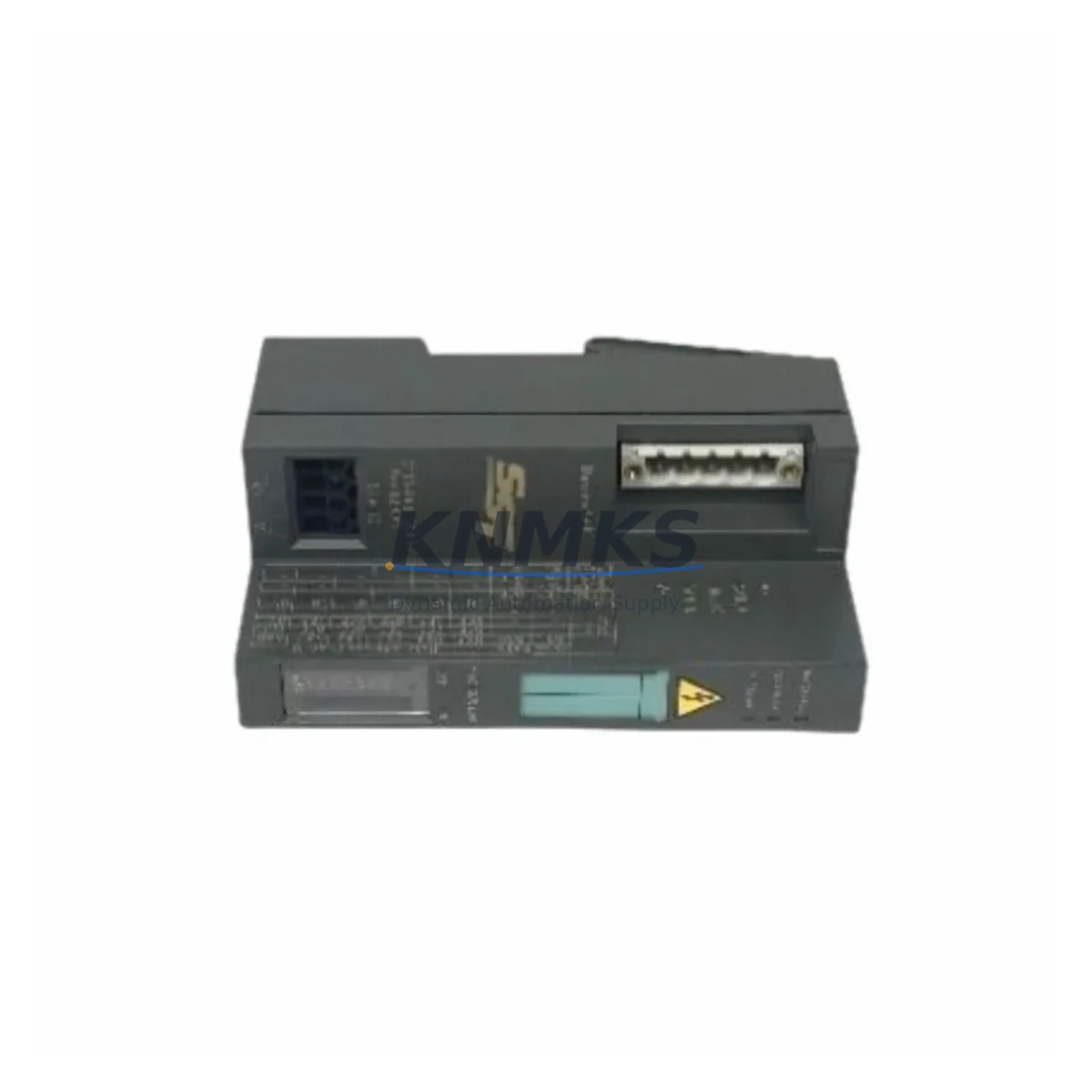
SIEMENS 5136-DNS-200S Maintenance-Proven Spare Part for Factory Uptime
The SIEMENS 5136-DNS-200S is an SST DeviceNet Slave Adapter PC interface card designed for seamless integration into DeviceNet fieldbus networks. As a maintenance-proven spare part, it supports factory engineers in restoring control system communication quickly after unexpected failures, reducing unplanned downtime and protecting production continuity. Whether you are managing a scheduled annual overhaul, responding to an emergency fault, or building a strategic spare parts inventory, the 5136-DNS-200S delivers the reliability and compatibility that industrial maintenance teams depend on.
Originally engineered for PC-based DeviceNet slave communication, this module provides a robust ISA/PCI interface between host computers and DeviceNet networks. It is widely deployed in automotive assembly lines, food and beverage processing plants, material handling systems, and discrete manufacturing environments where DeviceNet remains the backbone of machine-level communication. Maintenance engineers familiar with SST DeviceNet architecture will recognize the 5136-DNS-200S as a critical link between the supervisory PC layer and field-level I/O devices, drives, and sensors.
Sourcing a verified original spare before failure occurs is the most effective strategy for protecting uptime. The 5136-DNS-200S is available from KNMKS with full functional testing, original packaging where available, and a support terms confirmed by quotation covering defects in materials and workmanship. Each unit is inspected prior to shipment to ensure it meets original SIEMENS/SST performance specifications.
Spare Maintenance Table
| Parameter | Specification |
|---|---|
| Part Number / SKU | 5136-DNS-200S |
| Brand / Manufacturer | SIEMENS (SST) |
| Series | SST DeviceNet |
| Product Type | DeviceNet Slave Adapter / PC Interface Card |
| Interface Type | ISA Bus (PC-based DeviceNet Slave) |
| Network Protocol | DeviceNet (CAN-based fieldbus) |
| Data Rate | 125 kbps / 250 kbps / 500 kbps (selectable) |
| Node Address | 0–63 (software configurable) |
| Operating Temperature | 0°C to +60°C |
| Storage Temperature | -40°C to +85°C |
| Power Supply | +5 VDC via ISA bus slot |
| Compatibility | DeviceNet Master/Slave networks; compatible with Allen-Bradley, OMRON, and SIEMENS DeviceNet systems |
| Origin | Germany (DE) |
| Application Environment | Industrial control cabinets, PC-based SCADA/HMI stations, DeviceNet fieldbus networks |
| Maintenance Recommendation | Inspect connector pins and ISA slot contacts annually; verify baud rate configuration after replacement; test node communication before returning to service |
| Support terms | 12 Months — covers defects in materials and workmanship |
Maintenance Planning for Continuous Operation
When replacing the 5136-DNS-200S in a PC-based DeviceNet control station, a thorough maintenance inspection of the surrounding system is essential to prevent repeat failures and ensure stable network communication. Maintenance engineers should treat this replacement as an opportunity to audit the entire DeviceNet node and its associated electrical environment.
Begin by inspecting the DeviceNet trunk cable and drop lines connected to the PC station. Damaged shielding, loose termination resistors, or corroded connectors are common root causes of communication faults that are incorrectly attributed to the adapter card itself. Verify that the 121-ohm termination resistors at both ends of the DeviceNet trunk are intact and properly rated.
Check the PC power supply unit supplying the ISA bus. An aging or undersized PSU can cause intermittent ISA slot voltage drops, leading to unpredictable adapter behavior. If the host PC is more than five years old, consider scheduling a PSU replacement alongside the 5136-DNS-200S swap. Similarly, inspect the ISA slot contacts for oxidation or mechanical wear — a common issue in high-vibration industrial environments.
For systems where the 5136-DNS-200S interfaces with a SIEMENS S7-300 or S7-400 PLC via a DeviceNet gateway or CP communication module, verify that the gateway firmware is current and that the DeviceNet scanner configuration (EDS file mapping) matches the new adapter’s node address settings. Mismatched node addresses are a frequent commissioning error after spare part replacement.
Inspect associated I/O modules and remote I/O drops on the DeviceNet network. Devices such as distributed I/O blocks, variable frequency drives (VFDs), and smart sensors connected to the same DeviceNet segment should be checked for communication health using a DeviceNet diagnostic tool or the SST configuration software. A failing node elsewhere on the network can cause the entire segment to degrade, masking the true source of the fault.
If the control cabinet houses signal isolators or surge protection devices on the DeviceNet lines, verify their integrity. Industrial environments with frequent lightning events or heavy motor switching can degrade surge arrestors over time, leaving the communication module exposed to transient damage. Replacing the 5136-DNS-200S without addressing upstream surge protection risks premature failure of the new spare.
Finally, review the HMI or SCADA station software configuration. After installing the replacement adapter, confirm that the SST DeviceNet driver is correctly mapped to the new hardware address and that the SCADA polling cycle is functioning without timeout errors. Document the replacement in the maintenance log with the new unit’s serial number and test results for future reference.
Site Replacement Workflow
Step 1 — Pre-Replacement Verification: Before removing the existing 5136-DNS-200S, record the current node address, baud rate settings, and DeviceNet network configuration. Export the EDS file mapping and driver configuration from the SST software. This documentation ensures the replacement unit can be configured identically without requiring a full network re-commissioning.
Step 2 — Safe Isolation: Power down the host PC and isolate the DeviceNet network segment if possible. Disconnect the DeviceNet cable from the adapter card before removing the card from the ISA slot. Avoid hot-swapping ISA cards — this is a common cause of slot damage and data corruption on legacy PC-based control systems.
Step 3 — Physical Installation: Insert the replacement 5136-DNS-200S into the correct ISA slot. Secure the card bracket with the retaining screw. Reconnect the DeviceNet cable, ensuring the connector is fully seated and the locking tab is engaged. Verify that the cable shield is properly grounded at the cabinet entry point.
Step 4 — Software Configuration: Power on the PC and install or verify the SST DeviceNet driver. Configure the node address and baud rate to match the previous settings. Use the SST configuration utility to scan the DeviceNet network and confirm that all expected nodes are visible and communicating correctly.
Step 5 — Functional Test: Run a full I/O communication test before returning the system to production. Verify that the SCADA or HMI is receiving live data from all DeviceNet field devices. Monitor the network for bus-off errors or excessive retry counts during the first 30 minutes of operation. Only return the line to full production speed after confirming stable communication.
Step 6 — Documentation and Spare Stock Update: Record the replacement in the maintenance management system (CMMS). Update the spare parts inventory to reflect the consumed unit and initiate a reorder to maintain the recommended minimum stock level of one spare 5136-DNS-200S per DeviceNet PC station.
Spare Parts Support FAQ
Q1: Is the SIEMENS 5136-DNS-200S still available as a new original spare?
The 5136-DNS-200S is a legacy SST DeviceNet product. KNMKS sources verified original and refurbished units through authorized industrial spare parts channels. Each unit undergoes functional testing before shipment. Contact admin@knmks.com to confirm current stock availability and lead time.
Q2: What is the recommended spare parts inventory strategy for the 5136-DNS-200S?
For facilities operating multiple PC-based DeviceNet stations, we recommend maintaining a minimum of one spare 5136-DNS-200S per three active nodes. For critical single-point-of-failure installations, a dedicated hot spare is advisable. KNMKS offers long-term supply agreements to support multi-year maintenance planning for legacy DeviceNet systems.
Q3: How is the 5136-DNS-200S tested before shipment?
Every unit shipped by KNMKS is tested for ISA bus communication integrity, DeviceNet node initialization, and baud rate configuration response. Units that fail any test parameter are quarantined and not offered for sale. A test report is available upon request for critical applications.
Q4: What support terms and after-sales support does KNMKS provide?
All 5136-DNS-200S units are covered by a support terms confirmed by quotation from the date of shipment, covering defects in materials and workmanship under normal industrial operating conditions. KNMKS provides post-sale technical support for installation and configuration questions. For support requests or technical assistance, contact admin@knmks.com or call +86 18359268345.
© 2026 KNMKS. All rights reserved.
Original Source: https://knmks.com
Contact: admin@knmks.com | +86 18359268345
Product Identification
- Brand / Ecosystem
-
SIEMENS
Siemens - Model / Series
- 5136-DNS-200S
- Product Family
- PLCs & Controllers
- Availability Status
- Available on request after model and quantity confirmation
- Inquiry Type
- B2B RFQ, replacement inquiry and project spare-part request
- Pre-Quote Check
- Exact SKU, brand, series, quantity, nameplate photos and destination country are checked before quotation
System Path
Where this product fits in the KNMKS automation structure.
Specification & Inquiry Focus
- Control platform
- PLC, PAC and modular controllers
- Common needs
- CPU, rack, power and I/O expansion
- Project support
- Replacement, cabinet build and maintenance
Buyer Confirmation
Information KNMKS checks before replying.
- Exact model
- 5136-DNS-200S
- Brand / ecosystem
- SIEMENS
- Product family
- PLCs & Controllers
- Application note
- Replacement, maintenance, project build or spare-part list
- Useful photos
- Nameplate, installed unit, cabinet layout or connector side
- Delivery details
- Quantity, destination country and target schedule
Document Support
Files and notes can be confirmed during quotation.
- Product photos or nameplate confirmation when available
- Packing and delivery notes before quotation confirmation
- Support scope and delivery terms confirmed per inquiry
- Export document coordination for qualified B2B requests
Inquiry Support
- Model cross-checking before quotation
- CPU, power, rack and expansion module matching
- Support for replacement and project inquiry
What to Send Us
- Brand and exact model number: SIEMENS 5136-DNS-200S
- Quantity and required delivery time
- Application, replacement requirement or nameplate photo
- Destination country and shipping preference
RFQ Preparation
This is a product inquiry page built for RFQ communication.
Fast Model Check
Send this model to KNMKS for confirmation.
Include quantity, destination country and photos if this is a maintenance replacement. The inquiry will be saved with a reference number after submission.
Brand & Compatibility Note
KNMKS displays automation product information for well-known industrial brand ecosystems and compatible replacement references. Brand names are used for product identification and compatibility reference only; final availability and commercial terms are confirmed per quotation.
 Manufacturing
 Machine Tools
 Packaging
 Energy & Power



 HMI & Displays
 Servo Systems
 Variable Frequency Drives
 Sensors