
Overview
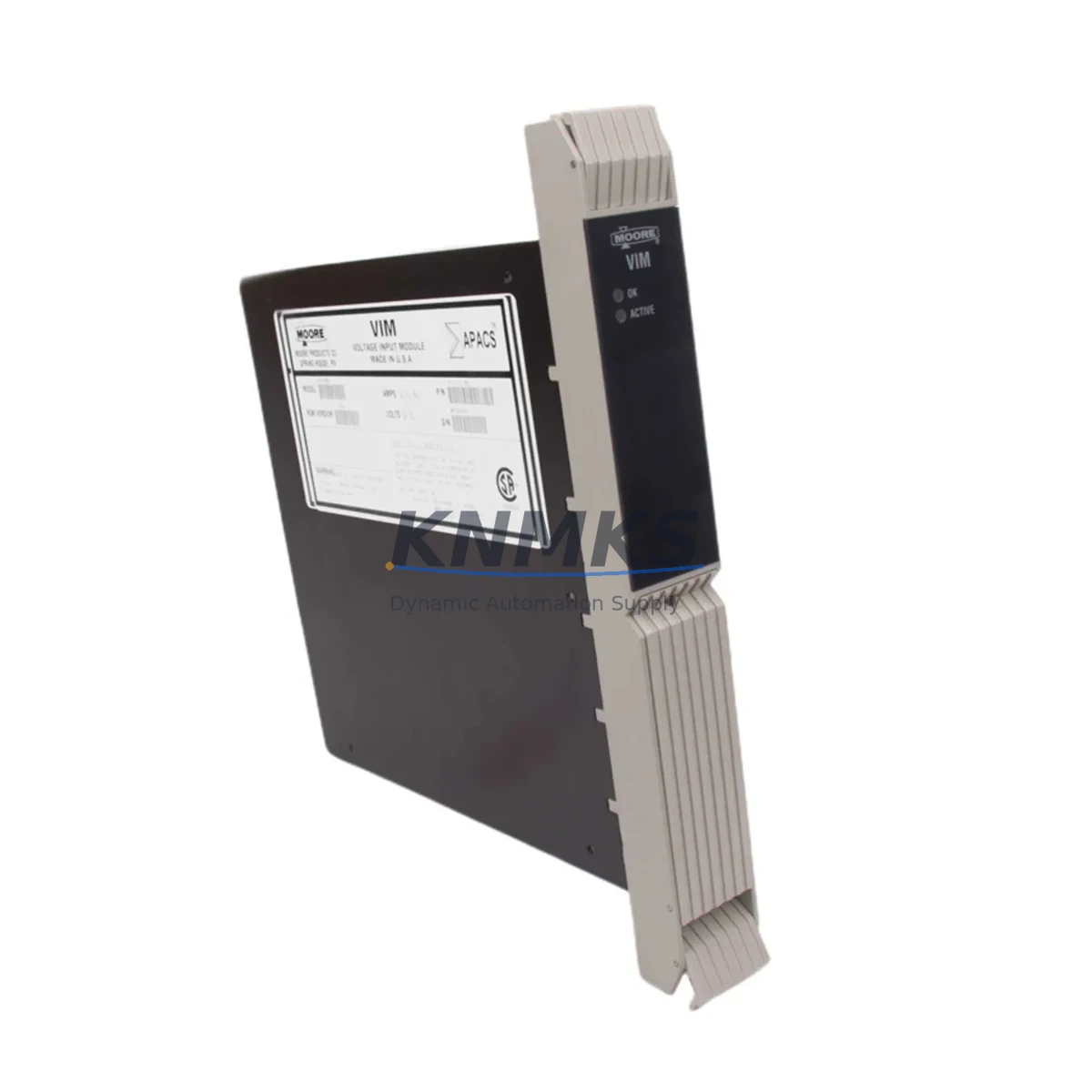
Siemens 39VIMNBN Maintenance-Proven Spare Part for Factory Uptime
The Siemens 39VIMNBN is an original analog input module designed for the TELEPERM M distributed control system — one of Siemens’ most enduring DCS platforms in continuous process industries including chemical, petrochemical, power generation, and water treatment. For maintenance engineers managing aging TELEPERM M installations, the 39VIMNBN represents a critical spare that directly impacts process measurement integrity and plant uptime. Sourced as an original Siemens component, each unit is inspection-tested prior to shipment and backed by a support terms confirmed by quotation, giving procurement teams the confidence to stock it as a long-cycle replacement part.
In daily maintenance practice, analog input modules like the 39VIMNBN are among the first components to be evaluated during signal drift investigations, loop calibration failures, or unexplained process deviations. When a field transmitter appears to be functioning correctly but the DCS is reporting erratic or frozen values, the analog input module is a primary suspect. Replacing the 39VIMNBN with a verified original restores measurement accuracy without requiring reconfiguration of the TELEPERM M central processing unit or associated software parameters — a key advantage in time-sensitive shutdown recovery scenarios.
Spare Maintenance Table
| Parameter | Specification |
|---|---|
| Part Number / SKU | 39VIMNBN |
| Brand | Siemens |
| Series / Platform | TELEPERM M DCS |
| Module Type | DCS Analog Input Module |
| Signal Type | Analog Input (4–20 mA / voltage, series-dependent) |
| Compatibility | TELEPERM M central rack, standard backplane bus |
| Installation | Plug-in module, DIN-rail compatible rack mounting |
| Operating Environment | Industrial control cabinet, 0–55°C ambient |
| Origin | Germany (Original Siemens) |
| Maintenance Recommendation | Inspect every 12–24 months; replace on signal drift or calibration failure |
| Support terms | 12 Months |
| Pre-shipment Testing | Function-tested before dispatch |
Maintenance Planning for Continuous Operation
Effective maintenance of a TELEPERM M system requires a holistic view of the control cabinet and signal chain. When replacing the 39VIMNBN analog input module, maintenance engineers should simultaneously inspect the following components to prevent repeat failures and ensure full loop integrity:
The TELEPERM M power supply module (such as the 6DS1 series) should be verified for stable DC output voltage, as voltage ripple or sag is a common root cause of analog input module degradation. Alongside this, the backplane bus connector and rack slot contacts should be cleaned and inspected for oxidation — poor backplane contact is frequently misdiagnosed as module failure.
Field wiring terminations at the terminal block assemblies connected to the 39VIMNBN should be re-torqued and checked for insulation breakdown, particularly in high-humidity or high-vibration environments. If the loop includes a signal isolator or signal conditioner between the field transmitter and the DCS input, its output calibration should be verified independently before the new module is commissioned.
For multi-loop control cabinets, it is good practice to inspect adjacent analog output modules and digital I/O modules in the same TELEPERM M rack during the same maintenance window — thermal stress and power events rarely affect only a single slot. If the system includes TELEPERM M communication modules for supervisory data exchange, their status LEDs and diagnostic registers should be reviewed to confirm no upstream data integrity issues exist.
Where the TELEPERM M system interfaces with a modern HMI or SCADA layer via serial or fieldbus gateway, the gateway configuration should be validated after module replacement to ensure tag mapping and scaling remain consistent. Finally, any fuse or circuit protection elements in the 24 VDC loop supply feeding the analog input channels should be tested for continuity and replaced preventively if they are more than five years old.
Site Replacement Workflow
Replacing the Siemens 39VIMNBN on-site is a structured process that, when executed correctly, minimizes downtime and eliminates the risk of introducing new faults during the swap.
Step 1 — Pre-replacement documentation: Record all current loop tag assignments, channel scaling parameters, and alarm setpoints associated with the module slot. Take a photograph of the wiring terminations before disconnection.
Step 2 — Safe isolation: Place the affected control loops in manual mode at the DCS operator station. Isolate the 24 VDC field supply to the module using the appropriate circuit breaker or fuse isolator. Do not rely solely on software inhibit.
Step 3 — Module extraction: Release the module locking mechanism and extract the 39VIMNBN from its rack slot. Inspect the backplane connector pins on both the module and the rack for damage or contamination before inserting the replacement.
Step 4 — Replacement insertion and verification: Insert the new 39VIMNBN firmly until the locking tab engages. Restore the field supply and observe the module status LED. Verify that the DCS diagnostic display confirms the module is recognized and fault-free.
Step 5 — Loop commissioning: Apply a known reference signal to each input channel and confirm that the DCS engineering station displays the correct process value within the expected tolerance. Restore loops to automatic mode only after all channels are verified.
This workflow is compatible with hot-standby TELEPERM M configurations where redundant racks are available, allowing replacement without a full process shutdown. For single-rack installations, coordinate with operations to schedule a brief controlled shutdown window.
Spare Parts Support FAQ
Q1: Is the 39VIMNBN a direct drop-in replacement for all TELEPERM M rack configurations?
The 39VIMNBN is designed for the standard TELEPERM M backplane and is compatible with the primary rack configurations used across the TELEPERM M product lifecycle. However, customers should confirm the rack slot type and bus version with their system documentation before ordering. Our technical team can assist with compatibility verification based on your system’s hardware revision.
Q2: How is the 39VIMNBN tested before shipment?
Each unit undergoes functional testing prior to dispatch, including power-on verification and signal path continuity checks. Units that do not meet original Siemens performance specifications are not shipped. A test report is available upon request for quality-critical procurement processes.
Q3: What is the support terms coverage and what does it include?
All 39VIMNBN units are covered by a support terms confirmed by quotation from the date of shipment. The support terms covers manufacturing defects and functional failures under normal operating conditions. It does not cover damage resulting from incorrect installation, overvoltage events, or physical mishandling. Support requests are processed with priority turnaround to minimize customer downtime.
Q4: Can you support long-term or blanket purchase orders for TELEPERM M spare parts?
Yes. We support scheduled delivery agreements and blanket purchase orders for customers managing multi-site TELEPERM M installations or annual maintenance budgets. Long-term supply arrangements help procurement engineers lock in availability and pricing for critical spares that are no longer in active Siemens production. Contact our sales team to discuss volume and delivery scheduling options.
© 2026 KNMKS. All rights reserved.
Original Source: https://knmks.com
Contact: admin@knmks.com | +86 18359268345
Product Identification
- Brand / Ecosystem
-
Siemens
Siemens - Model / Series
- 39VIMNBN
- Product Family
- PLCs & Controllers
- Availability Status
- Available on request after model and quantity confirmation
- Inquiry Type
- B2B RFQ, replacement inquiry and project spare-part request
- Pre-Quote Check
- Exact SKU, brand, series, quantity, nameplate photos and destination country are checked before quotation
System Path
Where this product fits in the KNMKS automation structure.
Specification & Inquiry Focus
- Control platform
- PLC, PAC and modular controllers
- Common needs
- CPU, rack, power and I/O expansion
- Project support
- Replacement, cabinet build and maintenance
Buyer Confirmation
Information KNMKS checks before replying.
- Exact model
- 39VIMNBN
- Brand / ecosystem
- Siemens
- Product family
- PLCs & Controllers
- Application note
- Replacement, maintenance, project build or spare-part list
- Useful photos
- Nameplate, installed unit, cabinet layout or connector side
- Delivery details
- Quantity, destination country and target schedule
Document Support
Files and notes can be confirmed during quotation.
- Product photos or nameplate confirmation when available
- Packing and delivery notes before quotation confirmation
- Support scope and delivery terms confirmed per inquiry
- Export document coordination for qualified B2B requests
Inquiry Support
- Model cross-checking before quotation
- CPU, power, rack and expansion module matching
- Support for replacement and project inquiry
What to Send Us
- Brand and exact model number: Siemens 39VIMNBN
- Quantity and required delivery time
- Application, replacement requirement or nameplate photo
- Destination country and shipping preference
RFQ Preparation
This is a product inquiry page built for RFQ communication.
Fast Model Check
Send this model to KNMKS for confirmation.
Include quantity, destination country and photos if this is a maintenance replacement. The inquiry will be saved with a reference number after submission.
Brand & Compatibility Note
KNMKS displays automation product information for well-known industrial brand ecosystems and compatible replacement references. Brand names are used for product identification and compatibility reference only; final availability and commercial terms are confirmed per quotation.
 Manufacturing
 Machine Tools
 Packaging
 Energy & Power



 HMI & Displays
 Servo Systems
 Variable Frequency Drives
 Sensors