
Overview
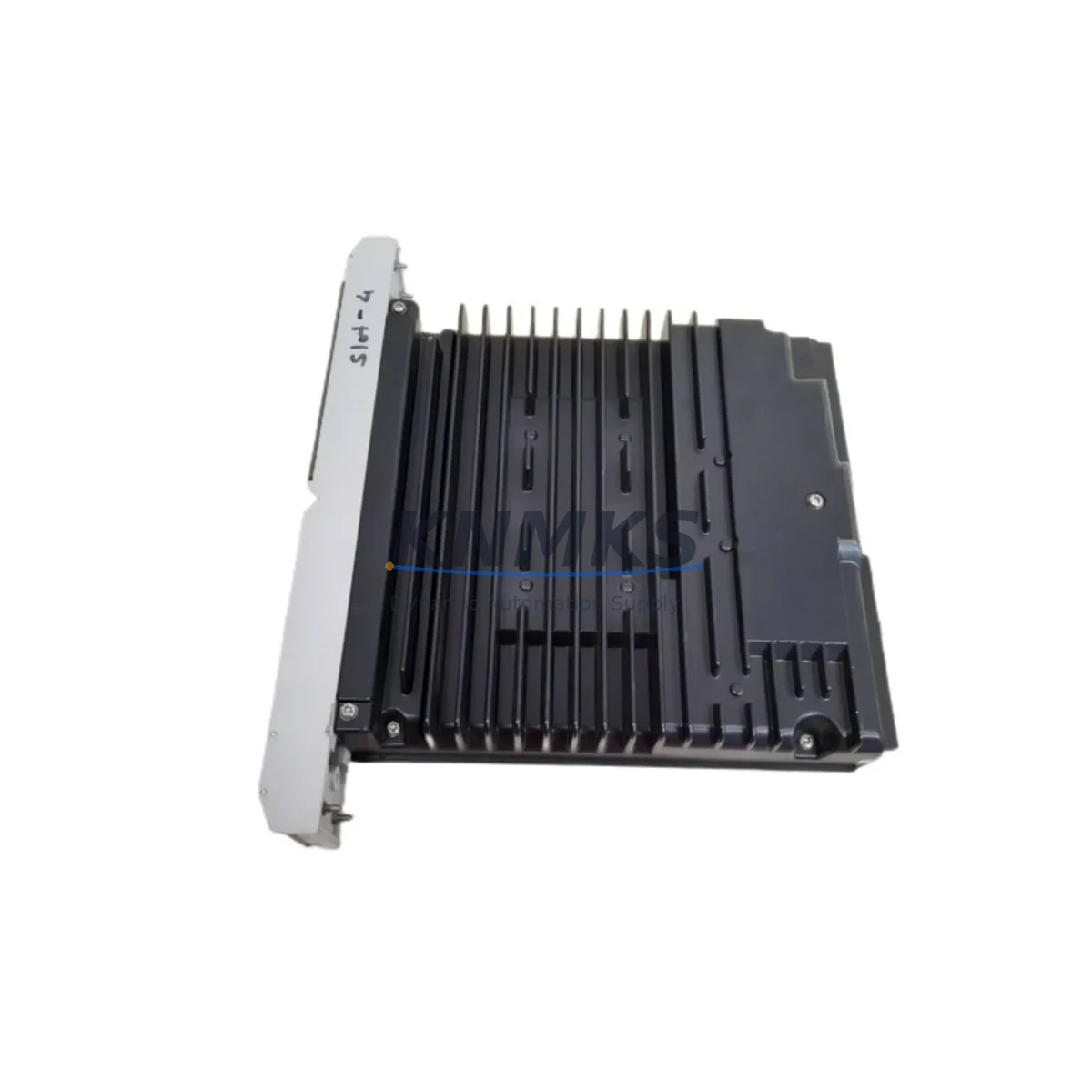
SIEMENS 39SAMCAN 16133-71/8 Retrofit Analog Module: Migration-Ready Replacement for TELEPERM M Legacy Control Systems
The SIEMENS 39SAMCAN 16133-71/8 is a DCS analog input/output module originally designed for the SIEMENS TELEPERM M distributed control system platform — one of the most widely deployed process automation architectures in the power generation, chemical, and petrochemical industries. As TELEPERM M has reached end-of-life and spare parts availability has tightened globally, the 39SAMCAN 16133-71/8 has become a critical retrofit component for facilities that must maintain operational continuity without committing to a full DCS migration.
Our inventory of the 39SAMCAN 16133-71/8 is sourced from verified industrial channels, fully tested prior to shipment, and backed by a support terms confirmed by quotation. Each unit undergoes functional verification to confirm analog signal integrity, backplane communication, and module addressing compatibility before dispatch.
Migration Compatibility Table
| Parameter | Detail |
|---|---|
| SKU / Part Number | 39SAMCAN 16133-71/8 |
| Brand / Manufacturer | SIEMENS |
| Series / Platform | TELEPERM M (TM) |
| Module Type | DCS Analog Module |
| Country of Origin | Germany |
| Backplane Interface | TELEPERM M standard backplane bus; verify slot assignment and module address before installation |
| Communication Compatibility | Compatible with TELEPERM M internal bus protocol; confirm firmware revision matches existing rack configuration |
| Terminal Wiring | Matches original TELEPERM M analog terminal block layout; verify field wiring polarity and shielding before reconnection |
| Power Supply Requirement | Supplied via TELEPERM M rack power bus; confirm rack PSU capacity covers total module load after replacement |
| Installation Space | Standard TELEPERM M module slot; single-width form factor — confirm physical slot availability in existing rack |
| Replacement Recommendation | Direct drop-in replacement for failed or end-of-life 39SAMCAN 16133-71/8 units in TELEPERM M racks |
| Commissioning Notes | Restore module address settings; verify analog scaling parameters in engineering station; perform loop check before returning to service |
| Support terms | 12 months from date of shipment |
Retrofit Planning for Existing Automation Systems
Replacing the 39SAMCAN 16133-71/8 within an active TELEPERM M installation requires careful pre-planning across several interdependent system layers. The module sits within a TELEPERM M rack — typically an AS 230 or AS 235 automation station — and interfaces directly with the backplane bus that carries both power and communication signals to all installed modules. Before removing the failed unit, engineers should document the existing module address configuration, which is typically set via DIP switches or jumpers on the module face, and confirm that the replacement unit is set identically.
Field wiring connected to the analog terminals must be carefully labeled and photographed before disconnection. The 39SAMCAN 16133-71/8 handles analog signal conditioning, so any deviation in terminal assignment or shielding continuity can introduce measurement errors that affect process control accuracy. Where the existing installation uses SIEMENS TELEPERM M signal conditioning modules or dedicated analog input isolators upstream of the module, these should be inspected and tested concurrently to rule out secondary faults.
The rack’s TELEPERM M power supply module — such as units in the PS series — should be load-checked to confirm it can sustain the full module complement after replacement. Aging power supplies in legacy racks are a common secondary failure point during retrofit work, and replacing the analog module without verifying PSU headroom can result in repeat failures.
If the TELEPERM M system communicates upstream to a SIEMENS SINEC H1 or PROFIBUS network segment, the communication link should be monitored during module swap to confirm that the automation station re-establishes its network presence correctly after the replacement module is seated and powered. In installations where the TELEPERM M platform interfaces with a SIEMENS WinCC or SIMATIC PCS 7 supervisory layer, HMI faceplates referencing the affected analog loop should be verified post-commissioning to confirm that tag values, alarm limits, and trend displays are reading correctly from the new module.
For facilities planning a phased migration from TELEPERM M toward a modern DCS platform such as SIMATIC PCS 7, the 39SAMCAN 16133-71/8 serves as a bridge component — maintaining process control continuity in legacy racks while migration engineering proceeds in parallel. This approach avoids forced full-system shutdowns and allows individual control loops to be migrated incrementally, reducing both project risk and unplanned downtime exposure.
Downtime Control During System Migration
Minimizing downtime during a TELEPERM M analog module replacement begins with preparation, not execution. The physical swap of the 39SAMCAN 16133-71/8 typically takes under 30 minutes for an experienced controls technician — but the surrounding verification steps, if not pre-planned, can extend the outage window significantly.
Before the maintenance window opens, the engineering team should export and archive the current TELEPERM M program logic from the affected automation station using the TELEPERM M engineering tools. This backup protects against configuration loss in the event of an unexpected station reset during module replacement. The analog loop’s process variable should be placed in manual control mode at the DCS level to prevent the control system from responding to the signal interruption during the swap.
Once the replacement 39SAMCAN 16133-71/8 is seated and the rack is powered, the module address should be confirmed via the engineering station before the loop is returned to automatic. A full analog loop check — from field transmitter through the module to the DCS display — should be completed before sign-off. Where the installation includes TELEPERM M communication modules handling data exchange between automation stations, these links should be verified as active before the maintenance window is closed.
For facilities with strict production continuity requirements, we recommend maintaining a minimum of one spare 39SAMCAN 16133-71/8 in local inventory. Given the discontinued status of TELEPERM M components, lead times for sourcing replacement units on the open market can be unpredictable. Holding verified, tested stock on-site eliminates sourcing delay as a downtime variable and supports a same-shift recovery capability for critical analog loops.
Retrofit Support FAQ
Q1: Is the 39SAMCAN 16133-71/8 a direct drop-in replacement for the original SIEMENS TELEPERM M analog module?
Yes. The 39SAMCAN 16133-71/8 is the original SIEMENS part number for this module and is a direct replacement for failed or degraded units of the same SKU within TELEPERM M racks. No hardware modification is required. Module address settings must be matched to the original configuration before installation.
Q2: How is each unit tested before shipment?
Every 39SAMCAN 16133-71/8 in our inventory undergoes functional testing to verify analog signal processing, backplane communication, and module addressing prior to dispatch. Units are shipped with test confirmation and are covered by a support terms confirmed by quotation from the date of shipment.
Q3: What should I verify regarding terminal wiring and power supply before installation?
Confirm that field wiring polarity, shielding, and terminal assignments match the original installation documentation. Verify that the TELEPERM M rack power supply has sufficient capacity to support the full module load after replacement. Aging PSU modules in legacy racks should be load-tested concurrently if there is any history of power instability.
Q4: Do you hold stock for immediate shipment, and what is the support terms coverage?
Yes. We maintain verified inventory of the 39SAMCAN 16133-71/8 for immediate shipment. All units are covered by a support terms confirmed by quotation. For volume requirements or scheduled maintenance programs, contact our team to confirm availability and lead time.
© 2026 KNMKS. All rights reserved.
Original Source: https://knmks.com
Contact: admin@knmks.com | +86 18359268345
Product Identification
- Brand / Ecosystem
-
SIEMENS
Siemens - Model / Series
- 39SAMCAN 16133-71/8
- Product Family
- PLCs & Controllers
- Availability Status
- Available on request after model and quantity confirmation
- Inquiry Type
- B2B RFQ, replacement inquiry and project spare-part request
- Pre-Quote Check
- Exact SKU, brand, series, quantity, nameplate photos and destination country are checked before quotation
System Path
Where this product fits in the KNMKS automation structure.
Specification & Inquiry Focus
- Control platform
- PLC, PAC and modular controllers
- Common needs
- CPU, rack, power and I/O expansion
- Project support
- Replacement, cabinet build and maintenance
Buyer Confirmation
Information KNMKS checks before replying.
- Exact model
- 39SAMCAN 16133-71/8
- Brand / ecosystem
- SIEMENS
- Product family
- PLCs & Controllers
- Application note
- Replacement, maintenance, project build or spare-part list
- Useful photos
- Nameplate, installed unit, cabinet layout or connector side
- Delivery details
- Quantity, destination country and target schedule
Document Support
Files and notes can be confirmed during quotation.
- Product photos or nameplate confirmation when available
- Packing and delivery notes before quotation confirmation
- Support scope and delivery terms confirmed per inquiry
- Export document coordination for qualified B2B requests
Inquiry Support
- Model cross-checking before quotation
- CPU, power, rack and expansion module matching
- Support for replacement and project inquiry
What to Send Us
- Brand and exact model number: SIEMENS 39SAMCAN 16133-71/8
- Quantity and required delivery time
- Application, replacement requirement or nameplate photo
- Destination country and shipping preference
RFQ Preparation
This is a product inquiry page built for RFQ communication.
Fast Model Check
Send this model to KNMKS for confirmation.
Include quantity, destination country and photos if this is a maintenance replacement. The inquiry will be saved with a reference number after submission.
Brand & Compatibility Note
KNMKS displays automation product information for well-known industrial brand ecosystems and compatible replacement references. Brand names are used for product identification and compatibility reference only; final availability and commercial terms are confirmed per quotation.
 Manufacturing
 Machine Tools
 Packaging
 Energy & Power



 HMI & Displays
 Servo Systems
 Variable Frequency Drives
 Sensors