
Overview
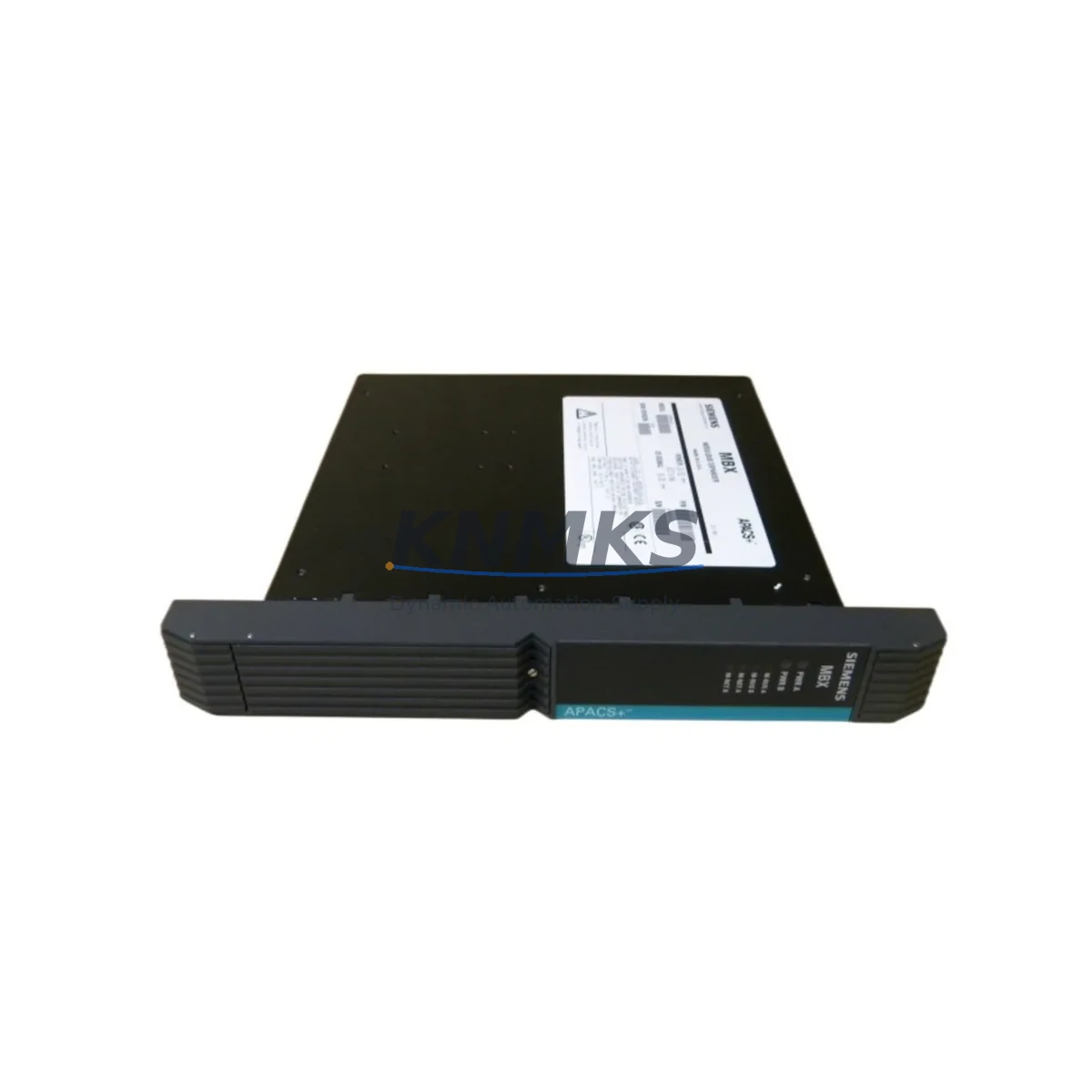
Siemens 39RTMCAN 16207-61/10 Spare Part for Factory Uptime
The Siemens 39RTMCAN 16207-61/10 is a CAN Bus-based temperature acquisition module engineered for continuous industrial operation within Siemens RTM (Remote Terminal Module) architectures. Deployed across power generation, chemical processing, oil & gas, and heavy manufacturing facilities, this module acquires multi-channel thermocouple and RTD signals and transmits them reliably over the CAN Bus backbone to the host DCS or SIMATIC control system.
For maintenance engineers managing aging Siemens DCS or SIMATIC installations, holding a verified spare of the 39RTMCAN 16207-61/10 is a non-negotiable element of any uptime strategy. Unplanned temperature signal loss in a process loop can trigger emergency shutdowns, product quality deviations, or safety system activations — all of which carry significant downtime costs. A pre-tested, shelf-ready replacement eliminates the lead-time risk associated with sourcing obsolete or long-cycle Siemens modules on short notice.
This unit is supplied as an original Siemens spare part, individually tested prior to dispatch, and backed by a support terms confirmed by quotation. It is suitable for direct installation into existing RTM backplane slots without firmware modification, provided the host system firmware version is compatible with the 16207-61/10 hardware revision.
Spare Maintenance Table
| Parameter | Specification |
|---|---|
| Part Number | 39RTMCAN 16207-61/10 |
| Manufacturer | Siemens AG |
| Module Type | CAN Bus Temperature Acquisition Module |
| Series | RTM (Remote Terminal Module) |
| Communication Interface | CAN Bus |
| Signal Input | Thermocouple / RTD (multi-channel) |
| Compatible Systems | Siemens SIMATIC, DCS RTM Architecture |
| Country of Origin | Germany |
| Weight | 1,900 g (approx.) |
| Installation | RTM Backplane Slot (direct replacement) |
| Application Environment | Industrial control cabinets, DCS marshalling rooms, process plant MCC rooms |
| Maintenance Recommendation | Inspect CAN Bus termination resistors, backplane connector pins, and power rail voltage annually |
| Pre-shipment Testing | Functional test performed on each unit before dispatch |
| Support terms | 12 Months |
Maintenance Planning for Continuous Operation
When scheduling replacement or inspection of the 39RTMCAN 16207-61/10, a disciplined maintenance engineer will not treat this module in isolation. The RTM CAN Bus architecture distributes temperature data across a shared communication backbone, meaning that a fault in any adjacent node — or in the power infrastructure feeding the RTM rack — can produce symptoms that mimic a failed acquisition module.
Before condemning the 39RTMCAN, verify the 24 VDC backplane power supply feeding the RTM rack. A marginal power module delivering voltage outside the ±5% tolerance band will cause intermittent CAN Bus communication errors that are frequently misdiagnosed as module failure. Similarly, inspect the CAN Bus termination resistors at both ends of the bus segment — missing or degraded 120 Ω terminations are a common root cause of data corruption on longer cable runs.
Check the RTM backplane itself for oxidized connector contacts or mechanical damage to the card-edge interface. In high-vibration environments, backplane connectors are a known wear point. If the facility uses Siemens SIMATIC ET 200 I/O modules or distributed PROFIBUS DP nodes in the same control cabinet, confirm that the PROFIBUS segment is operating within its address and cable-length limits, as cross-system interference can affect overall DCS stability during module hot-swap procedures.
For facilities running Siemens S7-400 or S7-300 CPUs as the host controller, validate the CPU’s CAN interface configuration and ensure the module address assigned to the 39RTMCAN matches the hardware configuration in STEP 7 or TIA Portal. A mismatch will prevent the replacement module from being recognized after installation.
Procurement engineers should also consider stocking companion components: RTM CAN Bus cables and connectors, signal isolators for thermocouple inputs in electrically noisy environments, terminal block assemblies for field wiring termination, and miniature fuses for the input signal protection circuits. Maintaining a small buffer stock of these consumables alongside the 39RTMCAN spare eliminates secondary delays during emergency restoration work.
For plants operating Siemens SIMATIC HMI panels (TP or MP series) connected to the same DCS network, confirm that temperature trend displays and alarm setpoints are re-validated after module replacement, as a new module may require a brief warm-up period before signal accuracy stabilizes to within specification.
Site Replacement Workflow
Step 1 — Pre-replacement verification: Confirm the replacement unit part number (39RTMCAN 16207-61/10) matches the installed module label exactly, including the hardware revision suffix. Photograph the existing wiring and CAN Bus connector orientation before disconnection.
Step 2 — Safe isolation: Follow site LOTO (Lockout/Tagout) procedures. De-energize the RTM rack power supply. Do not attempt hot-swap unless the system documentation explicitly confirms hot-swap capability for this module type.
Step 3 — Module extraction: Release the module retention latch and withdraw the 39RTMCAN from the backplane slot using even, straight pressure. Inspect the backplane connector for bent pins or contamination before inserting the replacement.
Step 4 — Replacement installation: Seat the new module firmly until the retention latch engages. Reconnect the CAN Bus connector and field wiring terminals in the original configuration. Restore power to the RTM rack.
Step 5 — System validation: Confirm the DCS or SIMATIC host recognizes the module and that all temperature channels are reporting within expected ranges. Check for CAN Bus error counters in the diagnostic interface — a clean replacement should show zero bus-off events within the first 60 seconds of operation.
Step 6 — Documentation: Record the replacement in the site maintenance log, including the new module serial number, installation date, and technician ID. Update the spare parts inventory to trigger reorder of a replacement buffer unit.
Spare Parts Support FAQ
Q1: Is the 39RTMCAN 16207-61/10 still available as a new original Siemens part?
The 39RTMCAN series modules are long-lifecycle Siemens RTM components. Availability of new stock depends on current Siemens production status. We supply original, fully tested units — contact us to confirm current stock and lead time before raising a purchase order.
Q2: How is each unit tested before shipment?
Every 39RTMCAN 16207-61/10 unit undergoes functional verification prior to dispatch, including power-on testing and CAN Bus communication checks where test equipment permits. A test report is available upon request. All units are covered by a support terms confirmed by quotation from the date of shipment.
Q3: Can this module replace earlier or later hardware revisions of the 39RTMCAN?
Compatibility between hardware revisions depends on the RTM system firmware version and the DCS hardware configuration file. We recommend confirming the installed system’s firmware version and hardware configuration before ordering. Our technical team can assist with compatibility verification based on your system documentation.
Q4: What is your long-term supply commitment for this part?
We maintain ongoing sourcing relationships for Siemens RTM and DCS spare parts, including the 39RTMCAN series. For facilities with multi-year maintenance contracts or planned outage schedules, we recommend discussing a blanket order or reserved stock arrangement to guarantee availability and pricing stability over a 12–36 month horizon.
© 2026 KNMKS. All rights reserved.
Original Source: https://knmks.com
Contact: admin@knmks.com | +86 18359268345
Product Identification
- Brand / Ecosystem
-
SIEMENS
Siemens - Model / Series
- 39RTMCAN 16207-61/10
- Product Family
- PLCs & Controllers
- Availability Status
- Available on request after model and quantity confirmation
- Inquiry Type
- B2B RFQ, replacement inquiry and project spare-part request
- Pre-Quote Check
- Exact SKU, brand, series, quantity, nameplate photos and destination country are checked before quotation
System Path
Where this product fits in the KNMKS automation structure.
Specification & Inquiry Focus
- Control platform
- PLC, PAC and modular controllers
- Common needs
- CPU, rack, power and I/O expansion
- Project support
- Replacement, cabinet build and maintenance
Buyer Confirmation
Information KNMKS checks before replying.
- Exact model
- 39RTMCAN 16207-61/10
- Brand / ecosystem
- SIEMENS
- Product family
- PLCs & Controllers
- Application note
- Replacement, maintenance, project build or spare-part list
- Useful photos
- Nameplate, installed unit, cabinet layout or connector side
- Delivery details
- Quantity, destination country and target schedule
Document Support
Files and notes can be confirmed during quotation.
- Product photos or nameplate confirmation when available
- Packing and delivery notes before quotation confirmation
- Support scope and delivery terms confirmed per inquiry
- Export document coordination for qualified B2B requests
Inquiry Support
- Model cross-checking before quotation
- CPU, power, rack and expansion module matching
- Support for replacement and project inquiry
What to Send Us
- Brand and exact model number: SIEMENS 39RTMCAN 16207-61/10
- Quantity and required delivery time
- Application, replacement requirement or nameplate photo
- Destination country and shipping preference
RFQ Preparation
This is a product inquiry page built for RFQ communication.
Fast Model Check
Send this model to KNMKS for confirmation.
Include quantity, destination country and photos if this is a maintenance replacement. The inquiry will be saved with a reference number after submission.
Brand & Compatibility Note
KNMKS displays automation product information for well-known industrial brand ecosystems and compatible replacement references. Brand names are used for product identification and compatibility reference only; final availability and commercial terms are confirmed per quotation.
 Manufacturing
 Machine Tools
 Packaging
 Energy & Power



 HMI & Displays
 Servo Systems
 Variable Frequency Drives
 Sensors