
Overview
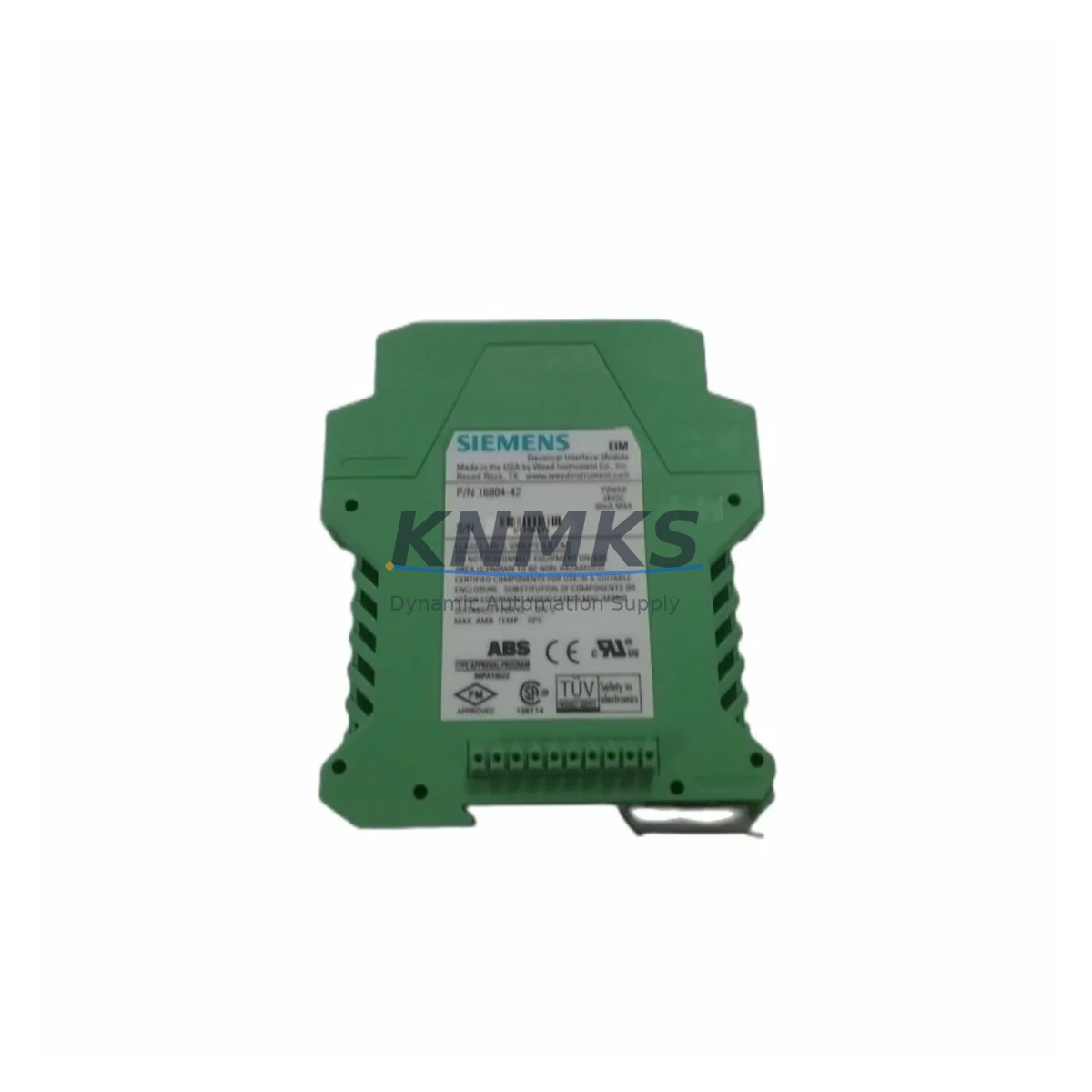
Siemens 16804-42 Maintenance-Proven Spare Part for Factory Uptime
The Siemens 16804-42 is an original SIMATIC electrical interface module engineered for continuous industrial operation in demanding automation environments. Designed to serve as a critical signal bridging component within Siemens S7-series PLC and SIMATIC control architectures, this module supports maintenance engineers and procurement teams in achieving rapid fault isolation, minimal unplanned downtime, and reliable long-term system continuity. Whether deployed in automotive assembly lines, chemical processing plants, food and beverage facilities, or discrete manufacturing cells, the 16804-42 delivers the electrical interface performance required to keep production running without compromise.
Sourced directly from verified OEM supply channels, every 16804-42 unit undergoes pre-shipment functional testing to confirm signal integrity, connector condition, and module identification. Backed by a support terms confirmed by quotation, this spare part is stocked and ready for immediate dispatch to support emergency replacement, scheduled annual overhaul, or forward buffer inventory programs.
Spare Maintenance Table
| SKU / Part Number | 16804-42 |
| Brand | Siemens |
| Series | SIMATIC S7 / ET 200 Interface Series |
| Product Type | Electrical Interface Module |
| Function | Signal bridging, electrical interface conversion, I/O bus coupling |
| Compatible Systems | Siemens SIMATIC S7-300, S7-400, ET 200M, ET 200S distributed I/O |
| Mounting | DIN rail / backplane slot installation |
| Operating Voltage | 24 VDC nominal (per SIMATIC system bus specification) |
| Operating Temperature | 0°C to +60°C (standard industrial range) |
| Protection Class | IP20 (cabinet-mounted application) |
| Origin | Germany (OEM) |
| Condition | Original, new or tested-serviceable |
| Pre-Shipment Test | Functional verification completed before dispatch |
| Support terms | 12 Months from date of shipment |
| Lead Time | availability confirmed by RFQ — same-day or next-business-day dispatch available |
| Maintenance Interval | Inspect annually or upon fault indication; replace proactively in aging cabinets |
Maintenance Planning for Continuous Operation
When a maintenance engineer identifies a fault or degraded signal condition traced to the 16804-42 interface module, the replacement workflow should extend beyond the module itself. A thorough cabinet inspection at the time of replacement significantly reduces the risk of secondary failures and repeat downtime events within the same maintenance window.
Begin by verifying the 24 VDC power supply feeding the SIMATIC rack — a Siemens SITOP PSU100S or equivalent regulated power supply should be checked for output stability and ripple before the new module is seated. Inspect the backplane bus connector and rack slot for oxidation or mechanical damage, as a compromised backplane can cause intermittent faults that are difficult to diagnose after module replacement. Review the associated SM 321 or SM 322 digital I/O modules in the same rack for alarm history and signal quality, since interface degradation often correlates with adjacent I/O stress.
Check the terminal blocks and field wiring connected to the interface circuit — loose or corroded terminals on Phoenix Contact or Weidmüller-style terminal strips are a common root cause of signal instability that can be misattributed to the interface module itself. If the system includes signal isolators or barriers between field instruments and the PLC I/O, verify that the isolation barrier ratings remain within specification. For installations using PROFIBUS DP or MPI communication, inspect the bus termination resistors and cable shielding at both ends of the segment, as communication errors can cascade into interface module faults.
Where the control cabinet includes a Siemens OP 77B or TP 177B HMI panel connected to the same S7 rack, confirm that the HMI communication link remains stable after module replacement and that no alarm suppression masks an underlying fault. Finally, check the fuse protection on the 24 VDC distribution rail — a blown or weakened fuse in the power distribution circuit can cause the replacement module to appear faulty immediately after installation.
Procurement engineers should consider stocking a minimum of two 16804-42 units per production line as part of a 12-month forward buffer program. Given the extended lead times that can affect legacy SIMATIC spare parts through standard distribution channels, maintaining on-site buffer stock eliminates procurement risk during critical production periods and annual shutdown windows.
Site Replacement Workflow
Step 1 — Fault Isolation: Use STEP 7 or TIA Portal diagnostics to confirm the 16804-42 as the fault source. Record the module slot address, rack number, and any active diagnostic codes before powering down the affected rack segment.
Step 2 — Safe Isolation: Follow your site LOTO (Lockout/Tagout) procedure. Isolate the 24 VDC supply to the affected rack. Do not remove the module under live bus conditions.
Step 3 — Module Removal: Release the module locking mechanism and slide the 16804-42 out of the backplane slot. Inspect the backplane connector pins for damage or contamination before inserting the replacement unit.
Step 4 — Replacement Installation: Seat the new 16804-42 firmly into the slot until the locking tab engages. Restore 24 VDC power and observe the module status LED. A solid green indication confirms successful initialization.
Step 5 — System Verification: Perform a full I/O force test via STEP 7 or TIA Portal to confirm all signal channels are operating correctly. Clear any residual diagnostic alarms and document the replacement in the maintenance log.
Step 6 — Compatibility Note: The 16804-42 is designed for direct replacement within compatible SIMATIC S7-300 and ET 200M configurations. No firmware update or parameter re-download is typically required, but verify the hardware configuration in your STEP 7 project matches the installed module version to avoid configuration mismatch errors.
This replacement workflow minimizes mean time to repair (MTTR) and supports a structured return to production without requiring specialist Siemens service intervention for standard module swap operations.
Spare Parts Support FAQ
Q1: Is the Siemens 16804-42 an original OEM part or a compatible replacement?
The 16804-42 supplied by KNMKS is sourced from verified OEM supply channels. Each unit is an original Siemens-manufactured component, not a third-party compatible substitute. Pre-shipment functional testing is completed on every unit before dispatch.
Q2: What support terms coverage applies to this spare part?
All 16804-42 units are covered by a support terms confirmed by quotation from the date of shipment. The support terms covers functional defects identified under normal operating conditions consistent with the SIMATIC system specification. Support requests are supported directly through KNMKS with rapid replacement dispatch.
Q3: Can this module be used as a direct replacement for aging or end-of-life SIMATIC installations?
Yes. The 16804-42 is suitable for direct slot replacement in compatible S7-300 and ET 200M rack configurations. It supports legacy system life extension without requiring control system redesign, making it a cost-effective alternative to full panel upgrades for older production lines still operating on SIMATIC S7 architecture.
Q4: What is the recommended inventory strategy for this part?
Maintenance and procurement engineers operating SIMATIC-based production lines should maintain a minimum buffer of two units per line. For multi-line facilities or sites with extended annual shutdown cycles, a 12-month forward stock program is recommended. KNMKS supports long-term supply agreements with guaranteed stock reservation and priority dispatch for contracted customers.
© 2026 KNMKS. All rights reserved.
Original Source: https://knmks.com
Contact: admin@knmks.com | +86 18359268345
Product Identification
- Brand / Ecosystem
-
Siemens
Siemens - Model / Series
- 16804-42
- Product Family
- PLCs & Controllers
- Availability Status
- Available on request after model and quantity confirmation
- Inquiry Type
- B2B RFQ, replacement inquiry and project spare-part request
- Pre-Quote Check
- Exact SKU, brand, series, quantity, nameplate photos and destination country are checked before quotation
System Path
Where this product fits in the KNMKS automation structure.
Specification & Inquiry Focus
- Control platform
- PLC, PAC and modular controllers
- Common needs
- CPU, rack, power and I/O expansion
- Project support
- Replacement, cabinet build and maintenance
Buyer Confirmation
Information KNMKS checks before replying.
- Exact model
- 16804-42
- Brand / ecosystem
- Siemens
- Product family
- PLCs & Controllers
- Application note
- Replacement, maintenance, project build or spare-part list
- Useful photos
- Nameplate, installed unit, cabinet layout or connector side
- Delivery details
- Quantity, destination country and target schedule
Document Support
Files and notes can be confirmed during quotation.
- Product photos or nameplate confirmation when available
- Packing and delivery notes before quotation confirmation
- Support scope and delivery terms confirmed per inquiry
- Export document coordination for qualified B2B requests
Inquiry Support
- Model cross-checking before quotation
- CPU, power, rack and expansion module matching
- Support for replacement and project inquiry
What to Send Us
- Brand and exact model number: Siemens 16804-42
- Quantity and required delivery time
- Application, replacement requirement or nameplate photo
- Destination country and shipping preference
RFQ Preparation
This is a product inquiry page built for RFQ communication.
Fast Model Check
Send this model to KNMKS for confirmation.
Include quantity, destination country and photos if this is a maintenance replacement. The inquiry will be saved with a reference number after submission.
Brand & Compatibility Note
KNMKS displays automation product information for well-known industrial brand ecosystems and compatible replacement references. Brand names are used for product identification and compatibility reference only; final availability and commercial terms are confirmed per quotation.
 Manufacturing
 Machine Tools
 Packaging
 Energy & Power



 HMI & Displays
 Servo Systems
 Variable Frequency Drives
 Sensors