
Overview
Siemens 15499-146/8 Spare Part for ModulRac Uptime
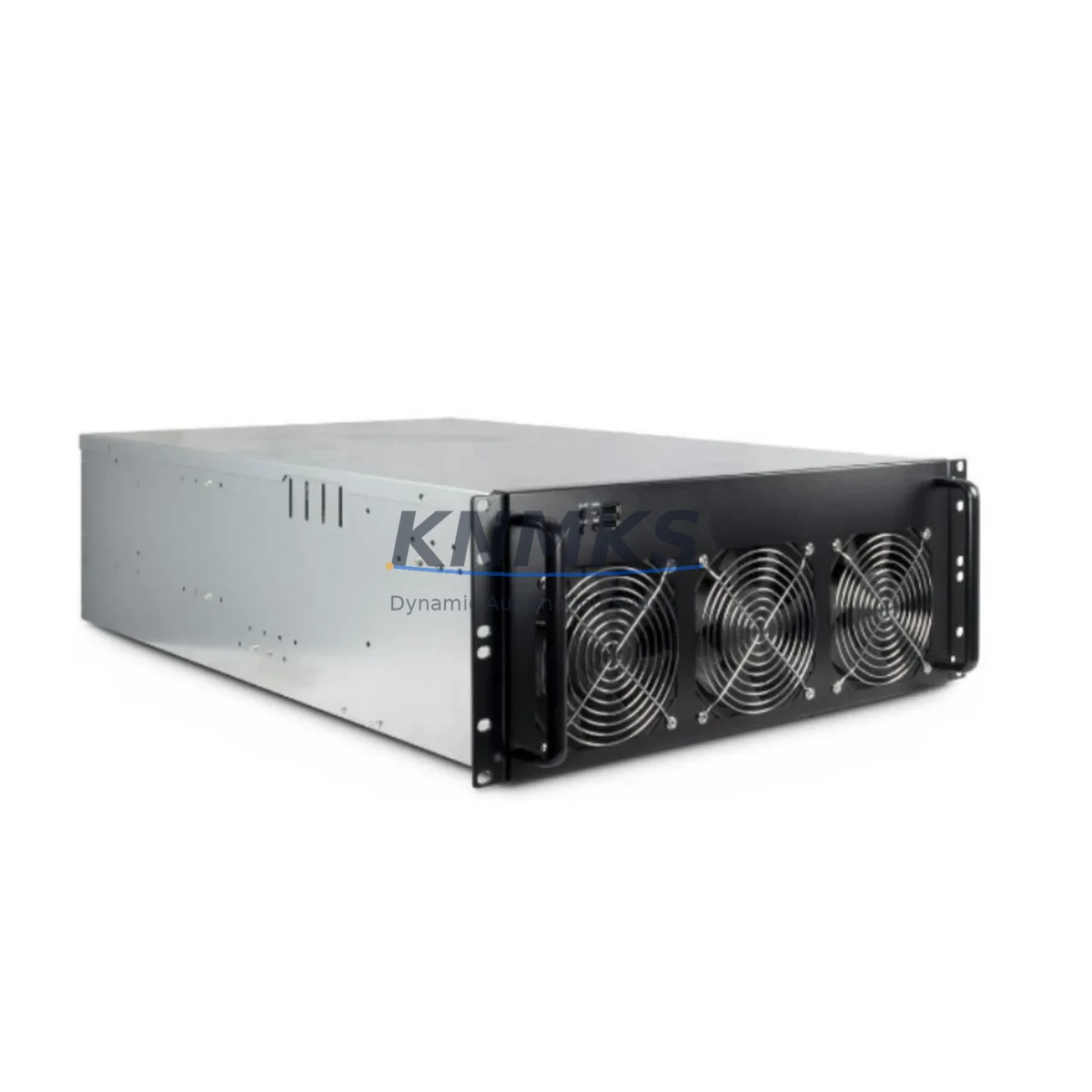
The Siemens 15499-146/8 is an original forced-air fan assembly designed for the Siemens ModulRac automation rack system. As a critical thermal management component, this fan assembly ensures continuous airflow across installed modules — including CPU cards, power supply units, and I/O submodules — preventing thermal shutdown and protecting long-cycle industrial processes. For maintenance engineers managing aging ModulRac installations, stocking the 15499-146/8 as a ready-to-deploy spare is a proven strategy for minimizing unplanned downtime and extending system service life.
Spare Maintenance Table
| Parameter | Detail |
|---|---|
| Part Number / SKU | 15499-146/8 |
| Brand | Siemens |
| Series | ModulRac |
| Product Type | Fan Assembly (Forced-Air Cooling) |
| Country of Origin | Germany (DE) |
| Application | ModulRac rack thermal management; CPU, PSU, and I/O module cooling |
| Compatibility | Siemens ModulRac automation racks; verify rack slot and connector type before installation |
| Installation | Direct rack-mount replacement; match airflow direction and connector pinout to original unit |
| Operating Environment | Industrial control cabinet; ambient temperature per ModulRac rack specification |
| Maintenance Recommendation | Inspect fan bearing and airflow quarterly; replace at first sign of noise, vibration, or reduced RPM |
| Condition | Original OEM spare; tested before shipment |
| Support terms | 12 Months |
Maintenance Planning for Continuous Operation
When replacing the 15499-146/8 fan assembly during a scheduled or emergency maintenance event, a thorough inspection of the surrounding ModulRac rack environment is essential to prevent repeat failures and ensure full system recovery. Begin by verifying the rack power supply module — a degraded PSU delivering unstable voltage can cause fan motor stress and premature bearing failure. Check the ModulRac backplane for dust accumulation and connector oxidation, as poor backplane contact can generate localized heat that accelerates fan wear.
Inspect all I/O submodules seated in the rack for signs of overheating: discoloration, deformed connectors, or error LEDs. If the rack includes a communications module — such as a PROFIBUS DP interface card — confirm that it is operating within its thermal envelope, as communication faults are sometimes misdiagnosed when the root cause is thermal throttling from inadequate airflow. Signal isolators and analog input modules are particularly sensitive to temperature drift and should be recalibrated after any thermal event.
Review the rack’s terminal blocks and wiring harnesses for heat-induced insulation degradation. Check fuse holders and miniature circuit breakers in the control cabinet for signs of thermal stress. If the installation includes an HMI panel connected to the ModulRac system, verify that the HMI communication link is stable after the fan replacement, as thermal events can corrupt communication parameters stored in volatile memory. For sites running extended maintenance cycles, consider stocking the ModulRac power supply module and a spare CPU card alongside the 15499-146/8 to cover the most common failure modes in a single procurement action.
Site Replacement Workflow
Before beginning the replacement of the 15499-146/8, confirm system status and document the current rack configuration. Power down the ModulRac rack following the site lockout/tagout procedure. Remove the failed fan assembly by releasing the rack-mount fasteners and disconnecting the fan power connector — note the connector orientation and cable routing for reinstallation reference.
Install the replacement 15499-146/8 by reversing the removal sequence. Confirm that the airflow direction arrow on the fan housing matches the original unit and that the power connector is fully seated. Restore rack power and monitor the fan operation for the first 10–15 minutes: listen for abnormal bearing noise, verify that all module status LEDs return to normal, and confirm that rack temperature stabilizes within the expected range.
For sites transitioning away from legacy ModulRac installations, the 15499-146/8 provides a cost-effective path to extend system life without a full rack migration. Maintaining two units in local spare stock — with one designated as the active replacement and one as the emergency backup — is a widely adopted strategy among maintenance teams managing multi-rack ModulRac environments. All units supplied by KNMKS are tested before shipment and covered by a support terms confirmed by quotation, supporting long-term supply continuity for sites with extended maintenance intervals.
Spare Parts Support FAQ
Q: Is the 15499-146/8 compatible with all ModulRac rack variants?
A: The 15499-146/8 is designed for the Siemens ModulRac rack platform. Compatibility depends on the specific rack model and slot configuration. Always verify the fan connector type, airflow direction, and mechanical dimensions against your installed rack before ordering. Our team can assist with compatibility confirmation based on your rack model number.
Q: What is the recommended spare stock quantity for a multi-rack ModulRac installation?
A: For installations with two or more ModulRac racks, maintaining a minimum of two 15499-146/8 units in local spare stock is recommended. Fan assemblies are wear items with a finite bearing life; proactive stocking prevents extended lead times from causing unplanned downtime during peak production periods.
Q: How is the 15499-146/8 tested before shipment?
A: Each unit undergoes functional verification prior to dispatch, including motor run-in and airflow confirmation. Units are packaged in anti-static, shock-resistant packaging to protect against transit damage. A support terms confirmed by quotation is provided from the date of shipment.
Q: Can KNMKS support long-term supply of the 15499-146/8 for annual maintenance contracts?
A: Yes. KNMKS maintains sourcing channels for Siemens ModulRac spare parts to support annual maintenance procurement and multi-year supply agreements. Contact admin@knmks.com or +86 18359268345 to discuss volume pricing, reserved stock arrangements, and delivery scheduling.
© 2026 KNMKS. All rights reserved. Original Source: https://knmks.com | Contact: admin@knmks.com | +86 18359268345
Product Identification
- Brand / Ecosystem
-
SIEMENS
Siemens - Model / Series
- 15499-146/8
- Product Family
- PLCs & Controllers
- Availability Status
- Available on request after model and quantity confirmation
- Inquiry Type
- B2B RFQ, replacement inquiry and project spare-part request
- Pre-Quote Check
- Exact SKU, brand, series, quantity, nameplate photos and destination country are checked before quotation
System Path
Where this product fits in the KNMKS automation structure.
Specification & Inquiry Focus
- Control platform
- PLC, PAC and modular controllers
- Common needs
- CPU, rack, power and I/O expansion
- Project support
- Replacement, cabinet build and maintenance
Buyer Confirmation
Information KNMKS checks before replying.
- Exact model
- 15499-146/8
- Brand / ecosystem
- SIEMENS
- Product family
- PLCs & Controllers
- Application note
- Replacement, maintenance, project build or spare-part list
- Useful photos
- Nameplate, installed unit, cabinet layout or connector side
- Delivery details
- Quantity, destination country and target schedule
Document Support
Files and notes can be confirmed during quotation.
- Product photos or nameplate confirmation when available
- Packing and delivery notes before quotation confirmation
- Support scope and delivery terms confirmed per inquiry
- Export document coordination for qualified B2B requests
Inquiry Support
- Model cross-checking before quotation
- CPU, power, rack and expansion module matching
- Support for replacement and project inquiry
What to Send Us
- Brand and exact model number: SIEMENS 15499-146/8
- Quantity and required delivery time
- Application, replacement requirement or nameplate photo
- Destination country and shipping preference
RFQ Preparation
This is a product inquiry page built for RFQ communication.
Fast Model Check
Send this model to KNMKS for confirmation.
Include quantity, destination country and photos if this is a maintenance replacement. The inquiry will be saved with a reference number after submission.
Brand & Compatibility Note
KNMKS displays automation product information for well-known industrial brand ecosystems and compatible replacement references. Brand names are used for product identification and compatibility reference only; final availability and commercial terms are confirmed per quotation.
 Manufacturing
 Machine Tools
 Packaging
 Energy & Power



 HMI & Displays
 Servo Systems
 Variable Frequency Drives
 Sensors