
Overview
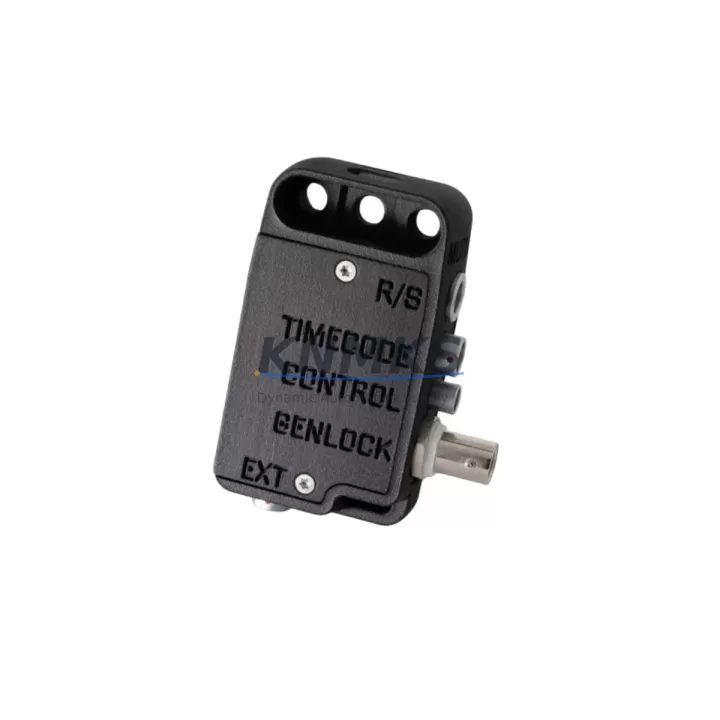
MUTINY 442-2181111100 Migration-Ready Interface Box for Legacy Control Systems
The MUTINY 442-2181111100 is a migration-ready interface box engineered to serve as a direct, drop-in replacement for obsolete interface modules in legacy industrial control environments. As automation systems age beyond their supported lifecycle, the 442-2181111100 provides a reliable, tested pathway to restore signal integrity, extend operational continuity, and reduce unplanned downtime during control cabinet upgrades and panel retrofits. Whether you are replacing a discontinued OEM module, modernizing a legacy PLC rack, or restoring a failed interface node in a critical production line, this unit is pre-tested and ready for immediate field deployment.
Designed for engineers and maintenance teams managing aging distributed control systems (DCS), programmable logic controllers (PLC), and hybrid SCADA architectures, the 442-2181111100 addresses the most common pain points in legacy system migration: terminal wiring compatibility, backplane interface alignment, module addressing, firmware version matching, and HMI screen reconfiguration. Each unit ships with full functional verification and is backed by a support terms confirmed by quotation, ensuring confidence from installation through commissioning.
Migration Compatibility Table
| Parameter | Details |
|---|---|
| SKU / Part Number | 442-2181111100 |
| Brand / Manufacturer | MUTINY |
| Product Type | Interface Box |
| Replacement Target | Legacy MUTINY interface modules; discontinued OEM interface nodes in control cabinets |
| Backplane Interface | Compatible with standard MUTINY series rack and backplane configurations |
| Terminal Wiring | Retains legacy terminal block layout; no rewiring required in standard retrofit scenarios |
| Communication Compatibility | Supports legacy serial and fieldbus communication protocols common to MUTINY control platforms |
| Module Addressing | Configurable via DIP switch or software addressing; compatible with existing PLC address maps |
| Installation Space | Standard DIN rail or panel-mount; verify slot dimensions against existing cabinet layout |
| Firmware Compatibility | Verify firmware version against existing controller revision before commissioning |
| Commissioning Notes | Confirm I/O mapping, HMI tag references, and communication link parameters prior to live switchover |
| Support terms | support terms confirmed by quotation — all units ship fully tested |
Retrofit Planning for Existing Automation Systems
A successful retrofit using the MUTINY 442-2181111100 begins well before the physical swap. Engineers should audit the existing control cabinet to confirm power supply capacity — particularly when the replacement interface box draws a different current profile than the original module. In many legacy installations, the rack power supply (such as a MUTINY series DC power module) may need to be evaluated for headroom before adding or replacing interface nodes.
Terminal block wiring should be documented and photographed prior to removal of the legacy module. In systems where the 442-2181111100 replaces an older interface node connected to analog or digital I/O expansion modules, each I/O channel assignment must be cross-referenced against the existing PLC program to prevent signal mismatches after installation. If the legacy system uses a MUTINY communication module for Profibus, Modbus RTU, or similar fieldbus protocols, the new interface box must be confirmed compatible with the active network segment before the communication link is re-established.
For systems that include a MUTINY HMI panel or operator workstation, screen tag references tied to the replaced interface module will need to be verified and updated if the module address or data block structure changes. This is especially critical in installations where the HMI communicates directly with the interface box rather than through the main PLC controller. Signal isolators installed between the interface box and field instruments should also be checked for input range compatibility, as some legacy isolators are calibrated to specific module input impedance values.
Where the retrofit involves expanding I/O capacity — for example, adding a MUTINY digital input module or analog output module alongside the 442-2181111100 — the backplane slot allocation and rack addressing scheme must be planned in advance. Programming cables used for firmware updates or initial configuration should be confirmed compatible with the MUTINY programming interface before the maintenance window begins.
Downtime Control During System Migration
Minimizing production downtime during a control system migration requires a structured pre-commissioning approach. Before the maintenance window opens, the existing PLC program logic should be backed up in full, including all function blocks, data tables, and communication configurations associated with the interface module being replaced. This backup serves as the recovery baseline if commissioning reveals unexpected compatibility issues.
Where possible, the MUTINY 442-2181111100 should be bench-tested against a spare rack or simulator prior to installation in the live control cabinet. This allows engineers to verify module addressing, confirm communication link establishment, and validate I/O signal mapping without interrupting production. For critical lines where even brief interruptions carry significant cost, a parallel commissioning approach — where the new interface box is configured and verified in a shadow rack before cutover — is strongly recommended.
During the physical swap, field control continuity can be maintained by placing the affected PLC section in a safe hold state, preserving output states where the process allows. After installation, the communication link between the 442-2181111100 and the controller should be re-established first, followed by I/O verification channel by channel before returning the system to automatic mode. HMI screens should be monitored during the first production cycle to confirm all tag values are updating correctly and no alarm conditions are triggered by the module replacement.
All units supplied by KNMKS are shipped with pre-delivery functional testing completed. This reduces on-site commissioning risk and supports faster return to normal operations. Stock is maintained across regional distribution hubs to support urgent replacement requirements with minimal lead time.
Retrofit Support FAQ
Q1: Is the MUTINY 442-2181111100 a direct replacement for my existing interface module?
The 442-2181111100 is designed as a migration-ready replacement for legacy MUTINY interface modules used in control cabinets and PLC racks. Before ordering, confirm the original part number, backplane connector type, and terminal wiring layout against your existing installation. Our technical team can assist with compatibility verification based on your system documentation.
Q2: What should I check before wiring the replacement module?
Verify terminal block pin assignments against your existing wiring diagram. Confirm power supply voltage and current capacity at the rack level. Check module address settings (DIP switch or software) against your PLC configuration. If the system uses a fieldbus communication module, confirm the new interface box is recognized on the network segment before enabling outputs.
Q3: How is the unit tested before shipment?
Every MUTINY 442-2181111100 unit supplied by KNMKS undergoes pre-delivery functional testing covering power-on verification, communication interface check, and I/O signal validation. A test report is available upon request. All units are covered by a support terms confirmed by quotation from the date of shipment.
Q4: What is the typical lead time and do you maintain stock?
KNMKS maintains inventory of the MUTINY 442-2181111100 across regional distribution hubs to support urgent replacement requirements. Standard orders ship within 1–3 business days. For large-quantity or project-based orders, contact our sales team to confirm availability and arrange priority allocation.
© 2026 KNMKS. All rights reserved.
Original Source: https://knmks.com
Contact: admin@knmks.com | +86 18359268345
Product Identification
- Brand / Ecosystem
-
Other Brands
Assorted Brands - Model / Series
-
442-2181111100
Assorted Series - Product Family
- Relays & Interface
- Availability Status
- Available on request after model and quantity confirmation
- Inquiry Type
- B2B RFQ, replacement inquiry and project spare-part request
- Pre-Quote Check
- Exact SKU, brand, series, quantity, nameplate photos and destination country are checked before quotation
System Path
Where this product fits in the KNMKS automation structure.
Specification & Inquiry Focus
- Interface range
- Relays, isolation and signal modules
- Common needs
- Coil voltage and contact rating
- Project support
- Panel wiring and signal protection
Buyer Confirmation
Information KNMKS checks before replying.
- Exact model
- 442-2181111100
- Brand / ecosystem
- Other Brands
- Product family
- Relays & Interface
- Application note
- Replacement, maintenance, project build or spare-part list
- Useful photos
- Nameplate, installed unit, cabinet layout or connector side
- Delivery details
- Quantity, destination country and target schedule
Document Support
Files and notes can be confirmed during quotation.
- Product photos or nameplate confirmation when available
- Packing and delivery notes before quotation confirmation
- Support scope and delivery terms confirmed per inquiry
- Export document coordination for qualified B2B requests
Inquiry Support
- Relay base and module matching
- Signal isolation and protection options
- Panel accessory inquiry support
What to Send Us
- Brand and exact model number: Other Brands 442-2181111100
- Quantity and required delivery time
- Application, replacement requirement or nameplate photo
- Destination country and shipping preference
RFQ Preparation
This is a product inquiry page built for RFQ communication.
Fast Model Check
Send this model to KNMKS for confirmation.
Include quantity, destination country and photos if this is a maintenance replacement. The inquiry will be saved with a reference number after submission.
Brand & Compatibility Note
KNMKS displays automation product information for well-known industrial brand ecosystems and compatible replacement references. Brand names are used for product identification and compatibility reference only; final availability and commercial terms are confirmed per quotation.
 Manufacturing
 Machine Tools
 Packaging
 Energy & Power
 PLCs & Controllers
 HMI & Displays
 Servo Systems
 Variable Frequency Drives