
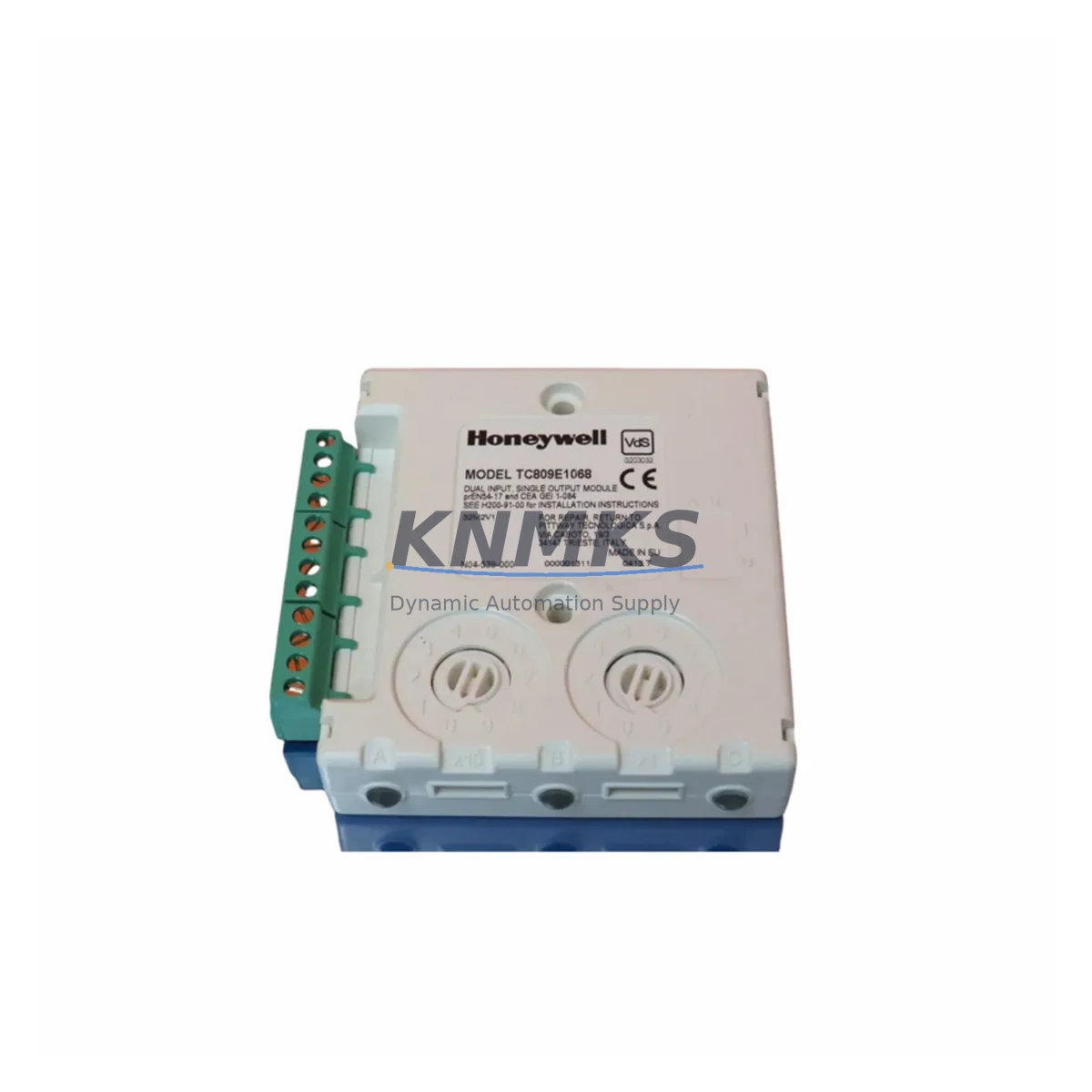
Overview
Honeywell TC809A1056 Maintenance-Proven Spare for Factory Uptime
The Honeywell TC809A1056 is the main control board for the TC800 Series Fire Alarm Control Panel (FACP), a cornerstone component in life-safety and industrial fire detection systems deployed across manufacturing plants, process facilities, and critical infrastructure sites worldwide. As facilities age and OEM support windows narrow, maintaining a verified spare of the TC809A1056 is no longer optional — it is a fundamental element of any responsible maintenance strategy. Whether you are managing a scheduled annual inspection, responding to an unplanned panel fault, or building a resilience-grade spare parts inventory, the TC809A1056 must be on your critical spares list.
Our stock of the TC809A1056 is sourced from authorized supply channels, subjected to pre-shipment functional verification, and backed by a support terms confirmed by quotation. Each unit is inspected for board-level integrity, connector condition, and firmware compatibility before dispatch. We maintain multi-region inventory to support emergency replacement timelines, with rapid global dispatch available for time-critical site recovery scenarios.
Spare Maintenance Table
| Parameter | Specification / Detail |
|---|---|
| Part Number | TC809A1056 |
| Series | TC800 Series FACP |
| Manufacturer | Honeywell |
| Component Type | Main Control Board (FACP) |
| Application | Fire Alarm Control Panel — industrial, commercial, and process facility environments |
| Compatibility | TC800 Series panel chassis; verify firmware revision before installation |
| Operating Environment | Indoor, controlled environment; standard industrial temperature and humidity ranges |
| Mounting | Panel-mounted; follows TC800 chassis backplane interface |
| Condition | Original spare; pre-shipment tested |
| Support terms | 12 Months from date of shipment |
| Lead Time | availability confirmed by RFQ — rapid dispatch available |
| Certifications | Honeywell OEM; compliant with applicable fire safety standards |
| Maintenance Recommendation | Inspect annually; replace immediately upon fault code or panel communication failure |
Maintenance Planning for Continuous Operation
When a TC809A1056 main board fault is identified — whether through a panel self-diagnostic alarm, loss of zone communication, or a failed annual test — the replacement workflow extends beyond the board itself. A disciplined maintenance engineer will treat the board swap as an opportunity to audit the entire TC800 panel assembly and its associated field wiring infrastructure.
Begin with the panel power supply module. The TC800 Series relies on a dedicated 24 VDC regulated supply; a degraded or undersized power supply is a leading cause of premature board failure and should be load-tested before the new TC809A1056 is commissioned. Inspect the battery backup module and its charging circuit — a weak standby battery can cause transient undervoltage events that stress the main board during mains interruptions.
Next, audit the zone input/output modules connected to the TC809A1056 backplane. Each zone card interfaces directly with the main board via the panel bus; corroded connectors, loose terminal blocks, or failed zone modules can generate fault conditions that are misdiagnosed as main board failures. Replacing the TC809A1056 without verifying zone module integrity risks repeat failures within weeks of commissioning.
The loop driver and SLC (Signaling Line Circuit) interface circuits should also be inspected. In addressable TC800 configurations, the SLC loop card communicates with the main board over a proprietary protocol; a faulty loop driver can corrupt address tables and trigger nuisance alarms post-replacement. Similarly, the NAC (Notification Appliance Circuit) output modules — which drive horns, strobes, and bells — should be verified for correct end-of-line resistor values and wiring continuity.
For sites running the TC800 in a networked configuration, the network communication card (if fitted) should be inspected for firmware version compatibility with the replacement TC809A1056 board. Mismatched firmware between the main board and the network module is a documented source of post-replacement communication faults. Finally, review the panel enclosure for signs of moisture ingress, insect contamination, or terminal corrosion — environmental factors that accelerate board degradation and will shorten the service life of any replacement component.
Procurement engineers should note that the TC809A1056 is a long-lifecycle component with a history of extended OEM availability, but lead times from distribution channels can extend significantly during peak demand periods. Maintaining at least one verified spare on-site — alongside a secondary spare for multi-panel facilities — is the recommended inventory posture for any site where fire alarm system downtime carries regulatory or operational consequences.
Site Replacement Workflow
Step 1 — Pre-Replacement Documentation: Before powering down the TC800 panel, capture the current configuration via the panel’s programming interface or service software. Record all zone assignments, device addresses, sensitivity settings, and network node IDs. This data is essential for restoring the panel to its pre-fault configuration after the TC809A1056 is replaced.
Step 2 — Safe Isolation: Notify the monitoring station and relevant site personnel before taking the panel offline. Follow site-specific lockout/tagout (LOTO) procedures. Disconnect the AC mains supply and allow the battery backup to discharge to a safe level before opening the panel enclosure.
Step 3 — Board Removal: Carefully disconnect all ribbon cables, connector harnesses, and terminal block wiring from the TC809A1056. Label each connection before removal. Handle the board using ESD-safe procedures — electrostatic discharge is a primary cause of latent board damage that manifests as intermittent faults post-installation.
Step 4 — Replacement Installation: Seat the new TC809A1056 into the TC800 chassis backplane, ensuring all connectors are fully engaged. Reconnect all wiring per the documented pre-removal configuration. Verify that the replacement board’s firmware revision is compatible with the installed zone modules, loop cards, and network communication modules before powering up.
Step 5 — Commissioning and Verification: Restore AC power and battery supply. Allow the panel to complete its self-diagnostic cycle. Verify that all zones report correctly, all device addresses are recognized, and no fault or trouble conditions are present. Conduct a functional test of at least one detector per zone and one NAC circuit to confirm end-to-end system integrity. Restore monitoring station connection and document the replacement in the site maintenance log.
This workflow minimizes downtime, ensures regulatory compliance, and provides a documented audit trail for insurance and inspection purposes — critical requirements for any facility operating under NFPA 72, EN 54, or equivalent fire safety standards.
Spare Parts Support FAQ
Q1: Is the TC809A1056 a direct drop-in replacement for all TC800 Series panels?
The TC809A1056 is the main control board for the TC800 Series FACP platform. In most configurations it is a direct replacement; however, firmware revision compatibility with installed zone modules and network cards must be verified before installation. Contact our technical team with your panel serial number and current firmware version for a pre-purchase compatibility confirmation.
Q2: What does the support terms confirmed by quotation cover?
Our support terms confirmed by quotation cover manufacturing defects and functional failures under normal operating conditions from the date of shipment. Each TC809A1056 unit is pre-shipment tested for board-level functionality before dispatch. The support terms does not cover damage resulting from incorrect installation, overvoltage events, environmental contamination, or unauthorized modification.
Q3: How quickly can the TC809A1056 be dispatched for emergency replacement?
We maintain in-stock inventory with rapid global dispatch capability. Emergency orders placed before the daily cut-off are typically dispatched same day. Contact admin@knmks.com or call +86 18359268345 to confirm current stock availability and expedited shipping options for your region.
Q4: Can you support long-term supply agreements for multi-site facilities?
Yes. For facilities managing multiple TC800 panels or operating under a planned maintenance schedule, we offer long-term supply agreements with reserved stock allocation, fixed pricing, and priority dispatch. This eliminates procurement risk during periods of market scarcity and ensures your maintenance team always has a verified spare available when needed. Contact our sales team to discuss a supply agreement tailored to your site inventory requirements.
© 2026 KNMKS. All rights reserved.
Original Source: https://knmks.com
Contact: admin@knmks.com | +86 18359268345
Product Identification
- Brand / Ecosystem
-
Honeywell
Honeywell - Model / Series
- TC809A1056
- Product Family
- Other Components
- Availability Status
- Available on request after model and quantity confirmation
- Inquiry Type
- B2B RFQ, replacement inquiry and project spare-part request
- Pre-Quote Check
- Exact SKU, brand, series, quantity, nameplate photos and destination country are checked before quotation
System Path
Where this product fits in the KNMKS automation structure.
Specification & Inquiry Focus
- Component range
- Breakers, terminals and cabinet accessories
- Common needs
- Model, photo and installation requirement
- Project support
- Maintenance and mixed spare-part inquiry
Buyer Confirmation
Information KNMKS checks before replying.
- Exact model
- TC809A1056
- Brand / ecosystem
- Honeywell
- Product family
- Other Components
- Application note
- Replacement, maintenance, project build or spare-part list
- Useful photos
- Nameplate, installed unit, cabinet layout or connector side
- Delivery details
- Quantity, destination country and target schedule
Document Support
Files and notes can be confirmed during quotation.
- Product photos or nameplate confirmation when available
- Packing and delivery notes before quotation confirmation
- Support scope and delivery terms confirmed per inquiry
- Export document coordination for qualified B2B requests
Inquiry Support
- Mixed automation spare parts inquiry
- Cabinet component and accessory support
- Model identification from photos or labels
What to Send Us
- Brand and exact model number: Honeywell TC809A1056
- Quantity and required delivery time
- Application, replacement requirement or nameplate photo
- Destination country and shipping preference
RFQ Preparation
This is a product inquiry page built for RFQ communication.
Fast Model Check
Send this model to KNMKS for confirmation.
Include quantity, destination country and photos if this is a maintenance replacement. The inquiry will be saved with a reference number after submission.
Brand & Compatibility Note
KNMKS displays automation product information for well-known industrial brand ecosystems and compatible replacement references. Brand names are used for product identification and compatibility reference only; final availability and commercial terms are confirmed per quotation.
 Manufacturing
 Machine Tools
 Packaging
 Energy & Power
 PLCs & Controllers
 HMI & Displays
 Servo Systems
 Variable Frequency Drives