
Overview
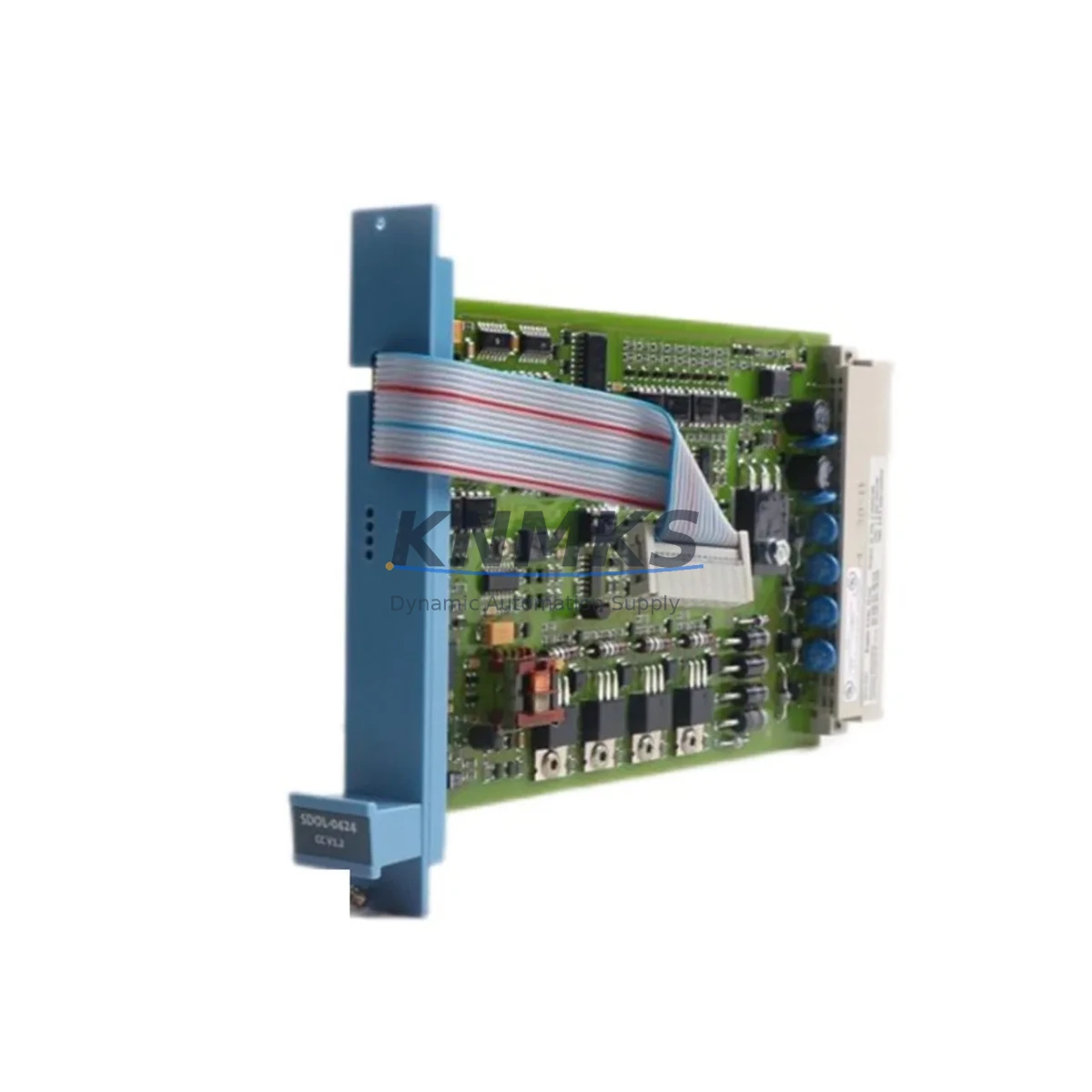
Honeywell FS-TSFIRE-1624 Maintenance-Proven Spare Part for Factory Uptime
The Honeywell FS-TSFIRE-1624 is a SIL-rated Field Termination Assembly (FTA) designed for the Honeywell FSS (Fire & Gas Safety System) Series. Purpose-built for fire and gas detection circuits in process plants, petrochemical facilities, offshore platforms, and critical manufacturing environments, this FTA provides the reliable field-side termination interface between field-mounted detectors and the FSS safety controller. Maintaining an on-hand stock of the FS-TSFIRE-1624 is a fundamental element of any serious SIS (Safety Instrumented System) maintenance strategy — minimizing mean time to repair (MTTR) and ensuring your fire and gas detection loops remain fully operational without extended downtime.
For maintenance engineers managing FSS-based fire and gas systems, the FS-TSFIRE-1624 is a high-priority spare. Its role in the detection loop means that a failed or degraded FTA can take an entire fire zone offline, triggering nuisance shutdowns or — more critically — leaving a zone unprotected. Procurement engineers sourcing this part should verify original Honeywell part numbers and request factory test documentation to confirm authenticity before deployment in SIL-rated loops.
Spare Maintenance Table
| Parameter | Specification |
|---|---|
| Part Number | FS-TSFIRE-1624 |
| Brand | Honeywell |
| Series | FSS (Fire & Gas Safety System) |
| Product Type | Field Termination Assembly (FTA) |
| Application | Fire & Gas Detection Circuits, SIS Loops |
| SIL Rating | SIL 2 capable (per FSS system architecture) |
| Channel Count | 16 channels (fire/gas input termination) |
| Mounting | DIN rail / FSS cabinet backplane compatible |
| Operating Temperature | 0°C to +60°C (standard industrial cabinet) |
| Compatibility | Honeywell FSS Series safety controllers and I/O modules |
| Origin | USA (Honeywell Process Solutions) |
| Condition | Original, new or refurbished-tested |
| Support terms | 12 Months |
| Lead Time | availability confirmed by RFQ — ships within 3–5 business days |
| Maintenance Recommendation | Inspect termination blocks and wiring annually; replace if corrosion or intermittent faults detected |
Maintenance Planning for Continuous Operation
When scheduling a replacement or inspection of the FS-TSFIRE-1624, experienced maintenance engineers treat it as an opportunity to audit the entire fire and gas detection cabinet. The FTA sits at the intersection of field wiring and the safety controller, making it a natural checkpoint for a broader loop integrity review.
Start by verifying the condition of the FSS I/O modules (such as the FS-SDI-0824 or FS-SDO-0824) that interface directly with this FTA — a degraded I/O module can cause intermittent faults that are often misdiagnosed as FTA failures. Check the FSS power supply modules (e.g., FS-PSU-2410) for output voltage stability; an under-voltage condition will affect FTA signal integrity across all 16 channels simultaneously. Inspect the field cable terminations at the FTA terminal blocks for signs of oxidation, loose screws, or moisture ingress — particularly in humid or coastal environments where corrosion accelerates.
For the fire and gas detector side, confirm that flame detectors, smoke detectors, or gas transmitters wired to this FTA are within their calibration interval. A healthy FTA connected to a drift-affected detector will still generate false alarms or missed detections. Review the FSS communication modules (Modbus or HART gateway cards) that relay FSS status to the DCS or SCADA layer — these are often overlooked during FTA replacements but are critical for alarm annunciation. Finally, check the cabinet fusing and surge protection on each field loop; a blown fuse or failed transient voltage suppressor on a single channel can mimic an FTA fault and lead to unnecessary part replacement.
For annual turnaround planning, consider stocking one spare FS-TSFIRE-1624 per FSS cabinet as a minimum. Plants with more than four FSS cabinets should maintain at least two units in the spare parts room, given the lead times associated with safety-certified components and the criticality of fire and gas detection uptime.
Site Replacement Workflow
Step 1 — Permit and Isolation: Obtain a hot-work or electrical isolation permit as required by site procedures. Notify the control room that the affected fire zone will be in bypass mode during the replacement. Log the bypass in the SIS bypass register.
Step 2 — Document Existing Wiring: Photograph or sketch all field cable terminations on the existing FS-TSFIRE-1624 before disconnection. Label each cable with its channel number and detector tag. This step is critical for restoring the loop correctly and avoiding cross-wiring faults.
Step 3 — Remove and Inspect: Disconnect field cables systematically from terminal block 1 through 16. Remove the FTA from the DIN rail or backplane. Inspect the removed unit for burn marks, cracked terminal blocks, or failed surge protection components — this information helps identify root cause and prevent recurrence.
Step 4 — Install Replacement: Mount the new FS-TSFIRE-1624 and reconnect field cables in the documented order. Torque terminal screws to the manufacturer’s specification (typically 0.5–0.6 Nm for this class of terminal block). Verify cable shield grounding continuity.
Step 5 — Loop Test and Commissioning: With the control room monitoring, perform a point-by-point loop test for all 16 channels. Confirm that each detector registers correctly in the FSS controller and that alarm thresholds respond as expected. Remove the bypass only after all channels pass the loop test.
Step 6 — Documentation: Update the maintenance management system (CMMS) with the replacement date, part serial number, and loop test results. Schedule the next inspection interval per your site’s SIS maintenance plan.
This workflow applies equally when upgrading from an older Honeywell FSS FTA variant to the current FS-TSFIRE-1624, ensuring backward compatibility is confirmed at the wiring and software configuration level before the bypass is removed.
Spare Parts Support FAQ
Q1: Is the FS-TSFIRE-1624 compatible with all FSS Series controllers?
The FS-TSFIRE-1624 is designed for use within the Honeywell FSS (Fire & Gas Safety System) architecture. Compatibility depends on the specific FSS controller version and I/O module configuration in your cabinet. We recommend providing your FSS controller model and firmware version when ordering so our technical team can confirm compatibility before shipment.
Q2: What testing is performed before shipment?
All FS-TSFIRE-1624 units are functionally tested prior to dispatch. New units are verified against Honeywell factory specifications. Refurbished units undergo full electrical testing including terminal block integrity, channel isolation, and continuity checks. A test report is available upon request for SIL-rated applications requiring documented evidence of pre-installation testing.
Q3: What is the support terms coverage and how are claims handled?
All units carry a support terms confirmed by quotation from the date of shipment, covering manufacturing defects and functional failures under normal operating conditions. In the event of a support terms claim, contact admin@knmks.com with the order number, part serial number, and a description of the fault. Replacement units are dispatched within 5 business days of claim verification.
Q4: Can you support long-term or blanket purchase orders for FSS spare parts?
Yes. KNMKS supports long-term supply agreements for FSS Series spare parts including FTAs, I/O modules, power supplies, and communication cards. Blanket orders with scheduled releases are available for customers managing multi-site FSS installations or annual turnaround programs. Contact admin@knmks.com or call +86 18359268345 to discuss volume pricing and delivery scheduling.
© 2026 KNMKS. All rights reserved.
Original Source: https://knmks.com
Contact: admin@knmks.com | +86 18359268345
Product Identification
- Brand / Ecosystem
-
Honeywell
Honeywell - Model / Series
- FS-TSFIRE-1624
- Product Family
- Other Components
- Availability Status
- Available on request after model and quantity confirmation
- Inquiry Type
- B2B RFQ, replacement inquiry and project spare-part request
- Pre-Quote Check
- Exact SKU, brand, series, quantity, nameplate photos and destination country are checked before quotation
System Path
Where this product fits in the KNMKS automation structure.
Specification & Inquiry Focus
- Component range
- Breakers, terminals and cabinet accessories
- Common needs
- Model, photo and installation requirement
- Project support
- Maintenance and mixed spare-part inquiry
Buyer Confirmation
Information KNMKS checks before replying.
- Exact model
- FS-TSFIRE-1624
- Brand / ecosystem
- Honeywell
- Product family
- Other Components
- Application note
- Replacement, maintenance, project build or spare-part list
- Useful photos
- Nameplate, installed unit, cabinet layout or connector side
- Delivery details
- Quantity, destination country and target schedule
Document Support
Files and notes can be confirmed during quotation.
- Product photos or nameplate confirmation when available
- Packing and delivery notes before quotation confirmation
- Support scope and delivery terms confirmed per inquiry
- Export document coordination for qualified B2B requests
Inquiry Support
- Mixed automation spare parts inquiry
- Cabinet component and accessory support
- Model identification from photos or labels
What to Send Us
- Brand and exact model number: Honeywell FS-TSFIRE-1624
- Quantity and required delivery time
- Application, replacement requirement or nameplate photo
- Destination country and shipping preference
RFQ Preparation
This is a product inquiry page built for RFQ communication.
Fast Model Check
Send this model to KNMKS for confirmation.
Include quantity, destination country and photos if this is a maintenance replacement. The inquiry will be saved with a reference number after submission.
Brand & Compatibility Note
KNMKS displays automation product information for well-known industrial brand ecosystems and compatible replacement references. Brand names are used for product identification and compatibility reference only; final availability and commercial terms are confirmed per quotation.
 Manufacturing
 Machine Tools
 Packaging
 Energy & Power

 PLCs & Controllers
 HMI & Displays
 Servo Systems
 Variable Frequency Drives