
Overview
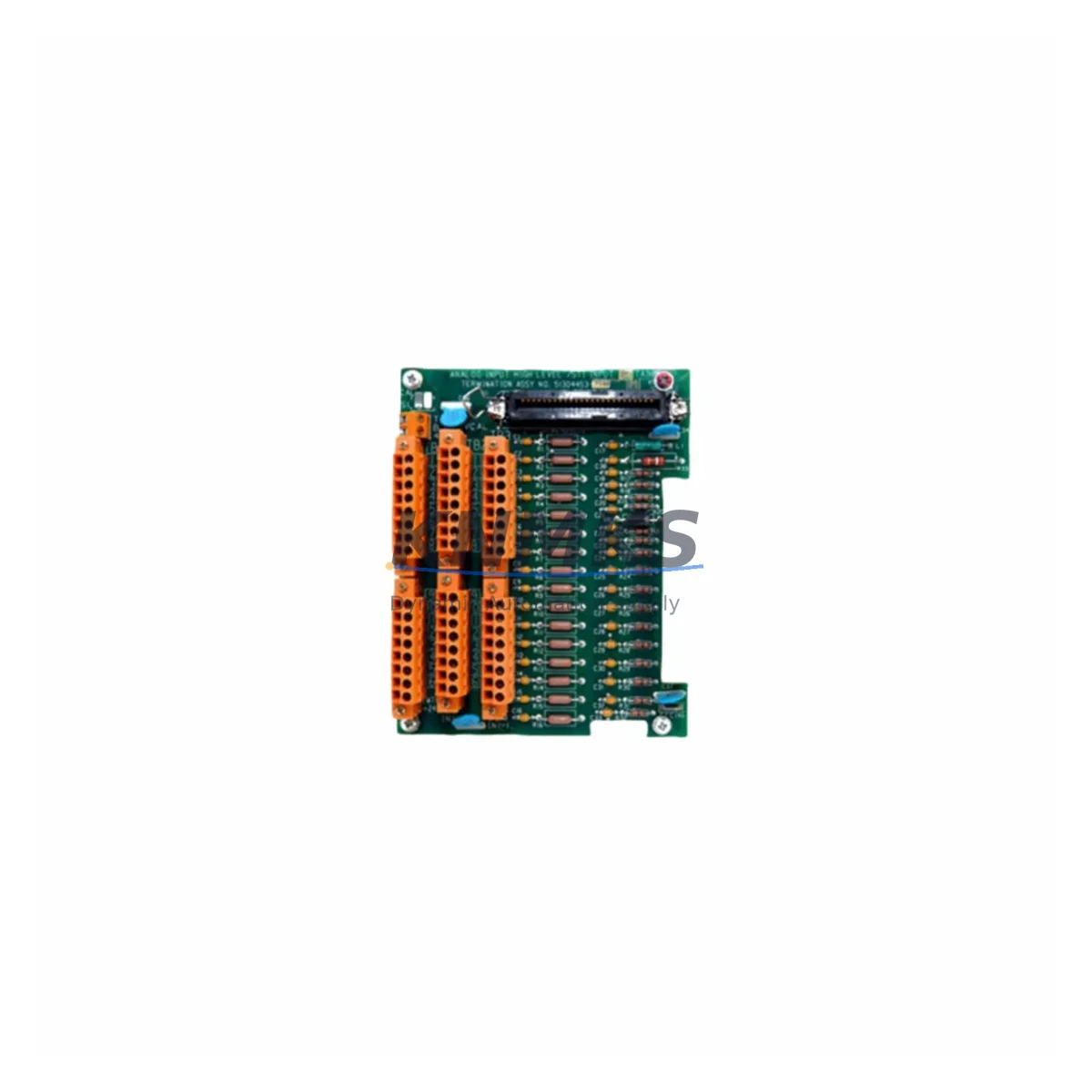
Honeywell FS-PDB-IOX05 Spare Part for Factory Uptime
The Honeywell FS-PDB-IOX05 is an original power distribution board designed for the Honeywell FS Series Fire & Gas Safety System — a safety-rated, SIL-certified platform widely deployed in oil & gas, petrochemical, LNG, and process manufacturing facilities. This spare part is sourced as an original Honeywell component, pre-shipment tested, and backed by a support terms confirmed by quotation, making it a reliable choice for both emergency replacement and planned maintenance stock.
The FS-PDB-IOX05 serves as the internal power distribution backbone for FS I/O expansion modules, specifically the IOX05 I/O expansion chassis. It distributes regulated DC power to field I/O cards, ensuring stable voltage delivery across all installed modules. Failure or degradation of this board can result in partial or complete I/O loss, triggering nuisance trips or — more critically — masking genuine field faults in safety-critical loops. Maintaining a certified spare in your local inventory is a fundamental requirement for any site operating under IEC 61511 or NFPA 72 compliance frameworks.
For maintenance engineers managing Honeywell FS-based safety systems, the FS-PDB-IOX05 is a high-priority spare. Its role in power distribution means that any degradation — whether from voltage ripple, connector fatigue, or thermal cycling — can propagate across multiple I/O channels simultaneously. Proactive replacement during scheduled outages, rather than reactive replacement during a live fault, is strongly recommended.
Spare Maintenance Table
| Parameter | Specification |
|---|---|
| Part Number | FS-PDB-IOX05 |
| Brand | Honeywell |
| Series | FS Fire & Gas Safety System |
| Function | Power Distribution Board for IOX05 I/O Expansion Chassis |
| Compatible Platform | Honeywell FS Series Safety Controllers (FS-SCPU, FS-SCPU-E) |
| Compatible Chassis | FS-IOX05 I/O Expansion Chassis |
| Input Voltage | 24 VDC (nominal, regulated) |
| Safety Rating | SIL 2 / SIL 3 capable (system-level) |
| Certification | IEC 61508, IEC 61511, FM, ATEX (system-level) |
| Application Environment | Oil & Gas, Petrochemical, LNG, Power Generation, Process Safety |
| Installation | Internal chassis board — tool-assisted replacement, ESD precautions required |
| Origin | USA |
| Condition | Original Spare, Pre-Shipment Tested |
| Support terms | 12 Months |
| Dispatch | Multi-region stock, fast global dispatch |
Maintenance Planning for Continuous Operation
When replacing the FS-PDB-IOX05, a thorough inspection of the surrounding power and I/O infrastructure is essential to ensure the root cause of failure is addressed and the system is returned to full safety integrity. Maintenance engineers should begin by verifying the 24 VDC power supply module feeding the IOX05 chassis — the FS-PSU series power supply units are the upstream source, and any voltage instability or ripple from a degraded PSU will stress the replacement board immediately upon installation.
Next, inspect all FS Series I/O modules installed in the IOX05 chassis — including digital input cards (FS-DI), digital output cards (FS-DO), and analog input cards (FS-AI). A failed power distribution board may have subjected these modules to undervoltage or transient conditions; each card should be individually verified for correct operation and diagnostic status via the FS Safety Manager software before the system is returned to service.
The FS-SCPU or FS-SCPU-E safety controller should also be checked for any latched fault codes or diagnostic alarms related to the IOX05 expansion chassis. Clear all faults only after physical inspection confirms the replacement board is correctly seated and all module connectors are secure. Additionally, review the FS-CBL series chassis interconnect cables between the main controller chassis and the IOX05 expansion chassis — connector wear or cable damage can cause intermittent power distribution faults that mimic board failure.
For sites with redundant FS configurations, verify that the redundant I/O path remained active and logged correctly during the fault period. Check the FS-COMM communication module for any Modbus or OPC-UA communication interruptions that may have been triggered by the I/O loss event. Finally, inspect field wiring terminal blocks and FS-TB series termination assemblies for signs of overheating, loose connections, or corrosion — these are common secondary failure contributors in high-cycle industrial environments.
Site Replacement Workflow
Step 1 — Isolate and document: Place the affected IOX05 chassis in bypass or maintenance mode via the FS Safety Manager. Record all active I/O channel states and any diagnostic fault codes. Notify the control room and obtain a permit-to-work before proceeding.
Step 2 — Power down the chassis: De-energize the IOX05 chassis by isolating the upstream 24 VDC supply at the designated circuit breaker or fuse. Verify zero voltage at the chassis power input terminals using a calibrated multimeter before opening the chassis.
Step 3 — Remove I/O modules: Carefully extract all I/O modules from the IOX05 chassis slots, labeling each module with its slot position. Store modules in ESD-safe packaging during the board replacement procedure.
Step 4 — Replace the FS-PDB-IOX05: Remove the failed power distribution board using the appropriate tool per Honeywell FS maintenance documentation. Install the replacement FS-PDB-IOX05, ensuring all board connectors are fully seated and retention hardware is secured to the specified torque.
Step 5 — Reinstall and verify: Reinstall all I/O modules in their original slot positions. Restore 24 VDC power and observe the chassis power-on sequence. Confirm all module status LEDs indicate healthy operation and that no new fault codes appear in the FS Safety Manager diagnostic log.
Step 6 — Return to service: Perform a functional verification of all I/O channels connected to the repaired chassis. Remove the maintenance bypass, confirm system integrity in the FS Safety Manager, and update the site maintenance log with the replacement record, part serial number, and test results.
Spare Parts Support FAQ
Q1: Is the FS-PDB-IOX05 compatible with all FS Series IOX05 chassis revisions?
The FS-PDB-IOX05 is designed for the Honeywell FS Series IOX05 I/O expansion chassis. Compatibility across chassis hardware revisions should be confirmed against the Honeywell FS Series hardware compatibility matrix or your site’s as-built documentation. We recommend providing your chassis revision level when ordering to ensure the correct board revision is supplied.
Q2: What pre-shipment testing is performed on the FS-PDB-IOX05?
Each unit undergoes functional power distribution testing and visual inspection prior to dispatch. Boards are verified for correct voltage output characteristics and connector integrity. A test report is available upon request for quality-critical procurement processes.
Q3: How should the FS-PDB-IOX05 be stored as a long-term spare?
Store in original ESD-safe packaging in a climate-controlled environment (temperature 0–40°C, humidity <85% non-condensing). Avoid storage near strong magnetic fields or corrosive atmospheres. Inspect the spare annually and rotate stock if the board has been held for more than 3 years to maintain reliability assurance.
Q4: What is the lead time and support terms coverage for the FS-PDB-IOX05?
Units are dispatched from multi-region stock, typically within 1–3 business days for standard orders. Emergency dispatch options are available for critical shutdown situations. All units are covered by a support terms confirmed by quotation from the date of shipment, covering manufacturing defects and functional failures under normal operating conditions.
© 2026 KNMKS. All rights reserved.
Original Source: https://knmks.com
Contact: admin@knmks.com | +86 18359268345
Product Identification
- Brand / Ecosystem
-
Honeywell
Honeywell - Model / Series
- FS-PDB-IOX05
- Product Family
- Other Components
- Availability Status
- Available on request after model and quantity confirmation
- Inquiry Type
- B2B RFQ, replacement inquiry and project spare-part request
- Pre-Quote Check
- Exact SKU, brand, series, quantity, nameplate photos and destination country are checked before quotation
System Path
Where this product fits in the KNMKS automation structure.
Specification & Inquiry Focus
- Component range
- Breakers, terminals and cabinet accessories
- Common needs
- Model, photo and installation requirement
- Project support
- Maintenance and mixed spare-part inquiry
Buyer Confirmation
Information KNMKS checks before replying.
- Exact model
- FS-PDB-IOX05
- Brand / ecosystem
- Honeywell
- Product family
- Other Components
- Application note
- Replacement, maintenance, project build or spare-part list
- Useful photos
- Nameplate, installed unit, cabinet layout or connector side
- Delivery details
- Quantity, destination country and target schedule
Document Support
Files and notes can be confirmed during quotation.
- Product photos or nameplate confirmation when available
- Packing and delivery notes before quotation confirmation
- Support scope and delivery terms confirmed per inquiry
- Export document coordination for qualified B2B requests
Inquiry Support
- Mixed automation spare parts inquiry
- Cabinet component and accessory support
- Model identification from photos or labels
What to Send Us
- Brand and exact model number: Honeywell FS-PDB-IOX05
- Quantity and required delivery time
- Application, replacement requirement or nameplate photo
- Destination country and shipping preference
RFQ Preparation
This is a product inquiry page built for RFQ communication.
Fast Model Check
Send this model to KNMKS for confirmation.
Include quantity, destination country and photos if this is a maintenance replacement. The inquiry will be saved with a reference number after submission.
Brand & Compatibility Note
KNMKS displays automation product information for well-known industrial brand ecosystems and compatible replacement references. Brand names are used for product identification and compatibility reference only; final availability and commercial terms are confirmed per quotation.
 Manufacturing
 Machine Tools
 Packaging
 Energy & Power
 PLCs & Controllers
 HMI & Displays
 Servo Systems
 Variable Frequency Drives