
Overview
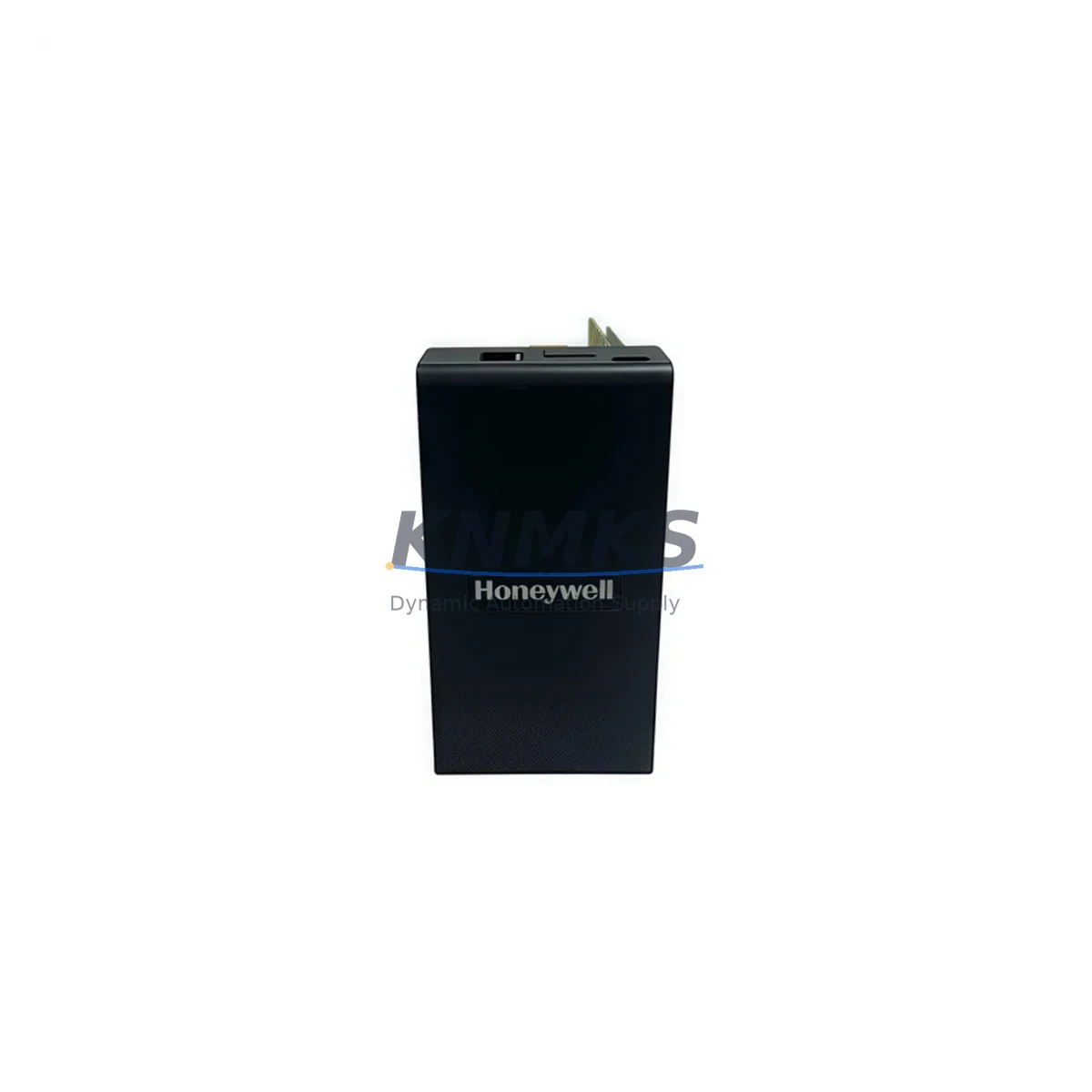
Honeywell 900CR15-00 Migration-Ready Control Station: Legacy System Retrofit & Compatibility Upgrade
The Honeywell 900CR15-00 is a HC900 series Control Station designed to serve as a direct migration-ready replacement for aging process control architectures. Whether your facility is retiring obsolete DCS components, upgrading a legacy HC900 rack, or recovering from an unplanned controller failure, the 900CR15-00 provides a reliable, field-proven path forward with minimal disruption to your existing automation infrastructure.
Before committing to a retrofit, engineers must verify several critical parameters: available power capacity on the existing 24 VDC bus, terminal wiring compatibility with the current I/O sub-base, backplane slot addressing, and whether the installed firmware revision on the rack controller supports the 900CR15-00 module revision. Mismatches in any of these areas can extend commissioning time and increase unplanned downtime risk.
The 900CR15-00 is engineered for drop-in installation within the HC900 hybrid controller rack. It communicates over both Ethernet (100 Mbps) and RS-485 serial links, making it compatible with legacy SCADA systems, DCS peer networks, and modern OPC-UA data aggregators without requiring protocol converters in most standard configurations. When migrating from older HC900 controller revisions, confirm that the rack’s 900RCK08-00 or 900RCK16-00 backplane firmware is at a compatible revision level before hot-swapping the control station.
For facilities running mixed-generation control cabinets, the 900CR15-00 is frequently deployed alongside the 900P01-0101 power supply module to ensure adequate rail current for expanded I/O counts. When I/O expansion is required as part of the retrofit, the 900G32-0101 analog input module and 900B08-0100 digital output module are common additions that integrate directly into the same rack without additional configuration overhead. HMI screens built on legacy Experion or third-party SCADA platforms typically require tag remapping when the control station address changes — plan for this during the FAT (Factory Acceptance Test) phase to avoid surprises during live commissioning.
Communication link integrity should be validated end-to-end before cutover: verify Ethernet switch port assignments, confirm RS-485 termination resistors are correctly placed at both ends of the daisy chain, and test peer-to-peer messaging with any co-located 900CS5-0150 communication server modules. If the existing installation uses a 900MK0001 programming cable for local configuration, ensure the replacement unit’s firmware is pre-loaded and verified prior to installation to eliminate on-site programming delays.
Migration Compatibility Table
| Parameter | Details |
|---|---|
| SKU / Part Number | 900CR15-00 |
| Series | Honeywell HC900 |
| Replaces / Compatible With | HC900 legacy control station revisions; drop-in for same rack slot |
| Backplane Interface | HC900 rack backplane (900RCK08-00 / 900RCK16-00) |
| Communication Ports | Ethernet 100 Mbps, RS-485 serial |
| Power Requirement | 24 VDC (supplied via rack backplane) |
| Installation Type | Rack-mount, hot-swap capable (firmware-dependent) |
| Firmware Compatibility | Verify rack controller firmware revision before replacement |
| Terminal / Wiring | Backplane-connected; no field wiring directly to module |
| Commissioning Note | HMI tag remapping required if station address changes |
| Support terms | support terms confirmed by quotation |
| Stock Status | availability confirmed by RFQ – Ready to Ship |
Retrofit Planning for Existing Automation Systems
A successful HC900 retrofit begins well before the maintenance window opens. Start by auditing the existing rack configuration: document every occupied slot, record the firmware revision of the installed rack controller, and photograph all terminal wiring on associated I/O modules. The 900CR15-00 slots directly into the control station position on the HC900 rack, but adjacent modules — including analog input cards, digital output cards, and the rack power supply — must be confirmed as compatible with the replacement unit’s firmware baseline.
Power budget analysis is a frequently overlooked step. The 900P01-0101 power supply module has a defined maximum output current; adding a new control station alongside expanded I/O (such as additional 900G32-0101 analog input modules) can push the rail close to its rated limit. Calculate the total current draw of all installed modules before finalizing the retrofit BOM.
For sites migrating from RS-485-only legacy networks to Ethernet-based supervisory systems, the 900CR15-00’s dual-port architecture eliminates the need for external protocol gateways in most cases. However, if the existing SCADA or DCS uses a proprietary peer communication protocol, validate compatibility with the 900CS5-0150 communication server before committing to the migration plan. Signal isolation requirements between legacy field devices and the new control station should also be assessed — in high-noise industrial environments, signal isolators on analog input loops are recommended to protect measurement integrity after the upgrade.
Installation space confirmation is essential in dense control cabinets. The 900CR15-00 occupies a standard HC900 rack slot; however, cable management around the rack must accommodate any new Ethernet patch cables without obstructing airflow or creating strain on existing field wiring harnesses.
Downtime Control During System Migration
Minimizing production downtime during a control station replacement requires a structured pre-outage preparation process. Before the maintenance window, export and archive the complete HC900 controller program using the HC Designer software via the 900MK0001 programming cable or Ethernet connection. Verify the backup against the live running configuration to confirm no unsaved changes exist in the controller’s volatile memory.
During the swap, the HC900 rack’s modular architecture allows the 900CR15-00 to be replaced without disturbing field wiring on I/O modules, significantly reducing reconnection risk. Once the replacement unit is seated, restore the archived program, confirm all I/O module addresses are recognized correctly, and perform a controlled loop check on critical analog and digital channels before releasing the system to automatic control.
HMI continuity is a common concern during control station replacements. If the station’s Ethernet IP address changes, update SCADA server connection strings and OPC server tag paths before the cutover to prevent operator display dropouts. For RS-485 networks, confirm the new unit’s device address matches the legacy configuration to avoid peer communication failures on startup.
Pre-shipment testing of the 900CR15-00 is performed prior to dispatch, reducing the risk of DOA failures during a time-critical maintenance window. Combined with a support terms confirmed by quotation and confirmed in-stock availability, this unit supports a low-risk, rapid-response retrofit strategy for facilities that cannot afford extended unplanned outages.
Retrofit Support FAQ
Q: Is the 900CR15-00 a direct drop-in replacement for my existing HC900 control station?
A: In most cases, yes. The 900CR15-00 is designed for direct slot replacement within the HC900 rack. However, you should verify that your rack backplane firmware revision is compatible with the replacement unit before installation. Contact our technical team with your existing unit’s firmware version for confirmation.
Q: What wiring changes are required during the replacement?
A: The 900CR15-00 connects via the rack backplane — there is no direct field wiring to the control station module itself. Field wiring on I/O modules remains undisturbed during the swap, which significantly reduces reconnection risk and shortens the maintenance window.
Q: How do I verify compatibility with my existing SCADA or HMI system?
A: Confirm the Ethernet IP address and RS-485 device address of the replacement unit match your existing configuration. If the station address changes, update SCADA tag paths and HMI connection strings before cutover. For OPC-based systems, re-validate the OPC server item paths after the replacement is online.
Q: What does the support terms confirmed by quotation cover, and is pre-shipment testing performed?
A: All units undergo pre-shipment functional testing before dispatch. The support terms confirmed by quotation cover manufacturing defects and functional failures under normal operating conditions. In-stock units are available for immediate shipment to support urgent replacement and system recovery scenarios.
© 2026 KNMKS. All rights reserved.
Original Source: https://knmks.com
Contact: admin@knmks.com | +86 18359268345
Product Identification
- Brand / Ecosystem
-
Honeywell
Honeywell - Model / Series
- 900CR15-00
- Product Family
- Other Components
- Availability Status
- Available on request after model and quantity confirmation
- Inquiry Type
- B2B RFQ, replacement inquiry and project spare-part request
- Pre-Quote Check
- Exact SKU, brand, series, quantity, nameplate photos and destination country are checked before quotation
System Path
Where this product fits in the KNMKS automation structure.
Specification & Inquiry Focus
- Component range
- Breakers, terminals and cabinet accessories
- Common needs
- Model, photo and installation requirement
- Project support
- Maintenance and mixed spare-part inquiry
Buyer Confirmation
Information KNMKS checks before replying.
- Exact model
- 900CR15-00
- Brand / ecosystem
- Honeywell
- Product family
- Other Components
- Application note
- Replacement, maintenance, project build or spare-part list
- Useful photos
- Nameplate, installed unit, cabinet layout or connector side
- Delivery details
- Quantity, destination country and target schedule
Document Support
Files and notes can be confirmed during quotation.
- Product photos or nameplate confirmation when available
- Packing and delivery notes before quotation confirmation
- Support scope and delivery terms confirmed per inquiry
- Export document coordination for qualified B2B requests
Inquiry Support
- Mixed automation spare parts inquiry
- Cabinet component and accessory support
- Model identification from photos or labels
What to Send Us
- Brand and exact model number: Honeywell 900CR15-00
- Quantity and required delivery time
- Application, replacement requirement or nameplate photo
- Destination country and shipping preference
RFQ Preparation
This is a product inquiry page built for RFQ communication.
Fast Model Check
Send this model to KNMKS for confirmation.
Include quantity, destination country and photos if this is a maintenance replacement. The inquiry will be saved with a reference number after submission.
Brand & Compatibility Note
KNMKS displays automation product information for well-known industrial brand ecosystems and compatible replacement references. Brand names are used for product identification and compatibility reference only; final availability and commercial terms are confirmed per quotation.
 Manufacturing
 Machine Tools
 Packaging
 Energy & Power
 PLCs & Controllers
 HMI & Displays
 Servo Systems
 Variable Frequency Drives