
Overview
Honeywell 2MLC-F201 Migration-Ready Sync Cable: Legacy System Retrofit & Compatibility Upgrade
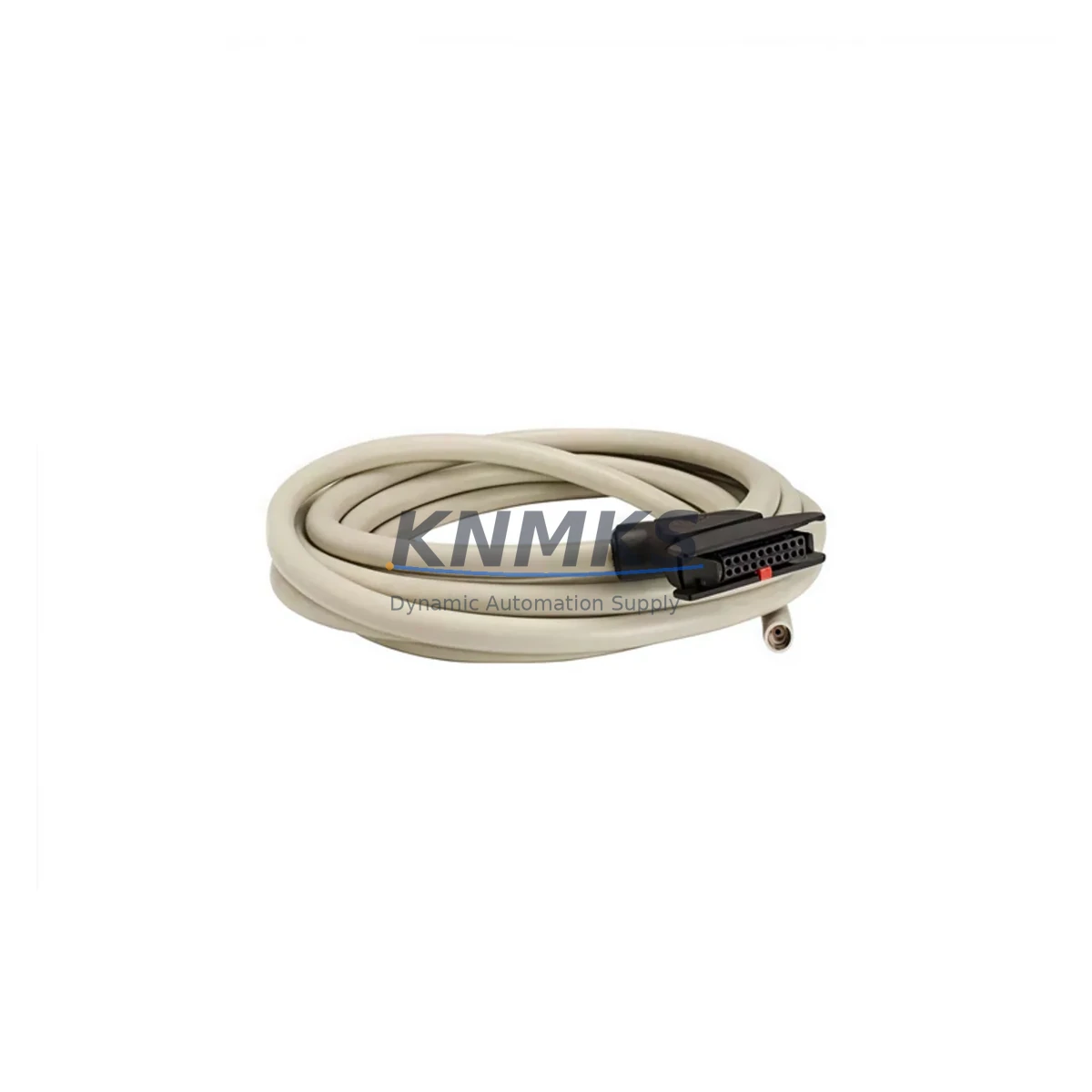
The Honeywell 2MLC-F201 is a redundancy synchronization cable engineered for the MLC-F200 Series safety controller platform. As industrial facilities face increasing pressure to modernize aging distributed control systems (DCS) and programmable logic controllers (PLC), the 2MLC-F201 serves as a critical link in maintaining controller redundancy during phased migration projects. Whether you are replacing a failed cable in an existing MLC-F200 redundant pair, upgrading a legacy single-controller architecture to a fault-tolerant dual-controller configuration, or preparing a control cabinet for a broader platform migration, the 2MLC-F201 provides the physical and protocol-level compatibility required to keep your automation system running without unplanned downtime.
In retrofit scenarios, engineers must carefully verify several parameters before swapping any component in a redundant controller pair. Power supply capacity is a primary concern: the MLC-F200 redundant configuration draws from a shared or dual-rail 24 VDC bus, and the addition or replacement of a sync cable must not introduce ground loops or impedance mismatches that could destabilize the power rail. Terminal wiring at the controller backplane must be inspected to confirm that the cable connector pinout matches the legacy harness — particularly for installations where field-modified cables may have been used as temporary workarounds. The backplane interface on the MLC-F200 chassis uses a proprietary high-density connector, and the 2MLC-F201 is manufactured to the original Honeywell specification to ensure a secure, vibration-resistant fit in both 19-inch rack and DIN-rail panel configurations.
Module addressing is another area that requires attention during replacement. In a redundant MLC-F200 system, the primary and secondary controllers communicate heartbeat and state synchronization data over the sync cable. If the cable is replaced while the system is in a degraded (single-controller) state, the secondary controller must be re-initialized and its module address confirmed in the programming software before the redundancy link is re-established. Engineers using Honeywell’s Safety Manager or Control Builder engineering workstation should verify that the firmware version on both controllers is identical — firmware mismatches between the primary and secondary MLC-F200 units are a common cause of sync failures after cable replacement. The 2MLC-F201 is compatible with all firmware revisions released for the MLC-F200 platform, but the controllers themselves must be at matching revision levels.
Program compatibility is preserved across the cable replacement process because the 2MLC-F201 does not alter the logical configuration of the controller pair. The application program, I/O mapping, and HMI screen bindings remain intact. However, it is good practice to export a backup of the controller project from the engineering workstation before beginning any hardware intervention. HMI screens connected to the MLC-F200 via Modbus TCP or PROFIBUS DP should be monitored during the sync cable replacement to confirm that communication links are restored within the expected reconnection timeout window. If the facility uses a supervisory SCADA system, operators should be notified to expect a brief redundancy status alarm during the cable swap.
For control cabinets undergoing broader modernization, the 2MLC-F201 is frequently specified alongside complementary components in the MLC-F200 ecosystem. Power supply modules such as the Honeywell MLC-F200-PS are often replaced concurrently when cabinet refurbishment is planned, since aging power supplies are a leading cause of redundancy sync instability. I/O expansion modules connected to the MLC-F200 backplane — including digital input modules, analog output modules, and relay output modules — should be inspected for firmware compatibility when the controller pair is being serviced. Communication gateway modules that bridge the MLC-F200 platform to legacy HART or Foundation Fieldbus field devices are also commonly reviewed during retrofit planning, as protocol migration from older fieldbus standards to Industrial Ethernet (EtherNet/IP or PROFINET) is a frequent modernization objective. In installations where the MLC-F200 interfaces with a Honeywell HC900 Hybrid Controller or a Honeywell ControlEdge PLC via OPC DA or OPC UA, the sync cable replacement is an opportunity to audit the communication link configuration and update tag mappings if the SCADA namespace has changed. Programming cables such as the Honeywell MC-KFTA03 serial-to-USB adapter may be required for firmware verification on older MLC-F200 units that do not support Ethernet-based programming.
Installation space confirmation is essential before ordering. The 2MLC-F201 cable has a defined minimum bend radius and a fixed connector-to-connector length. Engineers should measure the physical distance between the primary and secondary controller slots in the MLC-F200 chassis before confirming the cable length is appropriate for the installation. In compact control cabinets where space is constrained, cable routing must be planned to avoid interference with power wiring and to maintain EMC separation distances.
All units supplied by KNMKS are sourced from authorized distribution channels, subjected to pre-shipment functional testing, and covered by a support terms confirmed by quotation against manufacturing defects. Stock is maintained for immediate dispatch to minimize lead times for urgent replacement and retrofit projects.
Migration Compatibility Table
| Parameter | Details |
|---|---|
| Compatible Platform | Honeywell MLC-F200 Series Safety Controller (Redundant Configuration) |
| Connector Interface | Proprietary high-density backplane connector — matches original MLC-F200 chassis specification |
| Communication Compatibility | Supports Modbus TCP, PROFIBUS DP gateway configurations; transparent to controller sync protocol |
| Firmware Compatibility | Compatible with all MLC-F200 firmware revisions; primary and secondary controllers must be at matching firmware levels |
| Installation Requirement | Verify minimum bend radius and cable routing clearance; maintain EMC separation from power wiring |
| Replacement Recommendation | Direct drop-in replacement for failed or degraded OEM sync cable; no hardware modification required |
| Commissioning Notes | Re-initialize secondary controller after cable swap; confirm module address and redundancy status in engineering workstation |
| Support terms | support terms confirmed by quotation — covers manufacturing defects; pre-shipment functional testing included |
Retrofit Planning for Existing Automation Systems
A successful MLC-F200 retrofit begins with a thorough audit of the existing control architecture. The 2MLC-F201 sync cable is typically the first component addressed when a redundancy fault alarm is raised, but experienced retrofit engineers use the cable replacement event as a trigger for a broader system health review. The MLC-F200 backplane should be inspected for corrosion, loose terminal screws, and connector wear. If the facility is transitioning from a legacy PROFIBUS DP network to an Industrial Ethernet backbone, the communication gateway module in the MLC-F200 rack should be upgraded concurrently to avoid a second maintenance window. Digital and analog I/O modules connected to the backplane should be checked for firmware currency, as outdated I/O firmware can cause intermittent channel faults that are difficult to diagnose after a controller sync cable replacement. In multi-rack configurations, the Honeywell MLC-F200 Remote I/O Adapter linking satellite I/O racks to the main controller chassis should also be inspected, since sync cable faults can sometimes mask underlying remote I/O communication errors. For facilities that use a Honeywell Safety Manager SC as the overarching safety system, the MLC-F200 subsystem integration should be re-validated after any hardware change to confirm that the safety function response times remain within the SIL-rated limits. Signal isolators installed between the MLC-F200 analog input channels and field transmitters should be verified for loop integrity, particularly in high-vibration environments where connector fatigue is accelerated.
Downtime Control During System Migration
Minimizing unplanned downtime is the primary objective of any control system retrofit. The 2MLC-F201 replacement procedure is designed to be executed during a planned maintenance window, but in emergency scenarios where a sync cable failure has placed the MLC-F200 system in single-controller (degraded) mode, the replacement can be performed without a full process shutdown — provided that the application program logic does not require a redundant controller pair to be present for safe operation. Before beginning the cable swap, the engineering team should export the current controller project, document the I/O channel assignments, and capture a screenshot of the HMI alarm summary to establish a pre-maintenance baseline. The SCADA historian should be set to record at maximum resolution during the maintenance window to capture any transient process deviations. After the 2MLC-F201 is installed and the secondary controller is re-initialized, the redundancy status should be confirmed in the engineering workstation before the maintenance window is closed. A post-maintenance functional test — including a simulated primary controller fault to verify automatic failover — should be completed before the system is returned to normal operation. This test sequence protects the original program logic, confirms field control continuity, and reduces the risk of a repeat fault during the next production cycle.
Retrofit Support FAQ
Q1: Is the 2MLC-F201 a direct replacement for the original Honeywell sync cable in the MLC-F200 redundant controller pair?
Yes. The 2MLC-F201 is manufactured to the original Honeywell specification and is a direct drop-in replacement. No hardware modification, adapter, or firmware update is required on the cable itself. The controllers must be at matching firmware revisions for the redundancy link to establish correctly after cable replacement.
Q2: What commissioning steps are required after installing the 2MLC-F201?
After physical installation, power on the secondary controller and allow it to complete its self-test sequence. Open the engineering workstation (Safety Manager or Control Builder), navigate to the redundancy status screen, and confirm that the sync link is established and the secondary controller has successfully mirrored the primary controller’s application state. Perform a manual failover test to verify automatic switchover behavior before returning the system to production.
Q3: Can the 2MLC-F201 be used in installations where the MLC-F200 communicates via PROFIBUS DP?
Yes. The 2MLC-F201 sync cable operates at the backplane level and is transparent to the fieldbus communication protocol. PROFIBUS DP, Modbus TCP, and other communication links configured on the MLC-F200 gateway modules are unaffected by the sync cable replacement.
Q4: What is the support terms coverage and how does KNMKS support urgent retrofit projects?
All 2MLC-F201 units supplied by KNMKS are covered by a support terms confirmed by quotation against manufacturing defects. Pre-shipment functional testing is performed on every unit. For urgent retrofit and emergency replacement projects, KNMKS maintains ready stock for immediate dispatch. Contact our technical sales team at admin@knmks.com or +86 18359268345 to confirm availability and arrange expedited shipping.
© 2026 KNMKS. All rights reserved. Original Source: https://knmks.com | Contact: admin@knmks.com | +86 18359268345
Product Identification
- Brand / Ecosystem
-
Honeywell
Honeywell - Model / Series
- 2MLC-F201
- Product Family
- Cables & Connectors
- Availability Status
- Available on request after model and quantity confirmation
- Inquiry Type
- B2B RFQ, replacement inquiry and project spare-part request
- Pre-Quote Check
- Exact SKU, brand, series, quantity, nameplate photos and destination country are checked before quotation
System Path
Where this product fits in the KNMKS automation structure.
Specification & Inquiry Focus
- Cable range
- Sensor, servo, network and circular connectors
- Common needs
- Length, pin count, shielding and plug type
- Project support
- Machine wiring and installation kits
Buyer Confirmation
Information KNMKS checks before replying.
- Exact model
- 2MLC-F201
- Brand / ecosystem
- Honeywell
- Product family
- Cables & Connectors
- Application note
- Replacement, maintenance, project build or spare-part list
- Useful photos
- Nameplate, installed unit, cabinet layout or connector side
- Delivery details
- Quantity, destination country and target schedule
Document Support
Files and notes can be confirmed during quotation.
- Product photos or nameplate confirmation when available
- Packing and delivery notes before quotation confirmation
- Support scope and delivery terms confirmed per inquiry
- Export document coordination for qualified B2B requests
Inquiry Support
- Cable length and connector type confirmation
- Servo, sensor and network cable inquiry
- Accessory kits for installation teams
What to Send Us
- Brand and exact model number: Honeywell 2MLC-F201
- Quantity and required delivery time
- Application, replacement requirement or nameplate photo
- Destination country and shipping preference
RFQ Preparation
This is a product inquiry page built for RFQ communication.
Fast Model Check
Send this model to KNMKS for confirmation.
Include quantity, destination country and photos if this is a maintenance replacement. The inquiry will be saved with a reference number after submission.
Brand & Compatibility Note
KNMKS displays automation product information for well-known industrial brand ecosystems and compatible replacement references. Brand names are used for product identification and compatibility reference only; final availability and commercial terms are confirmed per quotation.
 Manufacturing
 Machine Tools
 Packaging
 Energy & Power
 PLCs & Controllers
 HMI & Displays
 Servo Systems
 Variable Frequency Drives