
Overview
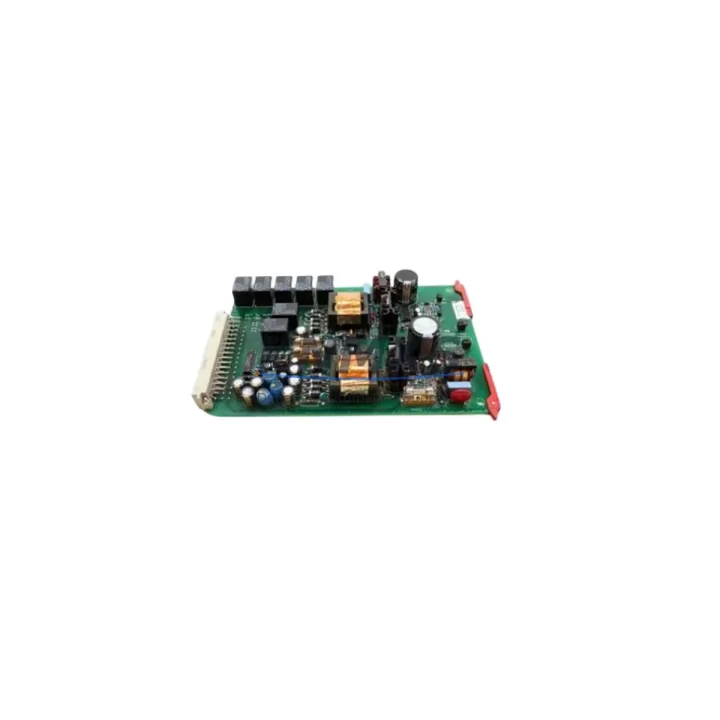
ENTEK EY-6691 SETX2 Migration-Ready Relay Card: Legacy System Retrofit and Compatible Upgrade
The ENTEK EY-6691 SETX2 is a relay output card designed for the ENTEK EY Series vibration monitoring platform — one of the most widely deployed condition monitoring systems in rotating machinery protection across petrochemical, power generation, and heavy manufacturing facilities. As the EY Series approaches end-of-life support cycles, maintenance engineers and reliability teams are increasingly sourcing verified replacement cards to extend operational continuity without committing to a full system overhaul. The EY-6691 SETX2 addresses this need directly: it is a migration-ready, drop-in compatible relay card that preserves existing wiring, rack architecture, and alarm logic while restoring full relay output functionality to aging monitoring cabinets.
Each unit is pre-shipment tested against ENTEK EY Series electrical specifications before dispatch. A support terms confirmed by quotation is included as standard, covering manufacturing defects and functional performance under normal operating conditions. Stock is maintained for immediate dispatch, supporting both planned maintenance windows and emergency breakdown scenarios.
Migration Compatibility Table
| Parameter | Details |
|---|---|
| Compatible Platform | ENTEK EY Series Vibration Monitoring System |
| Card Function | Relay Output — SETX2 dual-relay configuration |
| Rack / Backplane Interface | EY Series standard card cage backplane connector |
| Terminal Wiring | Retain existing field wiring; no rewiring required for direct replacement |
| Communication Compatibility | Compatible with EY Series internal communication bus; no protocol reconfiguration required |
| Installation Space | Standard EY Series single-slot card form factor |
| Firmware | No firmware update required for direct slot replacement |
| Replacement Recommendation | Direct replacement for failed or degraded EY-6691 SETX2 relay cards |
| Commissioning Notes | Verify relay setpoint configuration via EY Series configuration software after installation |
| Support terms | support terms confirmed by quotation — pre-shipment tested |
Retrofit Planning for Existing Automation Systems
Integrating the EY-6691 SETX2 into an ongoing retrofit or system life-extension project requires careful coordination across several interdependent components. In a typical EY Series cabinet, the relay card operates alongside the ENTEK EY-6601 power supply module, which must be confirmed to be within its rated output capacity before adding or replacing relay cards — particularly in high-density rack configurations where multiple I/O cards share a common power bus. Engineers should verify that the EY Series card cage backplane is free of corrosion or damaged connector pins before seating the replacement card, as backplane integrity directly affects relay output signal reliability.
For sites running mixed-generation EY Series hardware, the EY-6691 SETX2 is commonly deployed alongside ENTEK EY-6621 buffered output cards and EY-6611 keyphasor input cards within the same rack. When replacing relay cards in a multi-rack configuration, it is advisable to document the existing module address assignments and alarm relay wiring before removal to avoid reassignment errors during reinstallation. The ENTEK EY Series configuration software — typically accessed via a dedicated programming cable connected to the rack communication port — should be used to verify that relay setpoints, time delays, and latching behavior are correctly restored after card swap.
In facilities where the EY Series system interfaces with a distributed control system (DCS) or safety instrumented system (SIS), the relay output contacts of the EY-6691 SETX2 feed directly into hardwired interlock circuits. Before replacing the card, confirm that the DCS input card or SIS logic solver assigned to that relay channel is placed in bypass or manual override mode to prevent spurious trip signals during the card exchange. After reinstallation, perform a relay function test by simulating an alarm condition through the EY Series software and confirming contact closure at the DCS or SIS terminal block. Signal isolators installed between the EY Series relay outputs and the DCS input terminals should also be inspected for continuity and correct isolation voltage ratings during this process.
For facilities planning a phased migration from the EY Series to a newer condition monitoring platform, the EY-6691 SETX2 provides a cost-effective bridge solution — maintaining alarm relay functionality on legacy machinery protection loops while the broader migration project is scoped and budgeted. This approach minimizes unplanned downtime and avoids the risk of running critical rotating equipment without active vibration protection during the transition period.
Downtime Control During System Migration
Minimizing downtime during relay card replacement in an active vibration monitoring system requires a structured approach. Begin by exporting the full EY Series rack configuration — including all channel assignments, relay setpoints, and communication parameters — using the ENTEK configuration software before any hardware is disturbed. This configuration backup serves as the restoration baseline and eliminates the risk of setpoint loss if the replacement card requires reconfiguration.
Where process conditions permit, schedule the card replacement during a planned maintenance window aligned with equipment shutdown. If hot-swap is not supported for the specific rack slot, coordinate with the operations team to confirm that the machinery protected by the affected relay channel is either offline or has an alternative protection layer active during the swap interval. Relay output wiring should be photographed and labeled before disconnection to ensure accurate reconnection — particularly in cabinets where multiple relay cards share similar terminal block layouts.
After seating the EY-6691 SETX2, restore the saved configuration, verify relay contact states against the expected alarm logic, and perform a live relay test before returning the system to automatic monitoring mode. Total replacement time for a prepared technician with configuration backup available is typically under 30 minutes per card, making the EY-6691 SETX2 a practical choice for minimizing monitoring gaps during system maintenance. All units supplied by KNMKS are pre-tested prior to shipment, reducing the risk of receiving a non-functional card and eliminating the need for incoming inspection testing on site.
Retrofit Support FAQ
Q1: Is the EY-6691 SETX2 a direct replacement for the original ENTEK relay card of the same part number?
Yes. The EY-6691 SETX2 is a direct form-fit-function replacement for the original ENTEK EY-6691 SETX2 relay card. It is compatible with the EY Series card cage backplane and retains the same relay output configuration, allowing installation without modifications to existing wiring or rack hardware.
Q2: What commissioning steps are required after installing the replacement card?
After seating the card, connect to the EY Series rack using the configuration software and verify that relay setpoints, time delays, and latching parameters match the pre-replacement configuration. Perform a relay function test by simulating an alarm condition and confirming contact closure at the field terminal. If the card is connected to a DCS or SIS, remove any bypass applied during the swap and confirm normal interlock operation.
Q3: Is the unit tested before shipment, and what support terms is provided?
Yes. Every EY-6691 SETX2 unit supplied by KNMKS is functionally tested prior to dispatch. A support terms confirmed by quotation is included as standard, covering manufacturing defects and functional performance under normal operating conditions. Units are available from stock for immediate dispatch.
Q4: Can this card be used in a mixed EY Series rack alongside other card types?
Yes. The EY-6691 SETX2 is designed for use within the EY Series card cage and is compatible with other EY Series cards including power supply modules, buffered output cards, keyphasor input cards, and communication interface modules. Confirm available rack slot positions and power budget before installation in high-density configurations.
© 2026 KNMKS. All rights reserved.
Original Source: https://knmks.com
Contact: admin@knmks.com | +86 18359268345
Product Identification
- Brand / Ecosystem
-
Other Brands
Assorted Brands - Model / Series
-
EY-6691 SETX2
Assorted Series - Product Family
- Relays & Interface
- Availability Status
- Available on request after model and quantity confirmation
- Inquiry Type
- B2B RFQ, replacement inquiry and project spare-part request
- Pre-Quote Check
- Exact SKU, brand, series, quantity, nameplate photos and destination country are checked before quotation
System Path
Where this product fits in the KNMKS automation structure.
Specification & Inquiry Focus
- Interface range
- Relays, isolation and signal modules
- Common needs
- Coil voltage and contact rating
- Project support
- Panel wiring and signal protection
Buyer Confirmation
Information KNMKS checks before replying.
- Exact model
- EY-6691 SETX2
- Brand / ecosystem
- Other Brands
- Product family
- Relays & Interface
- Application note
- Replacement, maintenance, project build or spare-part list
- Useful photos
- Nameplate, installed unit, cabinet layout or connector side
- Delivery details
- Quantity, destination country and target schedule
Document Support
Files and notes can be confirmed during quotation.
- Product photos or nameplate confirmation when available
- Packing and delivery notes before quotation confirmation
- Support scope and delivery terms confirmed per inquiry
- Export document coordination for qualified B2B requests
Inquiry Support
- Relay base and module matching
- Signal isolation and protection options
- Panel accessory inquiry support
What to Send Us
- Brand and exact model number: Other Brands EY-6691 SETX2
- Quantity and required delivery time
- Application, replacement requirement or nameplate photo
- Destination country and shipping preference
RFQ Preparation
This is a product inquiry page built for RFQ communication.
Fast Model Check
Send this model to KNMKS for confirmation.
Include quantity, destination country and photos if this is a maintenance replacement. The inquiry will be saved with a reference number after submission.
Brand & Compatibility Note
KNMKS displays automation product information for well-known industrial brand ecosystems and compatible replacement references. Brand names are used for product identification and compatibility reference only; final availability and commercial terms are confirmed per quotation.
 Manufacturing
 Machine Tools
 Packaging
 Energy & Power
 PLCs & Controllers
 HMI & Displays
 Servo Systems
 Variable Frequency Drives