
Overview
CCC CPCI AC-6U-500 PSMU-350-3 Migration-Ready Surge Control Module for Legacy Control Systems
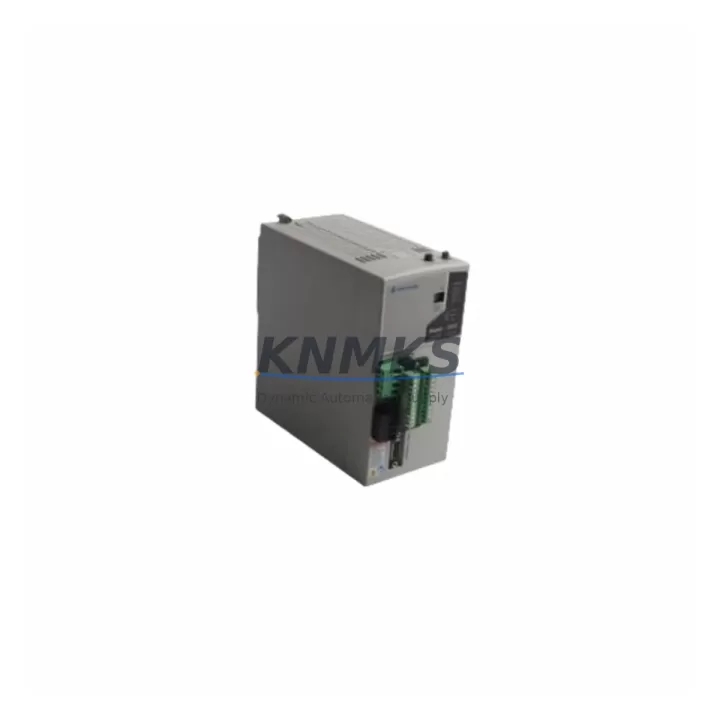
The CCC CPCI AC-6U-500 PSMU-350-3 is a surge control module manufactured by Compressor Controls Corporation (CCC), designed for integration into legacy turbomachinery and compressor control platforms. As original equipment reaches end-of-life or end-of-support status, engineering teams managing scheduled outages or emergency replacements increasingly rely on verified drop-in replacements to maintain operational continuity. This module supports direct substitution in existing CPCI-based control cabinets, minimizing retrofit complexity and reducing unplanned downtime risk.
Whether you are executing a phased migration from an aging CCC Compressor Management System (CMS) platform or responding to an unplanned failure in a critical compression train, the CPCI AC-6U-500 PSMU-350-3 is pre-tested prior to shipment and backed by a support terms confirmed by quotation. Multi-region stock availability supports fast global dispatch for both emergency and planned replacement scenarios.
Migration Compatibility Table
| Parameter | Details |
|---|---|
| SKU | CPCI AC-6U-500 PSMU-350-3 |
| Brand / Manufacturer | Compressor Controls Corporation (CCC) |
| Series / Platform | CPCI (CompactPCI) Surge Control Platform |
| Module Function | Power Supply & Management Unit (PSMU) — Surge Control |
| Form Factor | 6U CompactPCI (CPCI) rack-mount module |
| Power Input | AC input, 500 W rated supply capacity |
| Backplane Interface | CPCI 6U backplane — verify slot assignment and bus addressing before installation |
| Communication Compatibility | Compatible with CCC CPCI platform communication architecture; confirm fieldbus or serial link configuration with existing controller |
| Replacement Suitability | Direct drop-in for same-SKU or functionally equivalent PSMU-350 series units in legacy CCC control cabinets |
| Commissioning Notes | Verify module address, terminal wiring, firmware revision, and HMI tag mapping prior to live commissioning |
| Pre-Shipment Testing | Yes — functional test completed before dispatch |
| Support terms | 12 months from date of delivery |
| Stock Availability | Multi-region inventory; supports emergency and scheduled replacement programs |
Retrofit Planning for Existing Automation Systems
Retrofitting a CCC CPCI-based surge control system requires careful coordination across multiple hardware and software layers. The CPCI AC-6U-500 PSMU-350-3 occupies a defined slot in the 6U CompactPCI chassis, and engineers must confirm backplane slot assignments and bus addressing before physical installation. Power capacity planning is equally critical: the 500 W AC supply rating must be validated against the total load of co-installed modules, including I/O expansion cards, communication interface modules, and any signal conditioning hardware sharing the same rack.
In many legacy CCC installations, the PSMU-350-3 operates alongside CCC CPCI I/O modules responsible for analog and digital signal acquisition from field instruments such as flow transmitters, pressure sensors, and speed pickups. When replacing the power supply module, engineers should audit the terminal wiring on adjacent I/O cards to confirm that signal references and shield grounding remain intact after the swap. Loose or incorrectly re-terminated field wiring is a common source of post-replacement commissioning delays.
Communication continuity is another key consideration. CCC CPCI platforms typically interface with plant DCS or SCADA systems via serial or fieldbus links — often Modbus RTU or proprietary CCC communication protocols. The CCC CPCI Communication Interface Module (where installed) must remain undisturbed during the PSMU replacement, and communication link integrity should be verified before returning the compressor train to service. If the site uses a CCC Operator Interface Terminal (OIT) or a third-party HMI, confirm that HMI tag addresses and alarm setpoints remain correctly mapped after the module swap.
For sites running older CCC Compressor Management System (CMS) software, firmware version compatibility between the replacement PSMU-350-3 and the existing controller board — such as the CCC CPCI Controller Module — should be confirmed prior to installation. Mismatched firmware revisions can cause initialization failures or unexpected control behavior during startup. Where a CCC programming cable or configuration tool is available on-site, a pre-installation firmware check is strongly recommended.
Finally, installation space confirmation is essential in densely populated control cabinets. The 6U form factor of the CPCI AC-6U-500 PSMU-350-3 requires a full 6U slot clearance, and adequate ventilation must be maintained around the module to prevent thermal derating. If the cabinet also houses a CCC CPCI Backplane or Chassis Assembly, inspect the backplane connectors for corrosion or mechanical wear before seating the replacement module.
Downtime Control During System Migration
Minimizing downtime during a PSMU replacement in a live compressor control system requires a structured pre-outage preparation process. Before the maintenance window opens, engineering teams should export and archive the current controller configuration, including surge control setpoints, anti-surge valve parameters, and any custom logic blocks resident in the CCC CPCI Controller Module. This configuration backup ensures that original program logic can be restored rapidly if the replacement module requires re-initialization.
During the physical swap, field control continuity can be maintained by coordinating with the DCS operator to place the affected compressor train in manual control or bypass mode, where process safety permits. This prevents spurious trips or anti-surge valve actuation during the brief period when the PSMU is offline. Once the CPCI AC-6U-500 PSMU-350-3 is seated and powered, a staged startup sequence — verifying DC bus stability, I/O module initialization, and communication link re-establishment before returning to automatic surge control — significantly reduces the risk of a post-replacement trip event.
HMI screen verification is a frequently overlooked step. After the module is live, operators should confirm that all compressor performance displays, alarm banners, and trend historians are receiving valid data. Any HMI tags that reference the replaced module’s hardware address should be audited to confirm correct mapping. With pre-tested replacement units and a disciplined commissioning checklist, total outage time for a PSMU-350-3 replacement can typically be contained within a planned maintenance window, avoiding unscheduled production loss.
Retrofit Support FAQ
Q1: Is the CPCI AC-6U-500 PSMU-350-3 a direct replacement for the original CCC PSMU-350 series modules?
A: Yes. The CPCI AC-6U-500 PSMU-350-3 is designed as a form-fit-function replacement for same-SKU and functionally equivalent PSMU-350 series units within the CCC CPCI platform. Confirm the backplane slot assignment and module address configuration match the original unit before installation.
Q2: What commissioning steps are required after installing the replacement module?
A: After physical installation, verify DC bus voltage stability, confirm I/O module initialization across the backplane, re-establish communication links to the DCS or SCADA system, and validate HMI tag mapping and alarm setpoints. A firmware version check against the existing controller is also recommended before returning the system to automatic surge control.
Q3: Has this unit been tested before shipment?
A: Yes. Every CPCI AC-6U-500 PSMU-350-3 unit undergoes functional pre-shipment testing before dispatch. Units are supplied with a support terms confirmed by quotation from the date of delivery, covering manufacturing defects and functional failures under normal operating conditions.
Q4: What is the lead time and stock availability?
A: Multi-region inventory is maintained to support both emergency replacements and scheduled outage programs. Contact our team to confirm current stock levels and estimated dispatch timeline for your region. Priority dispatch is available for critical plant situations.
© 2026 KNMKS. All rights reserved.
Original Source: https://knmks.com
Contact: admin@knmks.com | +86 18359268345
Product Identification
- Brand / Ecosystem
-
Other Brands
Assorted Brands - Model / Series
-
CPCI AC-6U-500 PSMU-350-3
Assorted Series - Product Family
- Other Components
- Availability Status
- Available on request after model and quantity confirmation
- Inquiry Type
- B2B RFQ, replacement inquiry and project spare-part request
- Pre-Quote Check
- Exact SKU, brand, series, quantity, nameplate photos and destination country are checked before quotation
System Path
Where this product fits in the KNMKS automation structure.
Specification & Inquiry Focus
- Component range
- Breakers, terminals and cabinet accessories
- Common needs
- Model, photo and installation requirement
- Project support
- Maintenance and mixed spare-part inquiry
Buyer Confirmation
Information KNMKS checks before replying.
- Exact model
- CPCI AC-6U-500 PSMU-350-3
- Brand / ecosystem
- Other Brands
- Product family
- Other Components
- Application note
- Replacement, maintenance, project build or spare-part list
- Useful photos
- Nameplate, installed unit, cabinet layout or connector side
- Delivery details
- Quantity, destination country and target schedule
Document Support
Files and notes can be confirmed during quotation.
- Product photos or nameplate confirmation when available
- Packing and delivery notes before quotation confirmation
- Support scope and delivery terms confirmed per inquiry
- Export document coordination for qualified B2B requests
Inquiry Support
- Mixed automation spare parts inquiry
- Cabinet component and accessory support
- Model identification from photos or labels
What to Send Us
- Brand and exact model number: Other Brands CPCI AC-6U-500 PSMU-350-3
- Quantity and required delivery time
- Application, replacement requirement or nameplate photo
- Destination country and shipping preference
RFQ Preparation
This is a product inquiry page built for RFQ communication.
Fast Model Check
Send this model to KNMKS for confirmation.
Include quantity, destination country and photos if this is a maintenance replacement. The inquiry will be saved with a reference number after submission.
Brand & Compatibility Note
KNMKS displays automation product information for well-known industrial brand ecosystems and compatible replacement references. Brand names are used for product identification and compatibility reference only; final availability and commercial terms are confirmed per quotation.
 Manufacturing
 Machine Tools
 Packaging
 Energy & Power
 PLCs & Controllers
 HMI & Displays
 Servo Systems
 Variable Frequency Drives