
Overview
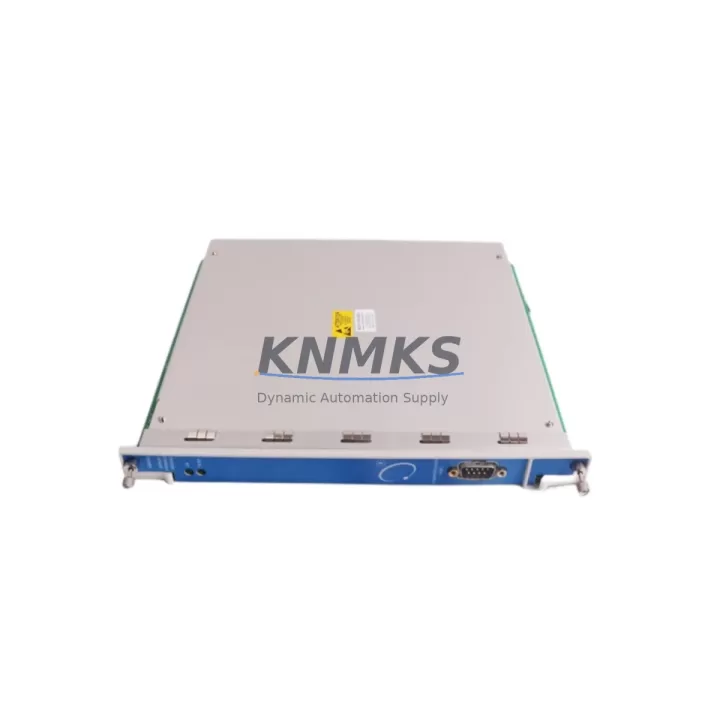
Bently Nevada 3500/93 135799-01 Spare Part for Factory Uptime
The Bently Nevada 3500/93 (Part No. 135799-01) is the dedicated System Display Module (SDM) for the 3500 Series Machinery Protection System (MPS). Designed for continuous operation in critical rotating machinery monitoring environments — turbines, compressors, pumps, and generators — this module serves as the primary operator interface for real-time vibration, position, and process variable display within the 3500 rack architecture.
For maintenance engineers managing legacy and active 3500 Series installations, the 3500/93 135799-01 is a high-priority spare. Its role in the MPS rack means any display failure can impair operator visibility of machinery health data, increasing the risk of undetected fault conditions and unplanned downtime. Stocking a verified replacement unit is a standard practice in facilities with continuous process requirements, where mean time to repair (MTTR) targets are measured in hours, not days.
This unit is sourced as an original Bently Nevada component, pre-shipment tested for functional integrity, and backed by a support terms confirmed by quotation. Each unit undergoes bench verification prior to dispatch to confirm display output, communication handshake with the 3500 rack backplane, and power rail stability — ensuring it is ready for immediate installation upon arrival.
Spare Maintenance Table
| Part Number | 135799-01 |
| Model | 3500/93 |
| Description | System Display Module (SDM) |
| Series | Bently Nevada 3500 Series MPS |
| Manufacturer | Bently Nevada (Baker Hughes) |
| Origin | USA |
| Module Type | Operator Display / HMI Interface Module |
| Rack Compatibility | 3500 Series Rack (Standard & Enhanced) |
| Communication | Internal rack bus; compatible with 3500/22M, 3500/32, 3500/42M I/O modules |
| Power Supply | Supplied via 3500 rack backplane (3500/15 or 3500/05 power supply module) |
| Operating Temperature | 0°C to +60°C (standard industrial enclosure) |
| Installation | Front-panel rack slot insertion; no external wiring required |
| Application | Turbine, compressor, pump, and generator MPS installations |
| Maintenance Recommendation | Inspect display contrast and backlight annually; verify rack communication during scheduled outages |
| Support terms | 12 Months from date of shipment |
| Pre-Shipment Test | Yes — functional bench test performed before dispatch |
Maintenance Planning for Continuous Operation
When replacing or inspecting the 3500/93 135799-01, a thorough maintenance review of the surrounding rack components is essential to ensure system integrity and avoid repeat failures. The 3500 Series MPS rack is a tightly integrated system, and the display module’s performance depends on the health of several adjacent components.
Begin with the 3500/15 Power Supply Module — the primary DC power source for the rack. A degraded power supply can cause intermittent display faults that mimic SDM failure. Verify output voltage rails and inspect for capacitor aging or thermal stress. If the installation uses a redundant power configuration, confirm both the primary and secondary 3500/05 Rack Power Supply units are within specification.
Next, inspect the 3500 Series rack backplane for connector wear, corrosion on gold-contact edge connectors, and any signs of thermal cycling damage. The backplane carries both power and communication signals to the 3500/93, and degraded backplane contacts are a common root cause of display module communication errors in older installations.
Review the 3500/22M Transient Data Interface (TDI) and 3500/32 4-Channel Relay Module for alarm relay status and I/O integrity. During a display module replacement, it is good practice to verify that relay outputs are correctly mapped and that no latched alarms are masking active fault conditions. Similarly, confirm the 3500/42M Proximitor/Seismic Monitor channels are reading within expected vibration and position ranges before returning the system to service.
For facilities using the 3500 System with external SCADA or DCS integration, verify the 3500/20 Rack Interface Module (RIM) communication link — Modbus, Ethernet, or serial — remains active after the module swap. A display module replacement that requires rack power cycling can reset communication parameters if the RIM configuration is not battery-backed or stored in non-volatile memory.
Finally, inspect panel-mounted fuse protection on the AC input to the rack power supply, and confirm that any signal isolators on proximitor or seismic input cables are functioning correctly. These isolators protect the monitor inputs from ground loops and common-mode noise; a failed isolator can produce erratic readings that are incorrectly attributed to the display module.
Site Replacement Workflow
Step 1 — Pre-Replacement Verification: Before removing the 3500/93 135799-01, document all current alarm setpoints, channel configurations, and display settings using the System 1 software or the rack’s front-panel configuration interface. Export the rack configuration file as a backup.
Step 2 — Safe Isolation: Notify the control room and obtain a permit-to-work. The 3500/93 can typically be replaced without a full rack power-down in hot-swap capable configurations, but confirm the specific rack revision supports live module extraction before proceeding. If a power-down is required, coordinate with operations to minimize process impact.
Step 3 — Module Swap: Remove the faulty 3500/93 by releasing the front-panel locking mechanism and sliding the module from the rack slot. Insert the replacement 135799-01 unit, ensuring full seating of the backplane connector. The module should power up and display the rack status within 30 seconds of insertion.
Step 4 — Configuration Restore: Reload the saved rack configuration file. Verify all channel displays, alarm setpoints, and communication parameters match the pre-replacement baseline. Confirm relay outputs are in the correct state before releasing the system to normal operation.
Step 5 — Post-Replacement Test: Perform a functional check by simulating a trip condition (if permitted by site procedures) to confirm the display module correctly reflects alarm and danger states. Log the replacement in the site maintenance management system (CMMS) with the new unit’s serial number and installation date.
This workflow supports a target replacement time of under 60 minutes for experienced maintenance teams, minimizing production impact and ensuring full system functionality is restored before the next operating cycle.
Spare Parts Support FAQ
Q1: Is the 3500/93 135799-01 compatible with all 3500 Series rack configurations?
The 135799-01 is the standard System Display Module for the Bently Nevada 3500 Series MPS and is compatible with both standard and enhanced 3500 rack configurations. Compatibility with specific rack revisions and firmware versions should be confirmed against the Bently Nevada 3500 Series product documentation or by contacting our technical team prior to ordering.
Q2: What testing is performed before shipment?
Each 3500/93 135799-01 unit undergoes a functional bench test prior to dispatch. This includes power-on verification, display output confirmation, and backplane communication handshake testing. Units that do not pass all test criteria are not shipped. A support terms confirmed by quotation is provided from the date of shipment.
Q3: Can you support long-term or blanket purchase orders for this part?
Yes. We support long-term supply agreements for the 3500/93 135799-01 and related 3500 Series components, with lead times and inventory commitments tailored to your facility’s maintenance schedule. Multi-site procurement and consignment stock arrangements are available for qualifying customers. Contact admin@knmks.com to discuss your requirements.
Q4: What is the recommended spare parts holding strategy for the 3500/93?
For facilities with a single 3500 MPS rack, a minimum of one spare 3500/93 135799-01 is recommended. Facilities with multiple racks or critical continuous-process applications should consider holding two units to cover both immediate replacement and a secondary failure during the replenishment lead time. Annual inspection of the held spare — including a power-on test — is recommended to confirm readiness.
© 2026 KNMKS. All rights reserved.
Original Source: https://knmks.com
Contact: admin@knmks.com | +86 18359268345
Product Identification
- Brand / Ecosystem
-
Bently Nevada
Bently Nevada - Model / Series
-
3500/93 135799-01
3500 Series - Product Family
- HMI & Displays
- Availability Status
- Available on request after model and quantity confirmation
- Inquiry Type
- B2B RFQ, replacement inquiry and project spare-part request
- Pre-Quote Check
- Exact SKU, brand, series, quantity, nameplate photos and destination country are checked before quotation
System Path
Where this product fits in the KNMKS automation structure.
Specification & Inquiry Focus
- Display range
- Operator panels and touch screens
- Common needs
- Screen size, interface and version matching
- Project support
- Retrofit, spare unit and panel replacement
Buyer Confirmation
Information KNMKS checks before replying.
- Exact model
- 3500/93 135799-01
- Brand / ecosystem
- Bently Nevada
- Product family
- HMI & Displays
- Application note
- Replacement, maintenance, project build or spare-part list
- Useful photos
- Nameplate, installed unit, cabinet layout or connector side
- Delivery details
- Quantity, destination country and target schedule
Document Support
Files and notes can be confirmed during quotation.
- Product photos or nameplate confirmation when available
- Packing and delivery notes before quotation confirmation
- Support scope and delivery terms confirmed per inquiry
- Export document coordination for qualified B2B requests
Inquiry Support
- Panel size and interface confirmation
- Replacement unit inquiry for discontinued HMIs
- Protective packaging for display shipment
What to Send Us
- Brand and exact model number: Bently Nevada 3500/93 135799-01
- Quantity and required delivery time
- Application, replacement requirement or nameplate photo
- Destination country and shipping preference
RFQ Preparation
This is a product inquiry page built for RFQ communication.
Fast Model Check
Send this model to KNMKS for confirmation.
Include quantity, destination country and photos if this is a maintenance replacement. The inquiry will be saved with a reference number after submission.
Brand & Compatibility Note
KNMKS displays automation product information for well-known industrial brand ecosystems and compatible replacement references. Brand names are used for product identification and compatibility reference only; final availability and commercial terms are confirmed per quotation.
 Manufacturing
 Machine Tools
 Packaging
 Energy & Power
 PLCs & Controllers
 Servo Systems
 Variable Frequency Drives
 Sensors