
Overview
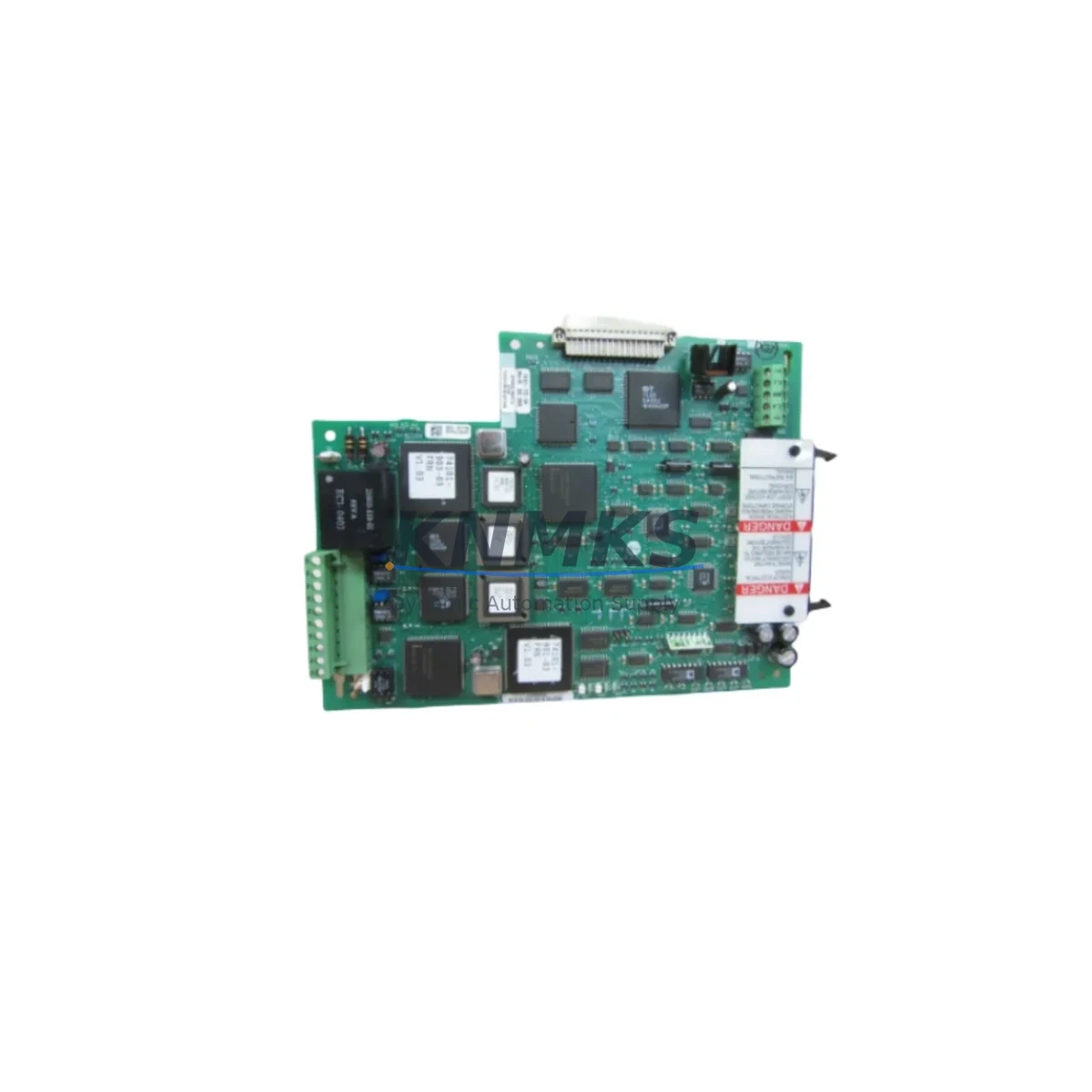
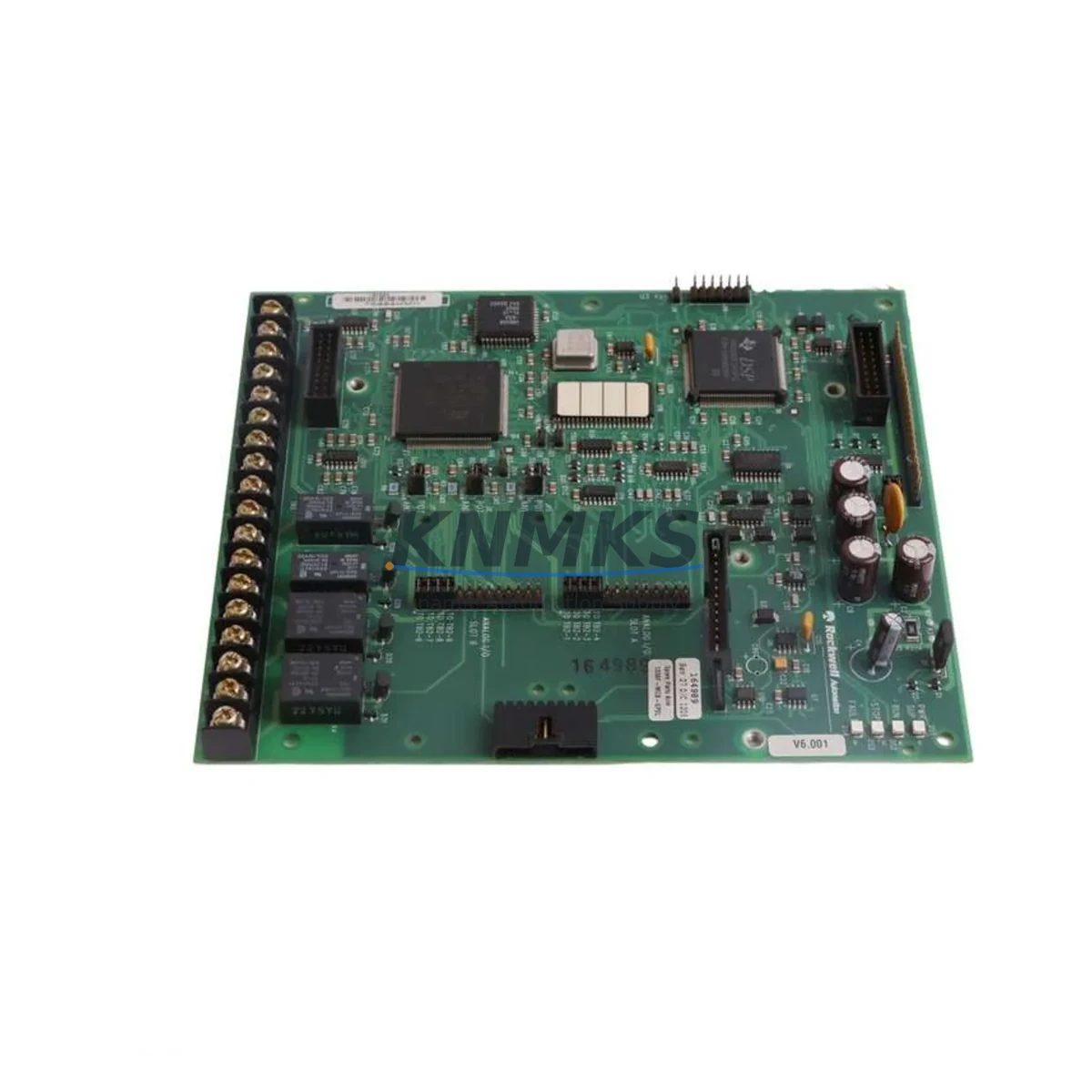
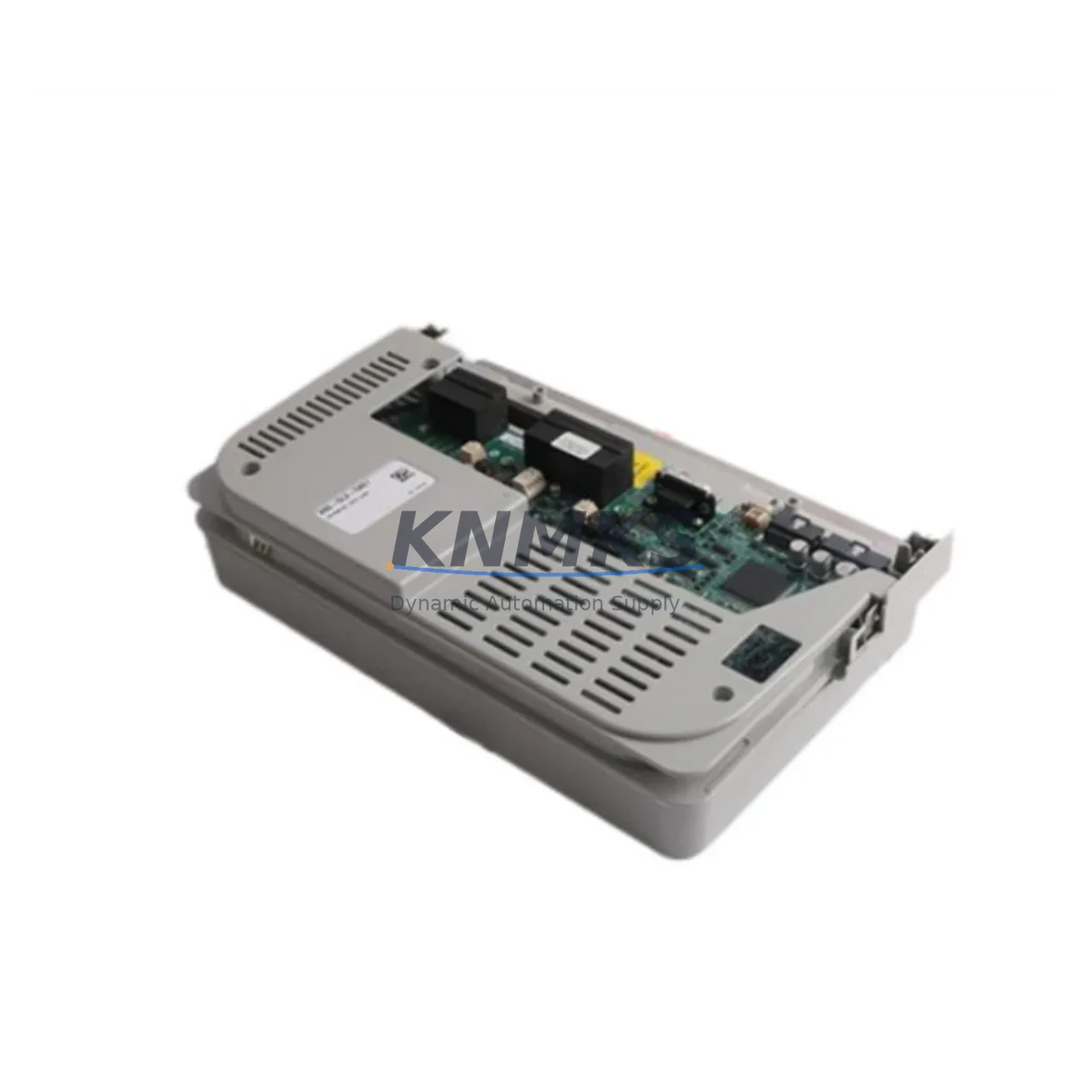
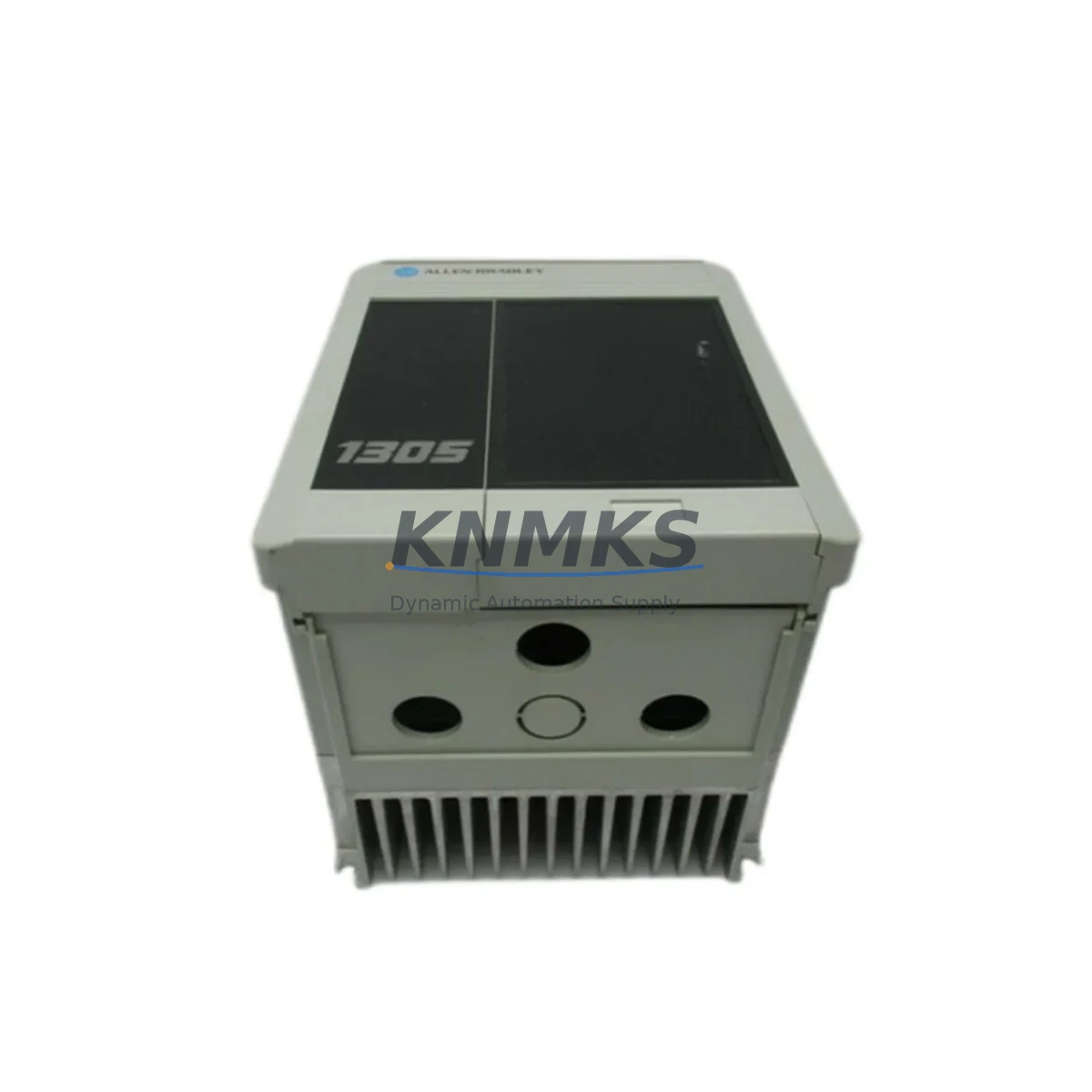
Allen-Bradley 1336T-MCB-SP51B Maintenance-Proven Spare Part for Factory Uptime
The Allen-Bradley 1336T-MCB-SP51B is the original main control board (MCB) designed for the 1336 PLUS II series AC variable frequency drives. In industrial facilities where 1336 PLUS II drives govern conveyor systems, pump stations, compressor banks, and HVAC air handlers, the MCB is the nerve center of every closed-loop speed and torque command. A failed or degraded 1336T-MCB-SP51B brings the entire drive offline, triggering unplanned downtime that cascades across production lines. Stocking a verified, pre-tested replacement is the single most effective insurance policy a maintenance team can hold.
KNMKS supplies the 1336T-MCB-SP51B as an original spare, sourced from authorized channels and subjected to functional verification before dispatch. Every unit ships with a support terms confirmed by quotation covering manufacturing defects and operational failure under normal service conditions. Our global logistics network supports urgent same-day quotation and expedited freight to minimize mean time to repair (MTTR) for critical drive assets.
Spare Maintenance Table
| Parameter | Specification / Detail |
|---|---|
| Part Number / SKU | 1336T-MCB-SP51B |
| Compatible Drive Series | Allen-Bradley 1336 PLUS II (1336T) |
| Board Function | Main Control Board — speed reference, closed-loop PID, fault logic, I/O interface |
| Drive Voltage Range | 200–600 VAC (series-dependent; verify nameplate) |
| Control Power Input | +5 VDC / +15 VDC / −15 VDC supplied by internal SMPS board |
| Communication Interface | DPI / SCANport (RS-485 based); compatible with 1203-GU6, 1203-USB adapters |
| Analog I/O | 2× analog inputs (0–10 V / 4–20 mA), 1× analog output (0–10 V) |
| Digital I/O | 6× digital inputs, 3× relay outputs (configurable) |
| Encoder / Feedback | Supports 1336T-MOD-F encoder feedback option card |
| Installation Environment | IP20 enclosure; 0–50 °C ambient; <95% RH non-condensing |
| Mounting | Direct board swap; aligns with 1336 PLUS II chassis standoffs |
| Firmware Compatibility | Retain original EEPROM or re-program via DriveExplorer / DriveExecutive |
| Origin | United States |
| Condition | Original spare — new or fully refurbished to OEM specification |
| Pre-Shipment Test | Functional power-on and I/O verification performed before dispatch |
| Support terms | 12 months from date of shipment |
Maintenance Planning for Continuous Operation
When a 1336T-MCB-SP51B failure is diagnosed, experienced maintenance engineers know that the MCB rarely fails in isolation. A systematic inspection of the surrounding electrical environment prevents repeat failures and shortens the next maintenance window. Begin with the internal switched-mode power supply board — if the SMPS has been delivering out-of-tolerance DC rails, the MCB may have been damaged by overvoltage stress. Verify +5 VDC and ±15 VDC at the board connector before installing the replacement.
Next, inspect the gate driver board (1336T-GDB series) and the power interface board. Intermittent IGBT firing faults can inject noise back into the control bus, corrupting MCB logic. If the drive has been logging nuisance overcurrent or ground fault trips prior to the MCB failure, the gate driver should be tested or replaced concurrently. Similarly, review the DC bus capacitor bank condition — bulging or leaking capacitors indicate a systemic power quality issue that will stress the new MCB immediately upon energization.
On the communications side, confirm that the SCANport adapter — commonly a 1203-GU6 DeviceNet gateway or a 1203-USB programming interface — is functioning correctly. A corrupted adapter can prevent parameter upload/download and mask the true drive status during commissioning. If the site uses a 1336-GM1 or 1336-BRF dynamic braking module, verify that the braking resistor circuit is intact; a shorted braking IGBT can back-feed voltage spikes into the MCB logic section.
For facilities running the 1336 PLUS II in a multi-drive cabinet alongside 1336 IMPACT or 1336 FORCE drives, standardize the spare parts inventory to include at least one MCB per drive family. Cross-reference the 1336T-MOD-F encoder feedback card and the 1336-L6E I/O expansion module as secondary spares — these are frequently overlooked until a precision tension or positioning application fails. Terminal block integrity on the control wiring harness should also be checked; loose or corroded terminals on the analog input circuit are a common root cause of erratic speed reference behavior that is often misdiagnosed as MCB failure.
Finally, review the fuse and circuit protection inventory. The 1336 PLUS II control circuit relies on board-mounted fuses for the +24 VDC logic supply. Stocking a set of replacement fuses alongside the MCB ensures that a blown fuse does not delay the repair after the board swap is complete.
Site Replacement Workflow
Step 1 — Isolation and lockout/tagout (LOTO): De-energize the drive, apply LOTO, and wait a minimum of 5 minutes for DC bus capacitors to discharge below 50 VDC. Verify with a calibrated meter before opening the enclosure.
Step 2 — Parameter backup: If the existing MCB is still partially functional, connect DriveExplorer or DriveExecutive via the 1203-USB adapter and upload the full parameter file. Save to a named file with the drive tag number and date. If the board is completely non-responsive, retrieve parameters from the site’s drive parameter register or PLC program comments.
Step 3 — Board removal: Disconnect all ribbon cables, SCANport connectors, and the control wiring harness in sequence. Label each connector with tape flags if not already marked. Remove the four mounting screws and lift the MCB clear of the chassis.
Step 4 — Inspection before installation: Visually inspect the chassis backplane for burn marks, corrosion, or damaged connector pins. Clean with dry compressed air. Inspect the replacement 1336T-MCB-SP51B for transit damage before installation.
Step 5 — Installation and parameter restore: Seat the new MCB, reconnect all cables in reverse order, and restore the parameter file. Verify that the drive firmware version is compatible with the parameter file revision. Adjust any site-specific parameters (ramp times, current limits, PID gains) as required.
Step 6 — Commissioning and handover: Energize the drive in local control mode, verify no fault codes, and perform a no-load run at low speed before returning to process control. Document the replacement in the site maintenance log with the new board serial number and support terms expiry date.
Spare Parts Support FAQ
Q1: How do I confirm the 1336T-MCB-SP51B is compatible with my specific 1336 PLUS II drive frame size?
The 1336T-MCB-SP51B is the standard MCB for the 1336 PLUS II (1336T) product family across multiple frame sizes. Confirm compatibility by matching the catalog number on your existing board to 1336T-MCB-SP51B. If your drive nameplate shows a different catalog suffix (e.g., SP51A), contact KNMKS at admin@knmks.com with your full drive nameplate data for cross-reference confirmation before ordering.
Q2: What does the pre-shipment test cover, and how does the support terms confirmed by quotation work?
Every 1336T-MCB-SP51B shipped by KNMKS undergoes a functional power-on test verifying DC rail voltages, I/O continuity, and communication port response. The support terms confirmed by quotation cover manufacturing defects and operational failure under normal service conditions from the date of shipment. Support requests are processed via RMA; KNMKS provides a replacement or repair at no additional cost within the confirmed support period.
Q3: Can KNMKS support long-term or blanket purchase orders for ongoing spare parts inventory?
Yes. KNMKS supports long-term supply agreements for the 1336T-MCB-SP51B and related 1336 PLUS II spare components, with lead times and pricing locked for 12–36 month horizons. This is particularly valuable for facilities managing aging 1336 PLUS II fleets where OEM availability is declining. Contact admin@knmks.com to discuss volume pricing, consignment stock, and scheduled delivery programs.
Q4: What is the recommended spare parts holding strategy for a site with multiple 1336 PLUS II drives?
For sites with 3 or more 1336 PLUS II drives, the recommended minimum spare holding is one 1336T-MCB-SP51B per 5 drives, with a floor of one unit regardless of fleet size. Critical process drives (those with no bypass or redundancy) should have a dedicated on-site spare. Pair the MCB spare with a gate driver board and a set of DC bus fuses to ensure a complete repair kit is available for the most common failure modes without waiting for additional parts shipments.
© 2026 KNMKS. All rights reserved.
Original Source: https://knmks.com
Contact: admin@knmks.com | +86 18359268345
Product Identification
- Brand / Ecosystem
-
Allen-Bradley
Allen-Bradley - Model / Series
- 74101-772-54(1336T-MCB-SP51B)
- Product Family
- Variable Frequency Drives
- Availability Status
- Available on request after model and quantity confirmation
- Inquiry Type
- B2B RFQ, replacement inquiry and project spare-part request
- Pre-Quote Check
- Exact SKU, brand, series, quantity, nameplate photos and destination country are checked before quotation
System Path
Where this product fits in the KNMKS automation structure.
Specification & Inquiry Focus
- Drive range
- AC drives, VFDs and accessories
- Common needs
- Voltage, kW/HP and load type
- Project support
- Motor control, energy saving and spares
Buyer Confirmation
Information KNMKS checks before replying.
- Exact model
- 74101-772-54(1336T-MCB-SP51B)
- Brand / ecosystem
- Allen-Bradley
- Product family
- Variable Frequency Drives
- Application note
- Replacement, maintenance, project build or spare-part list
- Useful photos
- Nameplate, installed unit, cabinet layout or connector side
- Delivery details
- Quantity, destination country and target schedule
Document Support
Files and notes can be confirmed during quotation.
- Product photos or nameplate confirmation when available
- Packing and delivery notes before quotation confirmation
- Support scope and delivery terms confirmed per inquiry
- Export document coordination for qualified B2B requests
Inquiry Support
- Input/output voltage and kW/HP confirmation
- Energy-saving motor control inquiry
- Accessory and spare-unit support
What to Send Us
- Brand and exact model number: Allen-Bradley 74101-772-54(1336T-MCB-SP51B)
- Quantity and required delivery time
- Application, replacement requirement or nameplate photo
- Destination country and shipping preference
RFQ Preparation
This is a product inquiry page built for RFQ communication.
Fast Model Check
Send this model to KNMKS for confirmation.
Include quantity, destination country and photos if this is a maintenance replacement. The inquiry will be saved with a reference number after submission.
Brand & Compatibility Note
KNMKS displays automation product information for well-known industrial brand ecosystems and compatible replacement references. Brand names are used for product identification and compatibility reference only; final availability and commercial terms are confirmed per quotation.
 Manufacturing
 Machine Tools
 Packaging
 Energy & Power
 PLCs & Controllers
 HMI & Displays
 Servo Systems
 Sensors