
Overview
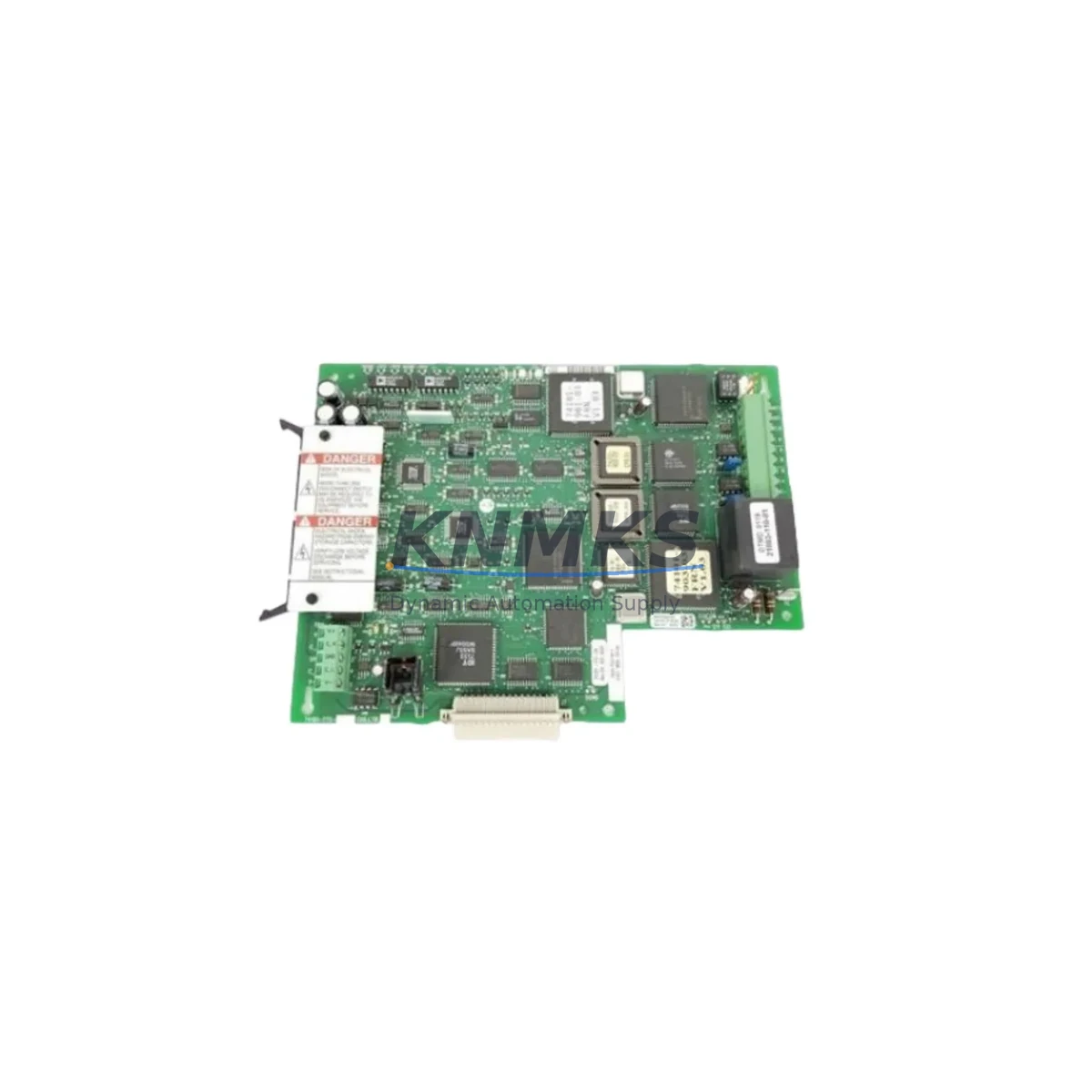
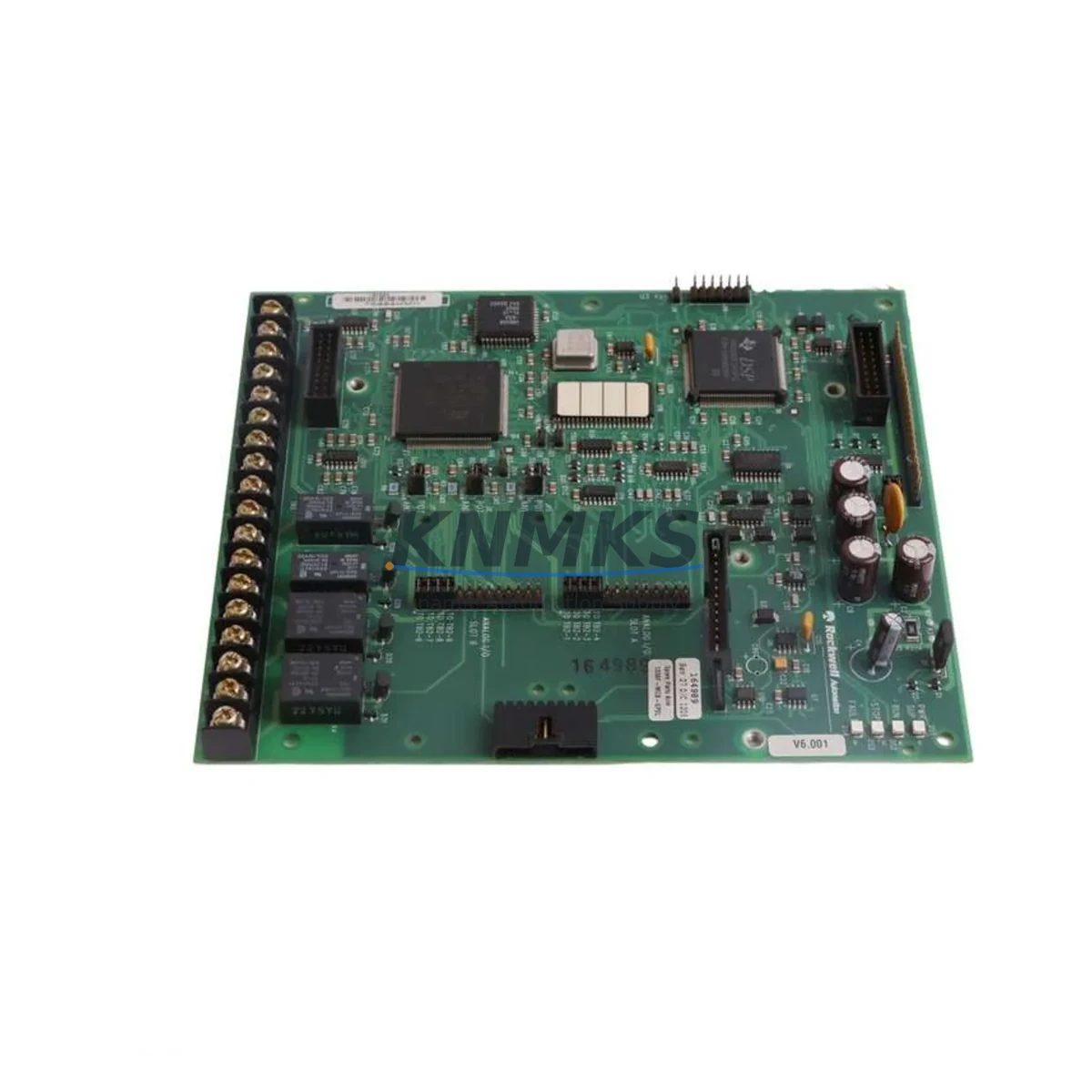
Allen-Bradley 1336T-MCB-SP518 Maintenance-Proven Spare Part for Factory Uptime
The Allen-Bradley 1336T-MCB-SP518 (P/N 74101-774-54) is the original main control board designed for the 1336 PLUS II series AC variable frequency drives. As the central processing and regulation core of the drive, this board governs speed reference processing, closed-loop PID control, fault diagnostics, and serial communication with upstream PLCs and HMI panels. For maintenance engineers managing aging 1336 PLUS II installations across multi-axis conveyor lines, pump stations, compressor banks, or HVAC systems, keeping a verified spare of the 1336T-MCB-SP518 on the shelf is a non-negotiable element of any serious uptime strategy.
Each unit supplied by KNMKS is sourced as an original Allen-Bradley component, subjected to pre-shipment functional verification, and backed by a support terms confirmed by quotation. We support long-term supply agreements for facilities requiring 12–36 months of forward inventory coverage — a critical consideration for sites where the 1336 PLUS II platform is embedded in legacy control architectures with no near-term migration budget.
Spare Maintenance Table
| Part Number | 1336T-MCB-SP518 |
| Alternate P/N | 74101-774-54 |
| Brand | Allen-Bradley (Rockwell Automation) |
| Series | 1336 PLUS II AC Drive |
| Component Type | Main Control Board (MCB) |
| Function | Speed reference, PID regulation, fault diagnostics, serial comms |
| Communication | DH-485 / RS-232 (drive-dependent firmware) |
| Compatible Drive Ratings | 1336 PLUS II series (consult drive nameplate for frame size) |
| Operating Environment | Industrial control cabinet, 0–55°C ambient, non-condensing |
| Installation | Direct board swap; observe ESD precautions; re-enter drive parameters post-swap |
| Origin | USA |
| Condition | Original spare, pre-shipment tested |
| Support terms | 12 Months |
| Long-Term Supply | 12–36 month agreements available |
Maintenance Planning for Continuous Operation
When a 1336 PLUS II drive trips on a fault code pointing to control board failure — common symptoms include persistent F002 (NVS Fault), F048 (Drive Not Enabled), or erratic speed reference behavior — the 1336T-MCB-SP518 is the primary replacement candidate. However, experienced maintenance engineers know that a board-level fault rarely occurs in isolation. A thorough site replacement workflow should extend to the surrounding electrical environment before the new board is energized.
Begin with the drive’s power supply section. Inspect the 1336-PB (Power Board) for signs of capacitor bulge, scorch marks, or failed gate driver circuits — a degraded power board can stress the control board through irregular DC bus voltage. Verify that the 24 VDC logic supply rail is within tolerance; an out-of-spec logic supply is a common root cause of premature MCB failure. Check the 1336-MOD-L2E or equivalent communication adapter module seated on the drive’s adapter port: a failing comms module can generate false fault codes that mimic MCB failure and should be ruled out before committing to a board swap.
Inspect the I/O terminal strip wiring for loose connections, corroded terminals, or miswired analog reference signals. A floating or noisy 0–10 V / 4–20 mA speed reference input can cause the control board to log nuisance faults and is frequently overlooked during fault isolation. If the drive is integrated into a DeviceNet or DH-485 network, verify network termination resistors and cable shielding continuity — communication noise can corrupt parameter tables stored on the MCB’s non-volatile memory.
For drives installed in high-ambient or poorly ventilated cabinets, inspect the drive’s internal fan assembly and heatsink for dust accumulation. Thermal stress accelerates component aging on the control board. While the cabinet is open, check any associated 1492 terminal blocks, fuse holders, and branch circuit protection devices feeding the drive input. Replacing the MCB without addressing upstream wiring or protection issues risks repeat failure within weeks.
If the drive interfaces with a PanelView HMI or a ControlLogix / SLC 500 PLC via a 1336-GM1 or 1336-BRD-SP2 option board, confirm that the PLC program’s drive fault handling logic is functioning correctly and that the HMI parameter display is reading live data post-swap. Re-entering all drive parameters from a saved parameter file (using DriveExplorer or DriveExecutive software) is mandatory after any MCB replacement to restore application-specific tuning.
Site Replacement Workflow
Step 1 — Document & Isolate: Record all drive parameters using DriveExplorer or a manual parameter sheet before de-energizing. Isolate the drive per site LOTO procedures. Verify zero voltage on the DC bus with a calibrated meter before opening the drive enclosure.
Step 2 — ESD Precautions: Ground yourself with an ESD wrist strap before handling the 1336T-MCB-SP518. Control boards are sensitive to electrostatic discharge; even a brief ungrounded contact can cause latent damage that manifests as intermittent faults post-installation.
Step 3 — Board Removal & Inspection: Remove the faulty MCB and inspect the board connector pins and drive backplane for corrosion, bent pins, or debris. Clean with appropriate electronics-grade contact cleaner if required.
Step 4 — Install Replacement Board: Seat the 1336T-MCB-SP518 firmly into the drive backplane connector. Secure all mounting hardware. Reconnect any ribbon cables or option board connectors.
Step 5 — Parameter Restore & Commissioning: Re-enter all application parameters. Perform a no-load test run at low speed before reconnecting the mechanical load. Verify speed reference tracking, fault log clearance, and communication link status with the upstream PLC or HMI.
Step 6 — Return to Service: Document the replacement in the site maintenance log. Update the spare parts inventory record. Consider ordering a second 1336T-MCB-SP518 to restore buffer stock — single-unit sparing on a critical drive is a known risk factor for extended downtime on the next failure event.
Spare Parts Support FAQ
Q1: Is the 1336T-MCB-SP518 compatible with all 1336 PLUS II drive frame sizes?
The 1336T-MCB-SP518 is the standard main control board for the 1336 PLUS II series. Compatibility across specific frame sizes and firmware revisions should be confirmed against the drive’s nameplate catalog number and the Allen-Bradley 1336 PLUS II User Manual (publication 1336 PLUS II-5.0). Contact our technical team with your drive’s full catalog number for confirmation before ordering.
Q2: What pre-shipment testing is performed on each unit?
Every 1336T-MCB-SP518 supplied by KNMKS undergoes functional verification prior to dispatch. Testing covers power-on initialization, communication port integrity, and non-volatile memory read/write validation. A test report is available upon request. All units ship with a support terms confirmed by quotation covering manufacturing defects and functional failure under normal operating conditions.
Q3: Can KNMKS support long-term or blanket purchase orders for this part?
Yes. KNMKS offers 12–36 month supply agreements for the 1336T-MCB-SP518 and related 1336 PLUS II spare components. Long-term agreements provide price stability, reserved inventory allocation, and priority dispatch — particularly valuable for multi-site operations or facilities with planned annual maintenance shutdowns. Contact admin@knmks.com to discuss terms.
Q4: What should I do if the replacement board does not resolve the drive fault?
If fault symptoms persist after installing the 1336T-MCB-SP518, the fault source is likely external to the control board. Systematically check the power board, DC bus capacitors, gate driver section, input fusing, wiring integrity, and communication adapter modules as described in the Maintenance Planning section above. KNMKS technical support is available to assist with fault isolation guidance. Units returned within the confirmed support period for confirmed non-installation-related failure will be replaced or refunded.
© 2026 KNMKS. All rights reserved.
Original Source: https://knmks.com
Contact: admin@knmks.com | +86 18359268345
Product Identification
- Brand / Ecosystem
-
Allen-Bradley
Allen-Bradley - Model / Series
- 74101-774-54 1336T-MCB-SP518
- Product Family
- Variable Frequency Drives
- Availability Status
- Available on request after model and quantity confirmation
- Inquiry Type
- B2B RFQ, replacement inquiry and project spare-part request
- Pre-Quote Check
- Exact SKU, brand, series, quantity, nameplate photos and destination country are checked before quotation
System Path
Where this product fits in the KNMKS automation structure.
Specification & Inquiry Focus
- Drive range
- AC drives, VFDs and accessories
- Common needs
- Voltage, kW/HP and load type
- Project support
- Motor control, energy saving and spares
Buyer Confirmation
Information KNMKS checks before replying.
- Exact model
- 74101-774-54 1336T-MCB-SP518
- Brand / ecosystem
- Allen-Bradley
- Product family
- Variable Frequency Drives
- Application note
- Replacement, maintenance, project build or spare-part list
- Useful photos
- Nameplate, installed unit, cabinet layout or connector side
- Delivery details
- Quantity, destination country and target schedule
Document Support
Files and notes can be confirmed during quotation.
- Product photos or nameplate confirmation when available
- Packing and delivery notes before quotation confirmation
- Support scope and delivery terms confirmed per inquiry
- Export document coordination for qualified B2B requests
Inquiry Support
- Input/output voltage and kW/HP confirmation
- Energy-saving motor control inquiry
- Accessory and spare-unit support
What to Send Us
- Brand and exact model number: Allen-Bradley 74101-774-54 1336T-MCB-SP518
- Quantity and required delivery time
- Application, replacement requirement or nameplate photo
- Destination country and shipping preference
RFQ Preparation
This is a product inquiry page built for RFQ communication.
Fast Model Check
Send this model to KNMKS for confirmation.
Include quantity, destination country and photos if this is a maintenance replacement. The inquiry will be saved with a reference number after submission.
Brand & Compatibility Note
KNMKS displays automation product information for well-known industrial brand ecosystems and compatible replacement references. Brand names are used for product identification and compatibility reference only; final availability and commercial terms are confirmed per quotation.
 Manufacturing
 Machine Tools
 Packaging
 Energy & Power
 PLCs & Controllers
 HMI & Displays
 Servo Systems
 Sensors