
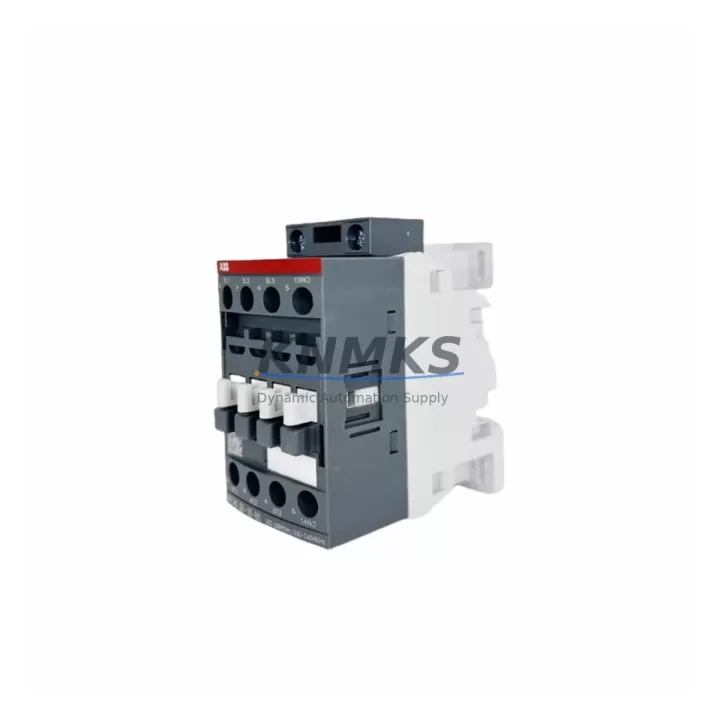
Overview
ABB XV370A-E Maintenance-Proven Spare Part for Factory Uptime
The ABB XV370A-E is a power distribution module engineered for the ABB S800 I/O series, widely deployed in process automation, continuous manufacturing, and utility control systems. As a maintenance-proven spare part, the XV370A-E plays a critical role in sustaining uninterrupted power delivery across S800 I/O stations — directly supporting factory uptime, production continuity, and safe system operation. Maintenance engineers and procurement teams managing aging S800 infrastructure rely on verified, original-specification replacements to avoid compatibility failures, extended downtime, and costly re-commissioning cycles.
KNMKS stocks the XV370A-E as a ready-to-ship spare, pre-tested before dispatch, and backed by a support terms confirmed by quotation. Each unit is sourced to original ABB specifications, ensuring drop-in compatibility with existing S800 field stations without firmware changes or hardware modifications. Multi-region inventory enables fast global dispatch for both emergency replacements and scheduled outage windows.
Spare Maintenance Table
| Parameter | Specification |
|---|---|
| Part Number / SKU | XV370A-E |
| Brand | ABB |
| Series | S800 I/O |
| Product Type | Power Distribution Module |
| Function | Distributes 24 VDC supply power across S800 I/O station modules |
| Compatibility | ABB S800 I/O field stations; compatible with TB820, TB840, CI840, and associated I/O modules |
| Nominal Supply Voltage | 24 VDC |
| Installation | DIN rail mount; direct insertion into S800 I/O station baseplate |
| Country of Origin | Germany (DE) |
| Weight | 2,180 g (packaged) |
| Application Environment | Industrial process control, DCS field stations, utility automation |
| Pre-Shipment Testing | Yes — functional verification before dispatch |
| Support terms | 12 Months |
| Dispatch | Multi-region stock; global fast dispatch available |
Maintenance Planning for Continuous Operation
When replacing the XV370A-E in an S800 field station, a thorough inspection of the surrounding power and signal infrastructure is essential to prevent repeat failures and ensure stable resumption of operations. Maintenance engineers should begin by verifying the 24 VDC supply rail feeding the station — a degraded or undersized power supply upstream of the XV370A-E is a common root cause of module failure and must be ruled out before installing the replacement unit.
The TB820 or TB840 communication interface module mounted in the same I/O station should be inspected for firmware currency and communication health, as power distribution faults can corrupt module state. Similarly, the CI840 fieldbus communication interface — if present — should be checked for active alarms and re-initialized if necessary after power restoration.
All AI810, AO810, DI810, and DO810 I/O modules sharing the power bus should be verified for correct channel status after the XV370A-E swap. Loose or corroded terminal connections on the TB805 or TB806 termination units are a frequent secondary fault that surfaces during power restoration and should be inspected as part of the same maintenance window.
Fuse integrity across the station’s 24 VDC distribution circuit should be confirmed, and any signal isolators or barriers protecting analog input channels should be tested for correct output. Where the S800 station interfaces with a System 800xA controller, the controller’s I/O health diagnostics should be reviewed post-replacement to confirm all channels have returned to normal scan status. Documenting the replacement in the site CMMS with the XV370A-E serial number and test results supports long-term maintenance traceability.
Site Replacement Workflow
Step 1 — Isolate and de-energize: Follow site LOTO procedures. Isolate the 24 VDC supply to the affected S800 I/O station. Confirm zero voltage at the station power input terminals before proceeding.
Step 2 — Document existing configuration: Record the current module slot positions, wiring labels, and any active diagnostic alarms from the System 800xA engineering station. Photograph the station layout for reference.
Step 3 — Remove the failed XV370A-E: Release the module locking mechanism and extract the unit from the baseplate. Inspect the baseplate connector for damage or contamination.
Step 4 — Install the replacement XV370A-E: Insert the pre-tested KNMKS-supplied XV370A-E into the correct slot. Confirm the module seats fully and the locking tab engages. No firmware configuration is required — the module is plug-compatible with existing S800 baseplates.
Step 5 — Re-energize and verify: Restore 24 VDC supply. Confirm the green power LED on the XV370A-E illuminates. Check System 800xA diagnostics for all I/O modules in the station. Verify all process values return to expected ranges within the DCS.
Step 6 — Close out: Update the site maintenance log, record the replacement in the CMMS, and retain the support terms confirmed by quotation documentation supplied with the unit. Return the failed module to KNMKS or your authorized repair center for root cause analysis if required.
Spare Parts Support FAQ
Q1: Is the KNMKS-supplied XV370A-E a new original or a refurbished unit?
All XV370A-E units supplied by KNMKS are sourced to original ABB specifications. Each unit undergoes functional pre-shipment testing and is dispatched with a support terms confirmed by quotation certificate. Condition and sourcing details are confirmed at the time of order.
Q2: How do I confirm compatibility with my existing S800 I/O station before ordering?
The XV370A-E is compatible with standard ABB S800 I/O field station baseplates. To confirm compatibility, provide your station baseplate part number and System 800xA version to admin@knmks.com. Our technical team will verify fit before dispatch.
Q3: What is the recommended inventory strategy for the XV370A-E in a multi-station plant?
For plants operating three or more S800 I/O stations, KNMKS recommends holding a minimum of one XV370A-E per five stations as a critical spare. For facilities with 24/7 continuous process requirements, a two-unit buffer per control room is advisable to cover simultaneous failures during peak production periods.
Q4: What does the support terms confirmed by quotation cover, and how is a support terms claim processed?
The support terms confirmed by quotation cover manufacturing defects and functional failure under normal operating conditions. To initiate a claim, contact admin@knmks.com with the order reference, unit serial number, and a brief fault description. KNMKS will arrange priority replacement dispatch to minimize site downtime.
© 2026 KNMKS. All rights reserved.
Original Source: https://knmks.com
Contact: admin@knmks.com | +86 18359268345
Product Identification
- Brand / Ecosystem
-
ABB
ABB - Model / Series
-
XV370A-E
S800 Series - Product Family
- PLCs & Controllers
- Availability Status
- Available on request after model and quantity confirmation
- Inquiry Type
- B2B RFQ, replacement inquiry and project spare-part request
- Pre-Quote Check
- Exact SKU, brand, series, quantity, nameplate photos and destination country are checked before quotation
System Path
Where this product fits in the KNMKS automation structure.
Specification & Inquiry Focus
- Control platform
- PLC, PAC and modular controllers
- Common needs
- CPU, rack, power and I/O expansion
- Project support
- Replacement, cabinet build and maintenance
Buyer Confirmation
Information KNMKS checks before replying.
- Exact model
- XV370A-E
- Brand / ecosystem
- ABB
- Product family
- PLCs & Controllers
- Application note
- Replacement, maintenance, project build or spare-part list
- Useful photos
- Nameplate, installed unit, cabinet layout or connector side
- Delivery details
- Quantity, destination country and target schedule
Document Support
Files and notes can be confirmed during quotation.
- Product photos or nameplate confirmation when available
- Packing and delivery notes before quotation confirmation
- Support scope and delivery terms confirmed per inquiry
- Export document coordination for qualified B2B requests
Inquiry Support
- Model cross-checking before quotation
- CPU, power, rack and expansion module matching
- Support for replacement and project inquiry
What to Send Us
- Brand and exact model number: ABB XV370A-E
- Quantity and required delivery time
- Application, replacement requirement or nameplate photo
- Destination country and shipping preference
RFQ Preparation
This is a product inquiry page built for RFQ communication.
Fast Model Check
Send this model to KNMKS for confirmation.
Include quantity, destination country and photos if this is a maintenance replacement. The inquiry will be saved with a reference number after submission.
Brand & Compatibility Note
KNMKS displays automation product information for well-known industrial brand ecosystems and compatible replacement references. Brand names are used for product identification and compatibility reference only; final availability and commercial terms are confirmed per quotation.
 Manufacturing
 Machine Tools
 Packaging
 Energy & Power
 HMI & Displays
 Servo Systems
 Variable Frequency Drives
 Sensors