
Overview
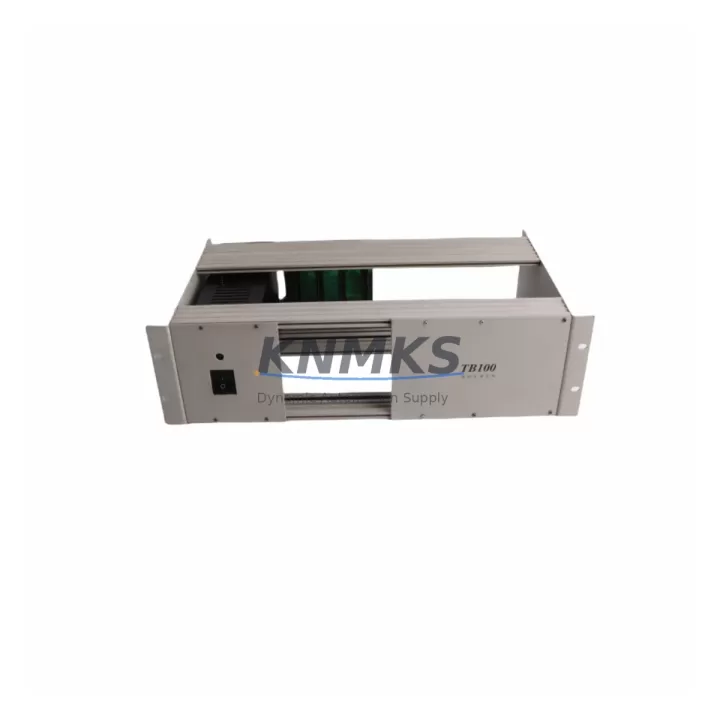
ABB TB100 Maintenance-Proven Spare Part for Factory Uptime
The ABB TB100 Terminal Board is a critical field-wiring interface component within the ABB S800 I/O system — one of the most widely deployed distributed I/O architectures in process automation, power generation, and continuous manufacturing environments. Designed to connect field instruments directly to ABB S800 I/O modules such as the AI810, AO810, DI810, and DO810, the TB100 provides a reliable, screw-terminal wiring interface that supports both single-ended and differential signal configurations. For maintenance engineers managing aging DCS infrastructure or executing planned turnarounds, maintaining a verified stock of TB100 units is a foundational element of any spare parts strategy.
In facilities running ABB System 800xA or legacy Advant OCS platforms, the TB100 is encountered across hundreds of I/O loops per plant. Its failure or physical damage — often caused by vibration, moisture ingress, or terminal fatigue from repeated field wiring cycles — can isolate entire I/O clusters and trigger unplanned shutdowns. Because the TB100 is a passive wiring board rather than an active electronics module, it is frequently overlooked in annual maintenance budgets, yet its unavailability at the moment of failure creates disproportionate downtime risk. Procurement engineers are advised to treat TB100 units as consumable-class spares and maintain a minimum buffer stock aligned to the number of S800 I/O racks deployed on site.
Each TB100 unit supplied by KNMKS is sourced from verified original ABB manufacturing channels, inspected prior to dispatch, and covered by a support terms confirmed by quotation against manufacturing defects. Global shipping is available with typical lead times of 3–7 business days for in-stock units, supporting both emergency replacement and planned maintenance procurement cycles.
Spare Maintenance Table
| Part Number | TB100 |
| Manufacturer | ABB |
| Country of Origin | Germany |
| Compatible System | ABB S800 I/O, System 800xA, Advant OCS |
| Compatible I/O Modules | AI810, AO810, DI810, DO810, AI820, AO820 and compatible S800 series modules |
| Function | Field-wiring terminal board for S800 I/O modules |
| Terminal Type | Screw terminals, field-side wiring interface |
| Signal Support | Analog and digital I/O field connections |
| Mounting | DIN rail / S800 I/O module base compatible |
| Operating Temperature | 0°C to +55°C (standard industrial range) |
| Application Environment | Process automation, power generation, oil & gas, chemical, pulp & paper |
| Maintenance Category | Passive wiring interface — consumable-class spare |
| Support terms | 12 months from date of shipment |
| Pre-Shipment Testing | Visual inspection and continuity verification performed before dispatch |
| Availability | availability confirmed by RFQ — global dispatch within 1–3 business days |
Maintenance Planning for Continuous Operation
When a TB100 terminal board requires replacement during a corrective maintenance event or scheduled turnaround, the scope of inspection should extend beyond the terminal board itself. Maintenance engineers should treat the replacement as an opportunity to audit the surrounding I/O infrastructure and reduce the risk of secondary failures.
Begin by verifying the condition of the associated S800 I/O module — for example, an AI810 analog input module or DI810 digital input module — seated on the TB100. Terminal board degradation is often accompanied by signal drift or intermittent faults in the connected module, which may not be immediately apparent until the new TB100 is installed and loop testing is performed. If the module has been in service for more than five years, consider replacing it concurrently to avoid a repeat outage within the same maintenance window.
Inspect the S800 I/O cluster power supply — typically an SD821 or SD822 power distribution unit — for output voltage stability and ripple. A degraded power supply can accelerate terminal board wear and cause erratic field signal behavior. Check the 24 VDC bus voltage under load and compare against ABB’s specified tolerance band.
Review the field cable terminations at the TB100 screw terminals. Loose or corroded connections are a primary cause of terminal board replacement in high-vibration environments. If the facility uses AI845 HART-enabled analog input modules, verify that HART communication is restored after TB100 replacement by performing a device scan from the System 800xA asset management interface.
For installations using TB810 or TB820 terminal boards in adjacent I/O slots, inspect those units simultaneously — shared environmental stressors such as humidity, vibration, or thermal cycling affect all terminal boards in the same rack equally. Replacing only the failed unit while leaving adjacent boards uninspected is a common source of repeat failures within 6–12 months.
Finally, check the CI854 or CI801 communication interface module responsible for the PROFIBUS DP or Modulebus segment serving the affected I/O cluster. A communication module fault can mask terminal board issues or cause false diagnostics. Confirm that the communication module’s LED status indicators show normal operation after the TB100 swap and that all I/O points are reporting correctly in the DCS operator station.
Site Replacement Workflow
Step 1 — Isolation and documentation: Before removing the TB100, document all field wiring terminations using photographs or a wiring schedule extracted from the engineering database. Isolate the associated I/O module from the DCS controller using the System 800xA forced-value or bypass function to prevent spurious process alarms during the swap.
Step 2 — Module removal: Disconnect the S800 I/O module from the TB100 by releasing the module locking lever. Remove the TB100 from the DIN rail or mounting base, taking care not to disturb adjacent terminal boards or field cables.
Step 3 — New TB100 installation: Mount the replacement TB100 and reconnect field wiring according to the documented termination schedule. Torque screw terminals to ABB’s specified value (typically 0.5–0.6 Nm for standard signal wiring) to ensure reliable long-term contact.
Step 4 — Module reinsertion and loop test: Reseat the I/O module onto the new TB100 and restore the DCS connection. Perform a full loop test for each field instrument connected to the replaced terminal board, verifying signal accuracy against the process transmitter’s calibration certificate.
Step 5 — System 800xA diagnostics: Confirm that no hardware fault alarms remain active in the System 800xA hardware tree for the affected I/O cluster. Clear any latched diagnostics and document the replacement in the plant’s maintenance management system (CMMS) with the new TB100 serial number and installation date.
This workflow is compatible with both hot-standby redundant I/O configurations and simplex I/O architectures. For redundant configurations, coordinate the replacement with the control system engineer to ensure the redundant I/O path remains active throughout the procedure.
Spare Parts Support FAQ
Q1: Is the TB100 compatible with all S800 I/O modules?
The TB100 is designed for use with standard S800 I/O modules including the AI810, AO810, DI810, and DO810 series. Compatibility with HART-enabled variants such as the AI845 and AO845 should be confirmed against the ABB S800 I/O hardware catalog for your specific system revision. KNMKS technical support can assist with compatibility verification prior to order placement.
Q2: What is the recommended stock quantity for a plant with multiple S800 I/O racks?
Industry practice for process plants with 10 or more S800 I/O racks is to maintain a minimum of 5–10% of the installed TB100 population as on-site buffer stock. For facilities with extended supplier lead times or remote locations, a higher buffer of 10–15% is advisable. KNMKS offers volume pricing for bulk spare parts orders to support annual maintenance budget planning.
Q3: How is the TB100 tested before shipment?
Each TB100 unit undergoes visual inspection for physical damage, terminal integrity verification, and continuity testing across all screw terminal positions before dispatch. Units that do not meet inspection criteria are quarantined and not shipped. A support terms confirmed by quotation is provided from the date of shipment, covering manufacturing defects and premature failure under normal operating conditions.
Q4: Can KNMKS support long-term supply for TB100 units beyond a single order?
Yes. KNMKS maintains ongoing stock of ABB S800 I/O spare parts including the TB100 and related terminal board variants. Long-term supply agreements and scheduled delivery programs are available for facilities requiring regular replenishment as part of a multi-year maintenance contract. Contact our sales team to discuss framework agreements and priority allocation for critical spare parts.
© 2026 KNMKS. All rights reserved.
Original Source: https://knmks.com
Contact: admin@knmks.com | +86 18359268345
Product Identification
- Brand / Ecosystem
-
ABB
ABB - Model / Series
-
TB100
S800 Series - Product Family
- PLCs & Controllers
- Availability Status
- Available on request after model and quantity confirmation
- Inquiry Type
- B2B RFQ, replacement inquiry and project spare-part request
- Pre-Quote Check
- Exact SKU, brand, series, quantity, nameplate photos and destination country are checked before quotation
System Path
Where this product fits in the KNMKS automation structure.
Specification & Inquiry Focus
- Control platform
- PLC, PAC and modular controllers
- Common needs
- CPU, rack, power and I/O expansion
- Project support
- Replacement, cabinet build and maintenance
Buyer Confirmation
Information KNMKS checks before replying.
- Exact model
- TB100
- Brand / ecosystem
- ABB
- Product family
- PLCs & Controllers
- Application note
- Replacement, maintenance, project build or spare-part list
- Useful photos
- Nameplate, installed unit, cabinet layout or connector side
- Delivery details
- Quantity, destination country and target schedule
Document Support
Files and notes can be confirmed during quotation.
- Product photos or nameplate confirmation when available
- Packing and delivery notes before quotation confirmation
- Support scope and delivery terms confirmed per inquiry
- Export document coordination for qualified B2B requests
Inquiry Support
- Model cross-checking before quotation
- CPU, power, rack and expansion module matching
- Support for replacement and project inquiry
What to Send Us
- Brand and exact model number: ABB TB100
- Quantity and required delivery time
- Application, replacement requirement or nameplate photo
- Destination country and shipping preference
RFQ Preparation
This is a product inquiry page built for RFQ communication.
Fast Model Check
Send this model to KNMKS for confirmation.
Include quantity, destination country and photos if this is a maintenance replacement. The inquiry will be saved with a reference number after submission.
Brand & Compatibility Note
KNMKS displays automation product information for well-known industrial brand ecosystems and compatible replacement references. Brand names are used for product identification and compatibility reference only; final availability and commercial terms are confirmed per quotation.
 Manufacturing
 Machine Tools
 Packaging
 Energy & Power
 HMI & Displays
 Servo Systems
 Variable Frequency Drives
 Sensors