
Overview
ABB PM3328B-6-1-3-E Migration-Ready Power Supply for Legacy Control Systems
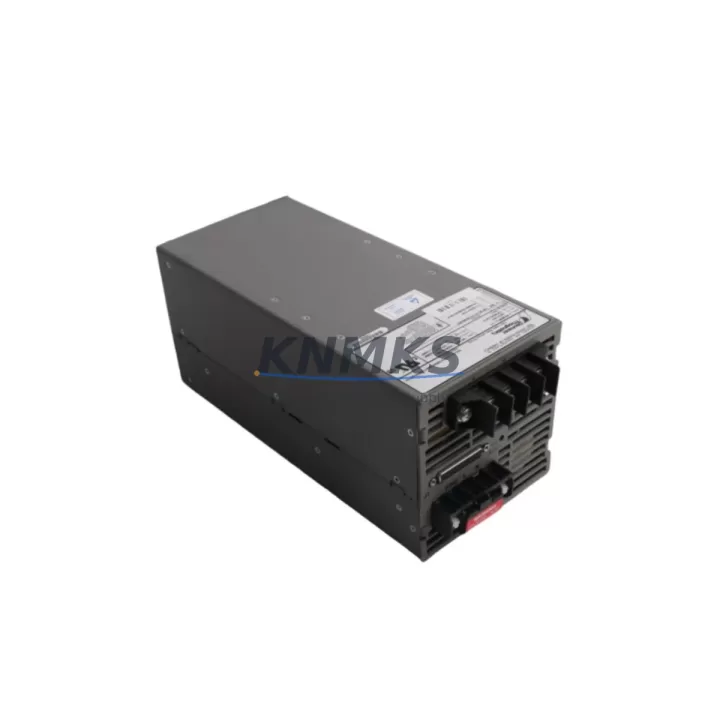
The ABB PM3328B-6-1-3-E is a high-reliability power supply module engineered for the AC500 PLC platform, purpose-built to serve as a direct replacement for discontinued or end-of-life power modules in aging industrial control cabinets. As automation infrastructure across manufacturing, utilities, and process industries continues to age, the PM3328B-6-1-3-E has become a critical component in retrofit projects where maintaining system continuity is paramount. Whether you are replacing a failed unit in an active production line or executing a planned modernization of a legacy control architecture, this module delivers the electrical performance, form factor compatibility, and firmware alignment required to minimize risk and reduce commissioning time.
Engineers undertaking a retrofit with the PM3328B-6-1-3-E must first verify the existing cabinet’s power budget. The module’s rated output capacity must be cross-referenced against the aggregate load of all installed I/O modules, communication processors, and CPU cards on the same backplane. In multi-rack configurations using the AC500 TB5600 backplane or TB5610 expansion rack, the power distribution across segments must be recalculated to confirm that the PM3328B-6-1-3-E can sustain full-load operation without triggering protective shutdowns. Terminal wiring should be inspected against the original schematics — particularly the 24 VDC input terminals and the functional earth connection — as legacy installations may have used non-standard wire gauges or ferrule types that require re-termination to meet current IEC standards.
Backplane interface compatibility is a key validation step. The PM3328B-6-1-3-E is designed to seat directly into the AC500 system bus connector, but engineers should confirm that the backplane revision in the existing installation supports the module’s bus protocol version. In older AC500 deployments where the CPU module is a PM571 or PM581 series, the system firmware version must be checked to ensure the power module is correctly enumerated during startup. If the existing project was developed in Automation Builder 1.x, a migration to Automation Builder 2.x may be required before the new module can be fully validated in simulation. This firmware and software alignment step is frequently overlooked and can extend commissioning time if not addressed during the planning phase.
For installations that also involve upgrading communication infrastructure, the PM3328B-6-1-3-E retrofit is often performed in conjunction with replacing legacy communication modules such as the CM572-DP PROFIBUS master or the CM589-PNIO PROFINET interface module. When the communication topology is being migrated from PROFIBUS DP to PROFINET IO, the power supply replacement provides a natural checkpoint to audit the entire rack assembly, including the CI501-PNIO coupler and any connected S500 I/O modules. The power budget recalculation at this stage must account for the higher current draw of PROFINET-capable modules compared to their PROFIBUS predecessors.
HMI integration should also be reviewed during the retrofit. If the control system includes a CP600 series panel or a third-party SCADA interface communicating via Modbus TCP or OPC UA, the power supply replacement window is the appropriate time to verify that HMI screen tags, alarm thresholds, and communication driver settings remain consistent with the updated hardware configuration. Any changes to module slot assignments on the backplane — which can occur when the PM3328B-6-1-3-E occupies a different physical slot than its predecessor — must be reflected in both the PLC program’s I/O mapping and the HMI’s device address table.
Installation space confirmation is essential before ordering. The PM3328B-6-1-3-E occupies a defined width on the DIN rail within the AC500 rack assembly. In compact control cabinets where space is constrained, the physical clearance for module insertion, cable routing, and ventilation must be measured against the module’s dimensional specifications. Thermal management is particularly important in high-ambient-temperature environments; the module’s derating curve should be consulted if the cabinet interior regularly exceeds 40°C during peak production cycles.
All units supplied by KNMKS undergo pre-shipment functional testing, including output voltage verification under load, inrush current measurement, and protective circuit validation. Each PM3328B-6-1-3-E is covered by a support terms confirmed by quotation from the date of shipment, with technical support available for wiring, commissioning, and compatibility queries. Global shipping is available from in-stock inventory, with expedited dispatch options for urgent line-down situations.
Migration Compatibility Table
| Parameter | Details |
|---|---|
| Compatible Platform | ABB AC500 PLC Series |
| Compatible Backplane | TB5600, TB5610 Expansion Rack |
| Bus Interface | AC500 System Bus (direct slot insertion) |
| Input Voltage | 24 VDC (verify existing terminal wiring before installation) |
| Communication Compatibility | PROFIBUS DP, PROFINET IO, Modbus TCP (via CPU/CM modules) |
| Firmware Alignment | Verify CPU firmware version; Automation Builder 2.x recommended |
| Replacement Candidates | Discontinued ABB AC500 power supply modules of equivalent rating |
| Installation Format | DIN Rail, within AC500 rack assembly |
| Commissioning Requirement | I/O mapping verification, HMI tag review, power budget recalculation |
| Support terms | 12 Months from date of shipment |
| Pre-Shipment Testing | Output voltage, inrush current, protective circuit validation |
| Origin | Germany |
Retrofit Planning for Existing Automation Systems
A successful retrofit centered on the PM3328B-6-1-3-E typically involves a coordinated review of the entire control rack. In practice, engineers frequently discover that the power supply failure or planned replacement coincides with the need to address other aging components. The CPU module — often a PM571, PM581, or PM591 in legacy AC500 installations — should be assessed for firmware currency and program memory capacity, particularly if the retrofit also involves expanding the I/O count. S500 digital input modules such as the DI524 or digital output modules such as the DO524 are commonly refreshed in the same maintenance window, as their terminal blocks and wiring can be reused with the new power supply configuration without requiring full rewiring of the field devices.
Communication infrastructure upgrades are a frequent companion to power supply retrofits. The CM572-DP PROFIBUS master module and the CM589-PNIO PROFINET interface module are both candidates for replacement or addition during the same outage window. If the site is migrating from a serial communication architecture to Ethernet-based PROFINET, the CI501-PNIO coupler for remote I/O expansion should be included in the bill of materials. Signal isolation requirements between the PLC rack and field instrumentation may also necessitate the inclusion of signal isolators or barriers, particularly in installations where intrinsically safe circuits are present. Programming cables and USB-to-serial adapters compatible with Automation Builder should be on-site during commissioning to allow direct CPU connection for program upload, verification, and online monitoring.
Downtime Control During System Migration
Minimizing production downtime during a power supply retrofit requires a structured pre-outage preparation process. Before the planned maintenance window, the existing PLC program should be uploaded and archived from the CPU using Automation Builder, with a verified backup stored on an offline medium. All current I/O force tables, retentive data values, and communication configuration parameters should be documented. If the installation uses a redundant power supply configuration, the switchover behavior should be tested under controlled conditions before the primary module is removed.
During the physical replacement, the sequence of module removal and insertion should follow the AC500 hardware installation guide to avoid backplane connector damage. After the PM3328B-6-1-3-E is seated and the input power is restored, the CPU startup sequence should be monitored via Automation Builder’s online diagnostic view. Any I/O module faults or communication errors that appear in the diagnostic log should be resolved before returning the system to automatic mode. Field device signal checks — confirming that analog inputs, digital outputs, and communication links are operating within expected parameters — should be completed before the production process is restarted. A structured commissioning checklist, prepared in advance, is the most effective tool for compressing the total outage duration and ensuring that no verification step is omitted under time pressure.
Retrofit Support FAQ
Q: Is the PM3328B-6-1-3-E a direct drop-in replacement for my existing AC500 power module?
A: In most AC500 rack configurations, yes. The module is designed for direct slot insertion into the AC500 system bus. However, you should verify the backplane revision, input voltage rating, and output current capacity against your existing installation before ordering. Our technical team can assist with compatibility confirmation based on your system’s hardware revision and CPU model.
Q: What wiring changes are required during installation?
A: The 24 VDC input terminals and functional earth connection should be re-terminated using appropriately rated ferrules and wire gauges per IEC 60947 standards. If the existing wiring meets current specifications, it can typically be reused. Terminal assignment diagrams are available upon request.
Q: How do I confirm firmware and software compatibility before commissioning?
A: Check the firmware version of your AC500 CPU module using Automation Builder’s device information view. Cross-reference this against the PM3328B-6-1-3-E’s compatibility matrix. If your project was developed in Automation Builder 1.x, a project migration to Automation Builder 2.x may be required. Contact our support team for guidance specific to your CPU model and firmware revision.
Q: What does the support terms confirmed by quotation cover, and what pre-shipment testing is performed?
A: Every PM3328B-6-1-3-E unit undergoes pre-shipment functional testing including output voltage verification under load, inrush current measurement, and protective circuit validation. The support terms confirmed by quotation cover manufacturing defects and functional failures under normal operating conditions from the date of shipment. In-stock units are available for immediate dispatch, with expedited shipping options for urgent requirements.
© 2026 KNMKS. All rights reserved.
Original Source: https://knmks.com
Contact: admin@knmks.com | +86 18359268345
Product Identification
- Brand / Ecosystem
-
ABB
ABB - Model / Series
-
PM3328B-6-1-3-E
AC500 Series - Product Family
- Power Supplies
- Availability Status
- Available on request after model and quantity confirmation
- Inquiry Type
- B2B RFQ, replacement inquiry and project spare-part request
- Pre-Quote Check
- Exact SKU, brand, series, quantity, nameplate photos and destination country are checked before quotation
System Path
Where this product fits in the KNMKS automation structure.
Specification & Inquiry Focus
- Power range
- DIN rail and switching power supplies
- Common needs
- Voltage, current and mounting style
- Project support
- Control cabinet and panel-builder inquiries
Buyer Confirmation
Information KNMKS checks before replying.
- Exact model
- PM3328B-6-1-3-E
- Brand / ecosystem
- ABB
- Product family
- Power Supplies
- Application note
- Replacement, maintenance, project build or spare-part list
- Useful photos
- Nameplate, installed unit, cabinet layout or connector side
- Delivery details
- Quantity, destination country and target schedule
Document Support
Files and notes can be confirmed during quotation.
- Product photos or nameplate confirmation when available
- Packing and delivery notes before quotation confirmation
- Support scope and delivery terms confirmed per inquiry
- Export document coordination for qualified B2B requests
Inquiry Support
- 24VDC and cabinet power selection support
- Stable power support for PLC and HMI systems
- Batch inquiry support for panel builders
What to Send Us
- Brand and exact model number: ABB PM3328B-6-1-3-E
- Quantity and required delivery time
- Application, replacement requirement or nameplate photo
- Destination country and shipping preference
RFQ Preparation
This is a product inquiry page built for RFQ communication.
Fast Model Check
Send this model to KNMKS for confirmation.
Include quantity, destination country and photos if this is a maintenance replacement. The inquiry will be saved with a reference number after submission.
Brand & Compatibility Note
KNMKS displays automation product information for well-known industrial brand ecosystems and compatible replacement references. Brand names are used for product identification and compatibility reference only; final availability and commercial terms are confirmed per quotation.
 Manufacturing
 Machine Tools
 Packaging
 Energy & Power
 PLCs & Controllers
 HMI & Displays
 Servo Systems
 Variable Frequency Drives