
Overview
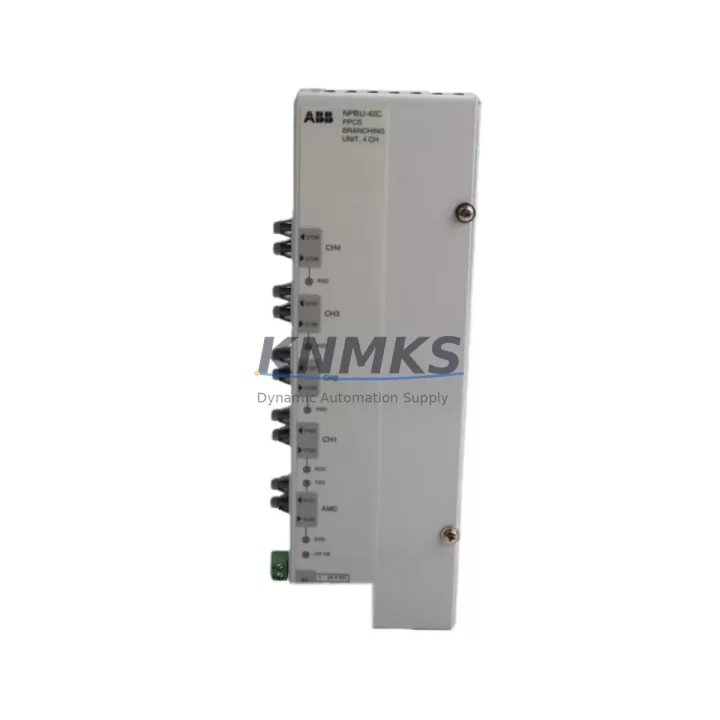
ABB NPBU-42C 64011821D Maintenance-Proven Spare Part for Factory Uptime
The ABB NPBU-42C (Order No. 64011821D) is an original PROFIBUS DP Active Star Coupler designed for use within ABB AC500 PLC systems and Freelance DCS architectures. As a field-proven branching unit, it enables reliable multi-drop PROFIBUS DP segment distribution across control cabinets in energy, petrochemical, manufacturing, and infrastructure automation environments. Sourced directly from authorized supply channels, each unit is pre-tested prior to shipment and backed by a support terms confirmed by quotation, making it a dependable choice for both emergency replacement and planned maintenance stock.
For maintenance engineers managing aging PROFIBUS networks, the NPBU-42C provides active signal regeneration across up to four DP segments, eliminating the stub-length limitations of passive T-connectors and reducing the risk of bus reflections that cause intermittent communication faults. For procurement engineers, stocking this unit as a critical spare reduces mean time to repair (MTTR) and protects production continuity against obsolescence risk in legacy AC500 installations.
Spare Maintenance Table
| Parameter | Specification |
|---|---|
| Part Number | NPBU-42C |
| Order Number | 64011821D |
| Brand | ABB |
| Series | AC500 / Freelance DCS |
| Function | PROFIBUS DP Active Star Coupler / Branching Unit |
| PROFIBUS Ports | 4 × DP Segment Ports + 1 × Trunk Port |
| Communication Protocol | PROFIBUS DP (EN 50170) |
| Baud Rate Support | 9.6 kbps – 12 Mbps (auto-detection) |
| Supply Voltage | 24 V DC (via AC500 backplane or external) |
| Operating Temperature | 0 °C to +60 °C |
| Mounting | DIN Rail / AC500 System Rail |
| Origin | Germany |
| Weight | Approx. 700 g |
| Compatibility | ABB AC500 PM5xx / PM5xx-ETH, Freelance DCS ACF452, ACF462 |
| Application Environment | Industrial control cabinets, PLC panels, DCS marshalling rooms |
| Maintenance Recommendation | Inspect annually; replace on bus fault isolation or segment dropout |
| Support terms | 12 Months |
| Pre-Shipment Test | Yes – functional and communication verified |
Maintenance Planning for Continuous Operation
When replacing the NPBU-42C in an AC500 control cabinet, a thorough inspection of the surrounding electrical environment is essential to prevent repeat failures and ensure full system restoration. Begin by verifying the 24 V DC supply rail feeding the coupler — a degraded ABB CP-E 24/2.5 or equivalent power supply module can cause intermittent resets that mimic coupler faults. Check the PROFIBUS trunk cable termination resistors at both ends of the segment; missing or double-terminated segments are a common root cause of bus instability that survives a coupler swap.
Inspect the AC500 CPU module (e.g., PM564-T or PM591) for active PROFIBUS DP master diagnostics — any slave timeout alarms logged prior to the failure should be cross-referenced against the coupler’s port LEDs to isolate whether the fault originated upstream or downstream. Review the I/O modules connected on each DP segment, particularly ABB CI501-PNIO or CI502-PNIO communication interface modules, as a failing I/O coupler can drag down an entire PROFIBUS segment and be misdiagnosed as a star coupler fault.
For cabinets with mixed PROFIBUS and Modbus RTU wiring, verify that signal isolation is maintained between bus segments — ABB ACSM1 drive communication cards or third-party signal isolators installed in the same marshalling panel should be checked for ground loop conditions. Inspect terminal blocks and cable shields for corrosion or loose connections, particularly in high-vibration or high-humidity environments. Fuse protection on the 24 V DC branch feeding the NPBU-42C should also be verified; a slow-blow fuse rated at 2 A is typically appropriate for this load.
If the installation includes an ABB CP600 or CP620 HMI panel communicating over PROFIBUS DP, confirm that the HMI’s DP slave address does not conflict with any re-addressed devices following the replacement. Finally, review the AC500 system’s backplane bus integrity — if the NPBU-42C is mounted adjacent to digital or analog I/O modules such as the DC532 or AX522, ensure backplane connectors are fully seated and free of oxidation before restoring power.
Site Replacement Workflow
Step 1 – Pre-Replacement Verification: Download and save the current AC500 project from Automation Builder or PS501 Control Builder. Record all PROFIBUS DP slave addresses and GSD file assignments active on the affected segment. Photograph the existing wiring and coupler port assignments before disconnection.
Step 2 – Safe Isolation: Place the AC500 CPU in STOP mode via the keyswitch or Automation Builder online interface. De-energize the 24 V DC supply to the NPBU-42C using the dedicated circuit breaker. Do not remove the trunk cable until the bus is confirmed inactive — abrupt trunk disconnection under live conditions can cause bus collisions on remaining segments.
Step 3 – Physical Replacement: Remove the faulty NPBU-42C from the DIN rail. Install the replacement unit, ensuring the trunk port and all segment port connections are re-terminated in the same configuration. Verify cable shield grounding continuity at the cabinet earth bar.
Step 4 – Commissioning Check: Re-energize the 24 V DC supply. Observe the NPBU-42C status LEDs — all segment ports should indicate active bus within 5 seconds of power-up if slaves are present and correctly addressed. Place the AC500 CPU back into RUN mode and confirm all PROFIBUS DP slaves return to cyclic data exchange without diagnostic alarms.
Step 5 – Documentation: Update the maintenance log with the replacement date, unit serial number, and post-replacement bus diagnostics. Schedule the next inspection interval per the site’s preventive maintenance plan — typically 12 months or following any unplanned bus fault event.
This workflow is compatible with both direct replacement of the NPBU-42C and migration from older passive PROFIBUS junction boxes, reducing downtime from hours to under 30 minutes for experienced field engineers.
Spare Parts Support FAQ
Q1: Is the NPBU-42C 64011821D compatible with all AC500 CPU generations?
The NPBU-42C is compatible with AC500 V2 and V3 CPU modules including the PM554, PM564, PM573, PM583, PM591, and PM592 series operating as PROFIBUS DP masters. It is also compatible with Freelance DCS ACF452 and ACF462 controllers configured as DP masters. For AC500 V1 legacy systems, compatibility should be verified against the installed firmware version using the ABB GSD file library.
Q2: How is the unit tested before shipment?
Each NPBU-42C unit undergoes functional verification including power-on self-test, port LED status confirmation, and PROFIBUS DP communication handshake testing at 1.5 Mbps and 12 Mbps baud rates before dispatch. A test report is available upon request. Units are shipped in anti-static packaging with physical protection to prevent transit damage.
Q3: What does the support terms confirmed by quotation cover?
The support terms confirmed by quotation cover manufacturing defects, component failure under normal operating conditions, and communication interface faults. It does not cover damage resulting from incorrect installation, overvoltage events, or physical impact. Support requests are processed within 5 business days of fault confirmation, with replacement or repair options available depending on stock availability.
Q4: Can long-term supply be arranged for multi-site maintenance programs?
Yes. For customers managing multiple AC500 installations across sites — such as power generation fleets, water treatment networks, or petrochemical complexes — blanket purchase orders and consignment stock arrangements are available. Contact our team to discuss annual volume commitments, lead time guarantees, and dedicated inventory reservation for critical spare parts programs.
© 2026 KNMKS. All rights reserved.
Original Source: https://knmks.com
Contact: admin@knmks.com | +86 18359268345
Product Identification
- Brand / Ecosystem
-
ABB
ABB - Model / Series
-
NPBU-42C-64011821D
AC500 Series - Product Family
- Communication Modules
- Availability Status
- Available on request after model and quantity confirmation
- Inquiry Type
- B2B RFQ, replacement inquiry and project spare-part request
- Pre-Quote Check
- Exact SKU, brand, series, quantity, nameplate photos and destination country are checked before quotation
System Path
Where this product fits in the KNMKS automation structure.
Specification & Inquiry Focus
- Network range
- Ethernet, fieldbus and gateway modules
- Common needs
- Protocol, port and controller family
- Project support
- Machine networking and data integration
Buyer Confirmation
Information KNMKS checks before replying.
- Exact model
- NPBU-42C-64011821D
- Brand / ecosystem
- ABB
- Product family
- Communication Modules
- Application note
- Replacement, maintenance, project build or spare-part list
- Useful photos
- Nameplate, installed unit, cabinet layout or connector side
- Delivery details
- Quantity, destination country and target schedule
Document Support
Files and notes can be confirmed during quotation.
- Product photos or nameplate confirmation when available
- Packing and delivery notes before quotation confirmation
- Support scope and delivery terms confirmed per inquiry
- Export document coordination for qualified B2B requests
Inquiry Support
- Industrial Ethernet and fieldbus module inquiry
- Protocol compatibility review
- Integration project inquiry support
What to Send Us
- Brand and exact model number: ABB NPBU-42C-64011821D
- Quantity and required delivery time
- Application, replacement requirement or nameplate photo
- Destination country and shipping preference
RFQ Preparation
This is a product inquiry page built for RFQ communication.
Fast Model Check
Send this model to KNMKS for confirmation.
Include quantity, destination country and photos if this is a maintenance replacement. The inquiry will be saved with a reference number after submission.
Brand & Compatibility Note
KNMKS displays automation product information for well-known industrial brand ecosystems and compatible replacement references. Brand names are used for product identification and compatibility reference only; final availability and commercial terms are confirmed per quotation.
 Manufacturing
 Machine Tools
 Packaging
 Energy & Power
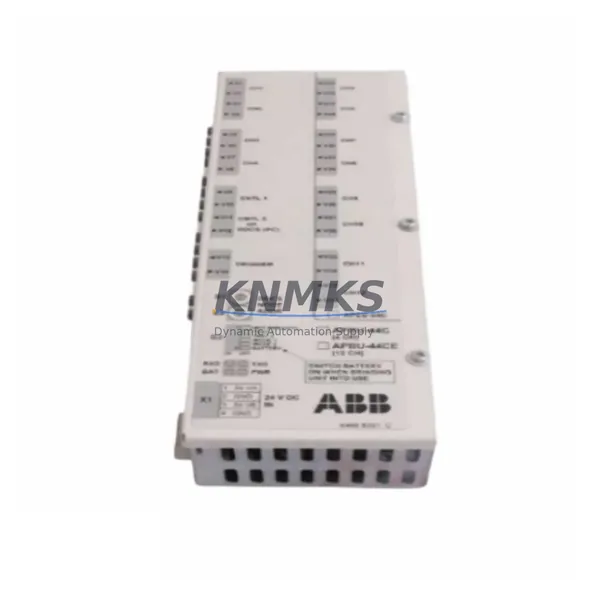

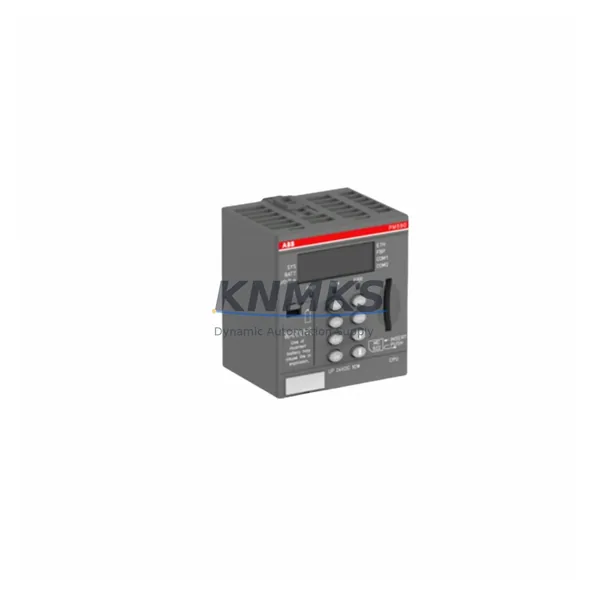
 PLCs & Controllers
 HMI & Displays
 Servo Systems
 Variable Frequency Drives