
Overview
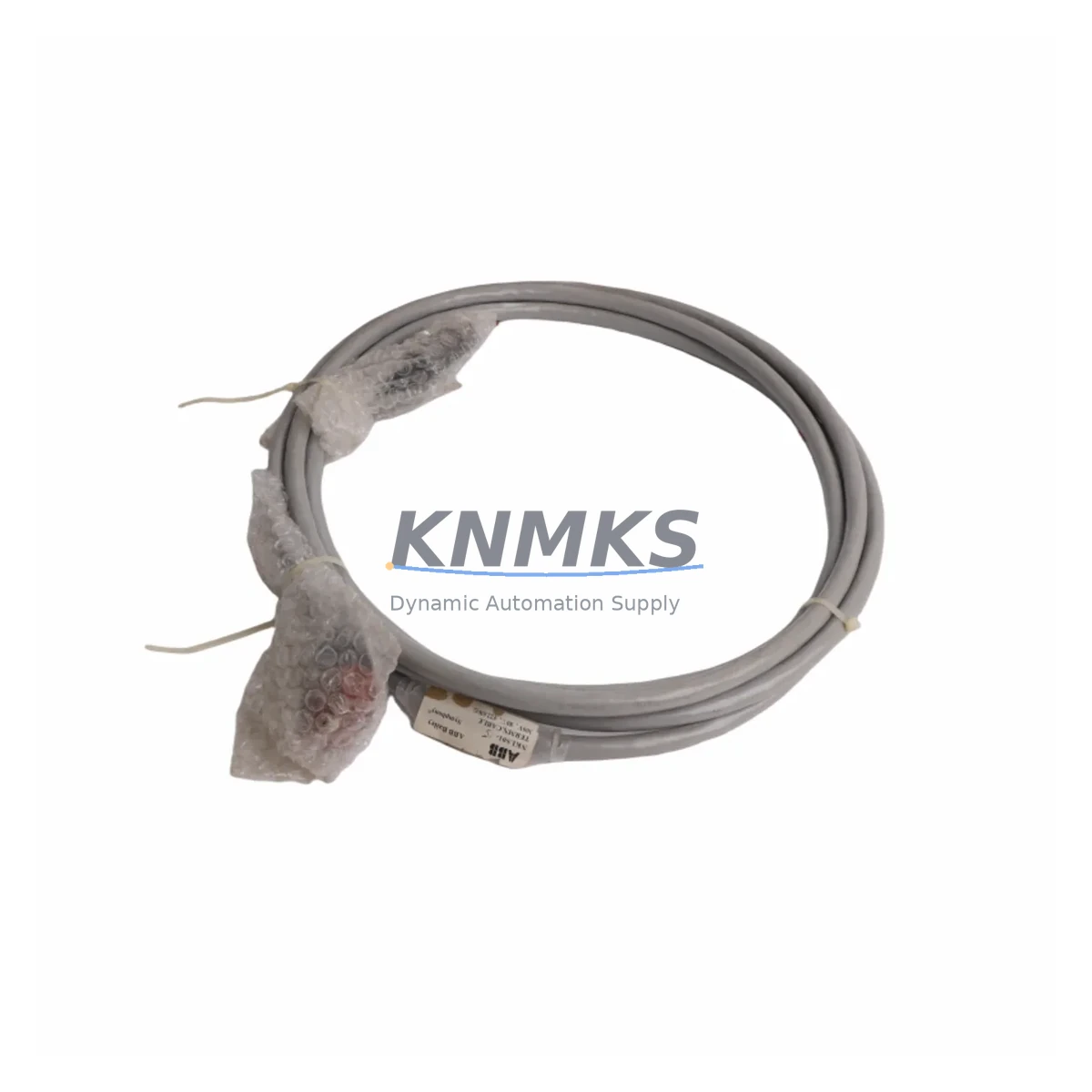
ABB NKLS01-15 Maintenance-Proven Spare Part for Factory Uptime
The ABB NKLS01-15 is an original interface cable engineered for the INSUM (Intelligent Motor Control) system — ABB’s integrated MCC communication platform widely deployed in energy, petrochemical, water treatment, and heavy manufacturing facilities. As a direct-replacement spare part, the NKLS01-15 enables maintenance engineers to restore MCC communication links rapidly, minimizing unplanned downtime and protecting production continuity. Every unit shipped by KNMKS is sourced from verified supply channels, pre-shipment tested, and backed by a support terms confirmed by quotation.
For maintenance planners and procurement engineers managing aging INSUM-based motor control centers, the NKLS01-15 represents a critical link between the INSUM unit and the supervisory control layer. Its failure — or the absence of a stocked replacement — can cascade into full MCC bay outages, loss of motor status feedback, and forced manual override operations. Holding at least one spare in the control room cabinet is standard practice in facilities with continuous-process requirements.
Spare Maintenance Table
| Parameter | Specification |
|---|---|
| Part Number / SKU | NKLS01-15 |
| Brand | ABB |
| Series | INSUM (Intelligent Motor Control) |
| Product Type | Interface Cable |
| Origin | Germany (DE) |
| Cable Length | 1.5 m (approx.) |
| Connector Type | INSUM-compatible proprietary connector |
| Application | MCC communication link, motor control center integration |
| Compatible Systems | ABB INSUM MCC, INSUM IT software, Profibus/DeviceNet gateway configurations |
| Installation Environment | Industrial control cabinet, MCC panel, switchgear room |
| Operating Temperature | 0°C to +55°C (standard industrial cabinet range) |
| Maintenance Recommendation | Inspect connector pins and cable sheath annually; replace at first sign of insulation wear or intermittent communication faults |
| Support terms | 12 Months — covers manufacturing defects and verified compatibility failures |
| Pre-Shipment Test | Continuity, connector integrity, and visual inspection performed before dispatch |
| Shipping | Global express available; ESD-safe packaging |
Maintenance Planning for Continuous Operation
When a communication fault is traced to the NKLS01-15 interface cable, experienced maintenance engineers know that the cable itself is rarely the only component under stress. A systematic inspection of the surrounding electrical circuit is essential before returning the MCC bay to service.
Begin with the ABB INSUM unit itself — verify that the INSUM module’s firmware is current and that its diagnostic LEDs indicate normal communication status after cable replacement. Next, inspect the INSUM IT gateway or Profibus/DeviceNet communication module connected upstream; a degraded cable often masks underlying gateway faults that only surface once the cable is renewed. Check the 24 VDC auxiliary power supply feeding the INSUM network — voltage sags or ripple on this rail are a common root cause of intermittent cable-level communication errors.
At the motor starter level, verify the condition of the ABB A-series or AF-series contactor and its associated overload relay (e.g., ABB T-series or EF-series) connected through the INSUM interface. Worn contactor tips or a drifting overload setpoint can generate spurious trip signals that are misdiagnosed as cable faults. Inspect the terminal blocks and DIN rail wiring in the MCC compartment — loose ferrules or corroded terminals on the signal wiring side are a frequent source of intermittent INSUM communication loss.
For facilities running mixed MCC architectures, also verify the ABB SACE circuit breaker or motor protection relay in the same feeder circuit. If the installation includes a signal isolator or surge protection module on the communication bus, inspect it for signs of overvoltage damage — particularly in sites with frequent lightning events or poor earthing. Finally, confirm that the MCC backplane or bus bar connections are torqued to specification; loose bus connections generate electrical noise that degrades INSUM communication integrity even with a new cable installed.
Procurement engineers should consider stocking the NKLS01-15 alongside compatible INSUM spare modules and gateway components as a coordinated spare parts kit, reducing the risk of a second-trip maintenance event caused by an adjacent component failure discovered only after the initial cable replacement.
Site Replacement Workflow
Step 1 — Isolation & Lockout: Follow site LOTO procedures. Isolate the MCC compartment and confirm zero-energy state before opening the cabinet door.
Step 2 — Document Existing Configuration: Photograph the existing cable routing, connector orientation, and any cable tie positions. Note the INSUM unit address and communication parameters displayed in INSUM IT software before disconnection.
Step 3 — Remove the Faulty Cable: Disconnect the NKLS01-15 from both the INSUM module port and the gateway/controller port. Inspect both connector receptacles for bent pins, corrosion, or debris. Clean with contact cleaner if required.
Step 4 — Install the Replacement NKLS01-15: Route the new cable following the original path to avoid proximity to high-voltage conductors or heat sources. Seat connectors fully until the locking tab clicks. Do not force or over-bend the cable near the connector boot.
Step 5 — Power-Up & Communication Verification: Restore auxiliary power to the INSUM network. Confirm communication status in INSUM IT — all motor starters in the bay should report online within 30 seconds. Verify motor status, trip history, and parameter readback for each connected starter.
Step 6 — Functional Test: Issue a test start/stop command from the SCADA or DCS layer and confirm correct response at the motor. Log the replacement in the site maintenance management system (CMMS) with the new cable’s serial number and installation date.
Step 7 — Update Spare Parts Inventory: Reorder a replacement NKLS01-15 immediately to restore buffer stock. For facilities with multiple INSUM MCC bays, a minimum of two units on-hand is recommended.
Spare Parts Support FAQ
Q1: Is the NKLS01-15 compatible with all ABB INSUM generations?
The NKLS01-15 is designed for ABB INSUM MCC systems and is compatible with standard INSUM module connector configurations. For installations using early-generation INSUM hardware or customized gateway adapters, please provide your INSUM unit model number to our technical team at admin@knmks.com for compatibility confirmation before ordering.
Q2: What pre-shipment testing is performed on each unit?
Every NKLS01-15 dispatched by KNMKS undergoes continuity testing across all conductors, connector pin integrity inspection, and visual examination of cable sheath and strain relief. Units that do not pass all checks are quarantined and not shipped. A test record is available upon request.
Q3: Can KNMKS support long-term or blanket purchase orders for this part?
Yes. KNMKS supports long-term supply agreements and scheduled delivery programs for the NKLS01-15 and related INSUM spare components. Contact admin@knmks.com or +86 18359268345 to discuss annual volume commitments, lead time guarantees, and consignment stock arrangements.
Q4: What does the support terms confirmed by quotation cover?
The support terms confirmed by quotation cover manufacturing defects, connector failure under normal operating conditions, and verified compatibility issues with standard ABB INSUM installations. It does not cover damage resulting from incorrect installation, overvoltage events beyond rated limits, or physical mishandling. Support requests are processed with a replacement unit dispatched within 5 business days of fault confirmation.
© 2026 KNMKS. All rights reserved.
Original Source: https://knmks.com
Contact: admin@knmks.com | +86 18359268345
Product Identification
- Brand / Ecosystem
-
ABB
ABB - Model / Series
- NKLS01-15
- Product Family
- Relays & Interface
- Availability Status
- Available on request after model and quantity confirmation
- Inquiry Type
- B2B RFQ, replacement inquiry and project spare-part request
- Pre-Quote Check
- Exact SKU, brand, series, quantity, nameplate photos and destination country are checked before quotation
System Path
Where this product fits in the KNMKS automation structure.
Specification & Inquiry Focus
- Interface range
- Relays, isolation and signal modules
- Common needs
- Coil voltage and contact rating
- Project support
- Panel wiring and signal protection
Buyer Confirmation
Information KNMKS checks before replying.
- Exact model
- NKLS01-15
- Brand / ecosystem
- ABB
- Product family
- Relays & Interface
- Application note
- Replacement, maintenance, project build or spare-part list
- Useful photos
- Nameplate, installed unit, cabinet layout or connector side
- Delivery details
- Quantity, destination country and target schedule
Document Support
Files and notes can be confirmed during quotation.
- Product photos or nameplate confirmation when available
- Packing and delivery notes before quotation confirmation
- Support scope and delivery terms confirmed per inquiry
- Export document coordination for qualified B2B requests
Inquiry Support
- Relay base and module matching
- Signal isolation and protection options
- Panel accessory inquiry support
What to Send Us
- Brand and exact model number: ABB NKLS01-15
- Quantity and required delivery time
- Application, replacement requirement or nameplate photo
- Destination country and shipping preference
RFQ Preparation
This is a product inquiry page built for RFQ communication.
Fast Model Check
Send this model to KNMKS for confirmation.
Include quantity, destination country and photos if this is a maintenance replacement. The inquiry will be saved with a reference number after submission.
Brand & Compatibility Note
KNMKS displays automation product information for well-known industrial brand ecosystems and compatible replacement references. Brand names are used for product identification and compatibility reference only; final availability and commercial terms are confirmed per quotation.
 Manufacturing
 Machine Tools
 Packaging
 Energy & Power
 PLCs & Controllers
 HMI & Displays
 Servo Systems
 Variable Frequency Drives