
Overview
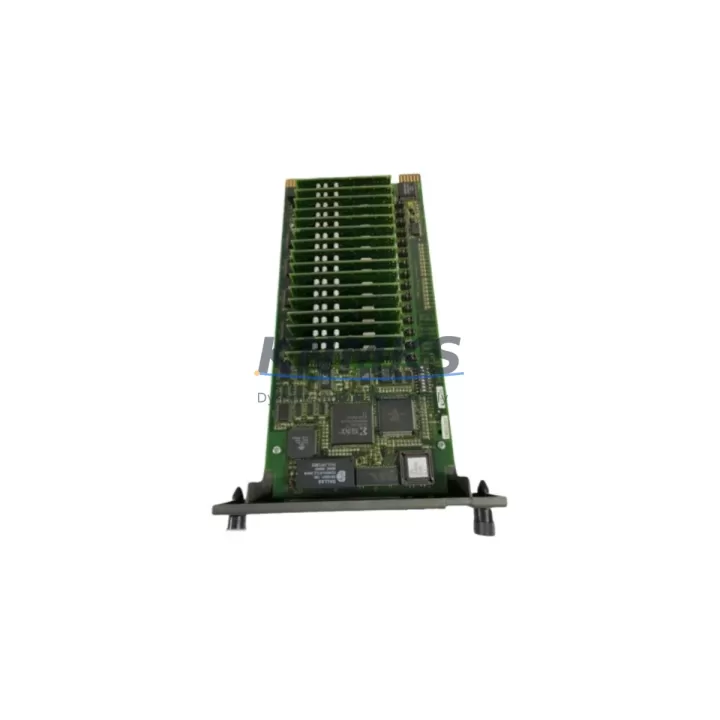
ABB IMFAI01 Migration-Ready Analog Input Module: Legacy DCS Migration and Compatible Upgrade
The ABB IMFAI01 is an 8-channel analog input module engineered for the ABB S800 I/O system and fully compatible with the AC 800M Distributed Control System platform. As legacy DCS installations approach end-of-life and original spare parts become increasingly difficult to source through standard distribution channels, the IMFAI01 serves as a proven migration-ready replacement for discontinued analog input modules within the S800 I/O family. Whether you are executing a planned control system upgrade, responding to an unplanned module failure, or building a strategic spare parts inventory to extend the operational life of your existing automation infrastructure, the IMFAI01 delivers the signal accuracy, backplane compatibility, and firmware alignment required for a seamless transition with minimal engineering rework.
Each IMFAI01 unit supplied by KNMKS is sourced from verified channels, subjected to pre-shipment functional testing, and backed by a support terms confirmed by quotation. Stock is maintained across regional warehouses to support urgent dispatch requirements, reducing the risk of extended downtime caused by long lead times on discontinued or allocation-constrained components.
Migration Compatibility Table
| Parameter | Details |
|---|---|
| Module SKU | IMFAI01 |
| Brand / Series | ABB / S800 I/O |
| Compatible DCS Platform | AC 800M (PM851, PM856, PM860, PM861, PM864, PM866) |
| Channel Count | 8 Analog Input Channels |
| Signal Types Supported | 4–20 mA, 0–10 V (configurable per channel) |
| Backplane Interface | S800 I/O ModuleBus (optical or electrical) |
| Installation Format | S800 I/O Station — TB820 / TB840 / TB845 Termination Unit |
| Module Address Configuration | Rotary switch on module face; must match Control Builder M configuration |
| Firmware Compatibility | Compatible with AC 800M firmware 5.x and 6.x; verify via Control Builder M project settings |
| Communication Protocol | ModuleBus over PROFIBUS DP or Optical ModuleBus |
| Replacement Candidates | IMFAI01-1, earlier S800 analog input variants (verify hardware revision) |
| Commissioning Tool | ABB Control Builder M (CBM) |
| Origin | Germany (DE) |
| Support terms | 12 Months from date of shipment |
| Pre-Shipment Testing | Functional test performed on every unit |
| Stock Availability | availability confirmed by RFQ — regional warehouse dispatch available |
Retrofit Planning for Existing Automation Systems
A successful IMFAI01 retrofit begins well before the module arrives on site. Engineers responsible for the migration should first audit the existing S800 I/O station configuration to confirm the number of occupied slots, the current termination unit model — TB820, TB840, or TB845 — and the wiring scheme used for each analog input channel. The IMFAI01 connects to field instruments via the termination unit, so verifying that the existing termination unit is compatible with the replacement module eliminates the need for rewiring and significantly reduces installation time.
Power budget verification is a critical pre-installation step. The S800 I/O station is powered through the SD821 or SD822 power supply module, and adding or replacing modules may affect the total station power draw. Confirm that the power supply has sufficient headroom to support the IMFAI01 alongside other installed modules such as the IMFCO01 communication interface module, IMFSO01 analog output module, and IMFDI01 digital input module that may share the same I/O station. Overlooking power capacity is one of the most common causes of post-retrofit instability in S800 I/O stations.
Module address assignment must be configured using the rotary switch on the IMFAI01 face plate before installation. The address must correspond exactly to the hardware unit address defined in the AC 800M Control Builder M project. Mismatched addresses will prevent the controller — typically a PM856 or PM864 processor module — from recognizing the new module and will generate diagnostic alarms requiring a configuration correction before the system can resume normal operation.
For installations where the S800 I/O station communicates with the AC 800M controller via an optical ModuleBus, verify that the fiber optic connections to the TB840 or TB845 termination unit are clean and undamaged. Optical link degradation is a common source of intermittent communication faults during retrofit work and should be inspected before the new module is powered up. In stations using electrical ModuleBus via PROFIBUS DP, confirm that the DP address and baud rate settings on the CI854 or CI858 communication interface module are consistent with the controller project configuration.
HMI screen updates are often overlooked during analog input module replacements. If the existing SCADA or DCS operator station displays channel-specific diagnostic information sourced from the S800 I/O module, verify that the new IMFAI01 reports the same diagnostic data structure. In most AC 800M installations, HMI graphics are driven by function block outputs in Control Builder M, so the migration impact on HMI is typically limited to confirming that existing AI function blocks remain mapped correctly after the hardware change.
Where the retrofit involves replacing multiple modules across a large S800 I/O station, consider staging the replacement by I/O group to maintain partial process control continuity. This approach, combined with pre-tested spare modules and a validated backup of the AC 800M controller project, allows maintenance teams to execute the migration in planned windows without requiring a full system shutdown.
Downtime Control During System Migration
Minimizing unplanned downtime during an IMFAI01 replacement requires a structured approach that protects the existing control logic, preserves field wiring integrity, and validates the replacement module before returning the process to automatic control.
Before removing the failed or end-of-life module, export a full backup of the AC 800M controller project from Control Builder M and store it on an offline engineering workstation. This backup preserves all function block configurations, I/O channel assignments, scaling parameters, and alarm limits associated with the IMFAI01 channels. If the replacement module requires a firmware-level configuration download, having a verified project backup eliminates the risk of configuration loss during the swap.
During physical module replacement, the S800 I/O system supports hot-swap of I/O modules without powering down the entire I/O station, provided the station is configured for non-critical I/O. For safety-critical analog inputs — such as those connected to pressure transmitters, temperature sensors, or flow meters feeding interlock logic — coordinate with the process control team to place the affected control loops in manual mode before removing the module. This prevents spurious trips or uncontrolled process responses caused by loss of input signal during the swap interval.
After installing the IMFAI01 and confirming that the module address switch is correctly set, perform a forced download of the I/O configuration from Control Builder M to the AC 800M controller. Monitor the module status in the hardware configuration view to confirm that the IMFAI01 transitions from “Not Connected” to “OK” status. Verify each analog input channel by comparing the live process value displayed in the controller with the field instrument reading. Any channel showing an out-of-range or frozen value should be investigated for wiring continuity at the TB820 or TB840 termination unit before returning the loop to automatic control.
Document the completed migration with a field commissioning record that captures the module serial number, hardware revision, address switch setting, firmware version, and the date and name of the commissioning engineer. This record supports future maintenance planning and provides traceability for the support terms confirmed by quotation period.
Retrofit Support FAQ
Q1: Is the IMFAI01 a direct drop-in replacement for earlier S800 analog input modules?
In most cases, yes. The IMFAI01 is designed for the S800 I/O backplane and uses the same termination unit interface as earlier S800 analog input variants including the IMFAI01-1. However, verify the hardware revision of the existing termination unit (TB820, TB840, or TB845) and confirm that the Control Builder M project does not reference a specific hardware revision that differs from the replacement unit. KNMKS can provide hardware revision details upon request before shipment.
Q2: What commissioning steps are required after installing the IMFAI01?
After physical installation, set the module address rotary switch to match the hardware unit address in the Control Builder M project. Perform a forced I/O configuration download from the AC 800M controller. Confirm module status transitions to “OK” in the hardware configuration view. Verify live channel values against field instrument readings for all 8 analog input channels. Place any affected control loops back into automatic mode only after all channels are confirmed healthy.
Q3: How do I verify wiring compatibility before installing the replacement module?
The IMFAI01 connects to field instruments through the existing termination unit — no rewiring of field cables is required if the termination unit model is unchanged. Confirm that the existing TB820, TB840, or TB845 termination unit is in good condition and that all terminal screws are properly torqued. If the termination unit is being replaced simultaneously, map the existing field wiring to the new termination unit using the original as-built drawings before disconnecting any cables.
Q4: What does the support terms confirmed by quotation cover, and how is stock availability managed?
Every IMFAI01 supplied by KNMKS is covered by a support terms confirmed by quotation from the date of shipment, covering manufacturing defects and functional failures under normal operating conditions. Pre-shipment functional testing is performed on every unit. Stock is maintained in regional warehouses to support urgent dispatch. For critical spare parts programs or blanket stock arrangements, contact the KNMKS sales team to discuss allocation and lead-time commitments tailored to your maintenance schedule.
© 2026 KNMKS. All rights reserved.
Original Source: https://knmks.com
Contact: admin@knmks.com | +86 18359268345
Product Identification
- Brand / Ecosystem
-
ABB
ABB - Model / Series
-
IMFAI01
S800 Series - Product Family
- PLCs & Controllers
- Availability Status
- Available on request after model and quantity confirmation
- Inquiry Type
- B2B RFQ, replacement inquiry and project spare-part request
- Pre-Quote Check
- Exact SKU, brand, series, quantity, nameplate photos and destination country are checked before quotation
System Path
Where this product fits in the KNMKS automation structure.
Specification & Inquiry Focus
- Control platform
- PLC, PAC and modular controllers
- Common needs
- CPU, rack, power and I/O expansion
- Project support
- Replacement, cabinet build and maintenance
Buyer Confirmation
Information KNMKS checks before replying.
- Exact model
- IMFAI01
- Brand / ecosystem
- ABB
- Product family
- PLCs & Controllers
- Application note
- Replacement, maintenance, project build or spare-part list
- Useful photos
- Nameplate, installed unit, cabinet layout or connector side
- Delivery details
- Quantity, destination country and target schedule
Document Support
Files and notes can be confirmed during quotation.
- Product photos or nameplate confirmation when available
- Packing and delivery notes before quotation confirmation
- Support scope and delivery terms confirmed per inquiry
- Export document coordination for qualified B2B requests
Inquiry Support
- Model cross-checking before quotation
- CPU, power, rack and expansion module matching
- Support for replacement and project inquiry
What to Send Us
- Brand and exact model number: ABB IMFAI01
- Quantity and required delivery time
- Application, replacement requirement or nameplate photo
- Destination country and shipping preference
RFQ Preparation
This is a product inquiry page built for RFQ communication.
Fast Model Check
Send this model to KNMKS for confirmation.
Include quantity, destination country and photos if this is a maintenance replacement. The inquiry will be saved with a reference number after submission.
Brand & Compatibility Note
KNMKS displays automation product information for well-known industrial brand ecosystems and compatible replacement references. Brand names are used for product identification and compatibility reference only; final availability and commercial terms are confirmed per quotation.
 Manufacturing
 Machine Tools
 Packaging
 Energy & Power
 HMI & Displays
 Servo Systems
 Variable Frequency Drives
 Sensors