
Overview
ABB DSQC626 3HAC020465-001 Migration-Ready Servo Drive for Legacy IRB Control Systems
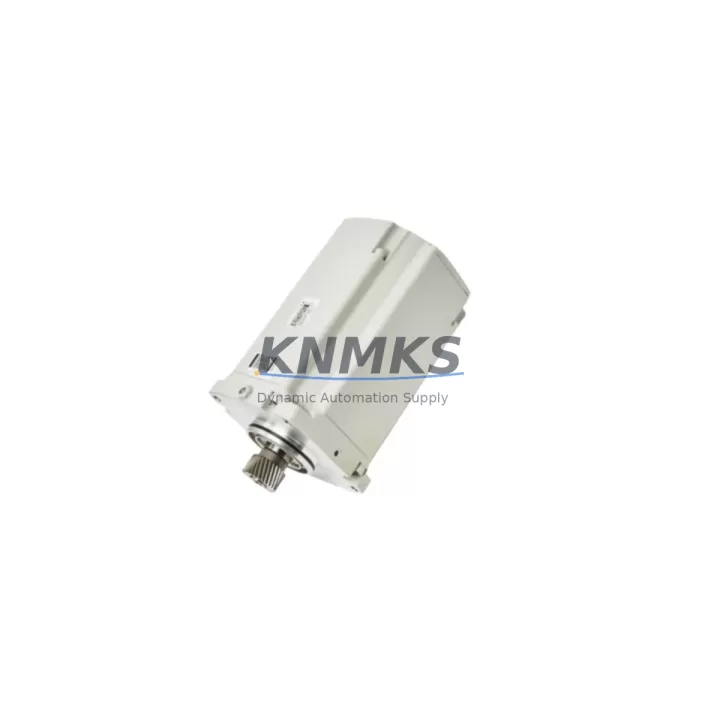
The ABB DSQC626 (part number 3HAC020465-001) is a servo drive unit engineered for ABB IRB series industrial robots, widely deployed in automotive body shops, foundry lines, arc welding cells, and general-purpose material handling systems. As ABB progressively phases out legacy IRC5 and S4C+ controller platforms, the DSQC626 has become a critical migration component for maintenance engineers and system integrators managing aging robot fleets. This unit is stocked, pre-shipment tested, and backed by a support terms confirmed by quotation, making it a reliable choice for both emergency breakdown recovery and planned retrofit programs.
Whether you are replacing a failed drive in a running production cell or executing a phased upgrade of an entire robot line, the DSQC626 provides a verified drop-in solution that preserves existing wiring harnesses, backplane connections, and RAPID program logic without requiring controller-level reprogramming in most standard configurations.
Migration Compatibility Table
| Parameter | DSQC626 / 3HAC020465-001 | Notes |
|---|---|---|
| Compatible Controllers | IRC5 Single / Dual Cabinet, IRC5 Compact | Verify cabinet revision before ordering |
| Robot Series | IRB 140, IRB 1600, IRB 2400, IRB 4400, IRB 6600 | Confirm axis assignment with robot documentation |
| Backplane Interface | ABB DSQC-series drive bus connector | Direct replacement; no adapter required |
| Communication Protocol | Internal drive bus (proprietary ABB) | Compatible with DSQC645, DSQC646 drive chains |
| Power Supply Requirement | DC bus from DSQC609 or DSQC633 PSU | Verify PSU output capacity before installation |
| Installation Footprint | Standard IRC5 drive module slot | No mechanical modification required |
| Firmware Compatibility | RobotWare 5.x / 6.x | Confirm RobotWare version on FlexPendant |
| Replacement Recommendation | Direct swap for failed or degraded DSQC626 units | Retain original axis calibration data |
| Commissioning Focus | Axis calibration, fine calibration verification, SMB reset | Use ABB Service Information Document SID 0000393 |
| Support terms | support terms confirmed by quotation | Covers manufacturing defects; pre-shipment tested |
Retrofit Planning for Existing Automation Systems
A successful DSQC626 retrofit begins well before the replacement unit arrives on site. Maintenance teams should start by pulling the robot’s current axis configuration from the IRC5 controller using RobotStudio or the FlexPendant service menu, and saving a full system backup to a USB drive. This backup preserves RAPID module code, I/O signal mappings, tool data, and work object definitions — all of which must survive the drive swap intact.
Power supply verification is the next critical checkpoint. The DSQC626 draws regulated DC bus power from the cabinet’s power distribution unit, typically a DSQC609 or DSQC633 power supply module. Before installation, confirm that the PSU output voltage and current capacity are within specification. A degraded or undersized power supply is a common root cause of premature servo drive failure and must be ruled out before the new unit is commissioned.
Backplane and connector inspection should follow. The DSQC626 connects to the IRC5 drive chain via a keyed backplane bus connector shared with adjacent drive modules such as the DSQC645 and DSQC646. Inspect the connector pins for corrosion, mechanical damage, or contamination from coolant or metallic dust — conditions common in foundry and machining environments. Clean the backplane contacts with isopropyl alcohol before seating the new module.
For cells where the IRC5 controller communicates with external PLCs or SCADA systems via DeviceNet or PROFIBUS — typically through a DSQC651 or DSQC667 fieldbus adapter — verify that the communication link remains stable after the drive replacement. A servo drive swap should not affect fieldbus addressing, but a controller restart may trigger a brief communication timeout that must be accounted for in the PLC’s fault recovery logic.
Where the robot is integrated with a DSQC355A or similar I/O expansion module for gripper control, conveyor interlocks, or safety gate monitoring, confirm that all digital I/O signals are correctly mapped and active after the drive module is replaced and the controller is restarted. Signal mapping errors at this stage are a common source of post-retrofit production delays.
Finally, if the robot cell uses a TP02 or DSQC679 FlexPendant for operator interaction, verify that the HMI screen layouts and operator prompts reflect the correct axis status after commissioning. Some legacy HMI configurations cache axis fault states and may require a manual reset or screen refresh to display the updated drive status correctly.
Downtime Control During System Migration
Minimizing unplanned downtime during a DSQC626 replacement requires a structured approach that treats the servo drive swap as a controlled maintenance event rather than an emergency repair. The first step is to schedule the replacement during a planned production window — ideally a shift changeover or scheduled preventive maintenance slot — to avoid interrupting active production cycles.
Before powering down the IRC5 cabinet, execute a full system backup from the FlexPendant. This captures the current RAPID program state, module configurations, and calibration offsets. Store the backup on both a USB drive and a network share to ensure redundancy. If the robot is part of a MultiMove configuration coordinating multiple arms, notify the cell controller operator to pause the coordinated motion sequence before initiating the shutdown.
Physical replacement of the DSQC626 module is straightforward: release the drive module locking mechanism, disconnect the motor power and resolver cables from the front panel, slide the module out of the drive slot, and reverse the process with the replacement unit. The entire mechanical swap typically takes under 15 minutes for a trained technician. The majority of commissioning time is spent on axis calibration verification and fine calibration confirmation using the calibration pendulum or calibration pin method specified in the robot’s product manual.
After the replacement unit is seated and the cabinet is powered up, monitor the IRC5 event log on the FlexPendant for drive fault codes. Common post-replacement events include axis calibration warnings (Event 50024) and SMB battery status alerts, both of which are expected and resolved through the standard calibration workflow. Confirm that all axes move freely through their full range of motion under jogging control before releasing the cell to production.
For high-availability production environments where even a 2-hour maintenance window is difficult to schedule, consider maintaining a pre-configured spare DSQC626 unit on-site with the axis calibration data pre-loaded where the controller firmware supports offline configuration. This approach can reduce the total restoration time to under 30 minutes from fault detection to production resumption.
Retrofit Support FAQ
Q: Is the DSQC626 (3HAC020465-001) a direct replacement for all IRC5 servo drive positions?
A: The DSQC626 is designed for specific axis assignments within the IRC5 drive chain. While it is physically interchangeable with other DSQC-series drive modules in the same form factor, the axis assignment is determined by the slot position in the drive chain and the robot’s configuration file. Always verify the axis number and slot assignment against the robot’s circuit diagram before installation to avoid axis mismatch faults.
Q: What commissioning steps are required after replacing the DSQC626?
A: After physical installation, power up the IRC5 cabinet and check the FlexPendant event log for drive-related fault codes. Perform an axis calibration check using the robot’s calibration marks or calibration tool. If fine calibration data was lost, execute the fine calibration procedure as described in the robot product manual. Reset the SMB (Serial Measurement Board) if prompted, and verify all axis movements through the full range of motion before returning the robot to automatic mode.
Q: Has this unit been tested before shipment?
A: Yes. Every DSQC626 unit shipped from our inventory undergoes pre-shipment functional testing to verify drive communication, power stage integrity, and firmware version. Units are shipped with a support terms confirmed by quotation covering manufacturing defects and functional failures under normal operating conditions. Test records are available upon request for quality-critical applications.
Q: What is the lead time and stock availability?
A: The DSQC626 (3HAC020465-001) is maintained availability confirmed by RFQ for immediate dispatch. Standard orders are processed and shipped within 1-2 business days. For urgent breakdown situations, expedited shipping options are available. Contact our sales team to confirm current stock levels and delivery timelines for your region.
© 2026 KNMKS. All rights reserved.
Original Source: https://knmks.com
Contact: admin@knmks.com | +86 18359268345
Product Identification
- Brand / Ecosystem
-
ABB
ABB - Model / Series
-
DSQC626-3HAC020465-001
IRC5 Series - Product Family
- Servo Systems
- Availability Status
- Available on request after model and quantity confirmation
- Inquiry Type
- B2B RFQ, replacement inquiry and project spare-part request
- Pre-Quote Check
- Exact SKU, brand, series, quantity, nameplate photos and destination country are checked before quotation
System Path
Where this product fits in the KNMKS automation structure.
Specification & Inquiry Focus
- Motion range
- Servo drives, motors and cable sets
- Common needs
- Power, encoder and brake confirmation
- Project support
- Motion upgrade and spare-part supply
Buyer Confirmation
Information KNMKS checks before replying.
- Exact model
- DSQC626-3HAC020465-001
- Brand / ecosystem
- ABB
- Product family
- Servo Systems
- Application note
- Replacement, maintenance, project build or spare-part list
- Useful photos
- Nameplate, installed unit, cabinet layout or connector side
- Delivery details
- Quantity, destination country and target schedule
Document Support
Files and notes can be confirmed during quotation.
- Product photos or nameplate confirmation when available
- Packing and delivery notes before quotation confirmation
- Support scope and delivery terms confirmed per inquiry
- Export document coordination for qualified B2B requests
Inquiry Support
- Motor, drive and cable set coordination
- Power rating and encoder type checking
- Motion control replacement support
What to Send Us
- Brand and exact model number: ABB DSQC626-3HAC020465-001
- Quantity and required delivery time
- Application, replacement requirement or nameplate photo
- Destination country and shipping preference
RFQ Preparation
This is a product inquiry page built for RFQ communication.
Fast Model Check
Send this model to KNMKS for confirmation.
Include quantity, destination country and photos if this is a maintenance replacement. The inquiry will be saved with a reference number after submission.
Brand & Compatibility Note
KNMKS displays automation product information for well-known industrial brand ecosystems and compatible replacement references. Brand names are used for product identification and compatibility reference only; final availability and commercial terms are confirmed per quotation.
 Manufacturing
 Machine Tools
 Packaging
 Energy & Power
 PLCs & Controllers
 HMI & Displays
 Variable Frequency Drives
 Sensors