
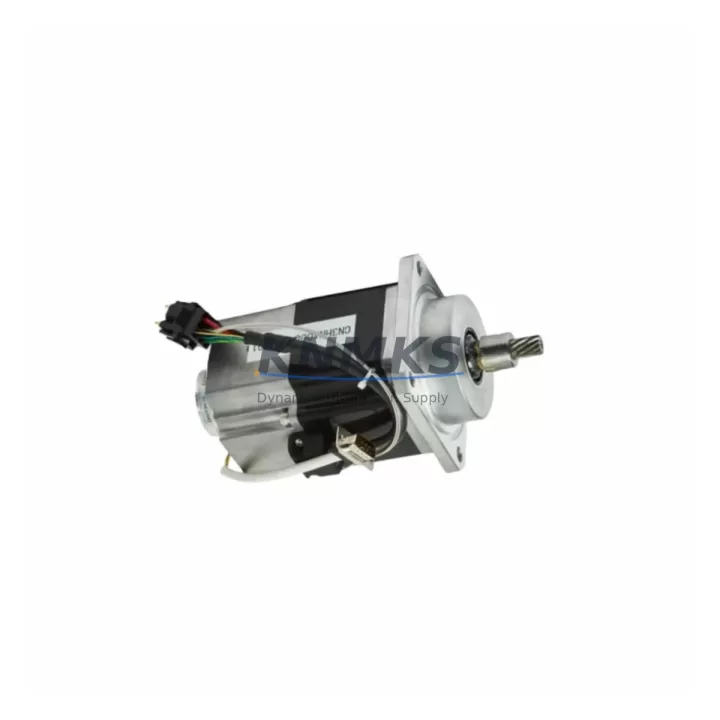
Overview
ABB DSQC406 3HAC035301-001 IRC5 Servo Drive Interface Card: Migration-Ready Replacement for Legacy Control Systems
The ABB DSQC406 (part number 3HAC035301-001, revision /03) is the servo drive interface card installed in ABB IRC5 robot controller cabinets. It serves as the critical communication bridge between the IRC5 main computer and the drive units, coordinating axis motion commands, encoder feedback, and safety interlock signals across the drive chain. When this card fails or reaches end-of-life, the entire robot cell stops — making fast, verified replacement stock a non-negotiable part of any serious maintenance or retrofit program.
For maintenance engineers managing aging IRC5 fleets, the DSQC406 is one of the highest-priority cards to keep in the spare parts cabinet. Its failure mode is typically sudden: a drive communication fault alarm appears on the FlexPendant, axis motion is inhibited, and production halts. Unlike mechanical wear components, there is no gradual degradation signal — the card either communicates or it does not. Having a pre-tested replacement on the shelf is the only reliable way to control downtime in this scenario.
For retrofit and upgrade projects, the DSQC406 is equally important. When migrating an IRC5 cabinet from an older software baseline to a newer RobotWare version, or when replacing a damaged main computer board such as the DSQC639 or DSQC662, the servo drive interface card must be confirmed compatible with the new firmware environment. Revision mismatches between the interface card and the drive units — including the DSQC374 or DSQC540 drive modules — can cause axis configuration errors that require additional commissioning time to resolve.
Migration Compatibility Table
| Parameter | Detail |
|---|---|
| Part Number | 3HAC035301-001 |
| Revision | /03 |
| Compatible Controller | ABB IRC5 Single Cabinet, Dual Cabinet, Panel Mounted Controller |
| Interface Type | Servo Drive Interface Card — main computer to drive unit communication |
| Communication Protocol | Internal IRC5 drive bus (proprietary ABB serial drive link) |
| Replacement Compatibility | Direct replacement for DSQC406 revisions /01, /02, /03 in IRC5 cabinets |
| Installation | Backplane slot mount inside IRC5 main computer unit; no external wiring changes required for like-for-like swap |
| Firmware Dependency | Confirm RobotWare version compatibility before installation; revisions /01 and /02 may require firmware update on newer baselines |
| Origin | Germany |
| Pre-Shipment Test | Function verified before dispatch |
| Support terms | support terms confirmed by quotation |
Retrofit Planning for Existing Automation Systems
A successful DSQC406 replacement in a live production environment requires more than swapping the card. Maintenance and retrofit engineers should treat the replacement as a structured commissioning event, not a simple plug-and-play swap.
Before removing the failed card, document the current RobotWare version, the drive unit configuration, and the axis calibration data stored in the controller. The IRC5 main computer — whether a DSQC639 or the later DSQC662 variant — stores axis parameters that must be preserved across the replacement. If the main computer itself is also being replaced as part of a broader upgrade, the DSQC406 revision must be matched to the new computer board’s firmware baseline to avoid drive link initialization errors at startup.
Power supply integrity is a prerequisite for any IRC5 card replacement. The DSPS01 or equivalent IRC5 power supply unit should be checked for correct 24 VDC output and ripple before the new card is installed. A marginal power supply that was masking a card fault can cause the replacement card to fail prematurely. Similarly, the internal cabinet wiring harness connecting the main computer to the drive units should be inspected for pin damage or connector wear — a wiring fault that caused the original DSQC406 failure will repeat on the new card if not corrected.
For cabinets running multiple axes, the drive units themselves — including DSQC374 axis computer boards and DSQC540 drive modules — should be checked for firmware version alignment with the replacement DSQC406. Mismatched firmware between the interface card and the drive units is a common source of post-replacement commissioning faults that extend downtime beyond the initial card swap. If the cabinet also includes a DSQC643 I/O board or DSQC652 digital I/O module, verify that the I/O configuration file is backed up before any main computer work begins, as I/O mapping can be disrupted during controller restarts following hardware changes.
For sites running FlexPendant-based HMI screens with custom operator panels, confirm that the teach pendant cable and DSQC679 FlexPendant interface are undamaged before powering up after the replacement. A damaged pendant interface can generate misleading drive fault codes that complicate post-replacement diagnostics.
Downtime Control During System Migration
The fastest path to production recovery after a DSQC406 failure is a pre-verified replacement card combined with a documented swap procedure. Sites that maintain a current backup of the IRC5 system parameters — including axis calibration, I/O configuration, and program files — can typically complete a like-for-like card replacement and return to production within two to four hours, assuming no secondary faults are present.
For retrofit projects involving a broader IRC5 upgrade, the recommended approach is to complete all hardware changes — including the DSQC406, any drive unit updates, and power supply checks — in a single planned maintenance window rather than staging changes across multiple shifts. Each restart of the IRC5 controller after a hardware change triggers a full system initialization sequence, and multiple partial restarts increase the risk of configuration conflicts between the new hardware and the stored system parameters.
Program logic protection is critical during any IRC5 hardware migration. Before beginning work, create a full system backup using the IRC5 backup function, storing the backup on an external USB drive independent of the controller. This backup captures the RAPID program, system parameters, I/O configuration, and calibration data. If the replacement card or any associated firmware update causes a parameter conflict, the backup provides a clean restore point that eliminates the need to re-commission the robot from scratch.
For legacy IRC5 cabinets that have been in service for more than ten years, a DSQC406 replacement is often the trigger for a broader condition assessment. Capacitors in the power supply, battery backup for the main computer memory, and the condition of the internal cooling fans should all be evaluated during the same maintenance window. Addressing these items proactively during a planned card replacement avoids a second unplanned outage within months of the first.
KNMKS maintains verified stock of the DSQC406 (3HAC035301-001) with pre-shipment functional testing and a support terms confirmed by quotation. Orders are processed for fast international dispatch to minimize the gap between fault occurrence and production recovery.
Retrofit Support FAQ
Q: Is the DSQC406 /03 a direct replacement for earlier revisions /01 and /02?
A: In most IRC5 cabinets, revision /03 is backward compatible with /01 and /02 installations. However, if the cabinet is running an older RobotWare baseline (pre-5.x), a firmware update may be required to fully initialize the /03 revision. Confirm the RobotWare version before ordering if the cabinet has not been updated recently.
Q: Does the DSQC406 require any wiring changes when replacing a failed card?
A: For a like-for-like replacement within the same IRC5 cabinet generation, no external wiring changes are required. The card installs into the main computer backplane slot. If the replacement is part of a broader cabinet upgrade involving a different main computer variant, verify connector pinout compatibility before installation.
Q: How is the DSQC406 tested before shipment?
A: Each unit is functionally verified prior to dispatch. Testing confirms drive link communication initialization, power rail integrity, and connector condition. A support terms confirmed by quotation cover the unit from the date of receipt.
Q: Can KNMKS supply the DSQC406 for long-term maintenance contracts or multi-unit orders?
A: Yes. KNMKS supports long-term spare parts programs for IRC5 fleets, including scheduled supply agreements for high-priority cards such as the DSQC406. Contact admin@knmks.com or +86 18359268345 to discuss volume pricing and supply continuity arrangements.
© 2026 KNMKS. All rights reserved.
Original Source: https://knmks.com
Contact: admin@knmks.com | +86 18359268345
Product Identification
- Brand / Ecosystem
-
ABB
ABB - Model / Series
-
DSQC406?3HAC035301-001/03
IRC5 Series - Product Family
- Servo Systems
- Availability Status
- Available on request after model and quantity confirmation
- Inquiry Type
- B2B RFQ, replacement inquiry and project spare-part request
- Pre-Quote Check
- Exact SKU, brand, series, quantity, nameplate photos and destination country are checked before quotation
System Path
Where this product fits in the KNMKS automation structure.
Specification & Inquiry Focus
- Motion range
- Servo drives, motors and cable sets
- Common needs
- Power, encoder and brake confirmation
- Project support
- Motion upgrade and spare-part supply
Buyer Confirmation
Information KNMKS checks before replying.
- Exact model
- DSQC406?3HAC035301-001/03
- Brand / ecosystem
- ABB
- Product family
- Servo Systems
- Application note
- Replacement, maintenance, project build or spare-part list
- Useful photos
- Nameplate, installed unit, cabinet layout or connector side
- Delivery details
- Quantity, destination country and target schedule
Document Support
Files and notes can be confirmed during quotation.
- Product photos or nameplate confirmation when available
- Packing and delivery notes before quotation confirmation
- Support scope and delivery terms confirmed per inquiry
- Export document coordination for qualified B2B requests
Inquiry Support
- Motor, drive and cable set coordination
- Power rating and encoder type checking
- Motion control replacement support
What to Send Us
- Brand and exact model number: ABB DSQC406?3HAC035301-001/03
- Quantity and required delivery time
- Application, replacement requirement or nameplate photo
- Destination country and shipping preference
RFQ Preparation
This is a product inquiry page built for RFQ communication.
Fast Model Check
Send this model to KNMKS for confirmation.
Include quantity, destination country and photos if this is a maintenance replacement. The inquiry will be saved with a reference number after submission.
Brand & Compatibility Note
KNMKS displays automation product information for well-known industrial brand ecosystems and compatible replacement references. Brand names are used for product identification and compatibility reference only; final availability and commercial terms are confirmed per quotation.
 Manufacturing
 Machine Tools
 Packaging
 Energy & Power
 PLCs & Controllers
 HMI & Displays
 Variable Frequency Drives
 Sensors