
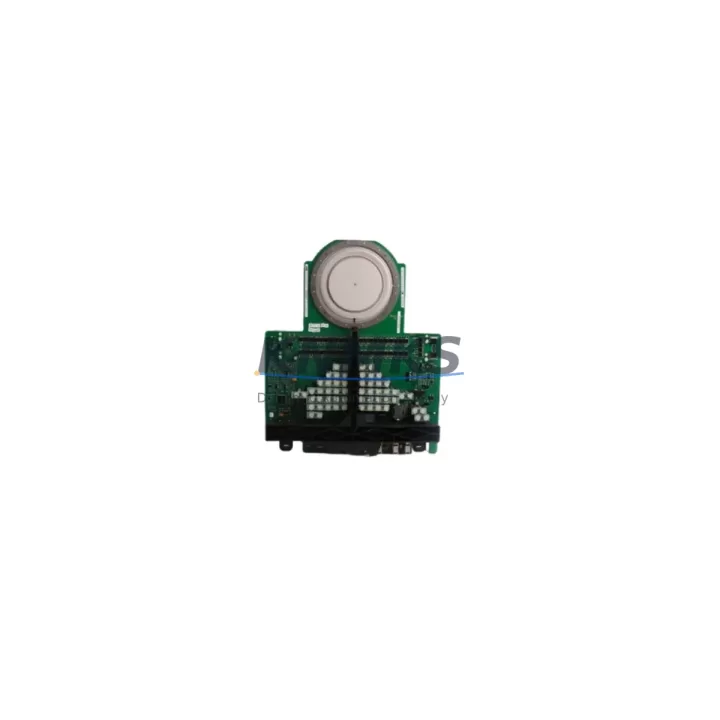
Overview
ABB DSMB175 Migration-Ready Memory Module for Legacy Control Systems
The ABB DSMB175 is a memory module designed for use within the ABB AC500 PLC platform and S800 I/O distributed control architecture. As legacy automation systems approach end-of-life and original spare parts become increasingly difficult to source, the DSMB175 serves as a critical component in both direct replacement scenarios and broader control system modernization projects. Whether you are maintaining an existing AC500 installation, retrofitting an aging control cabinet, or migrating from an earlier generation of ABB programmable controllers, the DSMB175 provides a reliable, tested, and immediately deployable solution.
Industrial facilities operating legacy ABB systems — including those originally built around the AC500-eCo, AC500-S safety controllers, or earlier S800 I/O field bus configurations — frequently encounter memory module failures that can halt production lines. The DSMB175 addresses this directly by offering a drop-in compatible replacement that preserves existing program logic, retains configuration data, and minimizes the engineering effort required during changeover. Before installation, engineers should verify the firmware version running on the paired CPU module (such as the PM571, PM581, or PM591 series) to confirm compatibility with the DSMB175’s memory addressing scheme.
When integrating the DSMB175 into an existing control cabinet, terminal wiring and backplane slot assignments must be confirmed against the original rack layout. The AC500 modular rack system uses a defined slot addressing convention, and inserting a replacement memory module into an incorrect position can cause address conflicts that prevent the CPU from booting correctly. Engineers performing this replacement should document the current slot configuration, back up the active program using PS501 Control Builder Plus or an equivalent programming tool, and confirm that the communication links — including PROFIBUS DP, Modbus RTU, or CANopen interfaces depending on the installed communication modules — remain unaffected after the swap.
For sites running distributed I/O over an S800 fieldbus segment, the DSMB175 replacement should be coordinated with a review of the CI801 or CI830 communication interface modules to ensure that the fieldbus topology and node addressing are preserved. If the control system also includes AI810 analog input modules or DI810 digital input modules connected via the S800 bus, their configuration data stored in the CPU memory must be verified post-replacement to avoid I/O mapping errors during restart.
In retrofit projects where the goal is to extend the operational life of an existing AC500 installation rather than perform a full platform migration, the DSMB175 can be paired with a replacement PM571 or PM581 CPU module to restore full system functionality without requiring changes to the HMI screens, SCADA tag mappings, or field wiring. This approach significantly reduces downtime compared to a full controller replacement and allows the engineering team to defer a larger migration project until a planned maintenance window.
All DSMB175 units supplied by KNMKS are pre-shipment tested under simulated operating conditions, verified for correct memory read/write function, and shipped with a support terms confirmed by quotation covering manufacturing defects and operational failures. Stock is maintained to support both immediate emergency replacement orders and longer-term spare parts agreements for multi-site industrial operators.
Migration Compatibility Table
| Parameter | Details |
|---|---|
| Compatible Platform | ABB AC500 PLC Series (PM571, PM581, PM591) |
| Compatible I/O System | ABB S800 I/O (AI810, DI810, DO810, AO810 modules) |
| Communication Compatibility | PROFIBUS DP, Modbus RTU, CANopen (via CI801/CI830) |
| Backplane / Rack Interface | AC500 modular rack — slot addressing must be confirmed prior to installation |
| Installation Space | Standard AC500 rack slot; no additional mounting hardware required |
| Firmware Requirement | Verify CPU firmware version compatibility before replacement |
| Replacement Scope | Direct drop-in for failed or end-of-life DSMB175 units |
| Programming Tool | PS501 Control Builder Plus (program backup recommended before swap) |
| Pre-Shipment Testing | Yes — memory read/write function verified under simulated load |
| Support terms | 12 months from date of shipment |
| Origin | Germany (DE) |
| Availability | availability confirmed by RFQ — immediate dispatch available |
Retrofit Planning for Existing Automation Systems
A successful DSMB175 retrofit begins with a thorough audit of the existing control cabinet. Engineers should map all installed modules within the AC500 rack, including the CPU module (typically a PM571 or PM581), any installed CI801 PROFIBUS communication interface modules, and the S800 I/O bus segments connected via CI830 adapters. The physical installation space within the rack must be confirmed to ensure the replacement module seats correctly without mechanical interference from adjacent components such as power supply modules or terminal blocks.
Terminal wiring connected to the rack should be documented before any module is removed. In systems where the DSMB175 is paired with analog I/O modules such as the AI810 or AO810, the signal wiring at the terminal base units must remain undisturbed during the memory module swap. Any disconnection of field wiring during the replacement process introduces the risk of incorrect reconnection, which can cause process upsets or equipment damage on restart.
For control systems that also include an ABB CP600 or CP400 series HMI panel, the operator screens and tag bindings should be reviewed prior to the replacement to confirm that no HMI configuration data is stored exclusively on the memory module being replaced. In most AC500 configurations, HMI data is stored independently on the panel itself, but this should be verified against the project documentation before proceeding.
Sites running Modbus RTU communication between the AC500 controller and downstream devices — such as variable frequency drives, motor protection relays, or remote I/O panels — should confirm that the communication parameters (baud rate, parity, node address) are preserved in the CPU configuration backup before the DSMB175 is replaced. After installation, a full communication link test should be performed before returning the system to automatic operation.
Downtime Control During System Migration
Minimizing unplanned downtime during a memory module replacement requires a structured approach that begins well before the physical swap takes place. The first step is to create a verified backup of the active PLC program using PS501 Control Builder Plus, storing the project file in at least two separate locations. This backup preserves all program logic, I/O configuration, communication settings, and module addressing data that would otherwise be lost if the replacement module is installed without a prior upload.
Where production schedules permit, the replacement should be performed during a planned maintenance window rather than as an emergency repair. This allows the engineering team to perform a controlled shutdown, verify that all field devices are in a safe state, and conduct a step-by-step restart procedure that includes checking each I/O module status, confirming communication link integrity, and verifying HMI display values against field instrument readings before resuming automatic control.
For sites where continuous operation is critical, a cold standby strategy using a pre-configured spare DSMB175 — loaded with the current program version and stored in a controlled environment — can reduce the mean time to repair to under 30 minutes. KNMKS supports this approach by offering multi-unit supply agreements that allow industrial operators to maintain on-site spares without the lead time uncertainty associated with sourcing discontinued components from the open market.
After the replacement module is installed and the system has restarted, a structured commissioning check should confirm that all process values are reading correctly, all output commands are executing as expected, and all communication links — including any PROFIBUS DP segments or Modbus RTU chains — are operating without fault. Only after this verification is complete should the system be returned to full automatic operation.
Retrofit Support FAQ
Q: Is the DSMB175 a direct replacement for the original ABB module of the same part number?
A: Yes. The DSMB175 supplied by KNMKS is sourced to match the original ABB specification and is intended as a direct drop-in replacement. All units are pre-shipment tested to verify correct memory function before dispatch.
Q: What commissioning steps are required after installing the DSMB175?
A: After physical installation, restore the program backup using PS501 Control Builder Plus, verify all I/O module addresses are correctly mapped, confirm communication link status on any connected PROFIBUS DP or Modbus RTU segments, and perform a full I/O check before returning the system to automatic operation.
Q: Can the DSMB175 be used with both PM571 and PM581 CPU modules?
A: The DSMB175 is compatible with multiple AC500 CPU variants. However, firmware version compatibility should always be confirmed against the specific CPU installed in your system before proceeding with the replacement. Contact KNMKS technical support if you require confirmation for your specific configuration.
Q: What support terms and stock availability does KNMKS offer for the DSMB175?
A: All DSMB175 units are covered by a support terms confirmed by quotation from the date of shipment, covering manufacturing defects and operational failures under normal use conditions. Stock is maintained for immediate dispatch, and multi-unit supply agreements are available for operators requiring long-term spare parts coverage across multiple sites.
© 2026 KNMKS. All rights reserved.
Original Source: https://knmks.com
Contact: admin@knmks.com | +86 18359268345
Product Identification
- Brand / Ecosystem
-
ABB
ABB - Model / Series
-
DSMB175
S800 Series - Product Family
- PLCs & Controllers
- Availability Status
- Available on request after model and quantity confirmation
- Inquiry Type
- B2B RFQ, replacement inquiry and project spare-part request
- Pre-Quote Check
- Exact SKU, brand, series, quantity, nameplate photos and destination country are checked before quotation
System Path
Where this product fits in the KNMKS automation structure.
Specification & Inquiry Focus
- Control platform
- PLC, PAC and modular controllers
- Common needs
- CPU, rack, power and I/O expansion
- Project support
- Replacement, cabinet build and maintenance
Buyer Confirmation
Information KNMKS checks before replying.
- Exact model
- DSMB175
- Brand / ecosystem
- ABB
- Product family
- PLCs & Controllers
- Application note
- Replacement, maintenance, project build or spare-part list
- Useful photos
- Nameplate, installed unit, cabinet layout or connector side
- Delivery details
- Quantity, destination country and target schedule
Document Support
Files and notes can be confirmed during quotation.
- Product photos or nameplate confirmation when available
- Packing and delivery notes before quotation confirmation
- Support scope and delivery terms confirmed per inquiry
- Export document coordination for qualified B2B requests
Inquiry Support
- Model cross-checking before quotation
- CPU, power, rack and expansion module matching
- Support for replacement and project inquiry
What to Send Us
- Brand and exact model number: ABB DSMB175
- Quantity and required delivery time
- Application, replacement requirement or nameplate photo
- Destination country and shipping preference
RFQ Preparation
This is a product inquiry page built for RFQ communication.
Fast Model Check
Send this model to KNMKS for confirmation.
Include quantity, destination country and photos if this is a maintenance replacement. The inquiry will be saved with a reference number after submission.
Brand & Compatibility Note
KNMKS displays automation product information for well-known industrial brand ecosystems and compatible replacement references. Brand names are used for product identification and compatibility reference only; final availability and commercial terms are confirmed per quotation.
 Manufacturing
 Machine Tools
 Packaging
 Energy & Power
 HMI & Displays
 Servo Systems
 Variable Frequency Drives
 Sensors