
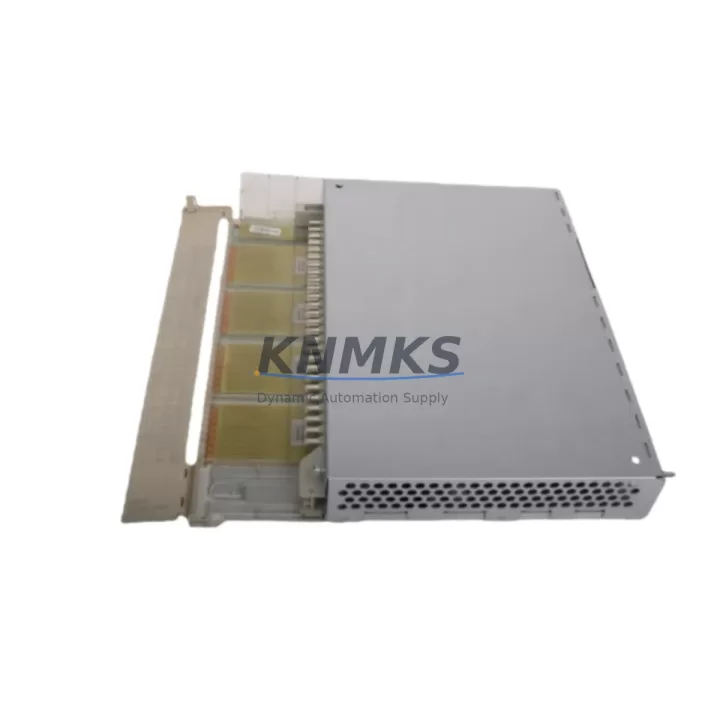
Overview
ABB DI651 Maintenance-Proven Spare Part for Factory Uptime
The ABB DI651 is a 16-channel AC 115V digital input module designed for the S800 I/O system, widely deployed in process automation, power generation, chemical plants, and continuous manufacturing environments. As a genuine original spare part, the DI651 is engineered to slot directly into existing S800 I/O stations without firmware reconfiguration or hardware adaptation, making it the preferred choice for maintenance engineers who need to restore control system availability with minimal downtime.
Whether you are managing a scheduled annual overhaul, responding to an unplanned fault, or building a strategic spare parts inventory for aging DCS infrastructure, the DI651 delivers the signal integrity and channel density required to keep your process running. Each unit is sourced from verified supply channels, inspected prior to dispatch, and backed by a support terms confirmed by quotation covering manufacturing defects and functional failure under normal operating conditions.
Spare Maintenance Table
| Parameter | Specification |
|---|---|
| SKU / Part Number | DI651 |
| Brand | ABB |
| Series | S800 I/O |
| Module Type | Digital Input Module |
| Number of Channels | 16 Channels |
| Input Voltage | AC 115V |
| Signal Type | Digital (Discrete) Input |
| Communication Interface | S800 I/O Bus (Modulebus) |
| Mounting | S800 I/O Station / Baseplate |
| Origin | Germany |
| Product Weight | 1,220 g |
| Compatibility | AC800M, AC800F, AC800S Controllers; S800 I/O Stations |
| Application Environment | Process Automation, DCS, Power, Chemical, Pulp & Paper |
| Maintenance Recommendation | Inspect channel LEDs, verify baseplate seating, check field wiring terminations annually |
| Support terms | 12 Months from date of shipment |
| Condition | Original, New or Tested Surplus |
Maintenance Planning for Continuous Operation
When a DI651 module is flagged during a control cabinet inspection or fault diagnostic, experienced maintenance engineers know that replacing the module alone is rarely sufficient to guarantee long-term system stability. A thorough site assessment should accompany every DI651 swap.
Begin by verifying the integrity of the S800 I/O baseplate (TB820 or TB840) to which the DI651 is mounted. A damaged or corroded baseplate connector can cause intermittent channel faults that mimic module failure. Next, inspect the field termination unit (FTU) associated with the DI651 — the TU830 or TU831 terminal unit — for loose wiring, oxidized terminals, or insulation breakdown on field cables carrying AC 115V signals.
The CI854 or CI858 communication interface module connecting the S800 I/O station to the AC800M controller should be checked for firmware version compatibility and communication error counters. A degraded communication interface can cause false input readings even when the DI651 itself is functioning correctly. Similarly, the SM811 or SM812 power supply module feeding the I/O station should be load-tested; under-voltage conditions on the I/O bus are a common root cause of digital input module faults in aging installations.
For plants operating in high-noise electrical environments, consider inspecting any signal isolators or galvanic separators installed between field devices and the DI651 input channels. Degraded isolation barriers can allow common-mode noise to corrupt digital input states, leading to nuisance trips or missed process signals. Fuse protection on individual input channels — where fitted — should also be verified and replaced as part of the corrective maintenance cycle.
Procurement engineers building annual spare parts budgets for S800 I/O-based systems should consider stocking the DI651 alongside complementary modules such as the DO651 (16-channel AC 115V digital output) and the AI810 (8-channel analog input) to cover the most common failure modes in a single purchase order. Maintaining at least one cold-standby DI651 per control cabinet significantly reduces mean time to repair (MTTR) during unplanned outages.
Site Replacement Workflow
Replacing a DI651 in an operational S800 I/O station follows a structured procedure to minimize process disruption and ensure system compatibility:
1. Pre-Replacement Verification: Confirm the replacement DI651 carries the same hardware revision and firmware baseline as the installed unit. Check the module label for the hardware suffix (e.g., DI651 / 3BSE007949R1). Mismatched hardware revisions can cause configuration mismatch alarms in the AC800M engineering tool (Control Builder M).
2. Process Isolation: Coordinate with the process control room to place affected input channels in manual override or bypass mode before removing the module. For AC 115V field circuits, de-energize field wiring at the marshalling cabinet before disconnecting the terminal unit.
3. Module Extraction and Insertion: Release the DI651 from the baseplate using the module locking lever. Insert the replacement module firmly until the connector seats fully and the status LED illuminates. The S800 I/O station performs automatic module recognition — no manual address configuration is required.
4. Post-Replacement Functional Test: Force-test each of the 16 input channels from the field side and verify correct state representation in the DCS operator station. Check the module diagnostic LED for any fault indication. Confirm communication error counters on the CI854/CI858 interface have not incremented during the swap.
5. Documentation: Update the plant maintenance management system (CMMS) with the replacement date, module serial number, and post-installation test results. This record supports support requests and future lifecycle planning.
This workflow applies equally to planned replacements during annual shutdowns and emergency replacements during unplanned outages, ensuring consistent quality regardless of time pressure.
Spare Parts Support FAQ
Q1: Is the DI651 compatible with all AC800M controller versions?
The DI651 is compatible with AC800M controllers running Modulebus-based S800 I/O configurations, including AC800M R4.x through R6.x firmware environments. For very early AC800M installations (pre-R4), verify the I/O station firmware version before installation. Our technical team can assist with compatibility confirmation prior to shipment.
Q2: What testing is performed before the DI651 is shipped?
Each DI651 unit undergoes functional verification including channel continuity testing, LED status confirmation, and communication interface check on an S800 I/O test bench. Units that do not pass all test criteria are not dispatched. A test report is available upon request for quality-critical procurement processes.
Q3: How should the DI651 be stored as a long-term spare?
Store the DI651 in its original anti-static packaging in a dry, temperature-controlled environment (5°C to 40°C, relative humidity below 75% non-condensing). Avoid storage near strong magnetic fields or high-vibration areas. Inspect the module annually for connector oxidation and re-test before deployment if stored for more than 24 months.
Q4: What does the support terms confirmed by quotation cover, and how is a claim processed?
The support terms confirmed by quotation cover manufacturing defects and functional failure under normal operating conditions from the date of shipment. It does not cover damage caused by incorrect installation, overvoltage events, or physical impact. To initiate a support terms claim, contact our sales team with the order reference, module serial number, and a description of the fault. Replacement or repair is typically processed within 5–10 business days.
© 2026 KNMKS. All rights reserved.
Original Source: https://knmks.com
Contact: admin@knmks.com | +86 18359268345
Product Identification
- Brand / Ecosystem
-
ABB
ABB - Model / Series
-
DI651
S800 Series - Product Family
- PLCs & Controllers
- Availability Status
- Available on request after model and quantity confirmation
- Inquiry Type
- B2B RFQ, replacement inquiry and project spare-part request
- Pre-Quote Check
- Exact SKU, brand, series, quantity, nameplate photos and destination country are checked before quotation
System Path
Where this product fits in the KNMKS automation structure.
Specification & Inquiry Focus
- Control platform
- PLC, PAC and modular controllers
- Common needs
- CPU, rack, power and I/O expansion
- Project support
- Replacement, cabinet build and maintenance
Buyer Confirmation
Information KNMKS checks before replying.
- Exact model
- DI651
- Brand / ecosystem
- ABB
- Product family
- PLCs & Controllers
- Application note
- Replacement, maintenance, project build or spare-part list
- Useful photos
- Nameplate, installed unit, cabinet layout or connector side
- Delivery details
- Quantity, destination country and target schedule
Document Support
Files and notes can be confirmed during quotation.
- Product photos or nameplate confirmation when available
- Packing and delivery notes before quotation confirmation
- Support scope and delivery terms confirmed per inquiry
- Export document coordination for qualified B2B requests
Inquiry Support
- Model cross-checking before quotation
- CPU, power, rack and expansion module matching
- Support for replacement and project inquiry
What to Send Us
- Brand and exact model number: ABB DI651
- Quantity and required delivery time
- Application, replacement requirement or nameplate photo
- Destination country and shipping preference
RFQ Preparation
This is a product inquiry page built for RFQ communication.
Fast Model Check
Send this model to KNMKS for confirmation.
Include quantity, destination country and photos if this is a maintenance replacement. The inquiry will be saved with a reference number after submission.
Brand & Compatibility Note
KNMKS displays automation product information for well-known industrial brand ecosystems and compatible replacement references. Brand names are used for product identification and compatibility reference only; final availability and commercial terms are confirmed per quotation.
 Manufacturing
 Machine Tools
 Packaging
 Energy & Power
 HMI & Displays
 Servo Systems
 Variable Frequency Drives
 Sensors