
Overview
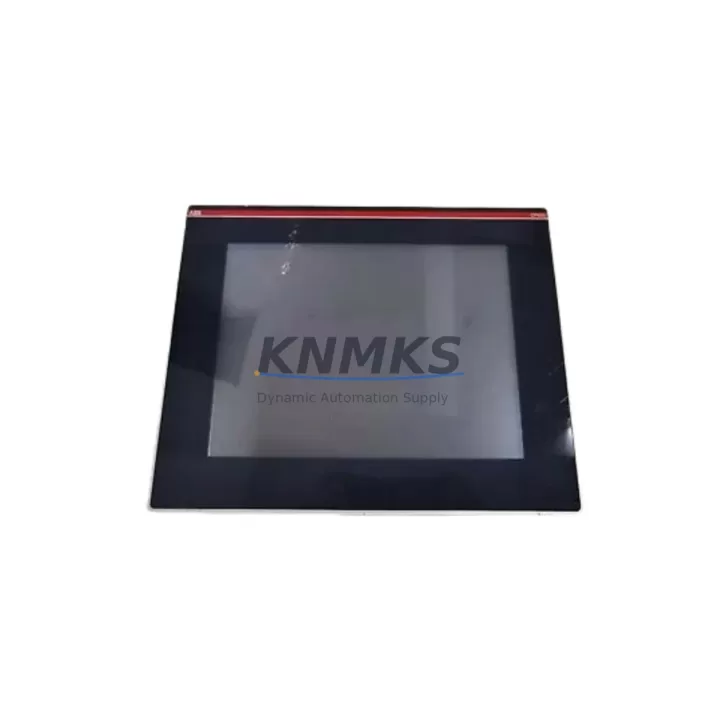
ABB CP650 B2 Maintenance-Proven Spare Part for Factory Uptime
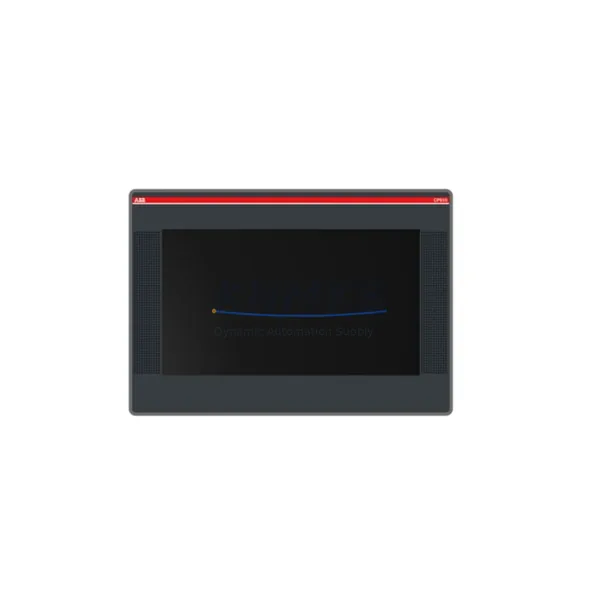
The ABB CP650 B2 is a 10.4-inch color touchscreen HMI operator panel from ABB’s CP600 series, engineered for continuous operation in demanding industrial automation environments. As a direct original spare, the CP650 B2 is the preferred replacement for aging or failed HMI panels in control cabinets running ABB AC500 PLC systems, process skids, and machine automation lines. Maintenance engineers and procurement teams rely on verified original spares to eliminate compatibility risk, reduce commissioning time, and restore production uptime within the shortest possible window.
When a CP650 B2 fails or shows signs of degradation — including touchscreen unresponsiveness, display flickering, communication dropouts, or boot failures — rapid replacement with a pre-tested original unit is the most reliable path to line recovery. Stocking at least one CP650 B2 as a forward spare in your maintenance inventory is a recognized best practice for facilities operating CP600-series HMI panels in 24/7 production environments.
Spare Maintenance Table
| SKU | CP650 B2 |
| Brand | ABB |
| Series | CP600 |
| Product Type | HMI Operator Panel |
| Display Size | 10.4″ TFT Color Touchscreen |
| Resolution | 640 × 480 (VGA) |
| Supply Voltage | 24 V DC (nominal) |
| Communication Interfaces | Ethernet (RJ45), RS-232/RS-485, USB |
| PLC Compatibility | ABB AC500 series; CP600 panel family |
| Operating Temperature | 0 °C to +50 °C |
| Protection Rating | IP65 (front panel) |
| Mounting | Panel cut-out, flush mount |
| Origin | Germany |
| Condition | Original New / Tested Spare |
| Support terms | 12 Months |
| Dispatch | Pre-shipment tested; rapid global dispatch |
Maintenance Planning for Continuous Operation
Replacing a CP650 B2 in a live control cabinet is rarely an isolated task. A thorough site inspection should accompany every HMI swap to prevent repeat failures and ensure the restored system meets original design intent. Maintenance engineers should verify the 24 V DC panel power supply — typically an ABB CP-E or equivalent DIN-rail power supply unit — is within voltage tolerance and free of ripple before energizing the replacement panel. Loose or corroded terminal block connections on the power feed are a common root cause of premature HMI failure and must be inspected and re-torqued.
Communication integrity is equally critical. The Ethernet cable and RJ45 connector linking the CP650 B2 to the AC500 PLC CPU module should be tested for continuity and replaced if the shielding is compromised. Where RS-485 fieldbus connections are used for peripheral device communication, the bus termination resistors and cable routing should be confirmed against the original wiring diagram. Any signal isolation modules in the communication path should be checked for correct impedance and ground reference.
I/O wiring connected to the panel’s USB or serial ports — including barcode readers, printers, or remote I/O adapters — should be disconnected, inspected, and reconnected systematically to avoid port damage during installation. If the control cabinet also houses an ABB AC500 digital I/O expansion module or analog signal card, verify that the backplane connector seating is secure, as vibration over time can cause intermittent I/O faults that are misdiagnosed as HMI failures.
Protective components deserve equal attention: check the 24 V DC fuse or circuit breaker protecting the HMI power feed, inspect any surge protection devices on the incoming supply, and confirm that cabinet ventilation or cooling fans are operational to prevent thermal stress on the new panel. Where relay output modules are present in the same cabinet, inspect contact condition and coil voltage to rule out electrical noise sources that could affect touchscreen sensitivity.
For facilities managing multiple CP600-series panels across a plant, a standardized annual inspection checklist covering the CP650 B2, associated power supplies, communication cables, I/O modules, and protective devices significantly reduces unplanned downtime and extends the service life of the entire control system.
Site Replacement Workflow
The CP650 B2 is a direct form-fit-function replacement for earlier CP600 HMI variants installed in the same panel cut-out. Before beginning replacement, document the existing panel configuration by exporting the project file from the Panel Builder 600 engineering software if accessible, or photographing all wiring connections and screen layouts. This ensures rapid recommissioning after the new unit is installed.
Power down the cabinet via the main isolator and verify zero voltage at the HMI power terminals using a calibrated multimeter. Disconnect the 24 V DC supply wiring, communication cables, and any USB peripherals in sequence. Remove the panel retaining clamps, extract the old CP650 B2, and inspect the cut-out gasket for damage before inserting the replacement unit. Reconnect all wiring in reverse order, torque terminal screws to specification, and restore power.
On first boot, confirm the firmware version matches the project requirements and upload the saved configuration file. Validate all screen pages, alarm functions, and PLC communication tags before returning the line to production. A 30-minute supervised run at normal operating load is recommended to confirm thermal stability and communication reliability before signing off the maintenance record.
This workflow minimizes mean time to repair (MTTR), preserves system compatibility, and ensures the replacement CP650 B2 performs to original specification from day one.
Spare Parts Support FAQ
Q1: Is the CP650 B2 supplied as a new original unit or a refurbished spare?
All CP650 B2 units are supplied as original new or fully tested spares. Each unit undergoes pre-shipment functional testing covering power-on, display, touchscreen calibration, and communication port verification before dispatch. A support terms confirmed by quotation is included from the date of shipment.
Q2: How do I confirm compatibility with my existing CP600 installation?
The CP650 B2 is compatible with ABB CP600 series panel cut-outs and is designed for use with ABB AC500 PLC systems. Confirm your existing panel model number, cut-out dimensions, and Panel Builder 600 project version before ordering. Our technical team can assist with compatibility verification based on your system documentation.
Q3: What is the recommended stock quantity for a facility running multiple CP600 HMI panels?
For facilities with three or more CP600-series panels in continuous operation, maintaining a minimum of one CP650 B2 forward spare per production zone is recommended. Given OEM lead times that can extend to 12–20 weeks for certain configurations, forward stocking eliminates procurement risk and supports a 12-month maintenance buffer strategy.
Q4: Can long-term supply agreements be arranged for the CP650 B2?
Yes. For customers requiring guaranteed stock availability across multiple maintenance cycles, long-term supply agreements with scheduled dispatch and priority allocation are available. Contact our sales team to discuss volume requirements, delivery schedules, and extended support terms options tailored to your plant maintenance program.
© 2026 KNMKS. All rights reserved.
Original Source: https://knmks.com
Contact: admin@knmks.com | +86 18359268345
Product Identification
- Brand / Ecosystem
-
ABB
ABB - Model / Series
- CP650 B2
- Product Family
- HMI & Displays
- Availability Status
- Available on request after model and quantity confirmation
- Inquiry Type
- B2B RFQ, replacement inquiry and project spare-part request
- Pre-Quote Check
- Exact SKU, brand, series, quantity, nameplate photos and destination country are checked before quotation
System Path
Where this product fits in the KNMKS automation structure.
Specification & Inquiry Focus
- Display range
- Operator panels and touch screens
- Common needs
- Screen size, interface and version matching
- Project support
- Retrofit, spare unit and panel replacement
Buyer Confirmation
Information KNMKS checks before replying.
- Exact model
- CP650 B2
- Brand / ecosystem
- ABB
- Product family
- HMI & Displays
- Application note
- Replacement, maintenance, project build or spare-part list
- Useful photos
- Nameplate, installed unit, cabinet layout or connector side
- Delivery details
- Quantity, destination country and target schedule
Document Support
Files and notes can be confirmed during quotation.
- Product photos or nameplate confirmation when available
- Packing and delivery notes before quotation confirmation
- Support scope and delivery terms confirmed per inquiry
- Export document coordination for qualified B2B requests
Inquiry Support
- Panel size and interface confirmation
- Replacement unit inquiry for discontinued HMIs
- Protective packaging for display shipment
What to Send Us
- Brand and exact model number: ABB CP650 B2
- Quantity and required delivery time
- Application, replacement requirement or nameplate photo
- Destination country and shipping preference
RFQ Preparation
This is a product inquiry page built for RFQ communication.
Fast Model Check
Send this model to KNMKS for confirmation.
Include quantity, destination country and photos if this is a maintenance replacement. The inquiry will be saved with a reference number after submission.
Brand & Compatibility Note
KNMKS displays automation product information for well-known industrial brand ecosystems and compatible replacement references. Brand names are used for product identification and compatibility reference only; final availability and commercial terms are confirmed per quotation.
 Manufacturing
 Machine Tools
 Packaging
 Energy & Power
 PLCs & Controllers
 Servo Systems
 Variable Frequency Drives
 Sensors