
Overview
ABB CP6407 Maintenance-Proven Spare Part for Factory Uptime
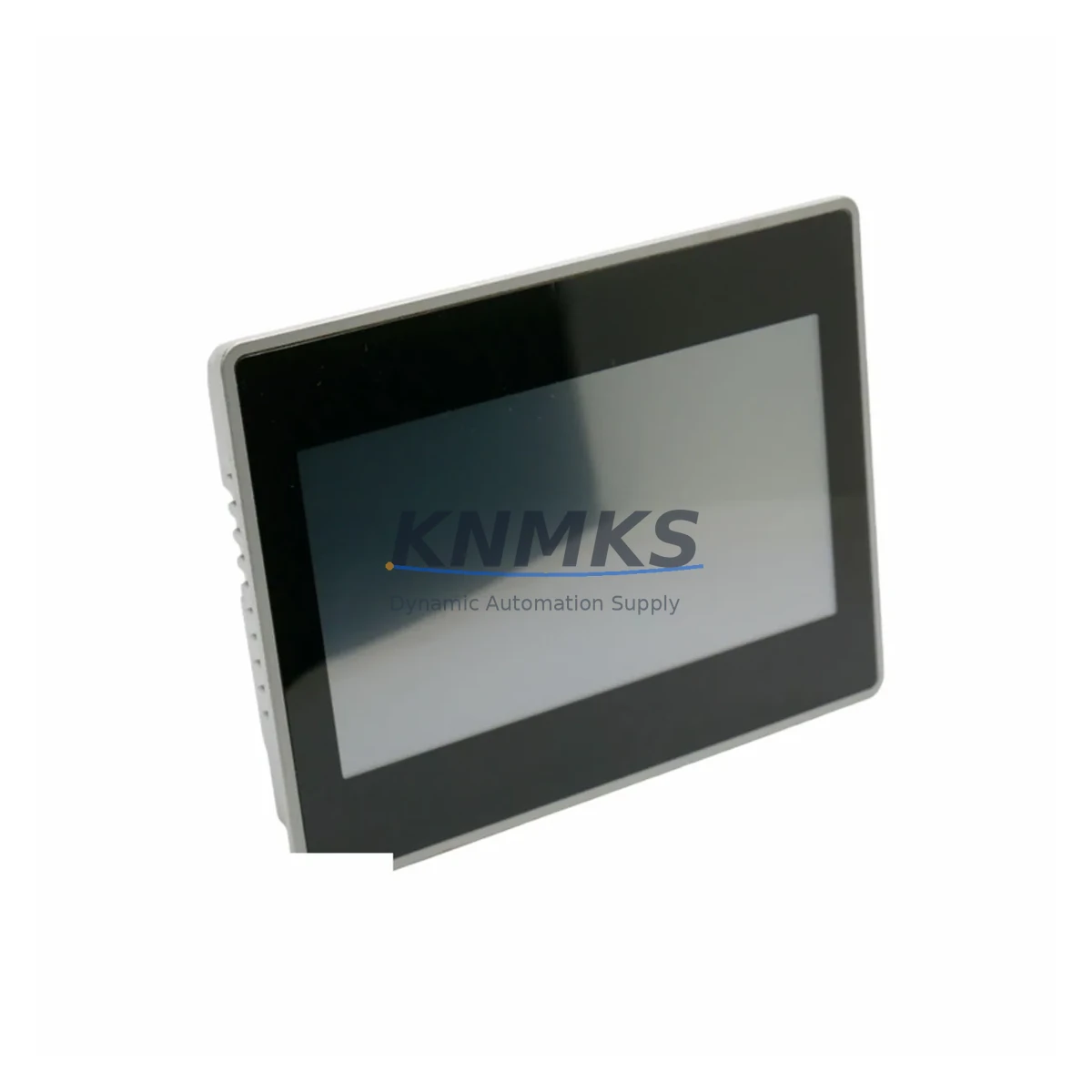
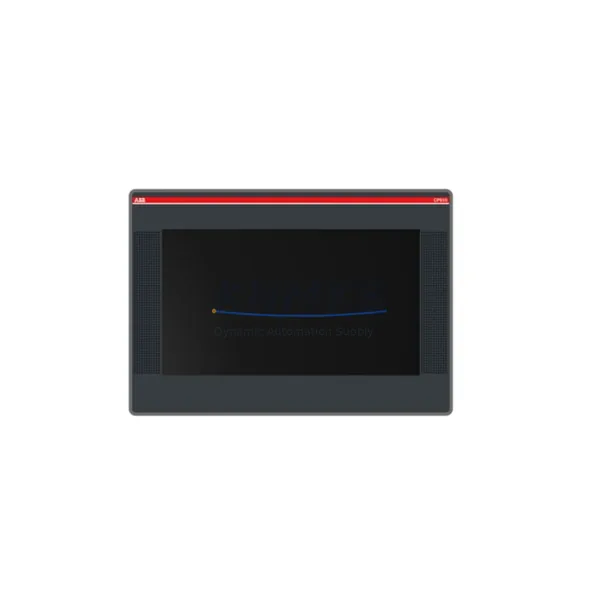
The ABB CP6407 is a high-performance HMI operator panel from ABB’s CP600 Series, engineered for demanding industrial automation environments including DCS, PLC, and SCADA control architectures. As a maintenance-proven original spare part, the CP6407 is a critical component for facilities that depend on continuous process visibility, operator interaction, and real-time system feedback. Whether you are managing a scheduled annual overhaul, responding to an unplanned panel failure, or building a proactive spare parts inventory, the CP6407 delivers the reliability and compatibility that maintenance and procurement engineers require.
Sourced as an original ABB component, the CP6407 is fully compatible with CP600 Series control cabinets and associated automation infrastructure. Each unit undergoes pre-shipment functional testing to verify display integrity, communication interface performance, and input/output responsiveness before dispatch. A support terms confirmed by quotation is included with every shipment, providing procurement teams with the assurance needed for long-term supply planning and budget control.
For facilities operating legacy ABB control systems, the CP6407 represents a direct, drop-in replacement that eliminates the engineering risk associated with cross-series substitutions. Its standardized mounting dimensions and communication protocols ensure seamless integration into existing CP600 panel cutouts without modification to the control cabinet structure or wiring harness.
Spare Maintenance Table
| Parameter | Specification |
|---|---|
| Part Number / SKU | CP6407 |
| Brand | ABB |
| Series | CP600 |
| Product Type | HMI Operator Panel |
| Origin | Germany (DE) |
| Display Type | Color TFT LCD (CP600 Series standard) |
| Communication Interface | Ethernet, RS-232/RS-485 (series-standard) |
| Operating Voltage | 24 VDC (nominal, CP600 Series) |
| Protection Rating | IP65 front panel (typical CP600 Series) |
| Mounting | Panel cutout, flush mount |
| Weight | 4,460 g |
| Application Environment | Industrial automation, DCS/PLC/SCADA control cabinets |
| Compatibility | ABB CP600 Series control systems; AC500 PLC ecosystem |
| Replacement Scope | Direct drop-in for CP6407; compatible with CP600 panel cutout |
| Pre-Shipment Testing | Yes — functional test performed before dispatch |
| Support terms | 12 Months |
| Dispatch | Global rapid dispatch; multi-region stock available |
Maintenance Planning for Continuous Operation
When replacing the ABB CP6407 in a CP600 Series control cabinet, a disciplined maintenance workflow requires more than a panel swap. Maintenance engineers should treat the CP6407 replacement as an opportunity to audit the surrounding electrical and communication infrastructure to prevent secondary failures and reduce the risk of repeat downtime.
Begin by inspecting the 24 VDC panel power supply feeding the CP6407. Voltage ripple, aging capacitors, or undersized supply rails are common root causes of HMI panel failures that go undetected until the panel itself is replaced. Verify that the power supply output is within tolerance before commissioning the new CP6407 unit.
Next, check the communication cabling between the CP6407 and the connected PLC or DCS controller — typically an ABB AC500 PLC or a Symphony Plus DCS node. Ethernet patch cables, RS-485 twisted-pair runs, and connector terminations should be inspected for insulation damage, loose ferrules, and impedance mismatches. A degraded communication link will cause intermittent HMI faults even with a new panel installed.
The I/O terminal blocks and signal wiring connected to the control cabinet backplane should also be reviewed. Loose terminal connections and corroded contact surfaces are frequent contributors to signal integrity issues that manifest as HMI display errors or communication timeouts. Tighten all terminal screws and apply contact cleaner where oxidation is visible.
For cabinets that include signal isolators or signal conditioners between field instruments and the HMI, verify that isolation barriers are functioning correctly. A failed signal isolator can introduce ground loops or noise that corrupts the data stream to the CP6407, causing erratic display behavior that mimics a panel hardware fault.
Inspect cabinet fuses and circuit protection on the HMI power circuit. Fuses that have operated at or near their rated current for extended periods may exhibit increased resistance, causing voltage drop at the panel terminals. Replace any fuse that shows signs of heat discoloration or mechanical fatigue.
If the control cabinet includes a CP600 Series communication module or gateway for Modbus, PROFIBUS, or EtherNet/IP connectivity, verify that firmware versions are compatible with the replacement CP6407 unit. Firmware mismatches between the HMI panel and the communication module are a known source of post-replacement commissioning delays. Similarly, if a relay output module is wired to the HMI for alarm annunciation or interlock signaling, test relay coil continuity and contact resistance before returning the system to service.
Procurement engineers building a resilient spare parts inventory for CP600 Series installations should consider stocking complementary components alongside the CP6407: a spare 24 VDC DIN-rail power supply rated for the cabinet load, a set of CP600-compatible communication cables, and at minimum one spare I/O module matched to the installed AC500 PLC configuration. This approach ensures that a single component failure does not cascade into a multi-day procurement delay.
Site Replacement Workflow
Replacing the ABB CP6407 on-site follows a structured sequence designed to minimize control system downtime and eliminate commissioning errors. Before beginning, confirm that a valid backup of the HMI project file exists — CP600 Series panels store operator screen configurations, tag mappings, and alarm setpoints internally, and these must be restored to the replacement unit before the system can return to normal operation.
Step 1 — Isolation: De-energize the HMI power circuit at the cabinet fuse or MCB. Verify absence of voltage at the CP6407 power terminals using a calibrated multimeter. Do not rely on the panel’s own power indicator for isolation confirmation.
Step 2 — Disconnection: Label and photograph all communication cables, power leads, and grounding connections before removal. CP600 Series panels use keyed connectors on most interfaces, but documentation prevents errors during reinstallation, particularly in cabinets where multiple panels or communication modules share similar connector types.
Step 3 — Panel removal: Release the CP6407 from the panel cutout using the manufacturer-specified mounting clamps or quarter-turn fasteners. Support the panel weight during removal to avoid stress on the front bezel or display assembly.
Step 4 — Inspection and cleaning: Before installing the replacement CP6407, clean the panel cutout gasket surface and inspect the cabinet interior for moisture ingress, insulation damage, or foreign material. Address any findings before proceeding.
Step 5 — Installation and commissioning: Install the replacement CP6407, reconnect all cables per the documented configuration, and restore power. Load the backed-up HMI project file via the CP600 Series programming interface. Verify all operator screens, tag communications, and alarm functions before releasing the system to operations.
This workflow is applicable to both emergency breakdown replacements and planned maintenance outages. For facilities with extended lead times on HMI spares, maintaining a pre-configured, project-loaded CP6407 in the on-site spare parts store eliminates the commissioning step entirely and reduces mean time to repair (MTTR) to under one hour.
Spare Parts Support FAQ
Q1: Is the CP6407 available as a new original part, and what does the support terms confirmed by quotation cover?
Yes. The CP6407 is supplied as an original ABB spare part. The support terms confirmed by quotation cover manufacturing defects and functional failures under normal operating conditions. Each unit is pre-shipment tested for display, communication, and power interface functionality before dispatch. Support requests are supported with documented test records.
Q2: How do I confirm compatibility between the CP6407 and my existing CP600 Series installation?
Compatibility is confirmed by matching the panel cutout dimensions, power supply voltage (24 VDC), and communication interface type (Ethernet / RS-485) to the CP6407 specification. For installations where the existing panel firmware version is known, verify that the replacement unit firmware is at an equivalent or higher revision. Contact our technical team with your cabinet model and existing panel part number for a compatibility confirmation before ordering.
Q3: What is the recommended inventory strategy for CP6407 spares in a multi-line facility?
For facilities operating three or more CP600 Series HMI stations, a minimum of one on-site CP6407 spare is recommended. For critical process lines where HMI failure results in a full production stop, a pre-configured spare with the current HMI project loaded is the preferred strategy. Annual review of spare part condition and firmware currency should be included in the site maintenance schedule.
Q4: Can the CP6407 replace older CP600 Series HMI models that are no longer available from ABB?
The CP6407 is designed as a current-generation CP600 Series panel and is compatible with the standard CP600 mounting and communication architecture. For older CP600 variants, dimensional and interface compatibility should be verified against the original installation drawings. Our team can assist with cross-reference validation and, where a direct replacement is not feasible, can recommend the closest compatible CP600 Series alternative with documented migration guidance.
© 2026 KNMKS. All rights reserved.
Original Source: https://knmks.com
Contact: admin@knmks.com | +86 18359268345
Product Identification
- Brand / Ecosystem
-
ABB
ABB - Model / Series
- CP6407
- Product Family
- HMI & Displays
- Availability Status
- Available on request after model and quantity confirmation
- Inquiry Type
- B2B RFQ, replacement inquiry and project spare-part request
- Pre-Quote Check
- Exact SKU, brand, series, quantity, nameplate photos and destination country are checked before quotation
System Path
Where this product fits in the KNMKS automation structure.
Specification & Inquiry Focus
- Display range
- Operator panels and touch screens
- Common needs
- Screen size, interface and version matching
- Project support
- Retrofit, spare unit and panel replacement
Buyer Confirmation
Information KNMKS checks before replying.
- Exact model
- CP6407
- Brand / ecosystem
- ABB
- Product family
- HMI & Displays
- Application note
- Replacement, maintenance, project build or spare-part list
- Useful photos
- Nameplate, installed unit, cabinet layout or connector side
- Delivery details
- Quantity, destination country and target schedule
Document Support
Files and notes can be confirmed during quotation.
- Product photos or nameplate confirmation when available
- Packing and delivery notes before quotation confirmation
- Support scope and delivery terms confirmed per inquiry
- Export document coordination for qualified B2B requests
Inquiry Support
- Panel size and interface confirmation
- Replacement unit inquiry for discontinued HMIs
- Protective packaging for display shipment
What to Send Us
- Brand and exact model number: ABB CP6407
- Quantity and required delivery time
- Application, replacement requirement or nameplate photo
- Destination country and shipping preference
RFQ Preparation
This is a product inquiry page built for RFQ communication.
Fast Model Check
Send this model to KNMKS for confirmation.
Include quantity, destination country and photos if this is a maintenance replacement. The inquiry will be saved with a reference number after submission.
Brand & Compatibility Note
KNMKS displays automation product information for well-known industrial brand ecosystems and compatible replacement references. Brand names are used for product identification and compatibility reference only; final availability and commercial terms are confirmed per quotation.
 Manufacturing
 Machine Tools
 Packaging
 Energy & Power
 PLCs & Controllers
 Servo Systems
 Variable Frequency Drives
 Sensors