
Overview
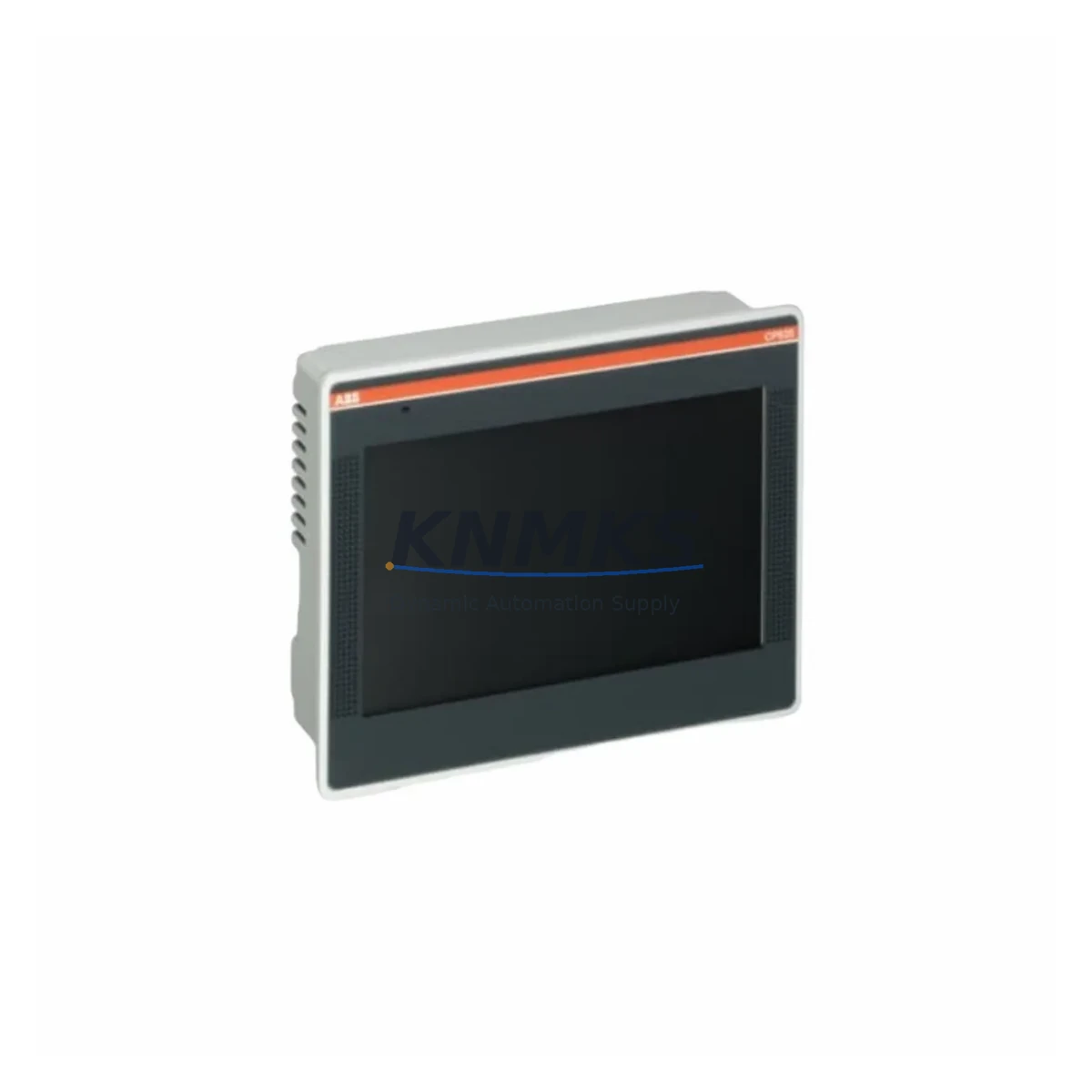
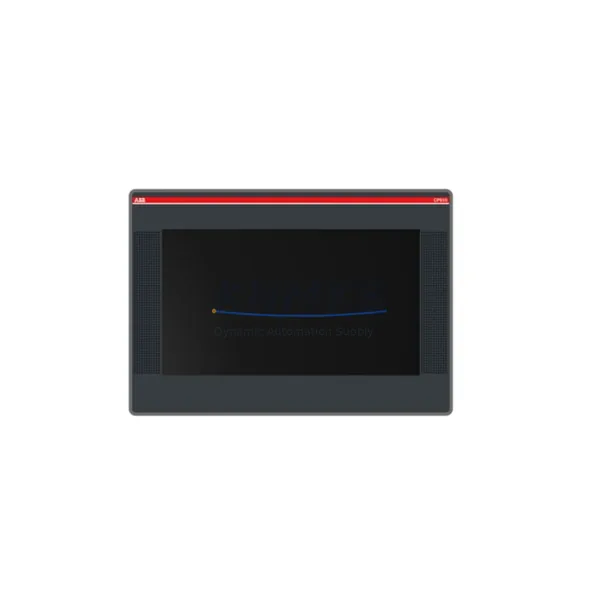
ABB CP635 1SAP535100R0001 Migration-Ready HMI Panel for Legacy Control Systems
The ABB CP635 (part number 1SAP535100R0001) is a 5.7-inch color touch panel from the CP600 HMI series, engineered for direct integration into legacy ABB AC500 PLC environments and third-party control architectures requiring a compact, field-proven operator interface. As original CP600-series panels age out of active production support, the CP635 serves as a migration-ready replacement for earlier CP620 and CP630 units, offering backward-compatible communication protocols, identical panel cutout dimensions, and support for Panel Builder 600 project files — significantly reducing engineering rework during retrofit campaigns.
For maintenance engineers managing aging control cabinets, the CP635 addresses the most critical pain points in HMI replacement: power supply compatibility (24 VDC nominal, 18–30 VDC operating range), terminal block wiring continuity, and communication link preservation. The unit supports PROFIBUS DP, Modbus RTU/TCP, and Ethernet-based protocols, allowing it to interface directly with existing ABB AC500 CPUs such as the PM573 or PM583 without requiring PLC program modifications. Where legacy panels relied on RS-232 or RS-485 serial links, the CP635’s multi-port architecture accommodates both legacy and modern communication stacks simultaneously.
Migration Compatibility Table
| Parameter | CP635 1SAP535100R0001 | Legacy CP620 / CP630 | Retrofit Notes |
|---|---|---|---|
| Display Size | 5.7″ TFT Color | 5.7″ STN / TFT | Same panel cutout — no cabinet modification required |
| Power Supply | 24 VDC (18–30 VDC) | 24 VDC | Verify existing PSU capacity ≥ 1.5 A at 24 VDC |
| Communication Ports | Ethernet, RS-232, RS-485, USB | RS-232, RS-485 | Map legacy serial links to COM1/COM2; Ethernet adds Modbus TCP |
| PROFIBUS DP | Supported (via TA526 adapter) | Supported (native) | Confirm DP address assignment matches original node address |
| HMI Project Files | Panel Builder 600 v2.1+ | Panel Builder 600 v1.x | Convert project; validate all alarm tags and trend objects |
| Mounting | Panel cutout 192 × 138 mm | 192 × 138 mm | Direct drop-in; check gasket seal condition |
| Operating Temperature | 0–50 °C | 0–50 °C | No environmental re-rating required |
| Firmware | Runtime v3.x | Runtime v1.x / v2.x | Flash firmware before commissioning; backup original project first |
| Pre-Shipment Testing | Yes — full power-on and comms check | N/A (legacy stock) | Unit ships tested and ready for installation |
| Support terms | 12 Months | End of support | Covered from date of dispatch |
Retrofit Planning for Existing Automation Systems
A successful CP635 retrofit begins well before the panel arrives on site. Engineers should audit the existing control cabinet to confirm that the 24 VDC power rail — typically supplied by an ABB CP-E 24/5.0 or equivalent DIN-rail power supply — can sustain the CP635’s peak current draw alongside co-located I/O modules and communication adapters. In cabinets where the original CP620 shared a power bus with an AC500 I/O expansion rack (for example, a TB521 or TB541 terminal base carrying SM560 digital I/O modules), the additional Ethernet port activity of the CP635 may marginally increase bus load; a current audit is recommended before energizing.
Communication wiring should be documented before removal of the legacy panel. Where the original installation used an RS-485 Modbus RTU link to a third-party drive or sensor, the CP635’s COM2 port accepts the same 3-wire termination (A, B, GND) with identical baud rate settings up to 115,200 bps. For sites that have already migrated the PLC layer to Ethernet — for instance, replacing an older PM554 CPU with a PM573-ETH — the CP635’s RJ45 port enables a direct Modbus TCP or ABB proprietary Ethernet link, eliminating the serial adapter entirely and simplifying the communication architecture.
HMI screen migration requires loading the existing Panel Builder 600 project into the current software version and running the project conversion wizard. Engineers should pay particular attention to alarm group configurations, recipe data blocks, and any custom function key assignments that may not convert automatically. Where the original project referenced a TA526 PROFIBUS DP communication module for connection to a remote I/O island, the same module remains compatible with the CP635 and can be reused without reconfiguration, provided the DP node address is preserved. Signal isolators installed between the HMI serial port and field instruments — a common practice in high-noise environments — should be retained and re-terminated to the CP635’s COM port with the same wiring polarity.
For sites running ABB Mint or third-party SCADA systems that poll the HMI via OPC or DDE, the CP635’s Ethernet interface supports standard OPC DA server configurations, allowing SCADA tag maps to remain unchanged. Programming cables used during the original commissioning — such as the TK501 USB-to-serial adapter — are compatible with the CP635 for firmware updates and project downloads, avoiding the need for additional tooling procurement.
Downtime Control During System Migration
Minimizing production downtime during an HMI swap requires a structured pre-outage preparation sequence. Before the planned maintenance window, the existing CP620 or CP630 project file should be exported and archived, and all current alarm setpoints, recipe values, and operator notes should be documented. The replacement CP635 should be pre-loaded with the converted project, firmware updated to the target runtime version, and communication parameters pre-configured — including IP address assignment, Modbus slave IDs, and PROFIBUS node address — so that the physical swap becomes a purely mechanical and wiring operation.
During the outage, the sequence should follow: isolate panel power, photograph all terminal connections, remove the legacy panel, install the CP635 into the same cutout, reconnect terminals in documented order, restore power, and verify communication link status on each configured port before releasing the line. For AC500-based systems, the PLC program logic does not require modification when replacing a CP-series HMI, as the controller operates independently of the operator panel; the HMI reads and writes PLC variables via the communication link without altering the control program. This separation of concerns means that even if the HMI replacement requires a second attempt, the production process can continue under manual or local control while the panel is reconfigured.
Post-installation verification should include a full alarm acknowledgment cycle, a recipe load-and-execute test, and a trend data logging confirmation. Where the site uses a historian or MES system connected to the HMI, a data continuity check should confirm that tag subscriptions have resumed correctly. All verification steps should be logged for audit purposes, and the support terms confirmed by quotation period begins from the confirmed dispatch date, providing coverage through the initial commissioning and stabilization phase.
Retrofit Support FAQ
Q: Is the ABB CP635 1SAP535100R0001 a direct replacement for the CP620 and CP630?
A: Yes. The CP635 shares the same 192 × 138 mm panel cutout as the CP620 and CP630, uses the same 24 VDC power supply range, and is compatible with Panel Builder 600 project files after conversion. Communication ports and protocol support are backward compatible, making it the recommended upgrade path for both models.
Q: Does the unit ship pre-tested, and what does the support terms cover?
A: Every CP635 1SAP535100R0001 unit undergoes a full power-on and communications verification test before dispatch. The support terms confirmed by quotation cover hardware defects and communication port failures from the date of shipment. Units are dispatched with test records available on request.
Q: What wiring changes are required when replacing a CP620 with the CP635?
A: In most installations, no wiring changes are required. The 24 VDC power terminals and RS-485/RS-232 COM port pinouts are compatible. If the original installation used a TA526 PROFIBUS adapter, it can be reused. The additional Ethernet port requires a new RJ45 cable only if Ethernet communication is being added as part of the upgrade.
Q: Can the CP635 communicate with non-ABB PLCs and drives?
A: Yes. The CP635 supports Modbus RTU (RS-485), Modbus TCP (Ethernet), and PROFIBUS DP (via TA526 adapter), enabling integration with third-party controllers, variable frequency drives, and remote I/O systems from other manufacturers. Protocol configuration is handled within Panel Builder 600 without requiring hardware changes.
© 2026 KNMKS. All rights reserved.
Original Source: https://knmks.com
Contact: admin@knmks.com | +86 18359268345
Product Identification
- Brand / Ecosystem
-
ABB
ABB - Model / Series
- "CP635 1SAP535100R0001"
- Product Family
- HMI & Displays
- Availability Status
- Available on request after model and quantity confirmation
- Inquiry Type
- B2B RFQ, replacement inquiry and project spare-part request
- Pre-Quote Check
- Exact SKU, brand, series, quantity, nameplate photos and destination country are checked before quotation
System Path
Where this product fits in the KNMKS automation structure.
Specification & Inquiry Focus
- Display range
- Operator panels and touch screens
- Common needs
- Screen size, interface and version matching
- Project support
- Retrofit, spare unit and panel replacement
Buyer Confirmation
Information KNMKS checks before replying.
- Exact model
- "CP635 1SAP535100R0001"
- Brand / ecosystem
- ABB
- Product family
- HMI & Displays
- Application note
- Replacement, maintenance, project build or spare-part list
- Useful photos
- Nameplate, installed unit, cabinet layout or connector side
- Delivery details
- Quantity, destination country and target schedule
Document Support
Files and notes can be confirmed during quotation.
- Product photos or nameplate confirmation when available
- Packing and delivery notes before quotation confirmation
- Support scope and delivery terms confirmed per inquiry
- Export document coordination for qualified B2B requests
Inquiry Support
- Panel size and interface confirmation
- Replacement unit inquiry for discontinued HMIs
- Protective packaging for display shipment
What to Send Us
- Brand and exact model number: ABB "CP635 1SAP535100R0001"
- Quantity and required delivery time
- Application, replacement requirement or nameplate photo
- Destination country and shipping preference
RFQ Preparation
This is a product inquiry page built for RFQ communication.
Fast Model Check
Send this model to KNMKS for confirmation.
Include quantity, destination country and photos if this is a maintenance replacement. The inquiry will be saved with a reference number after submission.
Brand & Compatibility Note
KNMKS displays automation product information for well-known industrial brand ecosystems and compatible replacement references. Brand names are used for product identification and compatibility reference only; final availability and commercial terms are confirmed per quotation.
 Manufacturing
 Machine Tools
 Packaging
 Energy & Power
 PLCs & Controllers
 Servo Systems
 Variable Frequency Drives
 Sensors