
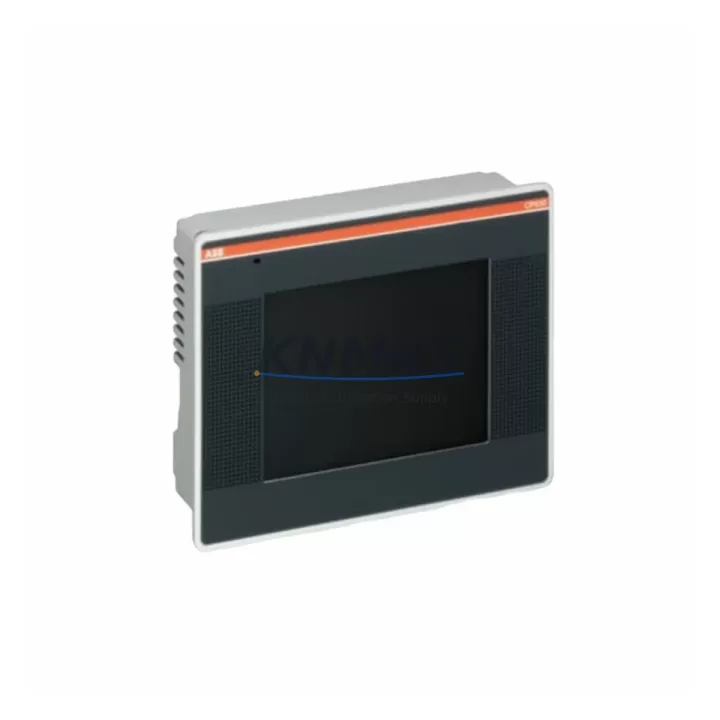
Overview
ABB CP630-WEB 1SAP530200R0001 Maintenance-Proven Spare for Factory Uptime
The ABB CP630-WEB (part number 1SAP530200R0001) is a 10.1-inch WSVGA Web Panel from the CP600 Series, engineered for demanding industrial HMI applications within ABB’s AC500 PLC ecosystem. As a maintenance-proven spare part, it is stocked and dispatched to support rapid replacement scenarios — from unplanned shutdowns to scheduled annual overhauls — ensuring your control cabinet and production line return to full operation with minimal delay.
This unit features an integrated web browser interface, resistive touchscreen, Ethernet connectivity, and compatibility with ABB’s AC500 PLC family, making it a direct fit for existing CP600 installations without requiring software reconfiguration or panel cutout modification. Whether you are managing a single-line HMI replacement or building a multi-site spare parts inventory, the CP630-WEB delivers the dimensional and electrical consistency required for like-for-like substitution.
Every unit is pre-shipment tested and backed by a support terms confirmed by quotation, providing procurement engineers with the confidence needed for emergency purchasing decisions and long-term supply planning.
Spare Maintenance Table
| Parameter | Specification |
|---|---|
| Part Number | 1SAP530200R0001 |
| Model | CP630-WEB |
| Series | CP600 |
| Brand | ABB |
| Display Size | 10.1-inch WSVGA (1024 × 600) |
| Touchscreen Type | Resistive |
| Operating System | Linux-based embedded OS |
| Communication | Ethernet (RJ45), USB Host/Device |
| PLC Compatibility | ABB AC500 Series (PM5xx, PM5xx-ETH) |
| Supply Voltage | 24 VDC (SELV) |
| Power Consumption | ≤ 15 W typical |
| Operating Temperature | 0 °C to +50 °C |
| Protection Rating | IP65 (front panel) |
| Mounting | Panel cut-out, rear mounting clips |
| Origin | Germany |
| Support terms | 12 Months |
| Pre-Shipment Test | Yes — power-on, display, and communication verified |
| Condition | Original / Migration-Ready Spare |
Maintenance Planning for Continuous Operation
When replacing the CP630-WEB in a live control cabinet, a disciplined maintenance approach requires inspecting the surrounding electrical and communication infrastructure before commissioning the new panel. Begin with the 24 VDC SELV power supply feeding the HMI — verify output voltage stability and check for ripple or voltage drop under load, as an undersized or aging power supply unit is a common root cause of HMI reboot cycles and display anomalies. If the cabinet uses an ABB CP-E 24/5.0 or equivalent DIN-rail power supply, confirm its output terminals and fuse protection are intact.
Next, inspect the Ethernet patch cable and RJ45 connector between the CP630-WEB and the AC500 PLC CPU module (such as the PM564-ETH or PM573-ETH). Cable degradation, bent pins, or incorrect IP addressing are frequent causes of communication loss after panel replacement. If the installation uses a managed Ethernet switch within the cabinet, verify port configuration and VLAN settings have not drifted.
For cabinets integrating I/O expansion, confirm that the AC500 I/O modules (SM560-S, DC532, or DA501 analog output modules) are correctly addressed and that no I/O mapping conflicts exist in the PLC program following the HMI swap. Signal isolators on analog loops should also be checked for drift, particularly in high-temperature environments.
Terminal blocks and cable ferrules on the 24 VDC supply rail should be re-torqued to specification during any planned HMI replacement — loose connections are a leading cause of intermittent faults that are difficult to diagnose remotely. If the cabinet includes a CM572-DP PROFIBUS communication module or a CM589-PNIO PROFINET interface, verify that the HMI’s network configuration does not conflict with the fieldbus master addressing.
For sites running legacy CP600 panels alongside newer CP600-eCo units, maintaining a mixed spare inventory that includes both the CP630-WEB and the CP635-WEB (15-inch variant) ensures coverage across panel sizes without requiring separate procurement cycles. Documenting the firmware version installed on the replacement unit and aligning it with the PLC project version is a critical step that is frequently overlooked during emergency replacements.
Site Replacement Workflow
Step 1 — Isolation: De-energize the HMI supply circuit at the cabinet breaker. Do not rely solely on the panel’s soft power-off. Confirm 0 VDC at the supply terminals with a calibrated multimeter.
Step 2 — Documentation: Photograph the existing wiring, IP address label, and firmware version displayed on the outgoing CP630-WEB before disconnection. Record the PLC project name and version from the AC500 CPU.
Step 3 — Removal: Release the rear mounting clips and carefully withdraw the panel from the cutout. Disconnect the 24 VDC supply connector and Ethernet cable. Inspect the panel cutout gasket — replace if compressed or cracked to maintain IP65 integrity.
Step 4 — Installation: Insert the replacement CP630-WEB 1SAP530200R0001 into the cutout. Reconnect supply and Ethernet. Torque mounting clips evenly to avoid frame distortion.
Step 5 — Commissioning: Energize and verify boot sequence. Confirm IP address assignment matches the original configuration. Validate HMI communication with the AC500 PLC by navigating to a live data screen. Check all alarm pages and trend displays for correct tag binding.
Step 6 — Documentation Close-Out: Update the site maintenance log with the replacement date, new unit serial number, and firmware version. Replenish the spare parts inventory to maintain minimum stock levels.
This workflow minimizes downtime to under 60 minutes for a prepared maintenance team and eliminates the risk of configuration errors that extend unplanned outages.
Spare Parts Support FAQ
Q1: Is the CP630-WEB 1SAP530200R0001 a direct replacement for older CP600 Series panels?
Yes. The CP630-WEB maintains the same panel cutout dimensions and 24 VDC supply interface as earlier CP600 variants, enabling like-for-like replacement without mechanical modification. Firmware compatibility with the installed AC500 PLC project should be verified prior to commissioning.
Q2: What does the support terms confirmed by quotation cover?
The support terms covers manufacturing defects and functional failures under normal operating conditions for 12 months from the date of shipment. Each unit undergoes power-on, display, and Ethernet communication testing before dispatch. Support requests are supported with direct technical assistance.
Q3: How quickly can the CP630-WEB be dispatched for emergency replacement?
In-stock units are dispatched within 24–48 hours of order confirmation. Express international freight options are available for critical downtime situations. Contact admin@knmks.com or +86 18359268345 for urgent requirements.
Q4: How should procurement engineers plan long-term supply for CP600 Series HMI spares?
Given ABB’s product lifecycle management for the CP600 Series, procurement teams are advised to secure a minimum of one to two CP630-WEB units per production line as buffer stock. Annual inventory reviews aligned with planned shutdowns reduce the risk of extended lead times during peak demand periods. Long-term supply agreements are available upon request.
© 2026 KNMKS. All rights reserved.
Original Source: https://knmks.com
Contact: admin@knmks.com | +86 18359268345
Product Identification
- Brand / Ecosystem
-
ABB
ABB - Model / Series
-
CP630-WEB-1SAP530200R0001
AC500 Series - Product Family
- HMI & Displays
- Availability Status
- Available on request after model and quantity confirmation
- Inquiry Type
- B2B RFQ, replacement inquiry and project spare-part request
- Pre-Quote Check
- Exact SKU, brand, series, quantity, nameplate photos and destination country are checked before quotation
System Path
Where this product fits in the KNMKS automation structure.
Specification & Inquiry Focus
- Display range
- Operator panels and touch screens
- Common needs
- Screen size, interface and version matching
- Project support
- Retrofit, spare unit and panel replacement
Buyer Confirmation
Information KNMKS checks before replying.
- Exact model
- CP630-WEB-1SAP530200R0001
- Brand / ecosystem
- ABB
- Product family
- HMI & Displays
- Application note
- Replacement, maintenance, project build or spare-part list
- Useful photos
- Nameplate, installed unit, cabinet layout or connector side
- Delivery details
- Quantity, destination country and target schedule
Document Support
Files and notes can be confirmed during quotation.
- Product photos or nameplate confirmation when available
- Packing and delivery notes before quotation confirmation
- Support scope and delivery terms confirmed per inquiry
- Export document coordination for qualified B2B requests
Inquiry Support
- Panel size and interface confirmation
- Replacement unit inquiry for discontinued HMIs
- Protective packaging for display shipment
What to Send Us
- Brand and exact model number: ABB CP630-WEB-1SAP530200R0001
- Quantity and required delivery time
- Application, replacement requirement or nameplate photo
- Destination country and shipping preference
RFQ Preparation
This is a product inquiry page built for RFQ communication.
Fast Model Check
Send this model to KNMKS for confirmation.
Include quantity, destination country and photos if this is a maintenance replacement. The inquiry will be saved with a reference number after submission.
Brand & Compatibility Note
KNMKS displays automation product information for well-known industrial brand ecosystems and compatible replacement references. Brand names are used for product identification and compatibility reference only; final availability and commercial terms are confirmed per quotation.
 Manufacturing
 Machine Tools
 Packaging
 Energy & Power
 PLCs & Controllers
 Servo Systems
 Variable Frequency Drives
 Sensors