
Overview
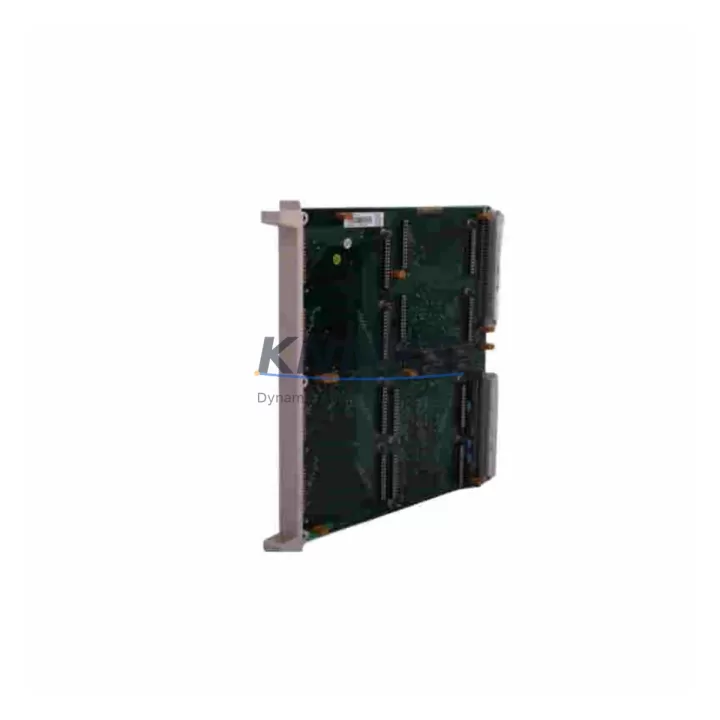
ABB AO890 Migration-Ready Analog Output for S800 I/O: Legacy System Retrofit & Upgrade Guide
The ABB AO890 is an 8-channel analog output module designed for the S800 I/O platform, widely deployed in AC 800M distributed control systems across process industries including oil & gas, pulp & paper, power generation, and chemical manufacturing. As legacy control architectures approach end-of-life and OEM support windows close, the AO890 remains a critical spare part and migration anchor for engineers managing phased system upgrades, panel retrofits, and I/O expansion projects without full DCS replacement.
Whether you are replacing a failed AO890 in an existing S800 rack, consolidating spare parts inventory for a multi-site facility, or planning a structured migration from an older ABB Advant or MOD 300 platform toward AC 800M, this module provides a verified drop-in solution with minimal engineering rework. Pre-shipment functional testing is completed on every unit before dispatch, and each AO890 ships with a support terms confirmed by quotation covering hardware defects under normal operating conditions.
Migration Compatibility Table
| Parameter | Specification / Retrofit Note |
|---|---|
| Module Type | 8-Channel Analog Output, S800 I/O |
| Compatible Platform | ABB AC 800M DCS (MB 810, MB 820, MB 840) |
| Backplane Interface | S800 I/O bus — direct slot replacement in TB820 / TB840 I/O stations |
| Output Signal Range | 4–20 mA / 0–20 mA (configurable per channel via Control Builder) |
| Power Supply Compatibility | Powered via S800 I/O bus; verify SA811 / SD821 PSU capacity before adding modules |
| Terminal Wiring | Compatible with TU810 / TU812 terminal units — no rewiring required for like-for-like swap |
| Communication Link | Optical ModuleBus (via CI810 / CI830 fieldbus interface) |
| Module Address | Set via DIP switch on module face; must match Control Builder I/O configuration |
| Firmware Compatibility | Compatible with AC 800M firmware 5.x and above; verify via Control Builder version check |
| Installation Space | Standard S800 I/O slot; confirm rack slot availability in TB820 / TB840 before ordering |
| Replacement Path | Direct replacement for AO810, AO810V2 in same rack with parameter re-download |
| Support terms | 12-Month Hardware Support terms — pre-shipment tested before dispatch |
Retrofit Planning for Existing Automation Systems
Successful AO890 integration into an existing S800 I/O architecture requires a structured pre-installation review. Begin by auditing the TB820 or TB840 I/O station to confirm available module slots and verify that the SA811 or SD821 power supply unit has sufficient current headroom to support the additional analog output load. In high-density racks where multiple AI890 analog input modules and DI890 digital input modules are already installed, power budget calculations are essential before adding output channels.
The AO890 communicates over the optical ModuleBus, interfaced through a CI810B or CI830 fieldbus communication interface module. Before swapping or adding an AO890, confirm that the CI810B firmware version is compatible with your AC 800M controller firmware — mismatches between the MB 810 controller and the CI830 interface have been known to cause I/O station initialization failures during cold restart. Download the updated I/O configuration from Control Builder M after physical installation to ensure the module address set via DIP switch matches the software configuration.
For sites migrating from older ABB Advant OCS or MOD 300 architectures, the AO890 is frequently used as part of a phased migration strategy where legacy analog output racks are replaced section by section while the AC 800M controller takes over supervisory control. In these scenarios, signal isolators and marshalling panels are often retained temporarily, and the AO890’s 4–20 mA output range ensures compatibility with existing field instruments including control valves, variable frequency drives, and positioners without signal conditioning changes.
HMI screen updates in ABB 800xA or Operate IT should be validated after any AO890 replacement to confirm that analog output faceplate displays, trend tags, and alarm limits are correctly mapped to the new module’s channel addresses. In systems using SFC (Sequential Function Chart) or structured text programs with hardcoded I/O references, a Control Builder compile and download is required after module address reassignment.
Downtime Control During System Migration
Minimizing unplanned downtime during an AO890 swap or S800 I/O rack expansion requires preparation before the maintenance window opens. Export and archive the current Control Builder project — including all I/O configuration, function block parameters, and SFC logic — before touching any hardware. This ensures a clean restore point if the migration encounters unexpected firmware or addressing conflicts.
For hot-swap capable S800 stations (TB840 with redundant power), the AO890 can be inserted while the rack remains energized, provided the slot was previously configured in Control Builder and the module address DIP switches are set correctly before insertion. In non-redundant TB820 stations, a controlled shutdown of the affected I/O station is required. Coordinate with the process control team to place affected control loops in manual mode at the DCS operator station before de-energizing the rack.
After physical installation, perform a forced download of the I/O configuration from Control Builder and verify each AO890 channel’s output value against the expected process signal using a calibrated loop tester. Confirm that all 8 channels are responding correctly before returning loops to automatic mode. Document the as-found and as-left signal values for each channel as part of the commissioning record. Total field commissioning time for a single AO890 replacement in a prepared environment is typically 45–90 minutes, making it feasible within a standard planned maintenance window.
Retrofit Support FAQ
Q1: Can the AO890 directly replace an AO810V2 in the same S800 rack without hardware modification?
Yes. The AO890 is mechanically and electrically compatible with the same TU810 / TU812 terminal unit used by the AO810V2. A Control Builder I/O configuration download is required after installation to re-establish the module’s channel parameters and output ranges. No terminal rewiring is needed for a like-for-like replacement.
Q2: What commissioning steps are required after installing the AO890 in an AC 800M system?
Set the module address DIP switches to match the Control Builder configuration before inserting the module. After insertion, perform a forced I/O download from Control Builder M, verify the module status LED shows green, and test each output channel with a loop calibrator. Confirm HMI tag mapping and alarm limits in 800xA before returning to automatic control.
Q3: Is the AO890 compatible with systems running AC 800M firmware below version 5.0?
Compatibility with firmware versions below 5.0 is not guaranteed. We recommend upgrading the MB 810 or MB 820 controller firmware to the latest supported release before installing the AO890. Contact our technical team with your current firmware version for a pre-sale compatibility confirmation.
Q4: What support terms and pre-shipment testing is provided with the AO890?
Every AO890 unit undergoes functional pre-shipment testing covering power-up, channel output verification, and ModuleBus communication before dispatch. A 12-month hardware support terms is included, covering manufacturing defects under normal operating conditions. In-stock units are available for same-week dispatch to support urgent maintenance and breakdown scenarios.
© 2026 KNMKS. All rights reserved.
Original Source: https://knmks.com
Contact: admin@knmks.com | +86 18359268345
Product Identification
- Brand / Ecosystem
-
ABB
ABB - Model / Series
-
AO890
S800 Series - Product Family
- PLCs & Controllers
- Availability Status
- Available on request after model and quantity confirmation
- Inquiry Type
- B2B RFQ, replacement inquiry and project spare-part request
- Pre-Quote Check
- Exact SKU, brand, series, quantity, nameplate photos and destination country are checked before quotation
System Path
Where this product fits in the KNMKS automation structure.
Specification & Inquiry Focus
- Control platform
- PLC, PAC and modular controllers
- Common needs
- CPU, rack, power and I/O expansion
- Project support
- Replacement, cabinet build and maintenance
Buyer Confirmation
Information KNMKS checks before replying.
- Exact model
- AO890
- Brand / ecosystem
- ABB
- Product family
- PLCs & Controllers
- Application note
- Replacement, maintenance, project build or spare-part list
- Useful photos
- Nameplate, installed unit, cabinet layout or connector side
- Delivery details
- Quantity, destination country and target schedule
Document Support
Files and notes can be confirmed during quotation.
- Product photos or nameplate confirmation when available
- Packing and delivery notes before quotation confirmation
- Support scope and delivery terms confirmed per inquiry
- Export document coordination for qualified B2B requests
Inquiry Support
- Model cross-checking before quotation
- CPU, power, rack and expansion module matching
- Support for replacement and project inquiry
What to Send Us
- Brand and exact model number: ABB AO890
- Quantity and required delivery time
- Application, replacement requirement or nameplate photo
- Destination country and shipping preference
RFQ Preparation
This is a product inquiry page built for RFQ communication.
Fast Model Check
Send this model to KNMKS for confirmation.
Include quantity, destination country and photos if this is a maintenance replacement. The inquiry will be saved with a reference number after submission.
Brand & Compatibility Note
KNMKS displays automation product information for well-known industrial brand ecosystems and compatible replacement references. Brand names are used for product identification and compatibility reference only; final availability and commercial terms are confirmed per quotation.
 Manufacturing
 Machine Tools
 Packaging
 Energy & Power
 HMI & Displays
 Servo Systems
 Variable Frequency Drives
 Sensors