
Overview
ABB AI815 Migration-Ready Analog Input for Legacy DCS: Retrofit and Compatibility Upgrade
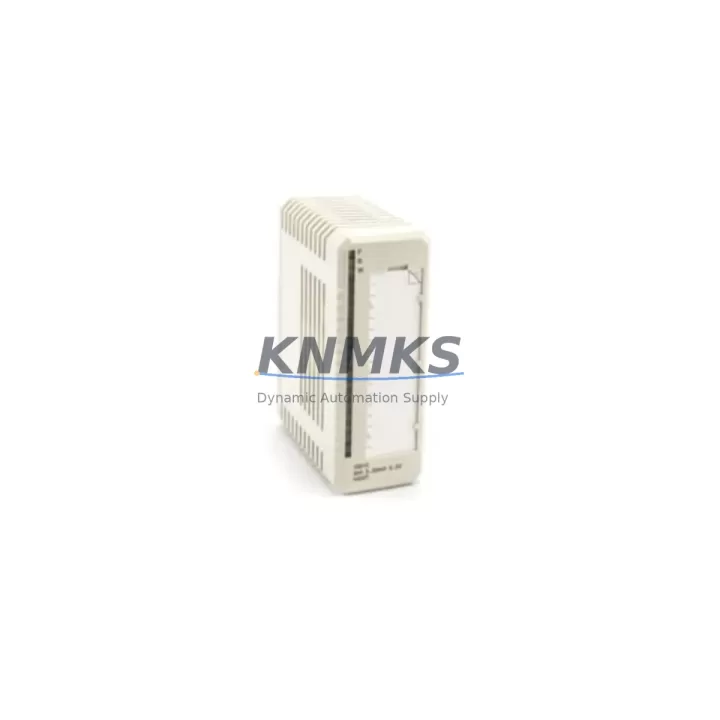
The ABB AI815 is an 8-channel analog input module designed for the S800 I/O system, widely deployed in ABB System 800xA and Freelance DCS environments. As legacy control architectures approach end-of-life, the AI815 serves as a critical migration-ready replacement for discontinued modules such as the AI810 and AI820, enabling plant engineers to extend operational continuity without full system overhauls. With support for 4–20 mA and HART signal inputs, the AI815 integrates directly into existing S800 I/O racks and Modulebus backplanes, preserving original wiring terminations and reducing retrofit labor time significantly.
For facilities running aging ABB Advant or MOD 300 platforms, the AI815 provides a validated upgrade path into the 800xA architecture. Engineers migrating from these legacy systems must verify power supply capacity on the S800 I/O station — the AI815 draws from the rack’s 24 VDC bus, and existing TB820 Modulebus Modem or TB840A Profibus DP Adapter configurations must be confirmed for address compatibility before module insertion. Terminal block wiring from the legacy AI810 is pin-compatible in most configurations, though field verification of signal type (mA vs. voltage) and HART enablement per channel is recommended during pre-commissioning.
Migration Compatibility Table
| Parameter | AI815 (Current) | AI810 (Legacy) | AI820 (Legacy) | Notes |
|---|---|---|---|---|
| Channels | 8 | 8 | 8 | Direct channel-count match |
| Signal Type | 4–20 mA / HART | 4–20 mA | 4–20 mA / HART | HART per channel on AI815 |
| Backplane Interface | S800 Modulebus | S800 Modulebus | S800 Modulebus | Same rack slot compatibility |
| Communication | PROFIBUS DP / Modulebus | Modulebus | Modulebus | Confirm TB840A adapter firmware |
| Power Consumption | ~1.5 W | ~1.2 W | ~1.5 W | Verify rack power budget |
| Module Address | Configurable via 800xA | DIP switch | DIP switch | Re-address in Control Builder |
| Terminal Block | MTU/TU830 compatible | TU810/TU830 | TU830 | Confirm TU model before swap |
| Installation Space | Standard S800 slot | Standard S800 slot | Standard S800 slot | No mechanical modification needed |
| Firmware Compatibility | 800xA 5.1+ | 800xA 4.x+ | 800xA 5.0+ | Upgrade 800xA if below 5.1 |
| Replacement Recommendation | AI815 is the preferred drop-in successor for AI810 and AI820 in S800 I/O stations | Validated by ABB migration guides | ||
| Pre-shipment Testing | Full functional test performed before dispatch | Included as standard | ||
| Support terms | support terms confirmed by quotation | Covers hardware defects from date of shipment | ||
Retrofit Planning for Existing Automation Systems
A successful AI815 retrofit begins well before the module arrives on-site. The first step is a rack audit: identify the S800 I/O station model (e.g., S800 I/O Station with TB820 Modulebus Modem or TB840A PROFIBUS DP Adapter), confirm available slot positions, and document the existing module address map. If the legacy AI810 occupied slot 3 of a six-slot rack, the AI815 must be assigned the same logical address in ABB Control Builder to avoid I/O mapping conflicts in the 800xA application.
Terminal unit compatibility is the next critical checkpoint. The AI815 is designed for use with TU830 or TU831 terminal units. If the existing installation uses TU810 units (common with older AI810 deployments), a terminal unit swap may be required — this can be performed without cutting field cables if the TU is replaced while the rack is de-energized. Field wiring from transmitters (pressure, flow, temperature via 4–20 mA loops) reconnects to the same terminal positions on the new TU830, preserving loop integrity.
For plants also upgrading communication infrastructure, the AI815 works in conjunction with the TB840A PROFIBUS DP Adapter, which connects the S800 I/O station to the 800xA controller network. If the existing station uses the older TB820 Modulebus Modem, engineers should evaluate whether a TB840A upgrade is warranted as part of the same retrofit window — combining both changes in a single planned outage reduces total downtime exposure. Similarly, if the control cabinet includes an AC800M PM864A or PM866A controller, firmware version alignment between the controller and the new I/O modules should be confirmed in Control Builder before going live.
HMI graphic screens referencing AI810 tag names will continue to function without modification if the AI815 is configured with identical tag assignments in the 800xA application database. However, HART device management screens may require re-scanning after module replacement to re-establish HART device identity for connected field instruments. Signal isolators installed upstream of the AI810 — such as those used for intrinsically safe zone separation — remain in place and are fully compatible with the AI815’s input impedance specifications.
Downtime Control During System Migration
Minimizing production downtime during an AI815 swap requires a structured pre-outage preparation protocol. Before the maintenance window opens, export the full I/O configuration from ABB Control Builder, including all AI810 channel assignments, engineering unit scaling, HART device parameters, and alarm limits. This export serves as both a backup and a commissioning reference for the AI815 configuration.
During the outage, follow a sequential swap procedure: de-energize the affected I/O station, remove the AI810 from its slot, insert the AI815 into the same slot position, and reconnect the terminal unit. Power restoration should be staged — bring the rack online first, confirm the AI815 appears in the 800xA hardware tree with correct module status, then enable channels one by one while monitoring live process values against historian trends to verify signal fidelity.
For critical loops (e.g., reactor feed flow, boiler drum level), coordinate with the process control team to place affected loops in manual mode at the DCS before the swap. This preserves field control continuity through the replacement window and prevents spurious trips from momentary signal loss during module insertion. Once the AI815 is online and all channels are verified, return loops to automatic mode in a controlled sequence, confirming each loop’s PV reading matches the field instrument before releasing control.
Total swap time for a single AI815 replacement in a prepared environment is typically 15–30 minutes per module, excluding HART re-commissioning. Pre-shipment functional testing of each AI815 unit — covering all 8 channels at 4 mA, 12 mA, and 20 mA reference points — is performed before dispatch, reducing the risk of DOA modules extending the maintenance window unexpectedly.
Retrofit Support FAQ
Q1: Is the ABB AI815 a direct replacement for the AI810 and AI820?
Yes. The AI815 occupies the same S800 I/O rack slot and uses the same Modulebus backplane interface as the AI810 and AI820. Terminal unit compatibility (TU830/TU831) should be confirmed before installation. Module address reassignment in ABB Control Builder is required after physical swap.
Q2: What commissioning steps are required after installing the AI815?
After physical installation, open ABB Control Builder and verify the AI815 appears in the hardware configuration tree. Confirm channel-by-channel signal type settings (mA/HART), re-enter engineering unit scaling if not retained from backup, and perform a live signal check against known field instrument values. For HART-enabled channels, run a HART scan to re-identify connected devices.
Q3: Can the AI815 be used with existing field wiring and terminal blocks?
In most cases, yes. If the existing terminal unit is TU830 or TU831, field wiring connects directly without modification. If TU810 units are present (common in older AI810 installations), a terminal unit replacement is recommended. Field cable terminations do not need to be cut — the TU swap preserves all field wiring connections.
Q4: What does the support terms confirmed by quotation cover, and is stock available for immediate dispatch?
Each AI815 unit is covered by a support terms confirmed by quotation from the date of shipment, covering hardware defects under normal operating conditions. Units are pre-tested across all 8 channels before dispatch. Stock is maintained for rapid fulfillment — contact the sales team to confirm current availability and lead time for your required quantity.
© 2026 KNMKS. All rights reserved.
Original Source: https://knmks.com
Contact: admin@knmks.com | +86 18359268345
Product Identification
- Brand / Ecosystem
-
ABB
ABB - Model / Series
-
AI815
S800 Series - Product Family
- PLCs & Controllers
- Availability Status
- Available on request after model and quantity confirmation
- Inquiry Type
- B2B RFQ, replacement inquiry and project spare-part request
- Pre-Quote Check
- Exact SKU, brand, series, quantity, nameplate photos and destination country are checked before quotation
System Path
Where this product fits in the KNMKS automation structure.
Specification & Inquiry Focus
- Control platform
- PLC, PAC and modular controllers
- Common needs
- CPU, rack, power and I/O expansion
- Project support
- Replacement, cabinet build and maintenance
Buyer Confirmation
Information KNMKS checks before replying.
- Exact model
- AI815
- Brand / ecosystem
- ABB
- Product family
- PLCs & Controllers
- Application note
- Replacement, maintenance, project build or spare-part list
- Useful photos
- Nameplate, installed unit, cabinet layout or connector side
- Delivery details
- Quantity, destination country and target schedule
Document Support
Files and notes can be confirmed during quotation.
- Product photos or nameplate confirmation when available
- Packing and delivery notes before quotation confirmation
- Support scope and delivery terms confirmed per inquiry
- Export document coordination for qualified B2B requests
Inquiry Support
- Model cross-checking before quotation
- CPU, power, rack and expansion module matching
- Support for replacement and project inquiry
What to Send Us
- Brand and exact model number: ABB AI815
- Quantity and required delivery time
- Application, replacement requirement or nameplate photo
- Destination country and shipping preference
RFQ Preparation
This is a product inquiry page built for RFQ communication.
Fast Model Check
Send this model to KNMKS for confirmation.
Include quantity, destination country and photos if this is a maintenance replacement. The inquiry will be saved with a reference number after submission.
Brand & Compatibility Note
KNMKS displays automation product information for well-known industrial brand ecosystems and compatible replacement references. Brand names are used for product identification and compatibility reference only; final availability and commercial terms are confirmed per quotation.
 Manufacturing
 Machine Tools
 Packaging
 Energy & Power
 HMI & Displays
 Servo Systems
 Variable Frequency Drives
 Sensors