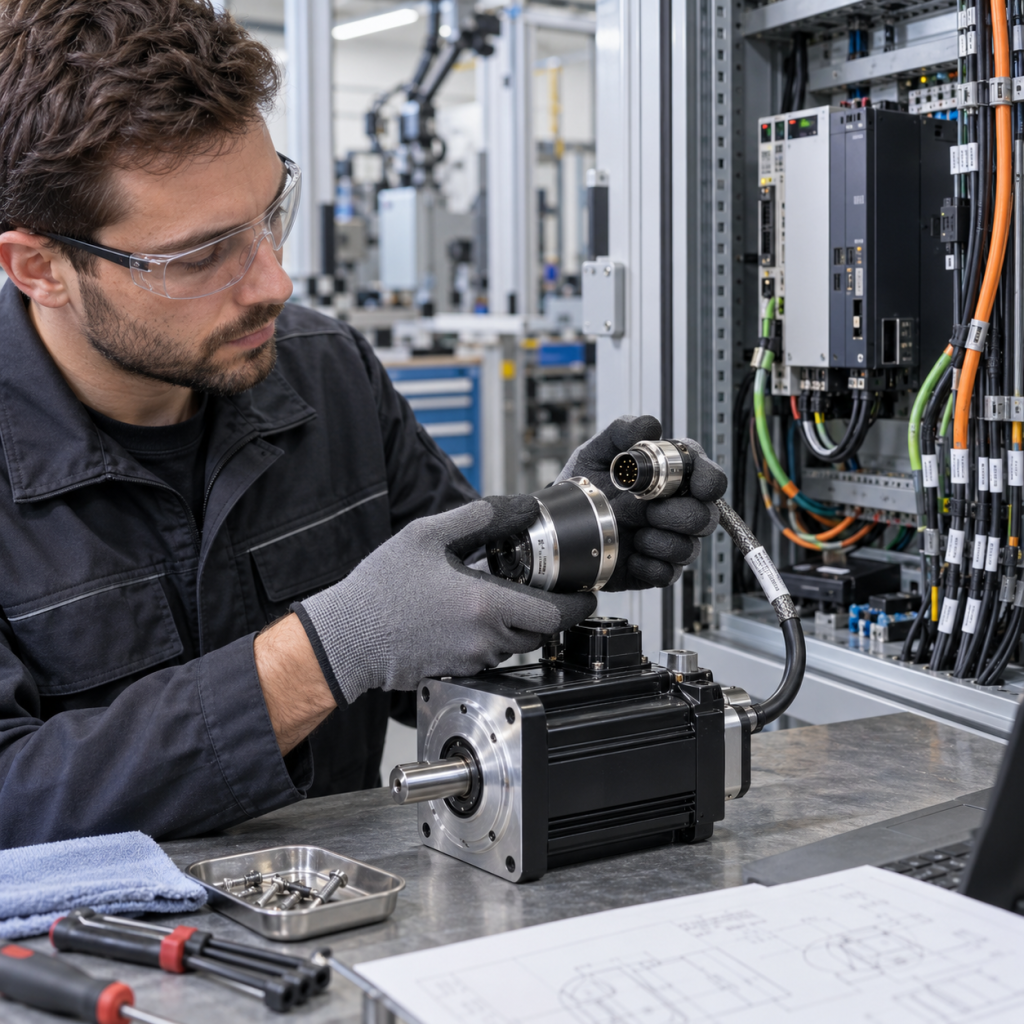
An obsolete industrial automation part creates a different RFQ problem from a normal replacement. The original model may be discontinued, reclassified as mature, supported only through repair, or replaced by a newer family that requires engineering work. A useful inquiry must preserve the identity of the installed part while clearly separating an identical spare, a functional replacement, and a migration option.
This guide explains how maintenance teams can prepare an obsolete industrial parts RFQ with evidence that supports lifecycle review and reduces the risk of treating an unverified alternative as a drop-in replacement.
Start with the installed part evidence
Photograph the complete model label, serial or revision marking, connectors, mounting position, adjacent modules, and the cabinet or machine context. Record the manufacturer, full catalog number, suffix, hardware revision, firmware where relevant, and the exact quantity required.
Do not rely on a shortened model or a search result that looks similar. The suffix can define voltage, memory, communication, safety, environmental, or mechanical differences. If the label is damaged, include several angles, the spare-parts list, drawings, and the controller or system family rather than guessing missing characters.
Separate lifecycle status from replacement status
A product can be mature or discontinued without having one universal replacement. Lifecycle status describes the manufacturer’s position on availability and support; it does not by itself confirm that a newer product can be installed without configuration or engineering changes.
Rockwell Automation lifecycle guidance distinguishes Active, Active Mature, End of Life, and Discontinued statuses and indicates that a recommended replacement may be available for some products. Siemens describes migration work as a sequence that can include project analysis, concept development, engineering, implementation, and commissioning. These official lifecycle and migration references support a more precise RFQ question: is the requirement an identical part, a functional replacement, repair, or a system migration?
Document the installed system relationship
Identify where the part is used: PLC rack, DCS node, remote I/O station, drive cabinet, HMI panel, safety circuit, or communication network. Record the controller, interface module, power supply, terminal assembly, cables, firmware, and connected field devices around it.
For a DCS or redundant system, record the active and standby roles, synchronization path, I/O stations, operator or engineering stations, and any interface or voter modules. For a PLC, include the rack, slot map, project version, memory or configuration media, and communication networks. For a drive or HMI, include the motor, feedback, cable, panel cutout, application, and parameter or project backup status.
Check whether the requested solution is an exact spare
If the customer requires an identical spare, state that clearly and keep the original catalog number unchanged. Request evidence of the exact suffix and revision, and ask whether the part must be unused, repaired, refurbished, or simply suitable for technical review. Do not imply original, authorized, or fixed warranty status unless it is verified for the specific unit.
If an alternative is acceptable, label it as an alternative review rather than a confirmed substitute. The review should compare electrical ratings, connectors, mounting, firmware, software, communication, safety, accessories, environmental limits, and required commissioning steps.
Prepare an evidence pack for an obsolete parts RFQ
- Complete model, suffix, revision, serial or date code, and installed quantity.
- Close-up and context photos of the part, labels, connectors, rack, cabinet, and adjacent components.
- System family, controller or DCS node, slot, network, power, terminal, cable, and accessory information.
- Available drawings, spare-parts lists, project files, parameter backups, firmware, and maintenance records.
- Required condition: identical spare, repair, exchange, refurbished unit, functional replacement, or migration review.
- Machine application, destination country, target delivery window, and urgency.
- Whether the original part must be returned or whether a replacement can be evaluated offline first.
Use system context to avoid a false match
Describe the process and failure consequence without making unsupported downtime or cost claims. State whether the part controls packaging, material handling, power, process instrumentation, or another industrial function. This helps the quotation team understand the operational context while keeping the technical decision evidence-based.
For related KNMKS reference paths, review the industrial automation product listings, the PLCs and controllers category, and the ABB product reference page. These pages help organize an inquiry, while the installed part and approved documentation remain the basis for confirmation.
Final verification gate
Before approving an obsolete-parts request, compare the proposed solution with the installed identity, system relationship, lifecycle evidence, electrical and mechanical interfaces, software and firmware, safety requirements, accessories, and commissioning scope. Keep the original documentation unchanged and distinguish confirmed facts from items that require supplier or engineering review.
KNMKS can review the model, quantity, application context, lifecycle evidence, and available photographs as part of an RFQ. The final quotation should remain subject to model and application confirmation. This approach gives maintenance teams a clearer route when an exact spare, repair, or documented replacement must be considered.
Need help with an obsolete industrial part? Send the complete marking, cabinet or machine photos, system context, quantity, destination country, and the required solution type through the KNMKS inquiry process.
Sources: Rockwell Automation Product Lifecycle Status; Siemens Migration for Automation Systems; Siemens Replacing or Retrofitting Obsolete Products.
Related Product Paths