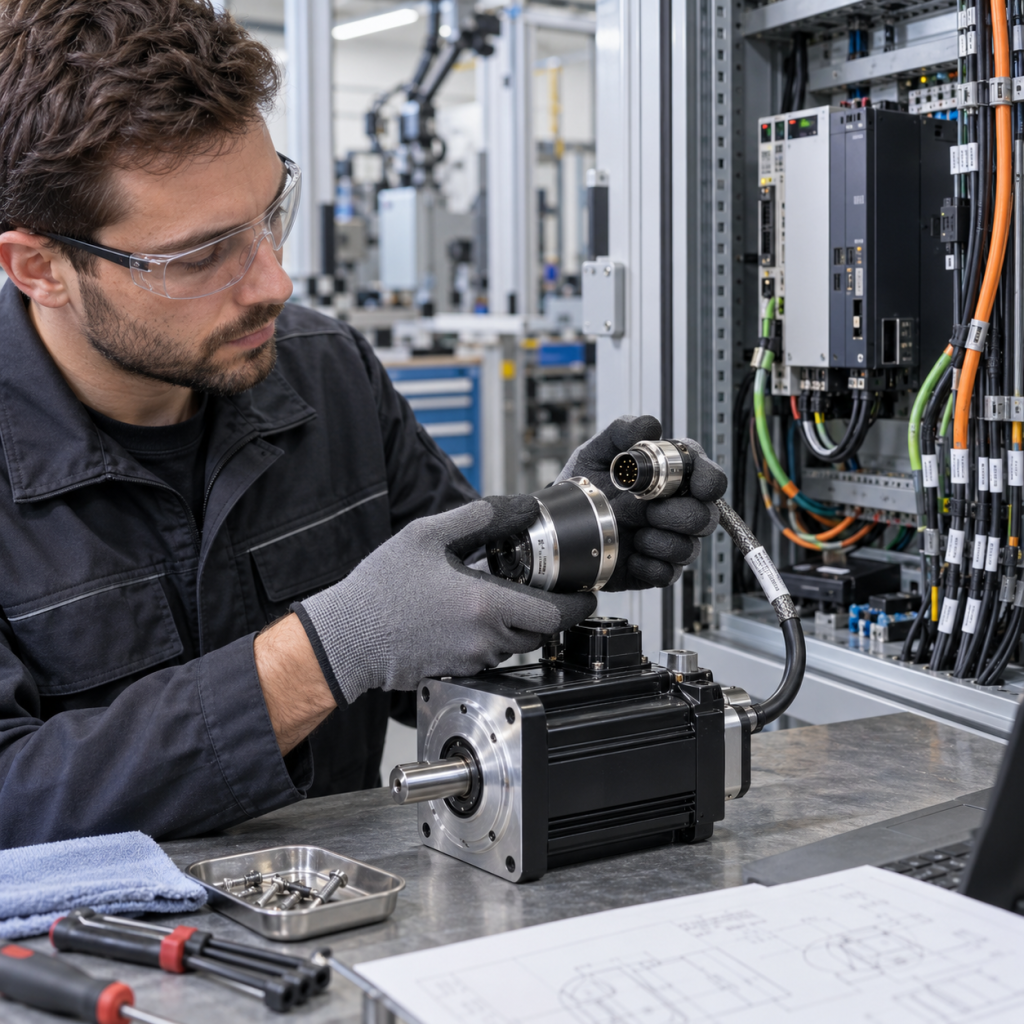
An industrial automation EOL inquiry should begin with the installed system context and the manufacturer’s lifecycle status, not with a generic request for a “new equivalent.” A product can be difficult to source because it is in a phase-out or obsolete phase, but the correct response may be a direct spare, a supported replacement, a retrofit, or a larger migration project. Those paths have different technical evidence requirements.
This checklist is for maintenance teams, system integrators, and purchasing teams reviewing an aging PLC, motion controller, drive, HMI, communication module, or process automation component. It helps separate a part-level RFQ from a system-level modernization decision without assuming that a similar model number will preserve the installed application.
1. Capture the exact installed asset
Start with the complete nameplate and every visible identification code. Record manufacturer, full model, article or order number, revision, serial or date code, firmware version, option cards, memory modules, terminal accessories, and the installed quantity. Photograph the front, side label, terminals, backplane, rack position, and any adjacent modules.
Record where the component is installed: machine, line, cabinet, rack, remote station, drive panel, operator station, or process control node. Note whether the unit is a primary controller, redundant partner, communication gateway, safety device, I/O module, power unit, or engineering workstation. A spare part request without this system role can produce a technically similar item that cannot be commissioned in the same position.
2. Verify the lifecycle status from an authoritative source
Do not treat a reseller listing or a search result as proof of lifecycle status. Check the manufacturer’s current product page, lifecycle announcement, catalog, or support portal. Record the wording and date of the status when available, including whether the product is active, still supported for extensions, limited, phased out, or obsolete.
Siemens publishes lifecycle information for product families such as SIMOTION and describes how phase-out information relates to continued spare-part support. The exact status still needs to be checked for the installed model and market. A family page is useful context, but it is not a substitute for the exact model, revision, and regional status statement.
Save the source URL and the date checked in the RFQ record. If the model is no longer listed, retain the original nameplate and documentation rather than assuming that the absence of a current product page proves that the unit has no support path.
3. Separate direct spare, replacement, retrofit, and migration
Define the requested outcome before selecting a part:
- Direct spare: the same model or a documented spare intended for the installed position.
- Supported replacement: a newer or alternate part with documented compatibility boundaries and required accessories.
- Retrofit: a planned hardware change that preserves part of the installed machine or plant while changing mounting, wiring, or commissioning steps.
- Migration: a broader transition involving hardware, firmware, engineering tools, application software, network interfaces, and commissioning.
These categories should not be merged into one keyword such as “replacement.” Siemens describes automation migration as a staged process that includes assessment, concept development, engineering, implementation, and commissioning. That is different from ordering a spare for a failed module.
4. Check application and software continuity
Record the controller program version, engineering software, project file, library versions, firmware compatibility, parameter backup, licenses, communication drivers, and user access requirements. For a motion or drive system, include technology objects, motor data, feedback configuration, safety parameters, and drive commissioning files. For a PLC or DCS, include rack layout, I/O map, network topology, time synchronization, and redundancy arrangement.
Ask whether the existing project can be opened, exported, or restored with the proposed replacement. A hardware change can be physically successful while still requiring project conversion, firmware changes, new engineering software, or a controlled commissioning window. Capture those dependencies in the RFQ rather than treating them as post-delivery details.
5. Verify interface and physical compatibility
Compare supply voltage, current, mounting, rack or backplane position, terminal type, connector keying, I/O signal type, communication protocol, safety circuit, enclosure clearance, heat dissipation, and environmental rating. Record cable part numbers, connector pinouts, and any special adapter, base, or mounting plate.
For a redundant system, identify both partners and the synchronization or communication link. For a networked system, record the switch port, media type, protocol, IP settings, and required topology. For a drive or motion application, record motor, feedback, braking, and control-interface details. A product that fits the enclosure may still fail the interface review.
6. Build a risk and timing record
State whether the request is for an emergency spare, planned maintenance, an expansion, a last-time-buy decision, or a full modernization project. Record the failure symptom, current production impact, required quantity, target delivery window, destination, and the time available for testing.
Ask for the evidence required to approve the path: manufacturer cross-reference, compatibility statement, retrofit drawing, firmware note, engineering-tool requirement, commissioning scope, and test plan. Do not describe an unverified item as original, authorized, guaranteed compatible, or available from stock.
7. Send a complete EOL RFQ package
- Exact model, article number, revision, serial or date code, and clear nameplate photos.
- Installed system, rack or cabinet position, adjacent modules, and application role.
- Lifecycle source URL, status wording, date checked, and any manufacturer announcement.
- Firmware, software, project backup, parameter files, licenses, network details, and option cards.
- Required outcome: direct spare, supported replacement, retrofit, or migration assessment.
- Quantity, failure or project context, destination, target timing, and commissioning constraints.
For related system context, review the KNMKS automation systems section, the industrial control systems hub, and the product directory. If the exact lifecycle path or model relationship is uncertain, use the KNMKS contact page to send the nameplate, system role, and available engineering files.
Need an obsolete automation part checked? Send the full model, installed position, lifecycle evidence, firmware or project context, quantity, destination, and required timing. A documented RFQ makes it possible to distinguish a spare-part request from a migration decision before the technical review begins.
Reference sources
- Siemens SIMOTION product lifecycle information
- Siemens migration for automation systems
- Siemens retrofit for drive systems
Related Product Paths