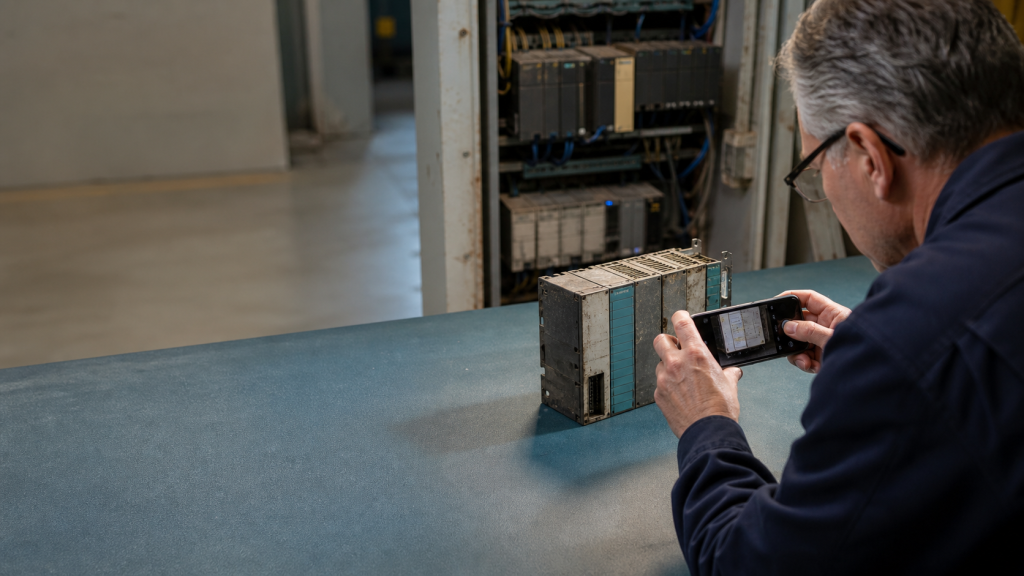
Replacing an industrial Ethernet switch is rarely a simple port-for-port exercise. The switch may sit between PLCs, remote I/O, drives, HMIs, safety equipment, cameras, or an upstream control network. Before an RFQ is sent, the replacement request should preserve the network role and installation constraints of the existing device.
This guide provides a practical review sequence for maintenance teams and system integrators. It is intended to improve model identification and quotation accuracy. It does not assume that a similar-looking switch is electrically or functionally interchangeable.
Start with the installed switch and network role
Record the complete part number, manufacturer, product family, hardware revision, and any visible option code. Photograph the nameplate and terminal area before removing the unit. The same family can contain managed and unmanaged versions, copper and fiber variants, different temperature ratings, and different power arrangements.
Next, document where the switch is used. A small unmanaged switch inside a machine panel has a different role from a managed backbone switch connecting multiple control cabinets. Note whether the device is used for machine-level connectivity, a process cell, a plant network, a ring, or a remote cabinet. That context determines which technical details matter in the RFQ.
Check ports, media, and topology
Count every active and spare port. Separate copper RJ45, fiber, SFP, M12, and other industrial connectors. Record the link speed, duplex requirements, and whether any port is used for a special uplink or redundancy connection. A replacement with the right number of ports can still fail the application if its media type or uplink arrangement is different.
Draw a simple connection map showing the neighboring PLCs, HMIs, drives, remote I/O, and upstream switches. Mark any ring, star, line, or redundant path. For a managed network, capture the configured VLANs, trunk or access role, redundancy protocol, port security, and management address before the old switch is removed. If the configuration cannot be recovered, state that clearly so the quotation can include a configuration review.
Verify power and environmental limits
Record the actual supply voltage, polarity, terminal layout, redundant-input arrangement, and alarm or relay contacts. Industrial switches may use 24 VDC, wider DC ranges, or other supply options. The power connector and acceptable voltage range must be checked against the panel documentation, not inferred from the enclosure shape.
Also record the cabinet temperature, humidity exposure, vibration, mounting method, ingress requirements, and available clearance. Siemens describes SCALANCE as a portfolio for manufacturing and process automation with both managed and unmanaged switching options, while the available variants differ by network role and installation requirement. The replacement request should therefore include the operating environment and mounting details, not only the brand name.
Separate functional compatibility from physical fit
Physical fit covers DIN-rail or rack mounting, dimensions, connector access, and cable bend radius. Functional compatibility covers switching behavior, management features, redundancy, diagnostics, network protocols, and configuration transfer. These are separate checks.
For example, an unmanaged switch may provide the required physical connections but cannot replace a managed unit where VLANs, diagnostics, or redundancy are part of the control network. Conversely, a managed replacement may introduce configuration work that is not appropriate for a simple machine segment. The RFQ should ask for the closest technically compatible option and identify any differences that require engineering confirmation.
What to include in the RFQ
- Full installed model number and clear nameplate photographs
- Port count, connector type, media, speed, and fiber or SFP details
- Network topology and the role of the switch in the control system
- Supply voltage, terminal arrangement, alarm contacts, and redundancy inputs
- Mounting, dimensions, temperature, vibration, and enclosure constraints
- Managed features, configuration backup, firmware or revision information, and required protocol support
- Quantity, destination country, required timing, and whether a like-for-like or migration option is acceptable
For reference, Siemens lists switching, routing, security, and wireless functions within its SCALANCE industrial communication portfolio. Rockwell also publishes industrial networking material that distinguishes industrial network switches from commercial switches. These official references support the principle that the network role and operating environment should be stated in the request.
Use model evidence before requesting a replacement
KNMKS can help review a model number, nameplate photograph, cabinet image, or existing application note before a quotation is prepared. Start with the industrial automation product directory, then review the communication modules category and the industrial switches category. The industrial control systems hub provides additional system context.
When the exact model is uncertain, include the visible markings and connection photos in the inquiry. A clear RFQ should distinguish confirmed facts from assumptions. That makes it easier to compare a direct replacement, a compatible alternative, or a migration path without overstating compatibility.
Need help checking an industrial Ethernet switch replacement? Send the full model number, photos, quantity, destination country, and application context for a documented RFQ review.
Reference sources: Siemens SCALANCE overview; Rockwell Automation industrial network products; Cisco industrial Ethernet switches overview.
Related Product Paths